🚀 Fueling My Journey: A 20 STEEM Power Up & Step-by-Step Guide!
Hello, Steemians!
Today is an exciting day for my account. I believe that for a tree to grow tall and strong, its roots must be nourished. In the world of Steemit, that nourishment is STEEM POWER.
I decided it was time to increase my influence and show my commitment to this platform by powering up 20 STEEM. Not only does this help me support other creators through curation, but it also strengthens my own "voting weight."
Below, I’ve put together a simple, creative guide on how I did it, so you can join me in growing the community!
🛠 The Step-by-Step "Power Up" Process
 | Accessing the Wallet First |
|---|
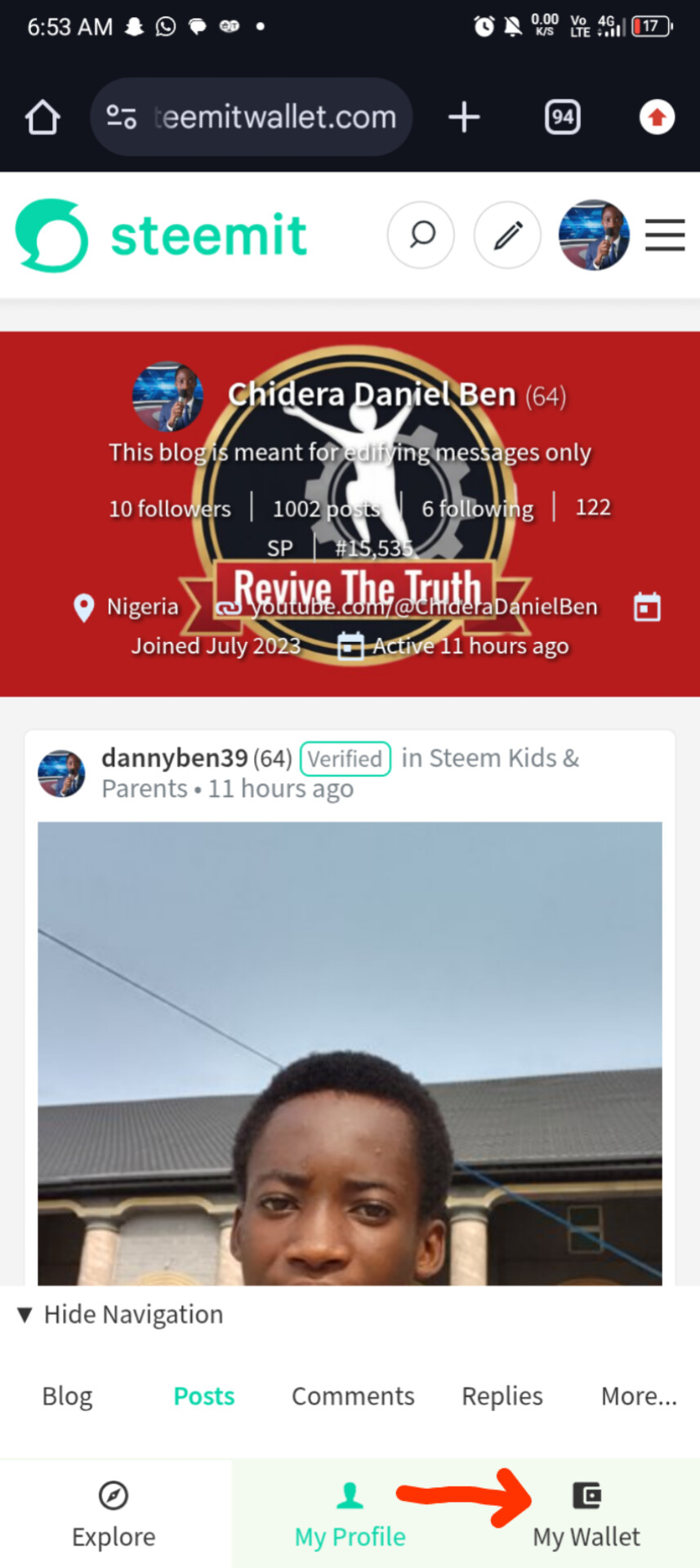
Step 1:
Accessing the Wallet First, navigate to your profile and click on "My Wallet." This is where all the magic happens. You’ll be redirected to steemitwallet.com.
 | Securing Your Session For security |
|---|
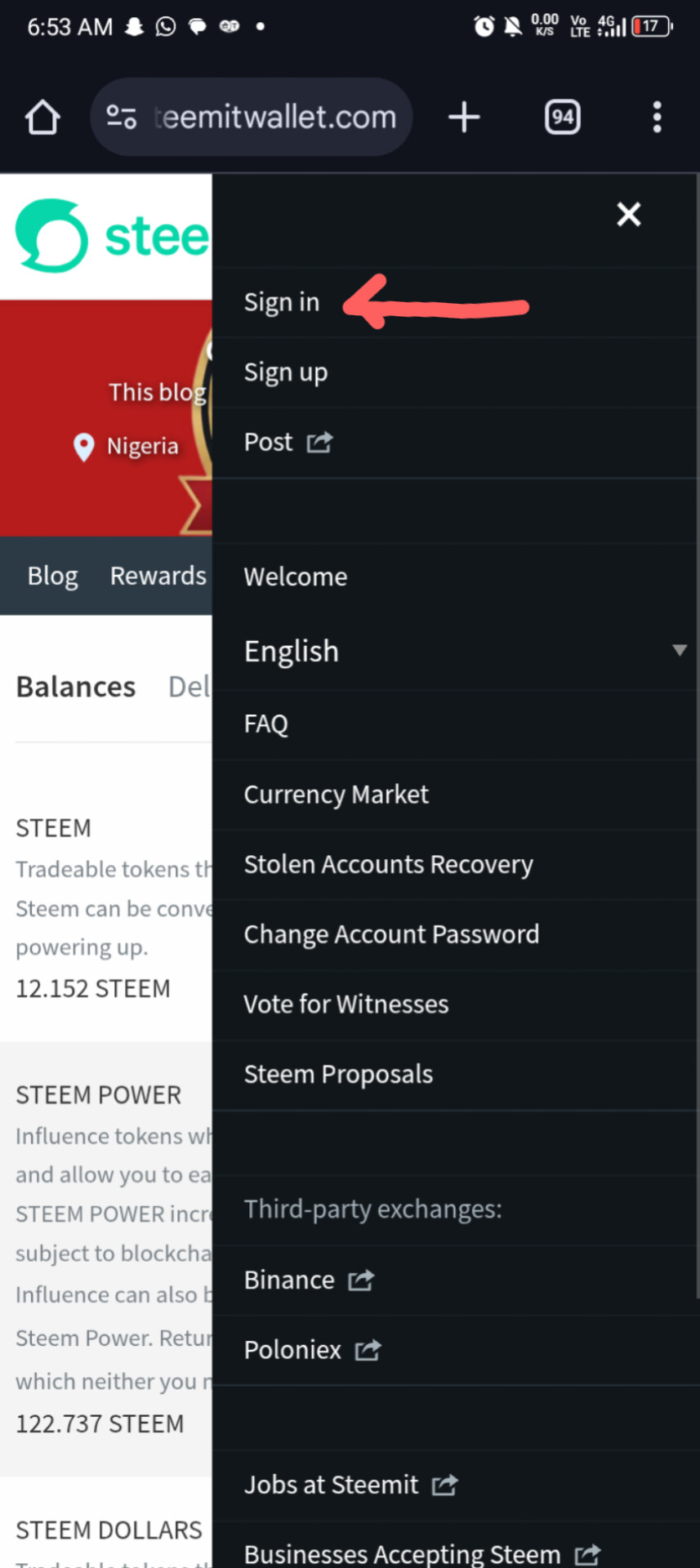
Step 2:
Securing Your Session For security, you’ll need to log in. Enter your username (mine is @dannyben39) and your Private Posting Key (or Active Key for wallet transactions). Pro tip: Never share your keys with anyone!
 | Checking the Balance Before the power-up, I |
|---|
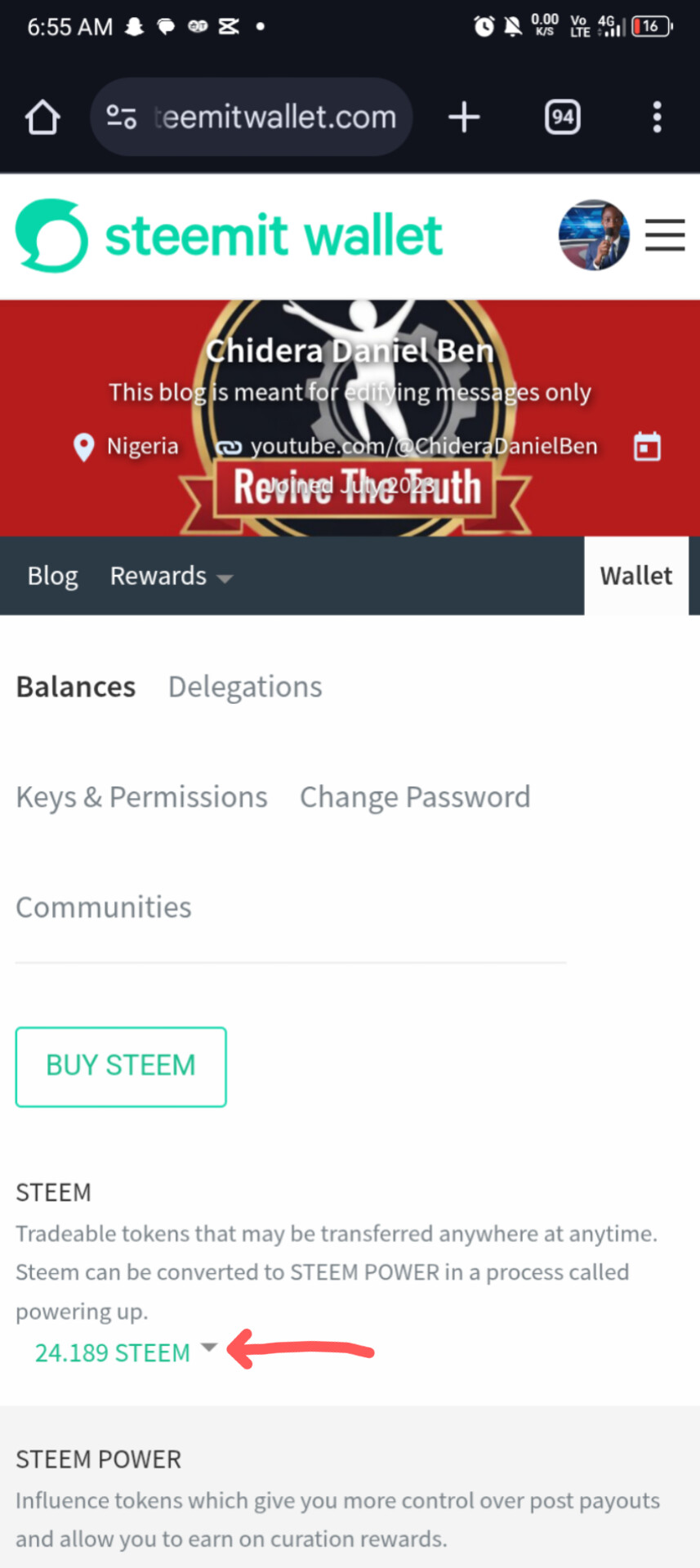
Step 3:
Checking the Balance Before the power-up, I checked my liquid STEEM. I had about 24.189 STEEM sitting there, ready to be put to work!
| Choosing "Power Up" | 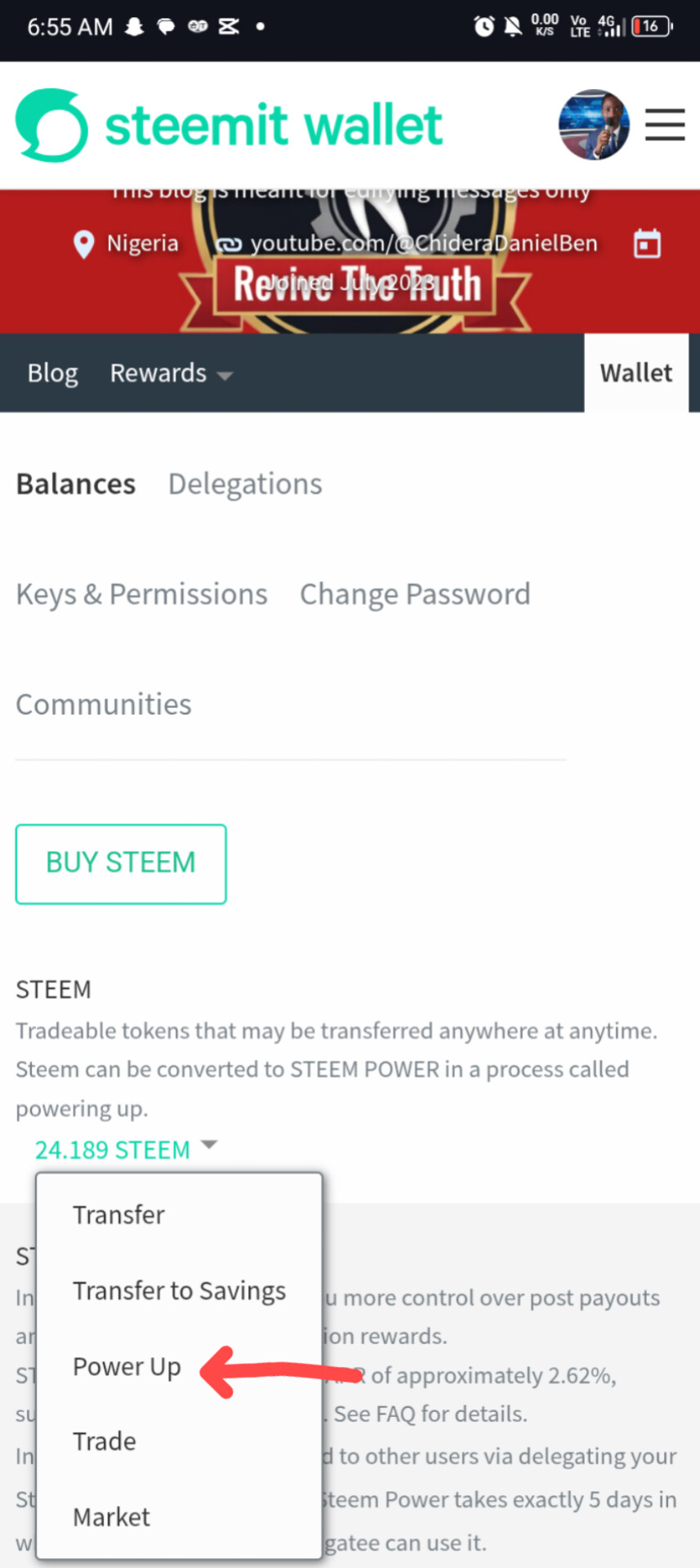 |
|---|
Step 4:
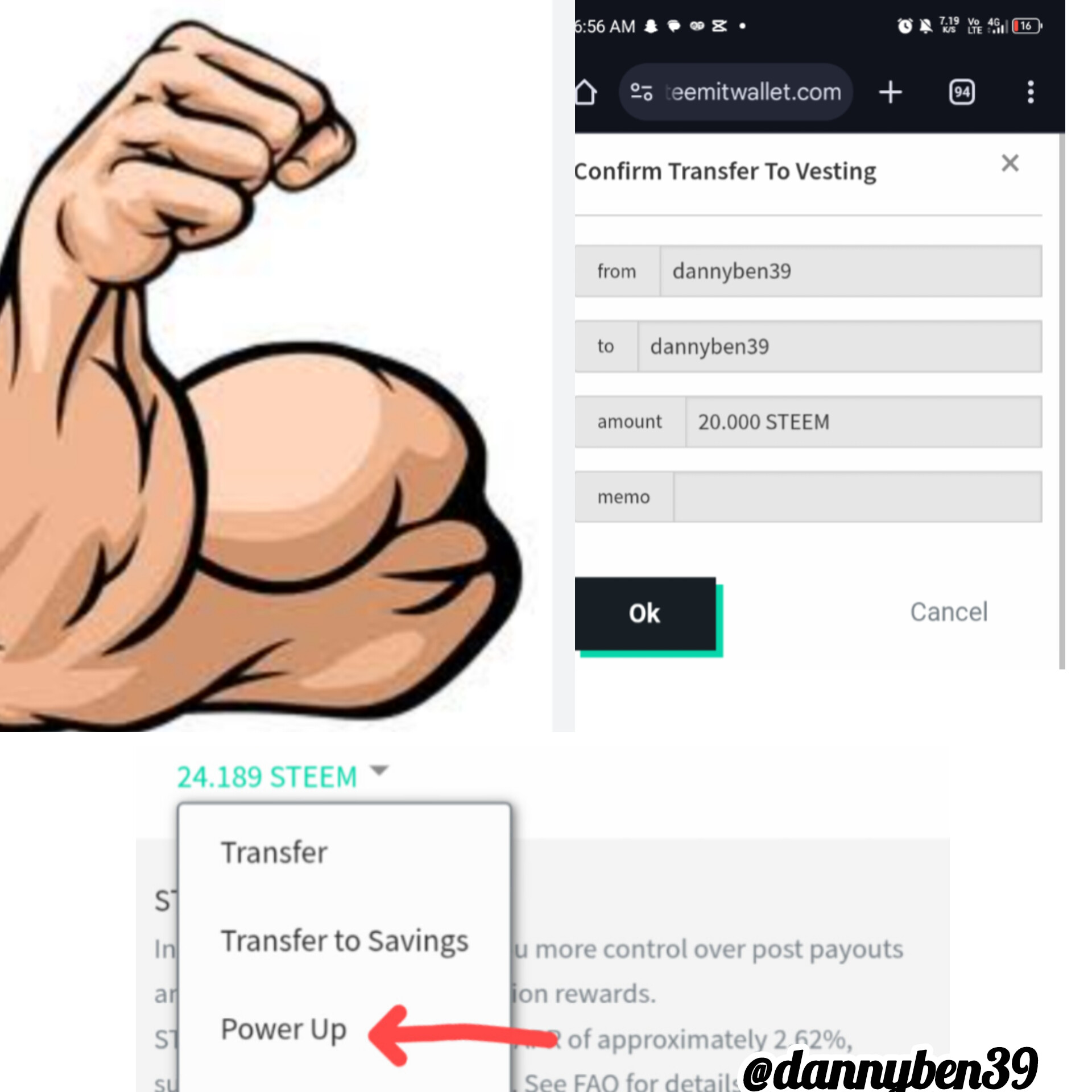
Choosing "Power Up" Click the small drop-down arrow next to your STEEM balance. You’ll see several options like Transfer, Market, and Trade. Select "Power Up".
 | Entering the Amount |
|---|
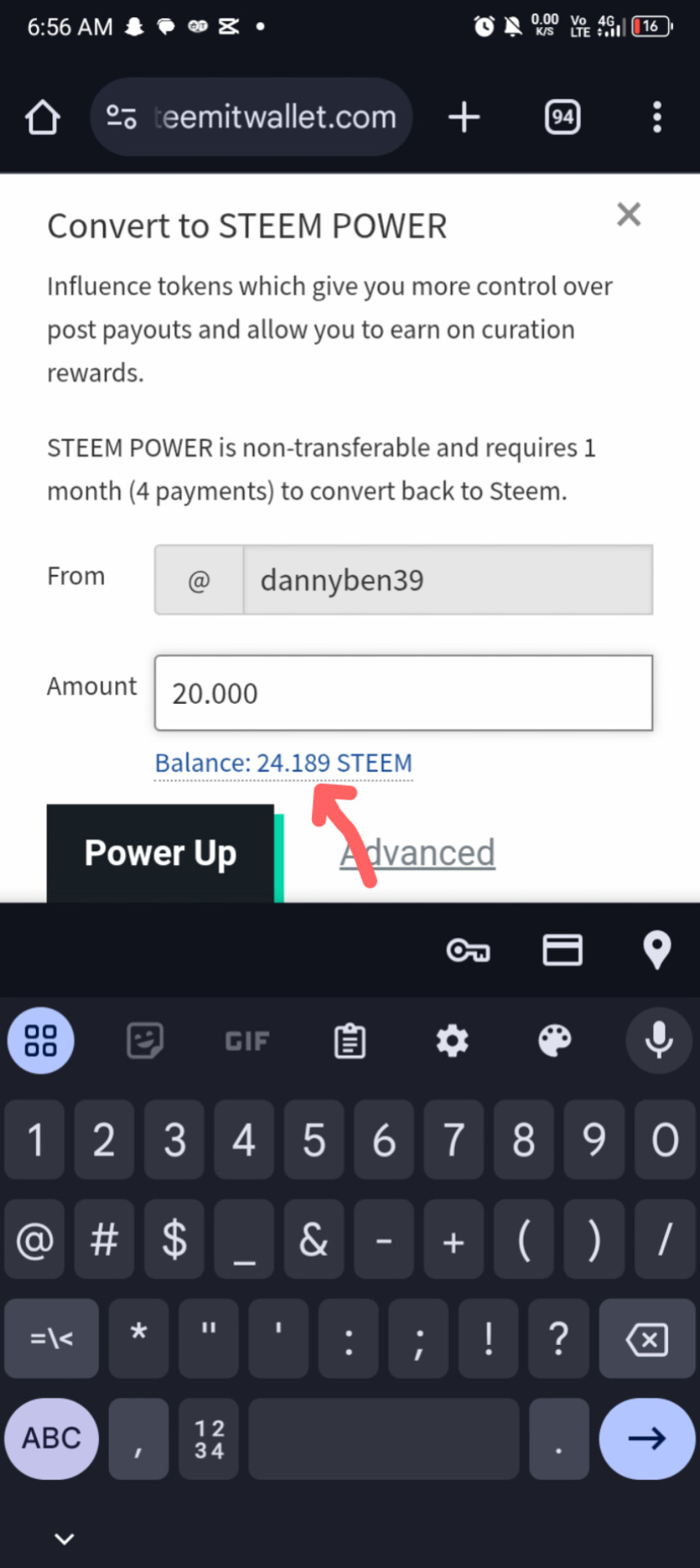
Step 5:
Entering the Amount I decided to commit 20.000 STEEM. In the "Convert to STEEM POWER" box, I typed in the amount. You can see the system confirms your balance right below the input box.
| Final Confirmation | 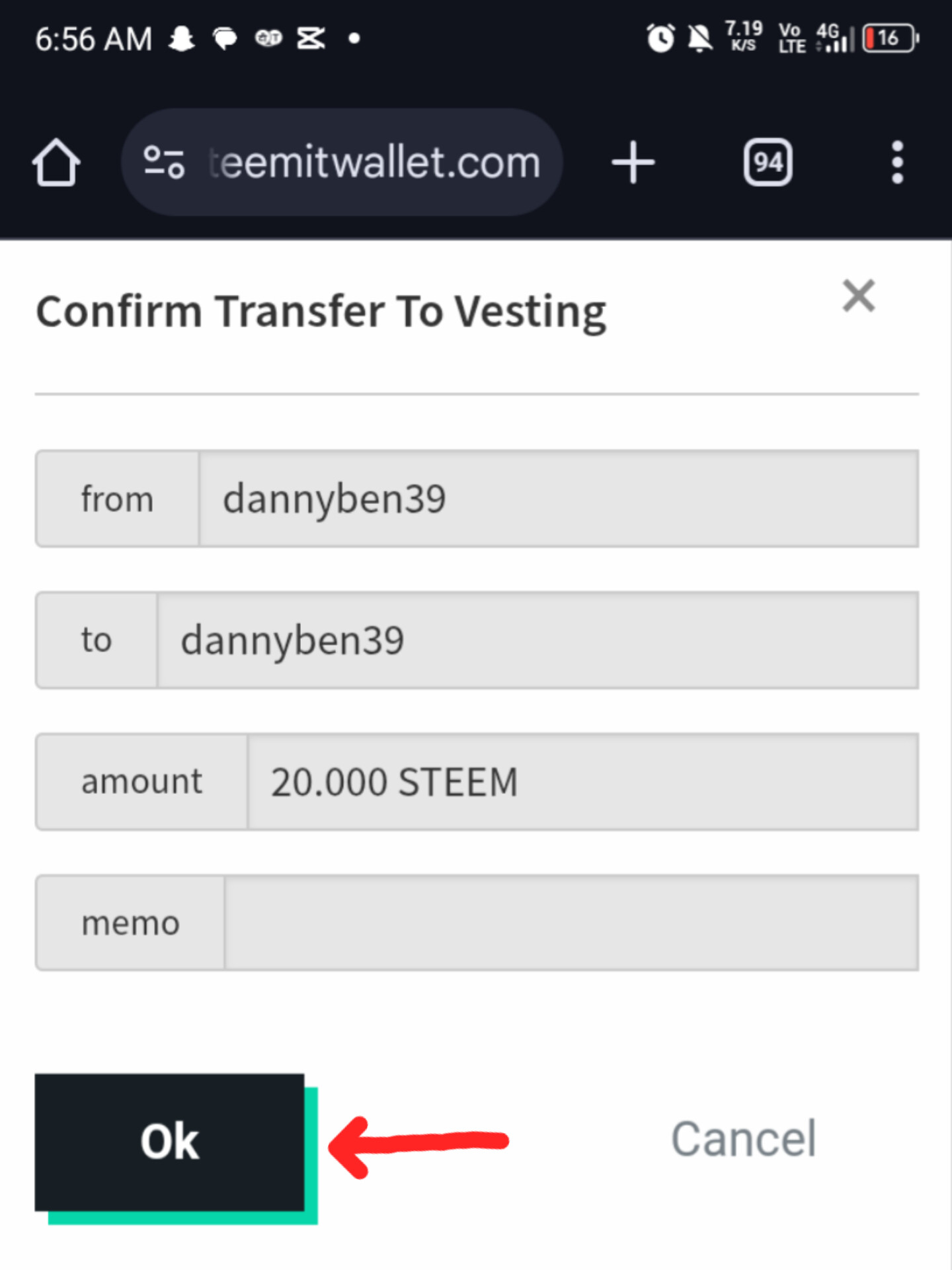 |
|---|
Step 6:
Final Confirmation The system will ask you to "Confirm Transfer to Vesting." This is the technical term for turning liquid STEEM into STEEM Power. I hit that "Ok" button with total confidence!
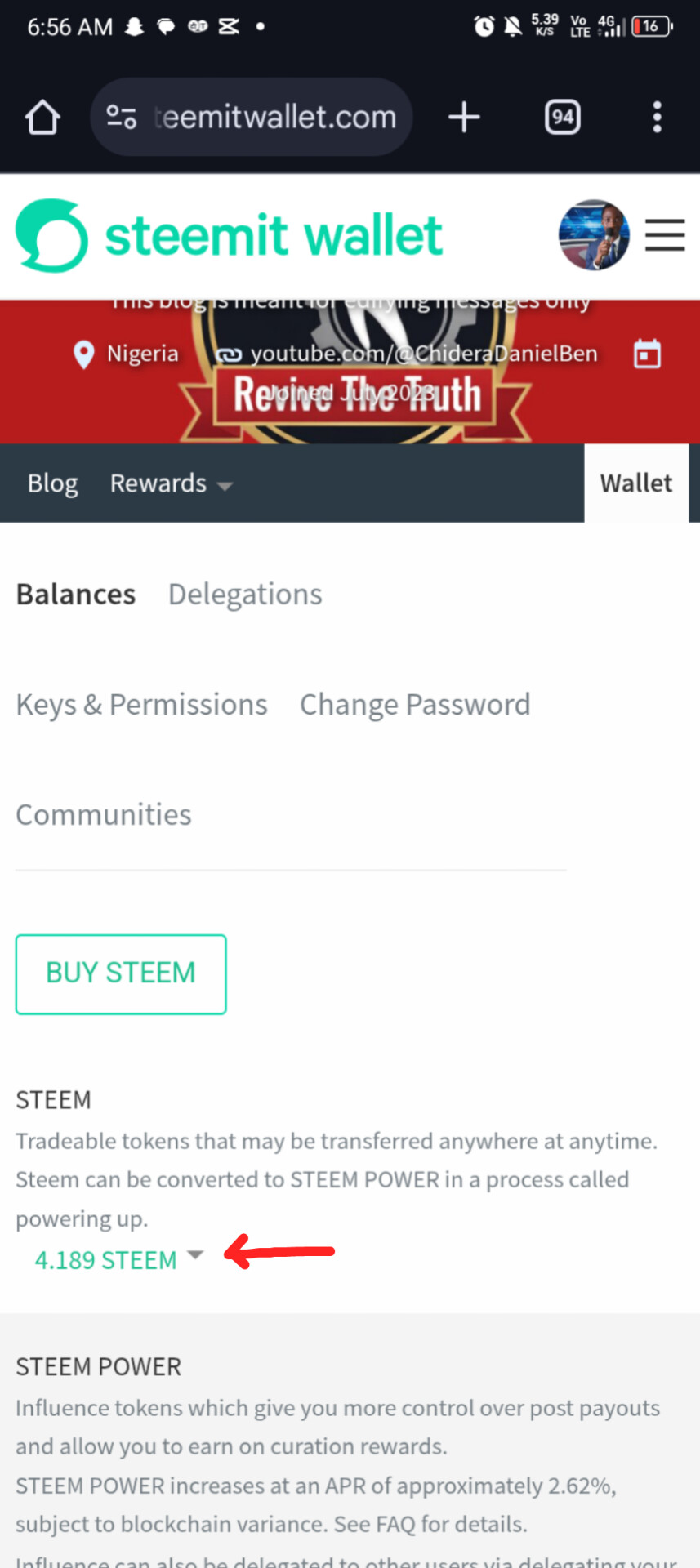 | My STEEM balance dropped by 20 |
|---|
| My STEEM balance increased by 20! (The notification) | 1000012240.jpg |
|---|
Step 7:
Success! After the transaction processed, my STEEM balance dropped by 20, and my STEEM POWER increased significantly! I am now better equipped to reward great content.
💡 Why should you Power Up?
Curation Rewards: When I upvote others, I earn a share of the rewards. The more SP I have, the more I earn.
Increased Influence: My vote carries more weight in the community.
Stability: It shows I am a long-term investor in the Steem ecosystem.
📈 Current Status
Total STEEM Powered Up today: 20.000
Goal: To keep growing until I hit my milestone!
Powering up isn't just about numbers; it's about believing in the future of decentralized social media. Every STEEM added to your power is a step toward personal and community growth.
Are you powering up this week? Let’s grow together!
My X Link
https://x.com/i/status/2010107780766802275