Achievement 2 @ahmadhasnain Task : Basic Security on Steem
Assalamu Alikum hello every one I hope you are all enjoying your life today i will posting my achievement 2 about on steemit. In this achievement basically, we are learning How to use our keys.

Let me answer the question which is asked in the Achievement 2.
Question 1:
Have you retrieve all your keys on steemit?
Answer:
Yes retrieved all my keys win the form of PDF.
Question 2:
Do you know each of these key function and restrictions?
Answer:
Yes I know the function of each keys and restriction. Let me describe the function of each key.
Posting key:
Posting key is use for posting new posts on steemit. It also use for comment on other post, and also use for following and unfollowing. This key is also use for resteem.
Active key:
Active key is basically using for power up and power down, and transfering funds to other steemit account and this key is also use for withdraw funds from steemit.
Owner key:
The owner key is very important key with you can change your other keys and you can also call a recover key of steemit using this you can recover your steemit account. You should keep this key very secure.
Memo key:
This key is using for encrypting and decrypting when your transferring funds to another account.
Question 3:
How do you plan to keep your master password?
Answer:
I save all my keys in PDF and also i take the print out of all my keys. And also stored in my own USB and SSD.
Question 4:
Do you know how to transfer your steem token to anther steem user account?
Answer:
Yes I know first you need to open your steemit wallet and then
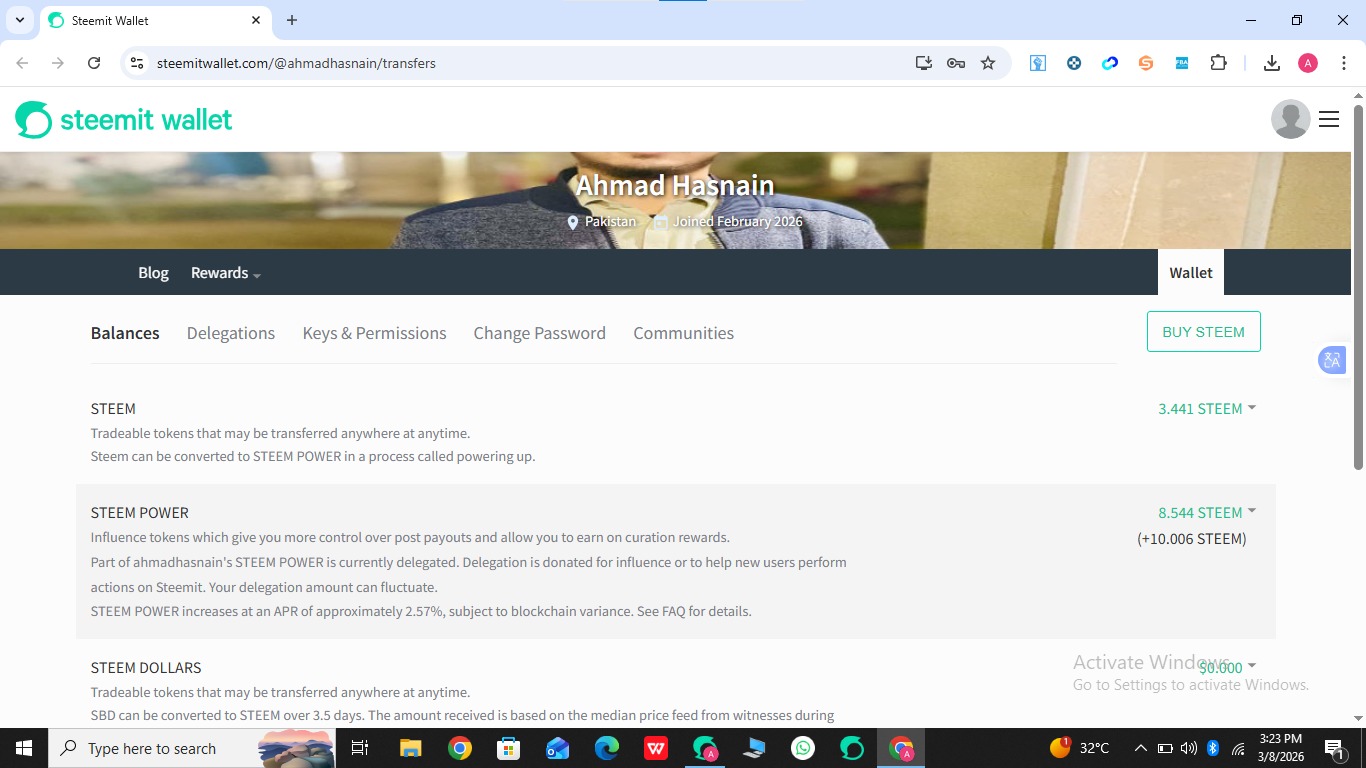
after then you need to click on drop down botton.
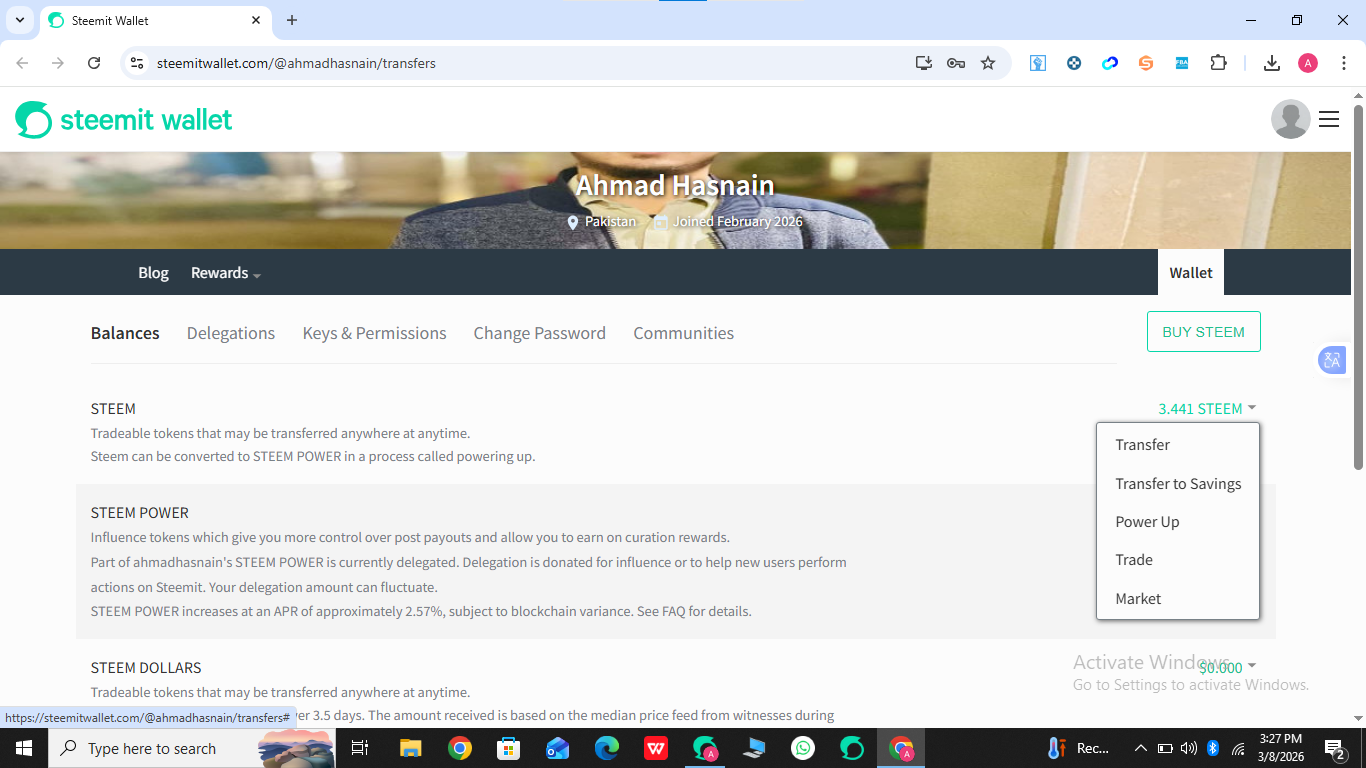
After that write the user name where you want to transfer funds also write the amount of funds which you want to tranfer.
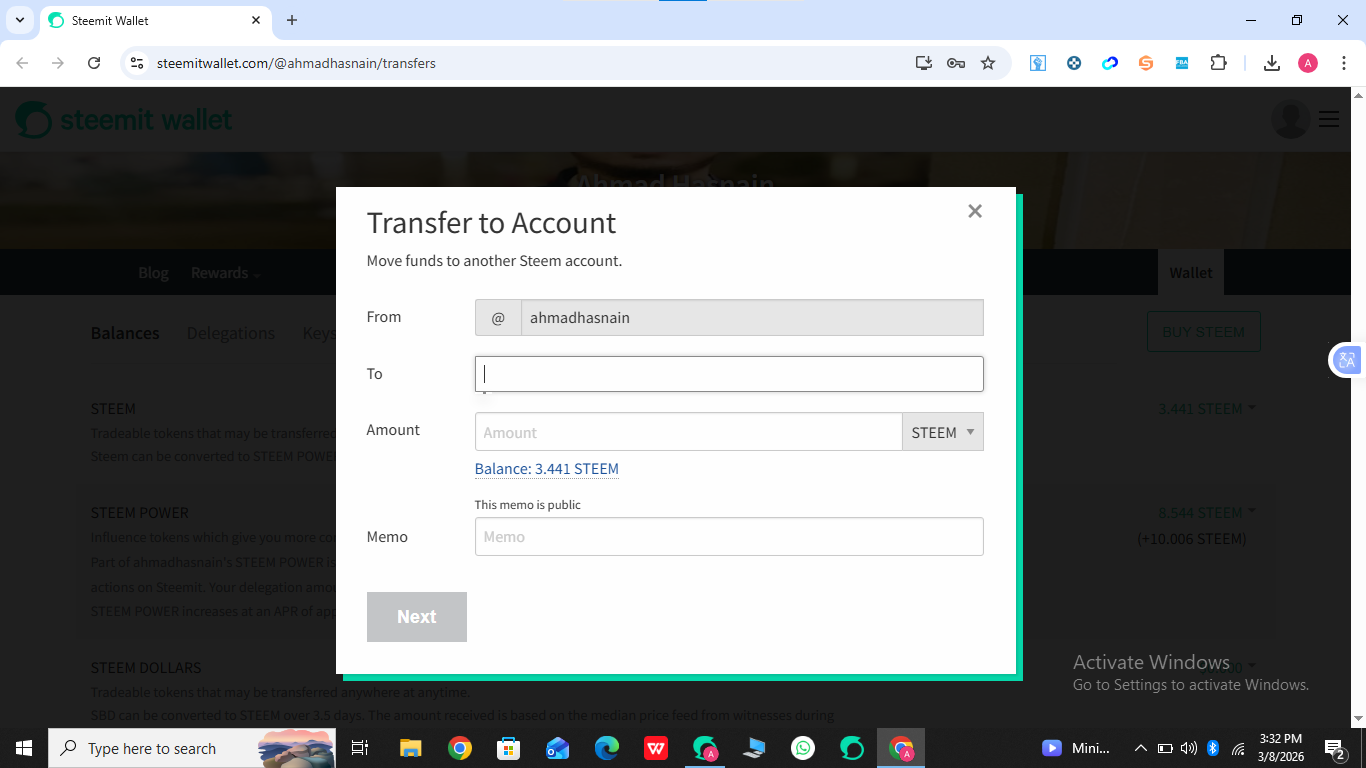
And then click on next button your active key and your fund will transfer successfully.
Question 5:
Do you know how to power up your STEEM?
Answer:
Yes I know how to power up. Let me explain step by step first you need to open your steem wallet then click on the drop down button.
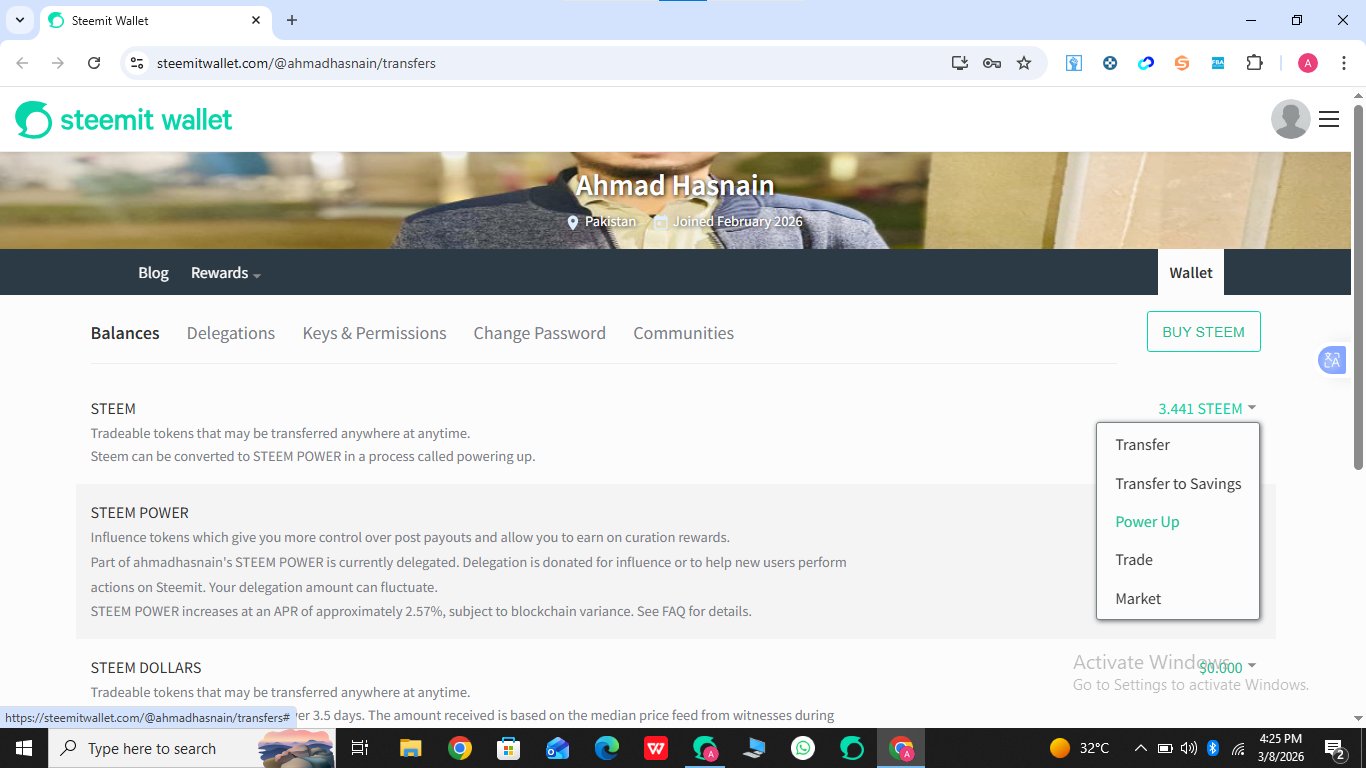
Then click on power up and write the amount you want to power up and click power up button and apply your active key.