Speem SEC-S32W1: Script and camera test.
Hello everyone!
| Script Development |
|---|
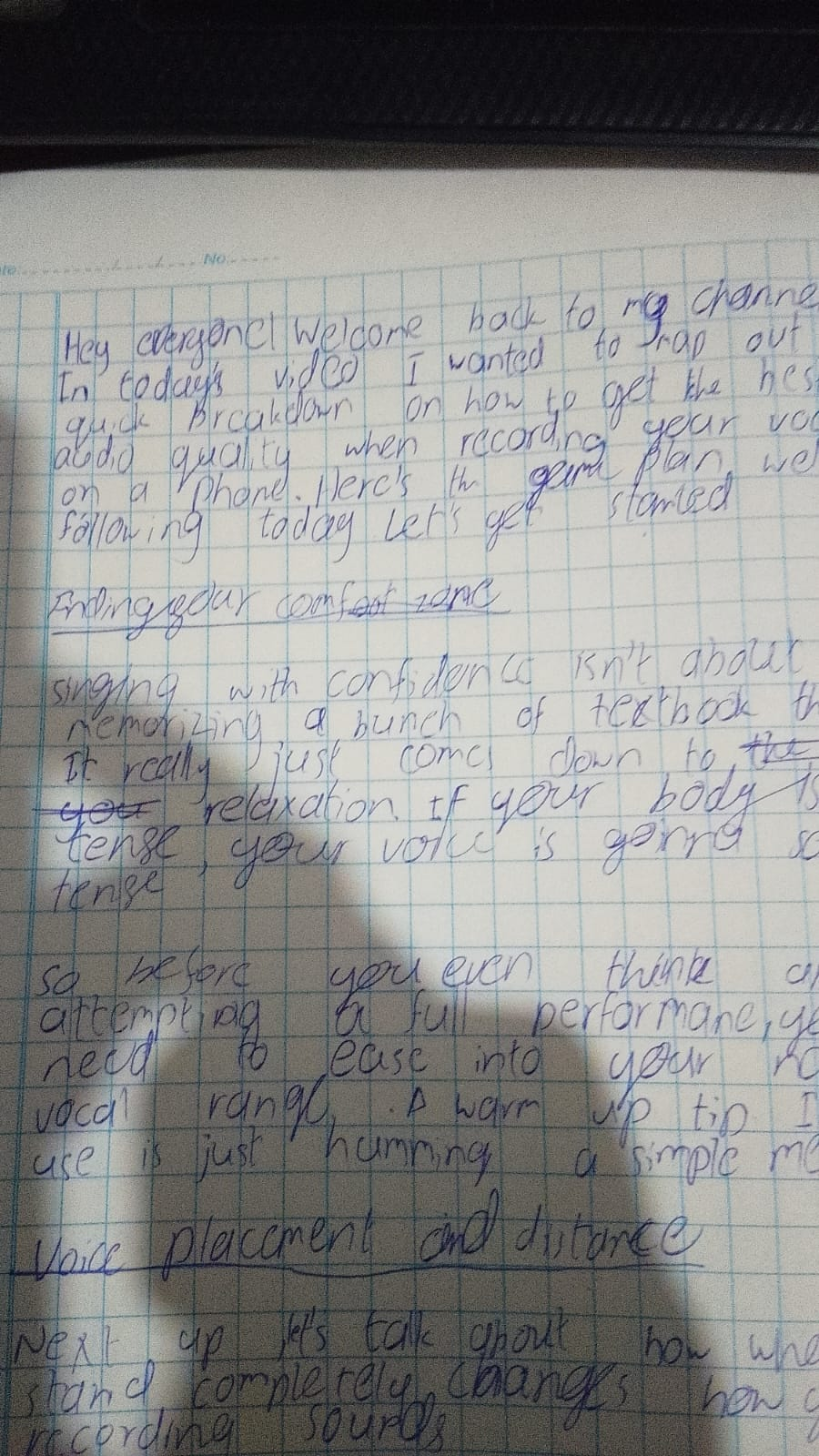
Before I started writing my script, I wrote down a few key points. This makes the drafting process much easier and ensures I don't go off the topic while speaking.
- Keeping relaxed to hit your natural vocal range easily
- Finding the right distance from the mic to avoid muffled audio
- Leaning back on louder high notes to stop the mic from cracking
Script
Part 1: Finding Your Comfort Zone
[Drop a relaxed, welcoming smile to the camera]
Singing with confidence isn't about memorizing a bunch of textbook theory. It really just comes down to relaxation. If your body is tense, your voice is gonna sound tense.
So, before you even think about attempting a full performance, you need to ease into your natural vocal range. A warm up tip I always use is just humming a simple melody like this...
[Demonstrate a quick, easy hum for 2-3 seconds]
See? Super simple. Just get comfortable first.
Part 2: Voice Placement and Distance
Next up, let’s talk about how where you stand completely changes how your recording sounds.
If you get way too close to your phone like this... [Lean in slightly to show the bad example], the audio gets muffled, and your voice totally overpowers the mic.
Instead, you want to keep a comfortable distance away from your phone. [Hold up your hand to measure the distance from the mic/phone]. This keeps your voice sounding clear and sharp without any extra effort.
Part 3: Managing the Loud Parts
Finally, you need to know how to handle those high notes and louder lines so you don't ruin the audio.
When you're about to hit a powerful line, don't just stay in one spot. Watch what I do here. When the volume goes up, I slightly lean my head back or take a small step back from the camera.
[Visually demonstrate leaning back/stepping back slightly]
Doing that simple movement keeps your audio from cracking or distorting on the phone, meaning you get a clean take every single time.
Conclusion & Goodbye
And that’s pretty much it! Managing your audio on a phone doesn't have to be complicated. Just remember to stay relaxed, keep your distance, and back off the mic a bit when you're hitting those loud parts.
Try these out on your next recording and let me know if you notice a difference. If this helped you out, drop a comment below and let me know which tip worked best for you. Thanks for watching, and I’ll catch you guys in the next one.
[Give a friendly wave to the camera and fade out]
| Camera Test |
|---|
After I finished the script, I tested my camera and mic so that there's no errors while recording an because I can get the best quality out of it. I used a budget friendly setup to record my video. Instead of using the low resolution built in webcam of my laptop I used the Camo Studio software to use my phone camera while recording. And I can also keep my script on display while also checking how my video at the same time.
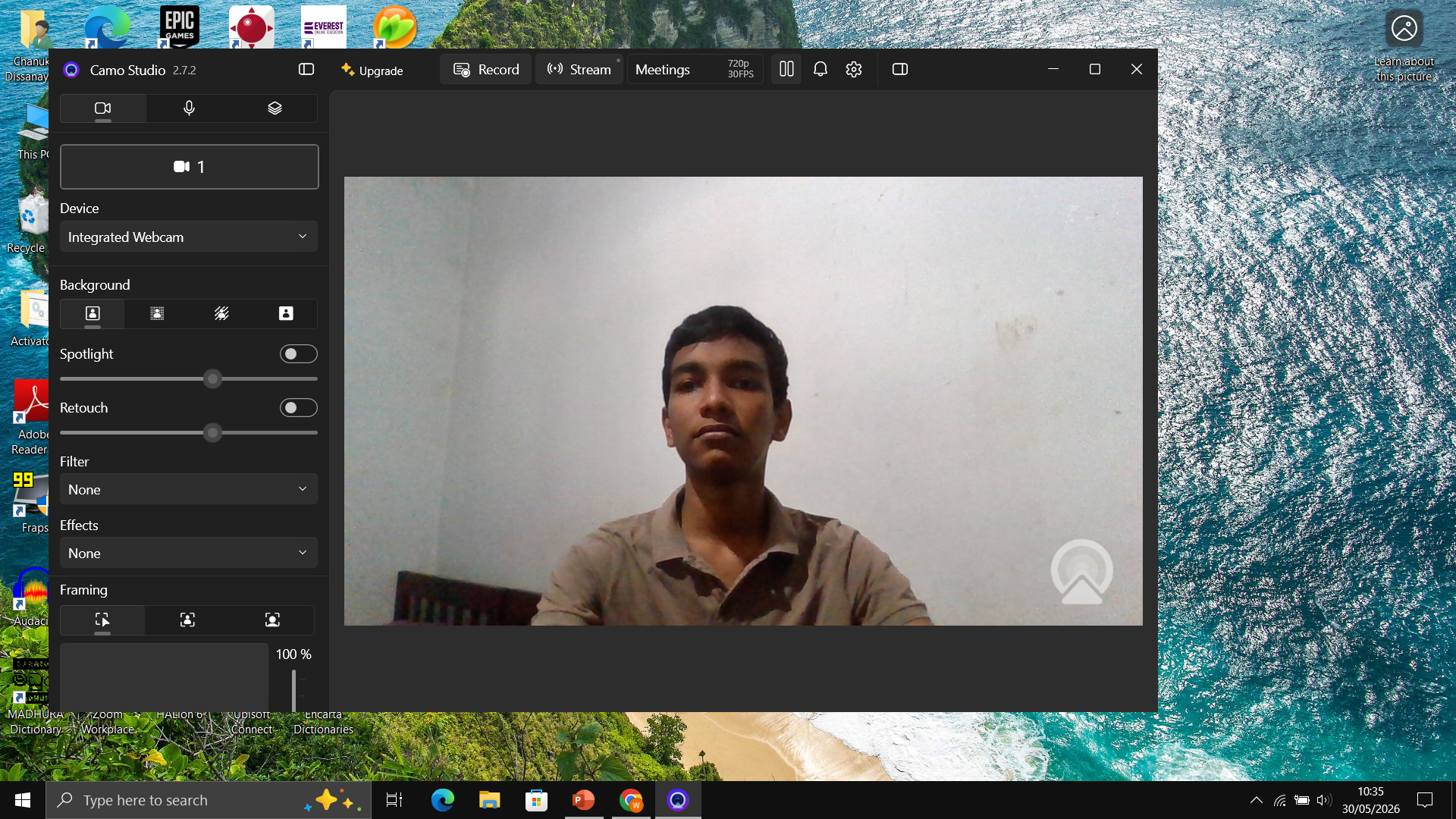
Then I compared both natural lighting nd the indoor lighting to test which suits the video best and chose to stick with the artificial lighting since it when I recorded the video it looked dark inside.
| Sound test |
|---|
For the sound test as I'm gonna be making a video on singing, I had to test some vocals too. For recording my sounds I used a pair of bluetooth earphones as it gives a clearer sound output.
![IMG_20260530_155540[1].jpg](https://cdn.steemitimages.com/DQmaUDJUvWJXMRdkucESFUou3f9KFF4DKqQsDUk4VbukEtK/IMG_20260530_155540%5B1%5D.jpg)
Here's the video of the sound and lighting test. This week's challenge was fun to participate in. I wish all the participants good luck. Peace!
Posted with Speem
Posted on X: https://x.com/WisePasi/status/2060690933767934148
Hello, @pasindukd
It's a pleasure to see that you have accepted my challenge, I'm glad you took the time to participate.
It is a complete script, with good development and transitions. Very original that you have chosen singing as the theme of the hypothetical video.
A couple of details, the first one in the light test, because when you help yourself with the artificial light of the room where you record, there is a part of your face that is under shadow and the idea is that it looks illuminated, you can help yourself with the light from the window or another light source nearby.
The other detail is simple, the image source, if you created your cover yourself you can place it under the cover including the application you used to do it. It is a very good job.
Thank you so much. I will definitely fix those errors next time.
Good day!
#play
Your video has been reviewed by the Video Watchers team.Thank you for your quality content on speem.
High-Yield Curation by @steem-seven
Your content has been supported!
Maximize your passive income!
Delegate your SP to us and earn high rewards
Click here to see our Tiered Reward System
We are the hope!