Steem Private Selfie KYC: Update Part 2

Essentially, I just wanted such a service to exist. Right now, it is a concept of minimal resource usage. It is just a single page, though some minor changes need to be made to the website that adds verification confirmation icons so that it reads JSON records of the verifier accounts for display.
New Interface Element (Language Selector):
A fully-featured dropdown list with a stylish Globe icon has been added to the application header, blending harmoniously into the design.
The text and language selection now look responsive, localized, and clean, without unnecessary obsolete toggle buttons.
Support for 11 languages:
Full translation dictionaries have been added for the following languages:
🇺🇦 Ukrainian (uk)
🇬🇧 English (en)
🇵🇱 Polish (pl)
🇪🇸 Spanish (es)
🇫🇷 French (fr)
🇩🇪 German (de)
🇮🇳 Hindi (hi)
🇧🇩 Bengali (bn)
🇯🇵 Japanese (ja)
🇰🇷 Korean (ko)
🇨🇳 Chinese (zh)
The language setting is responsively read from the browser; if the detected language is not available, it defaults to English.
2. Nuances of Editing the Verification Accounts File
The decision not to hardcode the verifier accounts "monolithically" into the JS code makes the application extremely flexible. The configuration is completely externalized into a static file. This allows trusted verification accounts to be fixed if necessary, and changed even after compilation simply by editing the file on the server. Alternatively, both options can be kept: the list and the input field.
📁 Configuration file:
All changes regarding the list of accounts are made to the file:
/public/verifiers.json (it works after compilation too).
The current contents of the file look like this:
{
  "strict_mode": false,
  "official_verifiers": [
    "steemblog",
    "steemcurator01"
  ]
}
⚙️ Configuration parameters:
official_verifiers (array of strings):
Here you specify the exact usernames (without the @ symbol) that will be displayed in the quick-select list of official verifiers.
You can add or remove any number of accounts, for example:
"official_verifiers": ["steemblog", "steemcurator01"].
strict_mode (boolean type true or false):
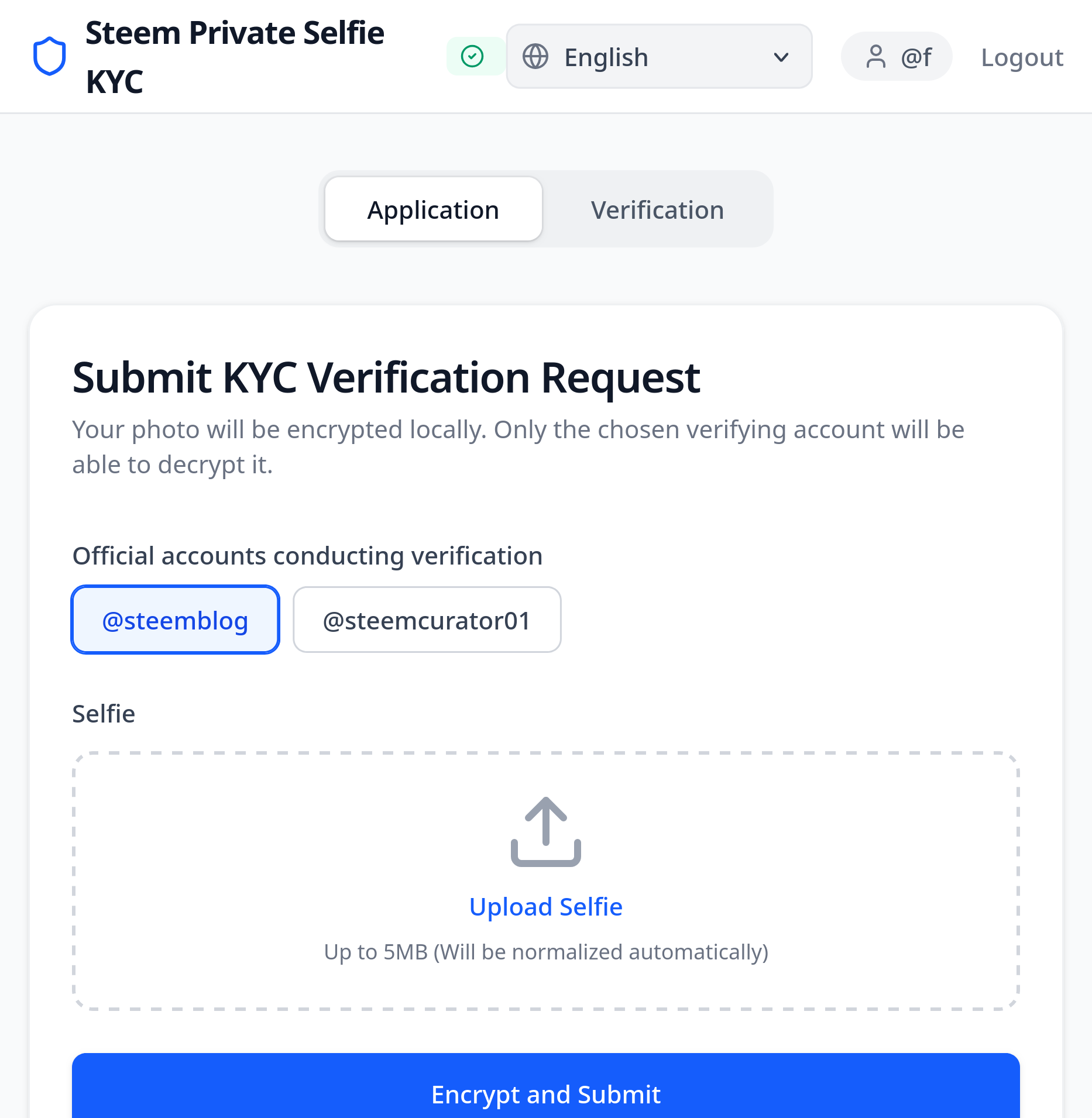 true |
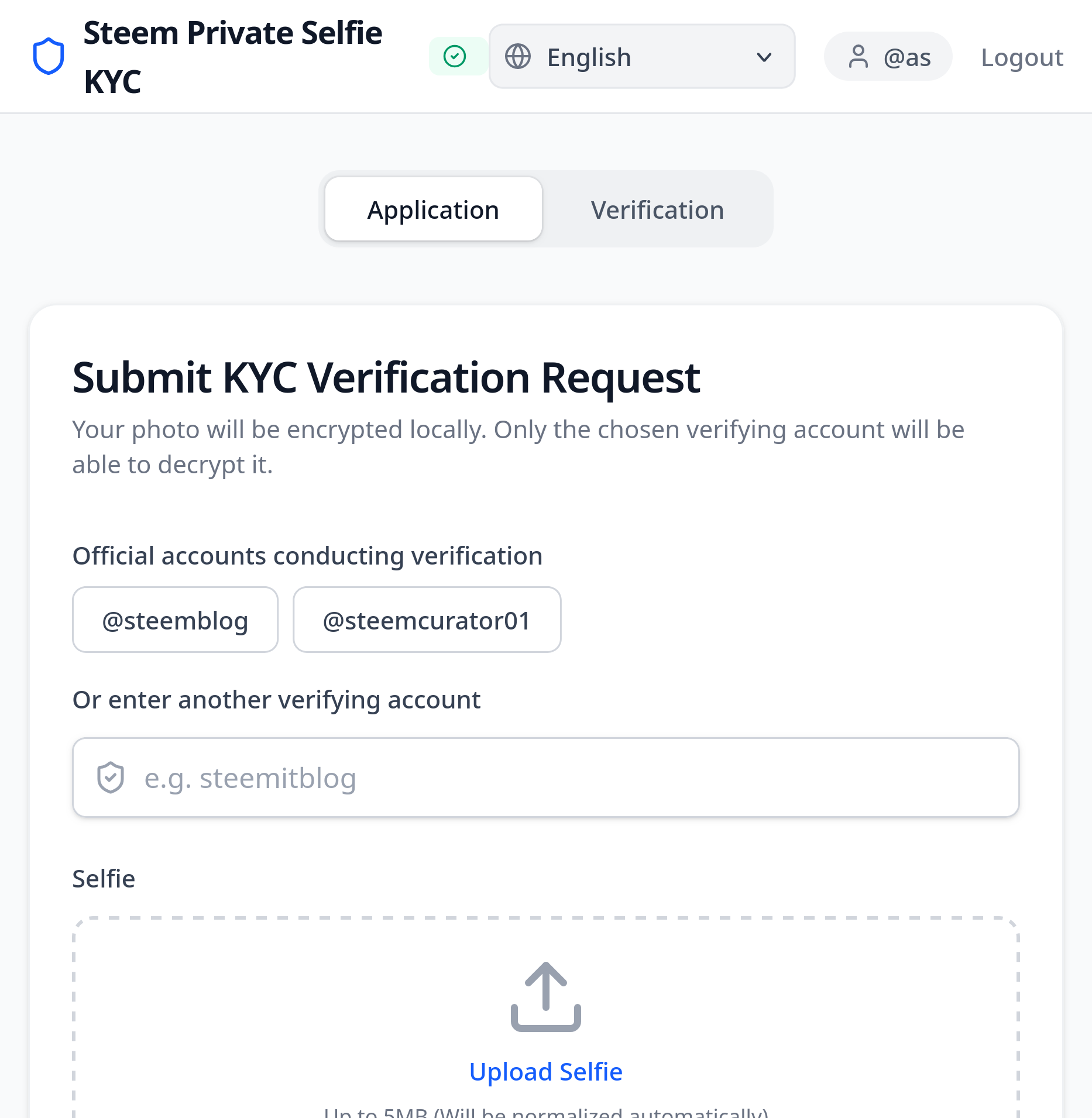 false |
false (current value): Allows the applicant to choose an official account from the list or manually enter any verification account username in the input field (browser autocomplete datalist is supported).
true (strict mode): If this flag is enabled, the manual input field is locked, and the applicant can only send encrypted KYC data exclusively to the accounts specified in the official_verifiers array.
💡 Update recommendation:
If you want to update the list of official verifiers or enable strict mode, you simply need to open and edit the /public/verifiers.json file in development mode. The changes will apply instantly once the user reloads the page in their browser, as the application dynamically loads this file during initialization.
Node Time Synchronization
We have added another option, or rather two, to avoid some unpleasant situations. Although they happen very rarely, it would still be quite inconvenient to have to restart the image submission process from the beginning.
In the Steem blockchain, transactions are signed locally using keys (via the Keychain extension) and have a limited lifespan.
To address this issue, automatic background monitoring of time discrepancies has been implemented:
How it works technically:
Blockchain Request every 60 seconds, the application makes a lightweight RPC request via the
condenser_api.get_dynamic_global_propertiesmethod to one of the public Steem nodes (api.steemit.com, etc.).Offset Calculation it retrieves the exact UTC time of the latest block and calculates the difference from your device's current time:
**Visual status display in the application header:**
Green indicator ("Sync OK"): If the time difference is less than 30 seconds. The application runs as normal.
Red indicator with a warning (e.g., "+45.5s" or "-32.1s"): If the difference exceeds the limit. This informs the user of the need to synchronize their device's clock.
Error Prevention during submission (Fail-Safe):
If a time-related transaction error occurs while submitting the photo application, the app will display a clear warning tailored to the user's language: "Your system time differs from the blockchain time. We recommend enabling automatic time detection in your OS settings."
For convenience, the already encrypted photo data is cached locally, allowing the user to retry sending the transaction (using the "Retry" button) after adjusting the clock, without having to upload the file again.
Cc:
@hungry-griffin
@steemcurator01
Translated from UA to EN