Steemone's new feature transfer your balance to Binance
Hello Steemians!
We are thrilled to announce a highly anticipated update to the Steemone platform. Steemone's new feature: transfer your balance to Binance! We are constantly looking for ways to make managing your crypto easier and more efficient. We heard your feedback, and we know that moving funds to an exchange can sometimes be a hassle. That’s why we have added a new feature to our website. If you want, you can now transfer your STEEM balance directly to Binance without ever leaving the Steemone dashboard!
Here is a quick, step-by-step tutorial on how to use this brand-new feature safely and securely.
Step-by-Step Tutorial: How to Transfer STEEM to Binance
Routing your STEEM to a centralized exchange like Binance requires a little bit of care, specifically when it comes to the "Memo." Binance uses a central holding wallet for all STEEM deposits, and your unique Memo is what tells Binance to credit your specific account.
Here is how to do it seamlessly on Steemone:
Step 1: Locate Your Binance Deposit Info
First, log in to your Binance account, navigate to your Spot Wallet, and click "Deposit." Search for STEEM. Binance will provide you with two crucial pieces of information:
Deposit Address (Usually @bdhivesteem)
Deposit Memo (A unique 9-digit number)
Step 2: Open the Steemone Transfer Modal
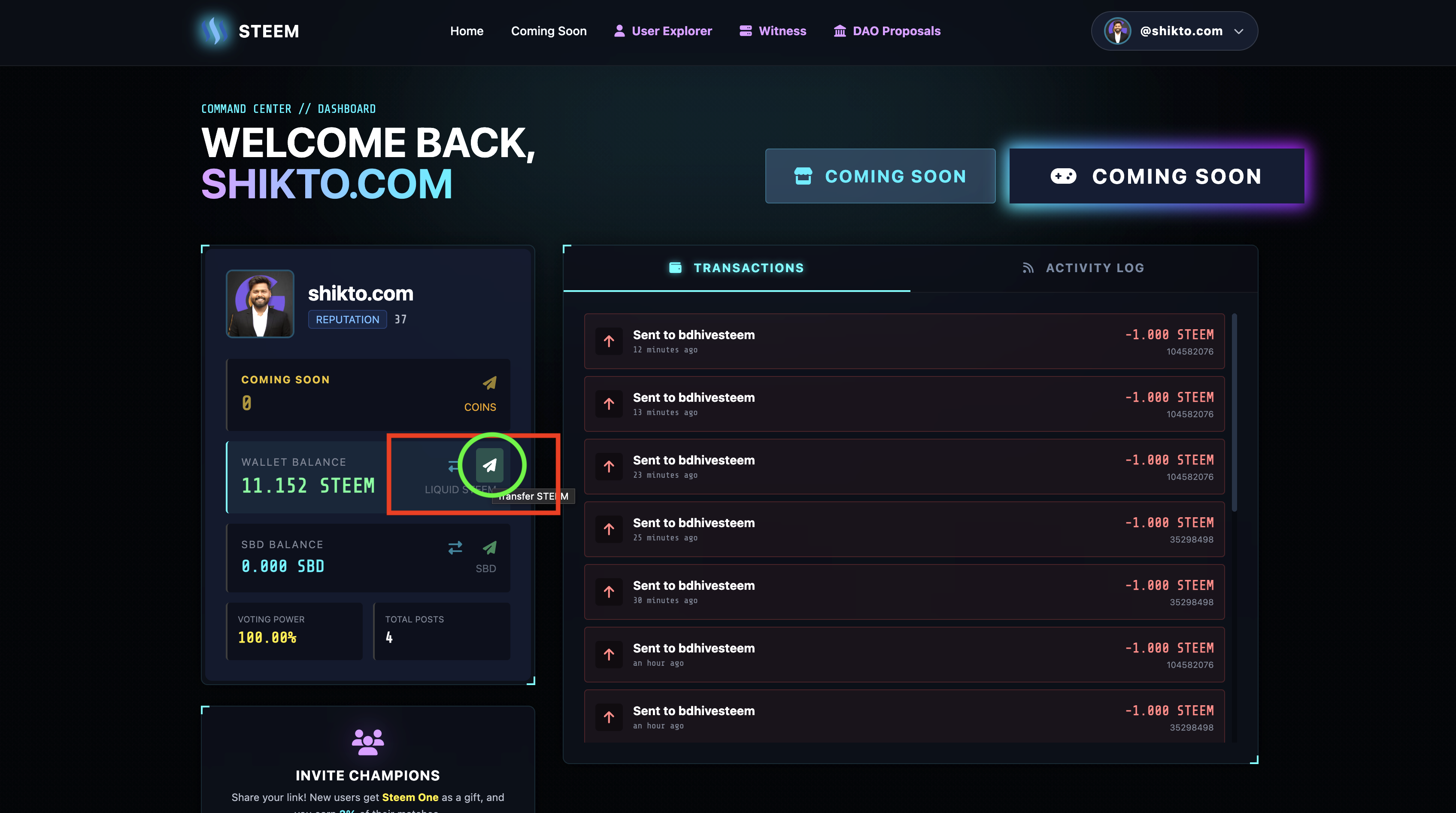
Head over to your Steemone Dashboard. Look for your Wallet Balance (Liquid STEEM) card and click the Transfer icon (the paper plane).
Step 3: Enter the Details
In the Transfer Funds pop-up, fill out the following details:
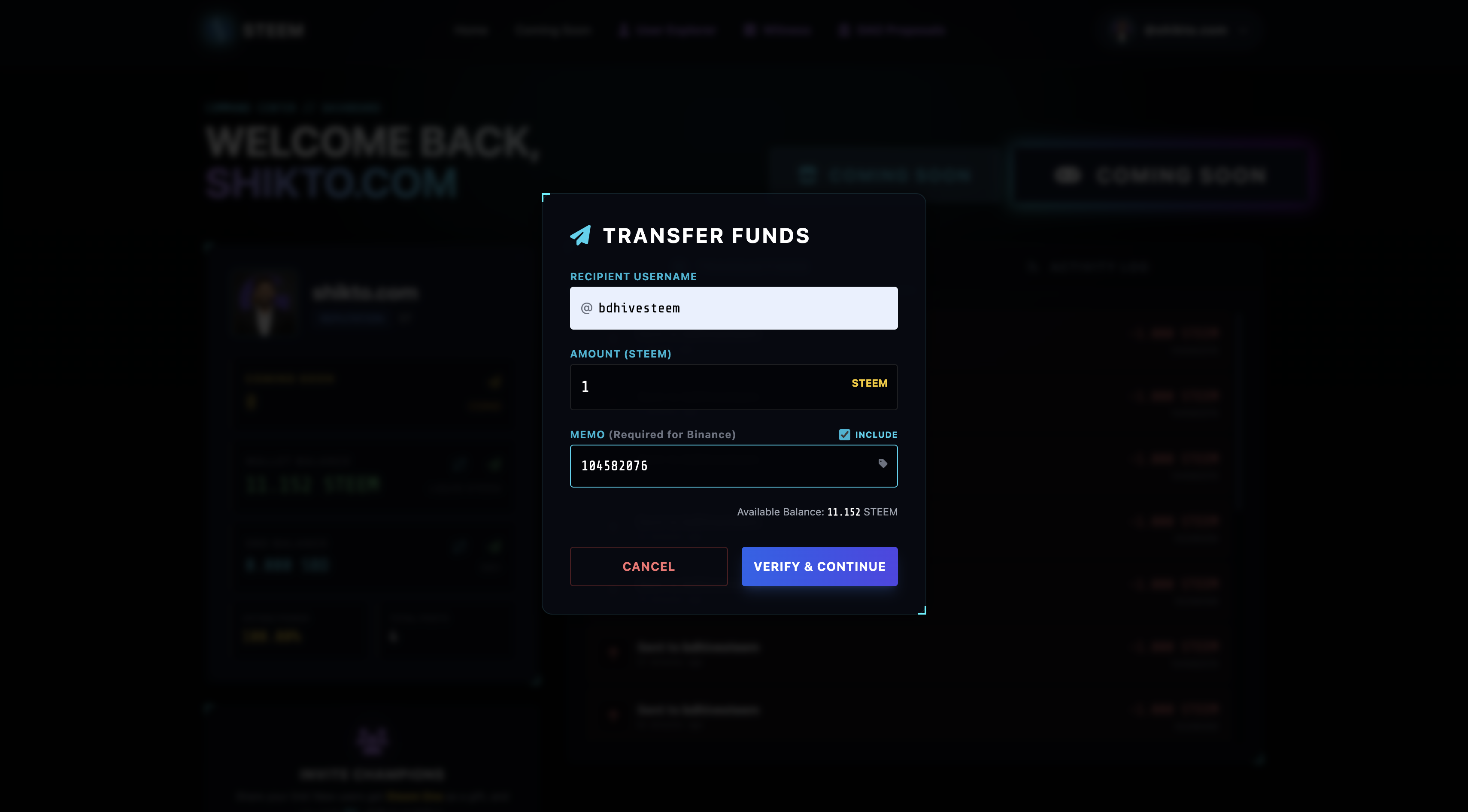
Recipient Username: Enter the Binance deposit address you found in Step 1 (e.g., @bdhivesteem).
Amount: Type in how much STEEM you want to send.
Step 4: The Most Important Step - Add Your Memo!
By default, our memo field is turned off to prevent accidental typing for regular peer-to-peer transfers. To send to Binance:
Check the "Include" box next to the Memo label.
The input box will unlock. Carefully paste your 9-digit Binance Memo here.
(Warning: If you forget this memo, your funds will go to Binance's central wallet, but they won't know it belongs to you!)
Step 5: Verify & Confirm
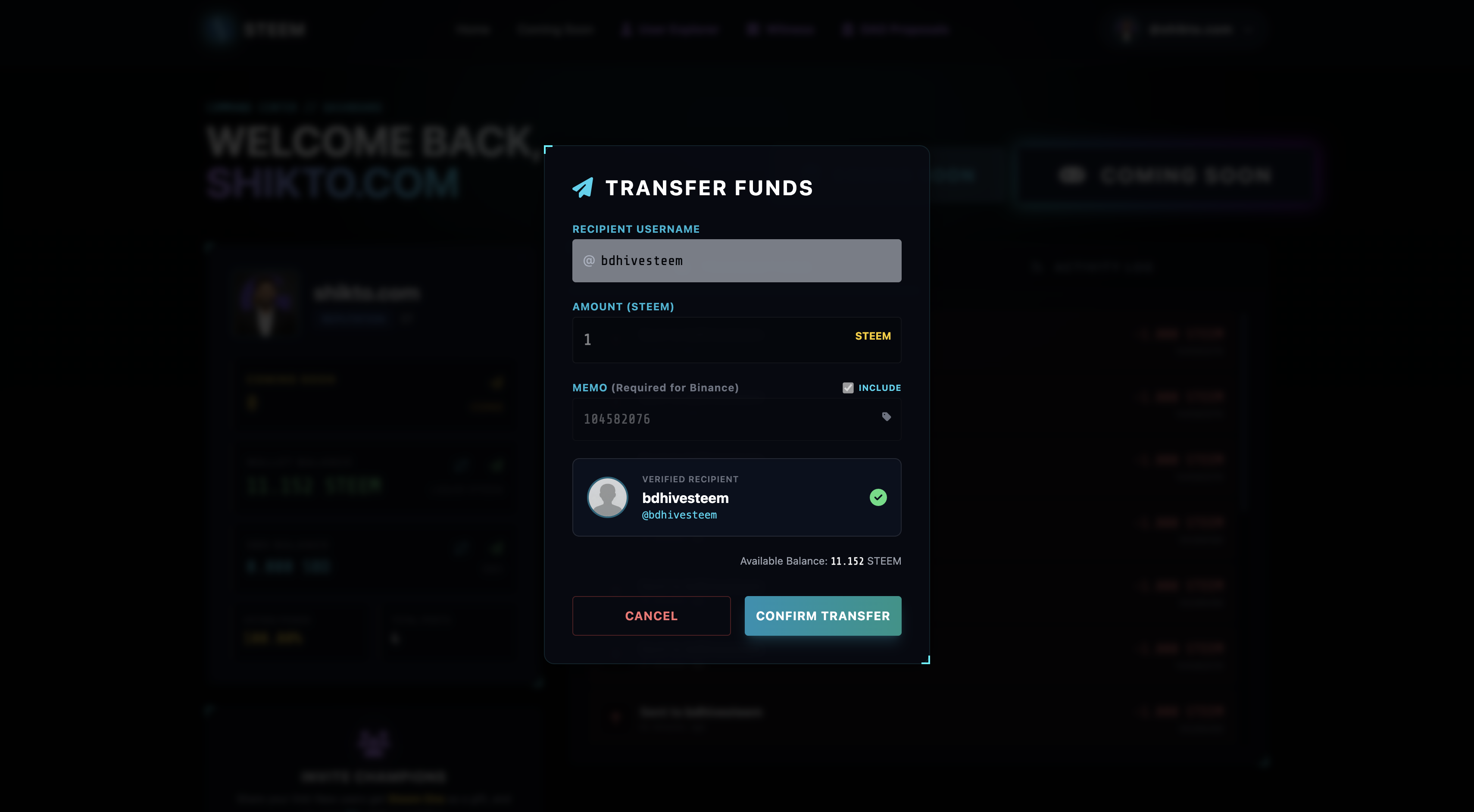
Click "Verify & Continue". Our system will instantly check the Steem blockchain to ensure the recipient account (Binance) actually exists.
Once verified, click "Confirm Transfer". You can approve the transaction easily using Steem Keychain or your Private Active Key.
Step 6: Watch for the Notification!
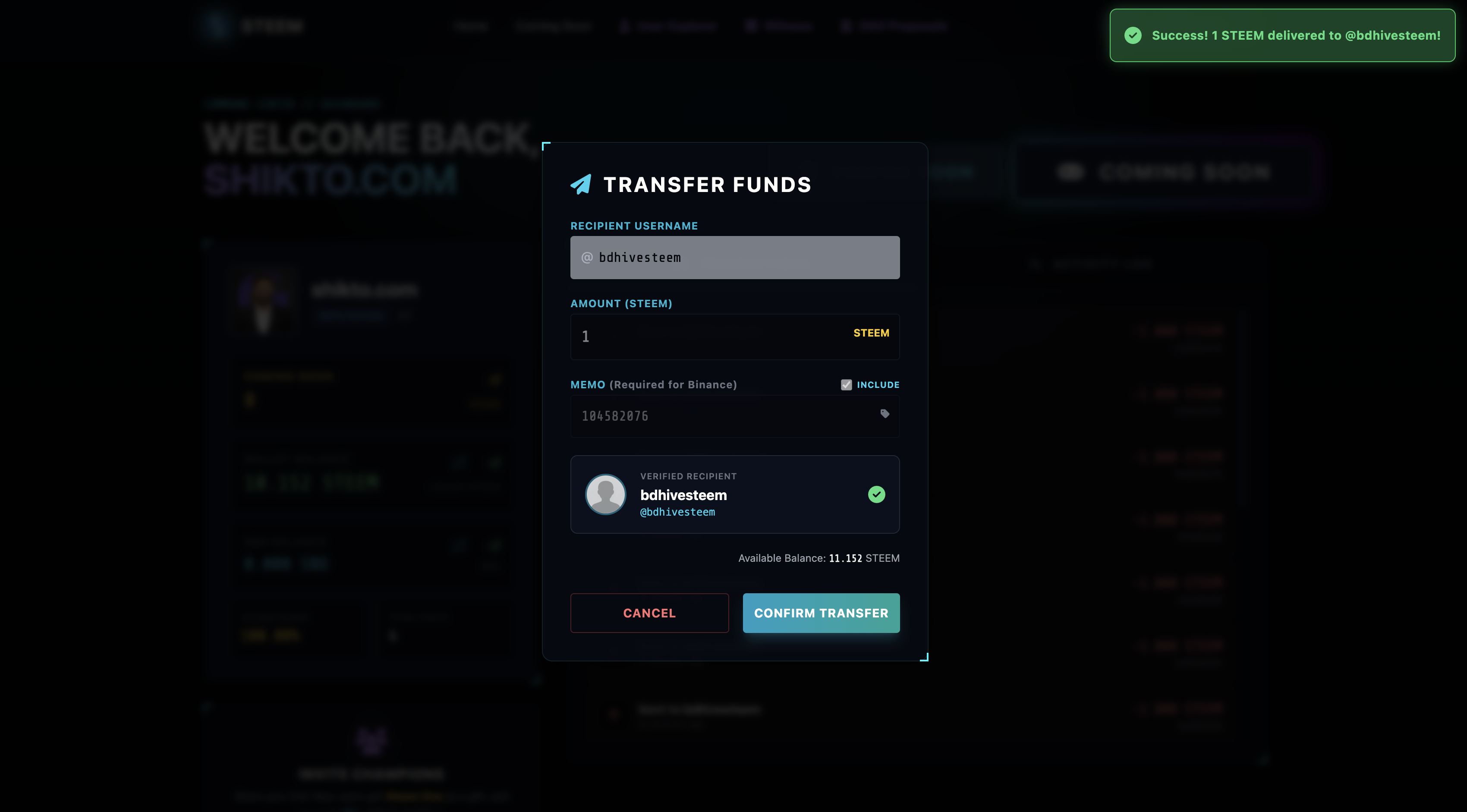
We’ve added a beautiful new notification system. Look at the top right of your screen! If your transfer is successfully broadcast to the blockchain, a glowing green Success Notification will slide in, confirming your funds are on their way. If there is a network issue or a wrong key, a red Unsuccessful Notification will let you know exactly what went wrong.
That's it! Your STEEM should arrive in your Binance spot wallet within a few minutes.
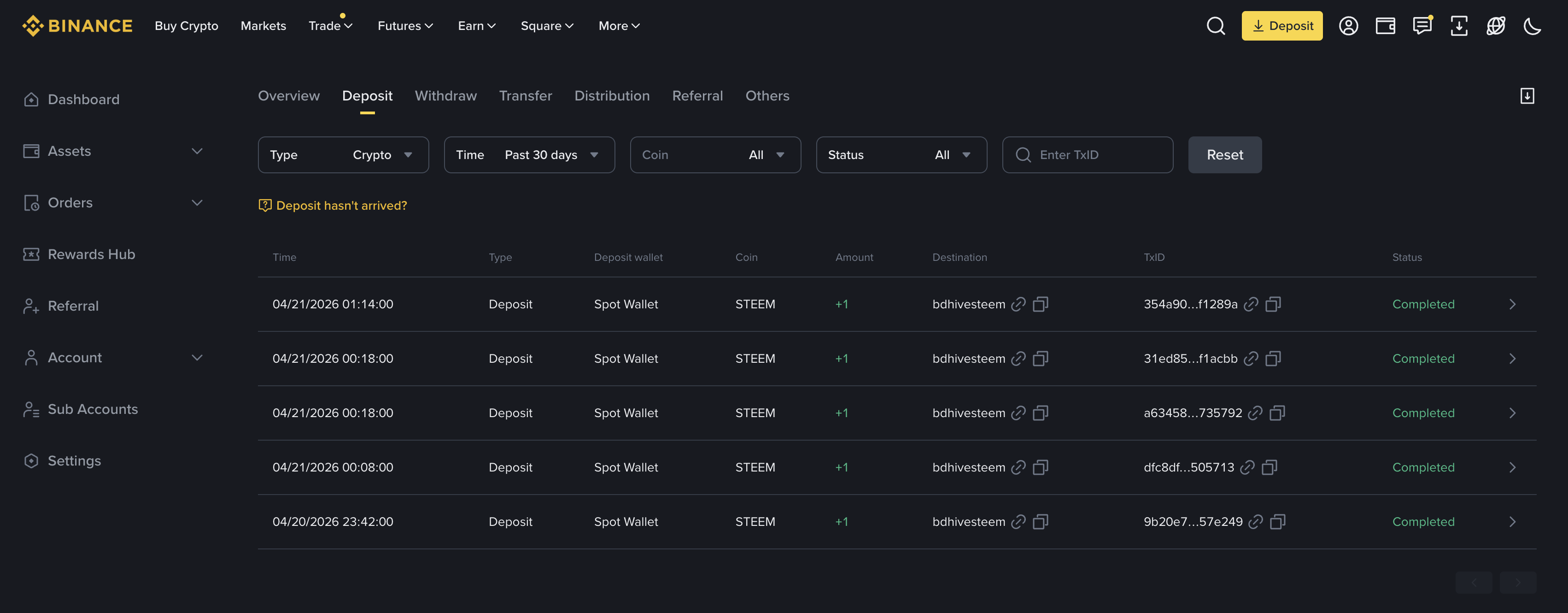
We built this feature to give you more freedom and control over your hard-earned rewards. Head over to your dashboard today and give it a try. As always, let us know what you think in the comments below!
Steemone is a modern, powerful, and user-friendly all-in-one platform designed to support and empower the Steem community.
Explore Steemone:
✨Support our mission & Vote for our Witness: @friends.witness
Your support helps us continue building and improving tools for the Steem community.