How to Create a Plush Ball Throw Animation in Blender 3d
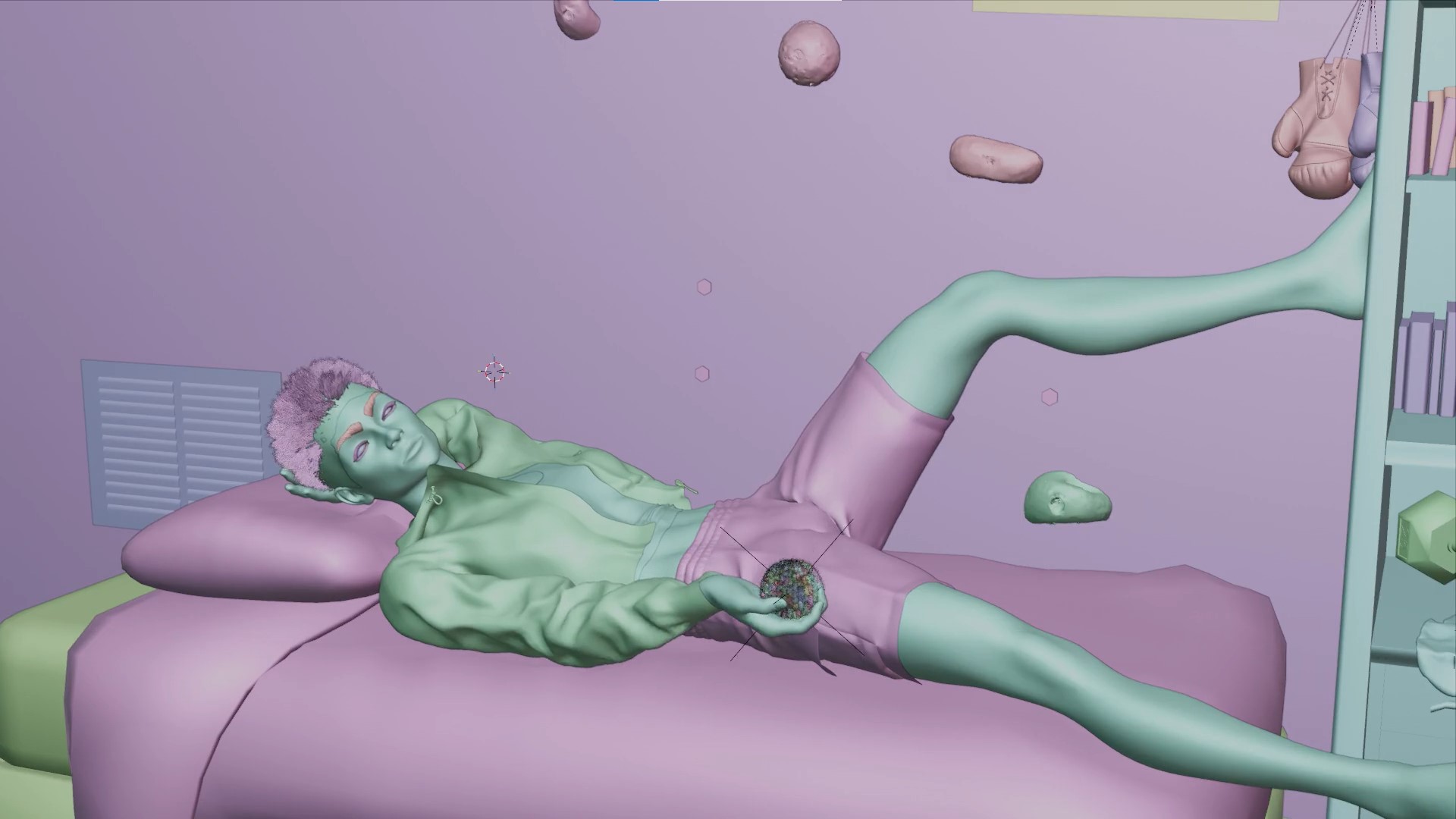
Welcome to the wonderful world of 3d,
in-truth the difficult world of 3d..
this isn't a generic tutorial but rather an overview of how i make decisions when building in 3d, so your thoughts and questions are also welcome..
Idea
3d is a balance between iteration and skill, at one end you have a couple of lists in a book that you can build from and at the other end you're iterating because the pixel world just doesn't behave similar to the real world,
For Example: you might be employing a reference image to achieve a particular style but the methods you can employ will differ wildly from what u think, how you think it should behave, where to place objects or light..
For this Tutorial,
i wanted to make a Ball throwing animation, more specifically - "tossing"..
how do you create a realistic ball toss by a character lying in bed?, what are the steps involved, what do u need to consider.
the following points comes to mind:
- the character has to be in a position where a ball toss is anatomically possible
- the character has to catch the ball after throwing it,
- you have to sell the weight and contact of the ball with the palm.
Thats all
Now, how do you go about them?.
Say, the method of animation will determine your approach but one of the easiest ways would be first animating your character tossing, utilizing a video reference, No Ball, in this case, just the visual animation.
THEN, back in your 3d software (Blender), you can get in your ball model, say a tennis ball or a plush ball, in my case, i'm using a fur Plush Ball..
Note
the type of ball for the sequence will definitely have a say in how the animation should feel, for example, when a tennis ball is thrown catching it might push your hand farther downwards than a plush ball, and by adding style, the character catches the plush ball and consciously bounces their hands subtly in preparation for the next launch, so the throw looks stylish.
and lastly, now that we have a view of the character and our ball setup, we simply have to sync our ball to our animated hand, it seems backwards, but its a clean, easy and stylish approach.
Three things:
*Empty Parenting
*Copy Location Constraint
*A python Script
Parenting
First you place the ball at the center of the palm, add a new Empty object. Parent the ball to this new empty, then you also parent the empty to the hand bone of your characters Armature / Rig.
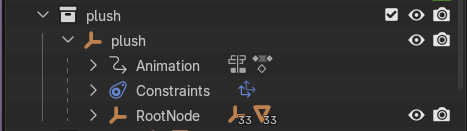
To do this is simple : Select the Empty, Ctrl + Select the Armature, go into pose mode, Select the hand bone and then Ctrl + P
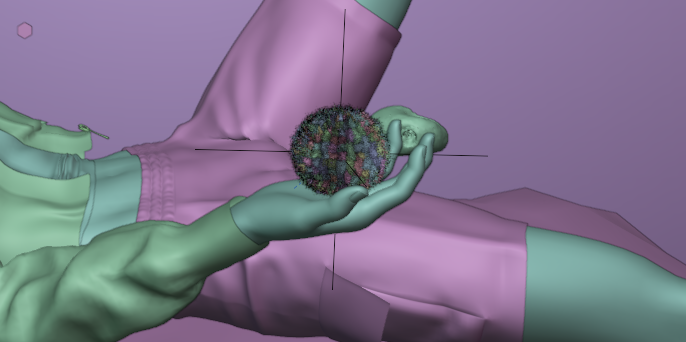
The Constraint
Also add a Copy Location constraint: Click on the ball and go to the constraint panel and add one, attached to the hand bone of your character Or the Empty Parented to your Hand earlier.
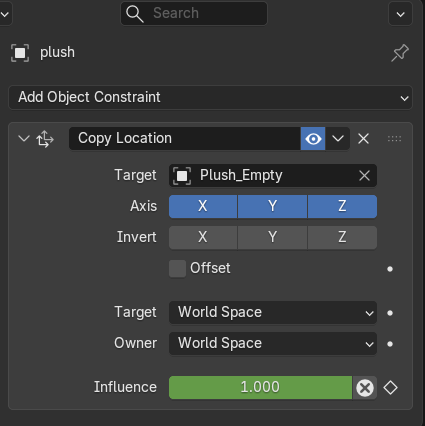
Finally a python script:
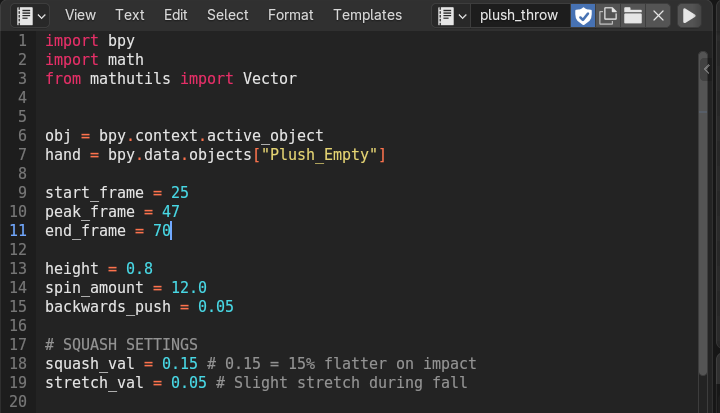
the simple python script should do two things, Set the Influence of the constraint to 1, so the Ball follows the hand when the character moves it in preparation for the throw, at the frame where they let go, we set the influence to 0, and the ball uses the trajectory (final pos of the hand) to launch into the Air.
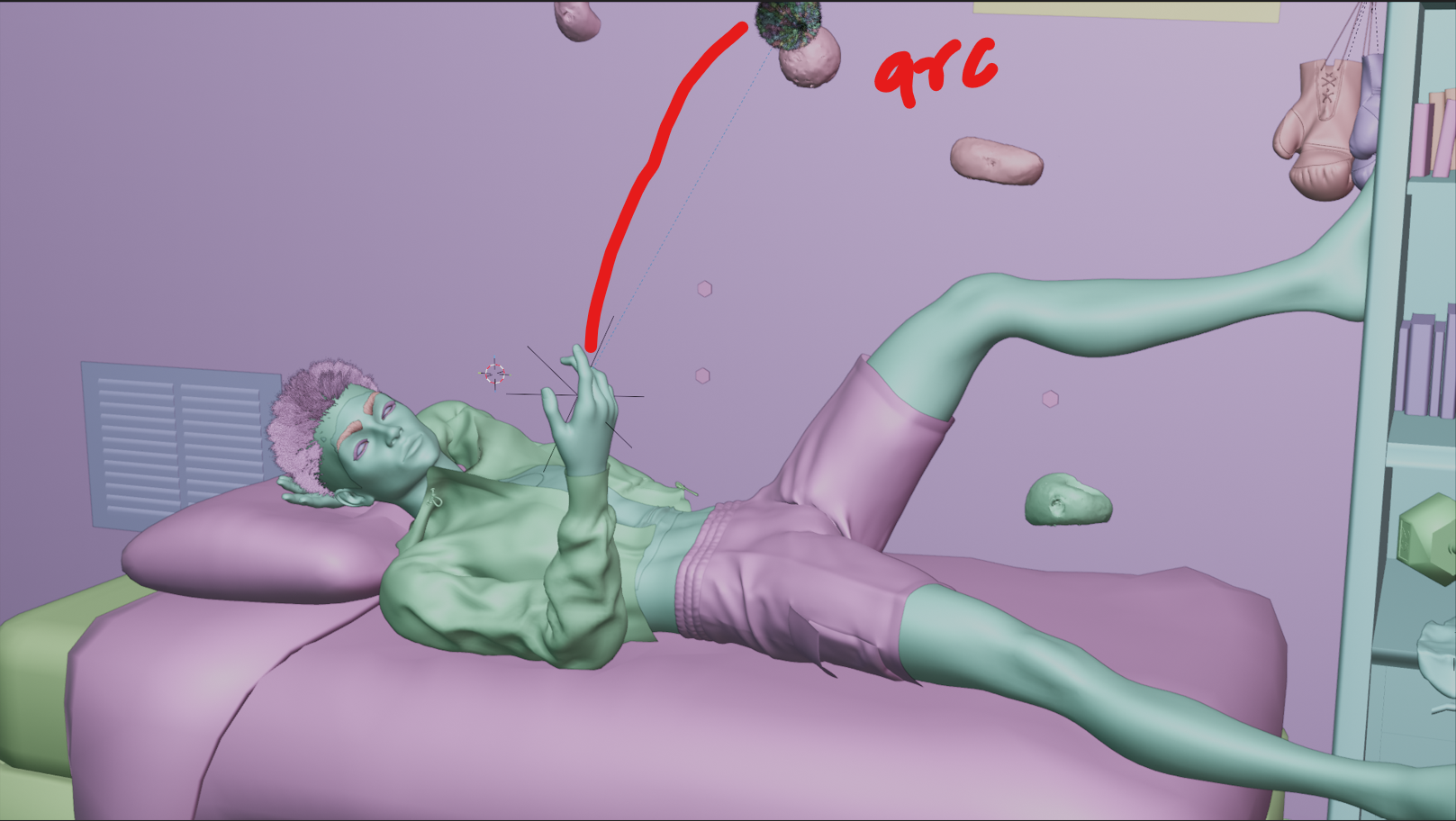
for my particular Animation, considering that the Character tries to catch the ball a little backwards from where it was launched?.. I decided to give the ball an Arc in the Air after launch, so it drops down straight as if affected by Gravity, into the waiting palm.
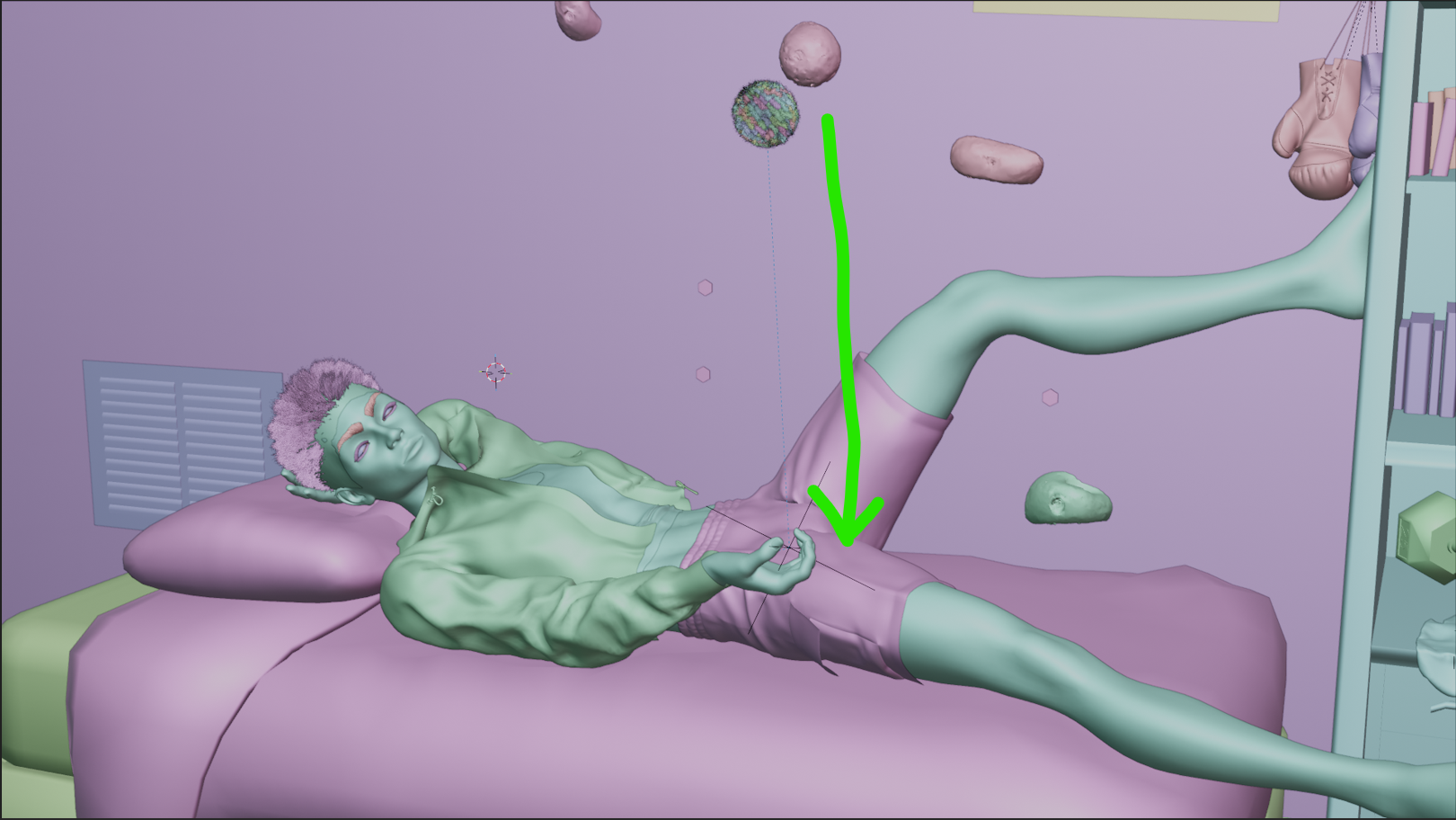
this gives us a cool stylish plush toss as you can see...
Takeaway
So what can we learn from this:
the exact problem you wanna solve already gives you the solution. There are countless ways to tackle a problem and you should lean into how best you can achieve it. You only need a few technical Blender knowledge and not the entire Docs to create cool things. The end justifies the means in 3d (lol), bt dont go creating a 10 gb file size Scene even if it turns out Beautiful.
What are your thoughts, do you approve of this method, or do you have strong objections (xd).
Posted with Speem