How to manually vote on the author's post?
Assalamualaikum, my dearest steemit friends. How is your day going, and how are you all, my friends? I hope everyone is very well and healthy, thanks to the great creator, Almighty Allah. Alhamdulillah, I am also very fine and having a great day.

Created by canva app.
Today I am here to share how to manually vote on a post when you can't vote due to a server problem. Sometime we face this problem. We can visit author posts normally, but when we want to vote on their posts, we can't. We try many times, and when we reload this page, we see that the author's post wasn’t voted. So today I'll share the process for manually voting on the author's post. So let's start the process:
| Manual Voting Process: |
|---|
Step 01,
- For this manual voting process, first we need to select the post for which we want to cast a vote. So here I select a post for manual voting.

Screenshot taken from my steemit account.
Step 02,
- Then we need to go to any browser. Here I use the "Chrome" browser. In the search bar, I type "Steemworld," and a page comes up.

Screenshot taken from my chrome browser page.
Step 03,
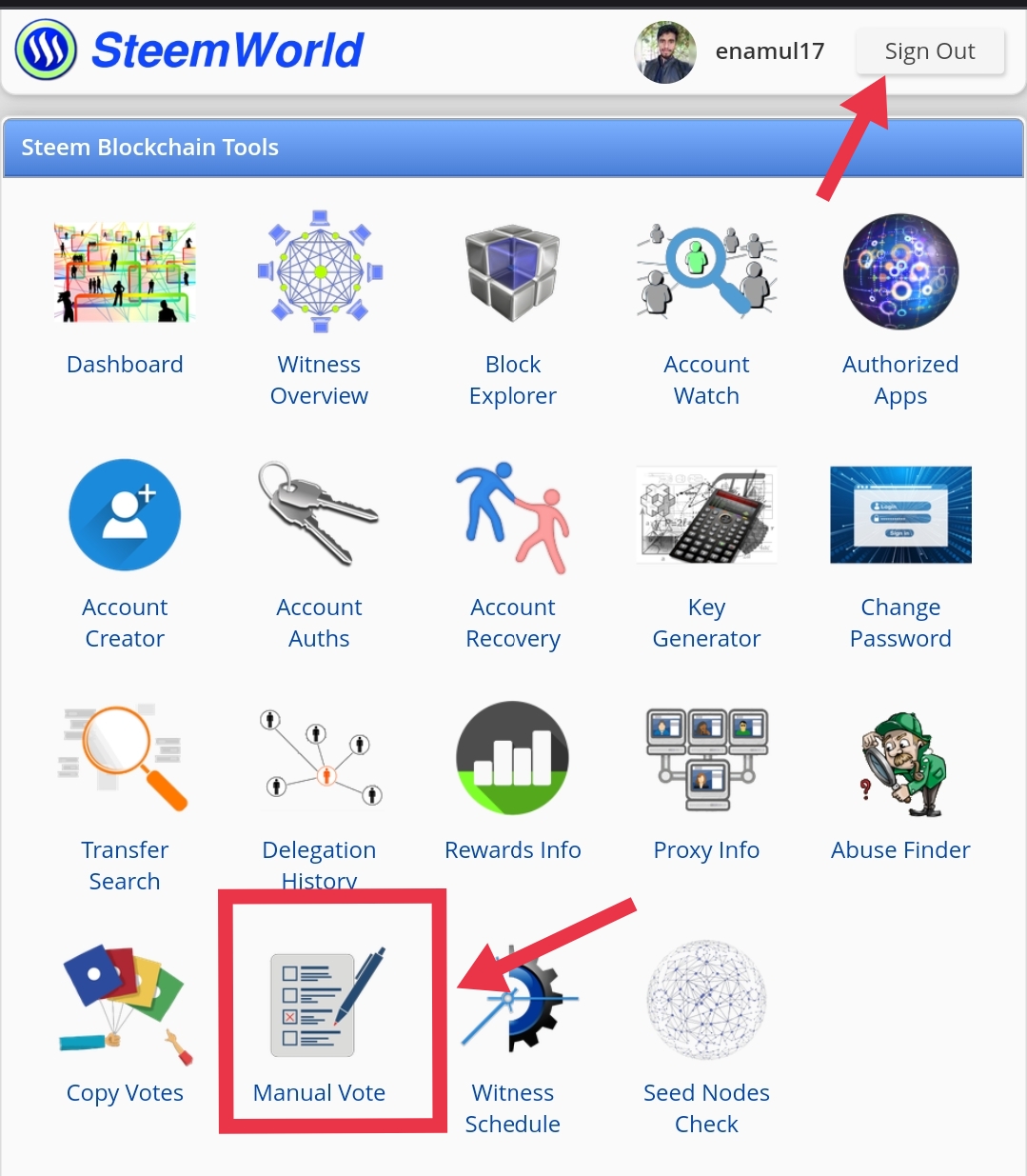
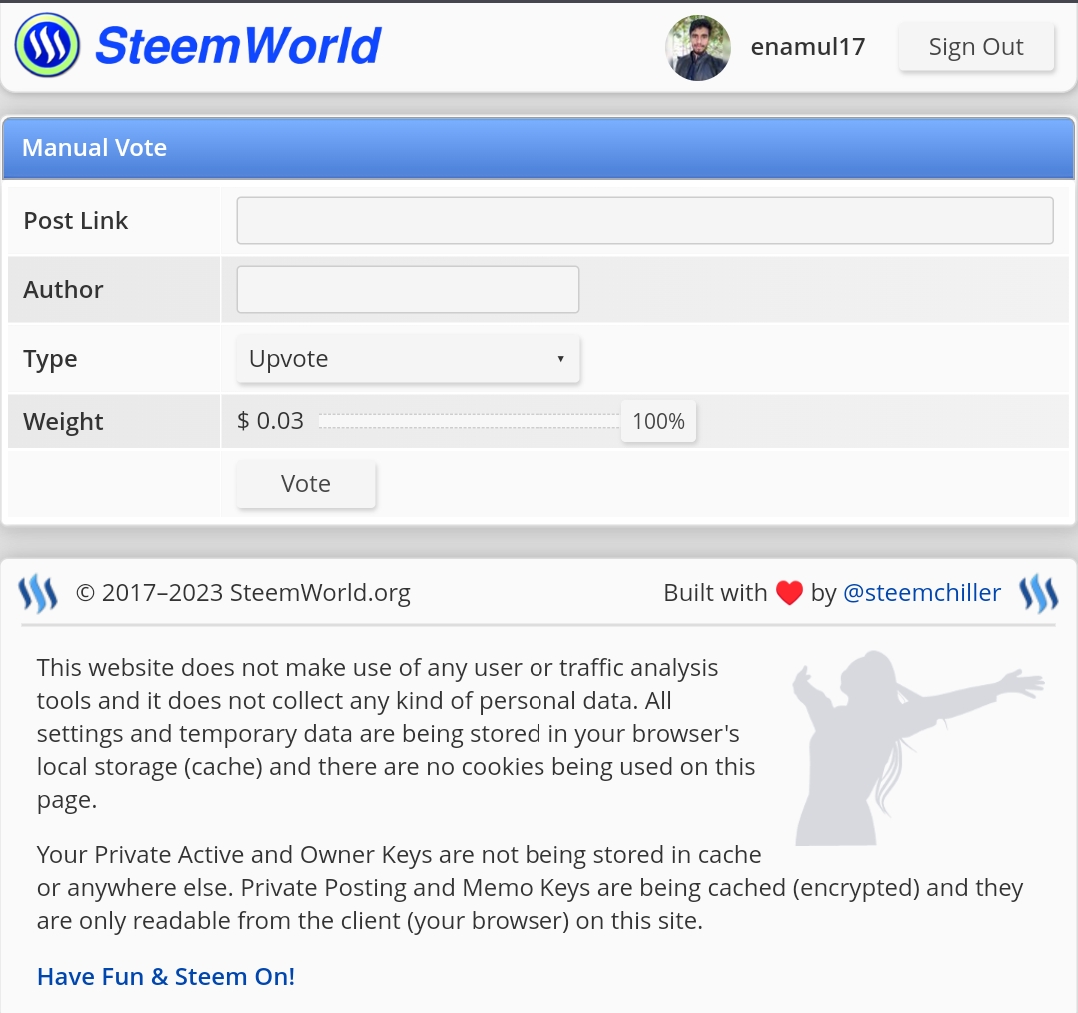
- In the next step, we need to sign up from the top right corner, and then we need to click on the "manual vote" option. Then a page comes up.
 |  |
|---|
Screenshot taken from steemworld.org.
Step 04,
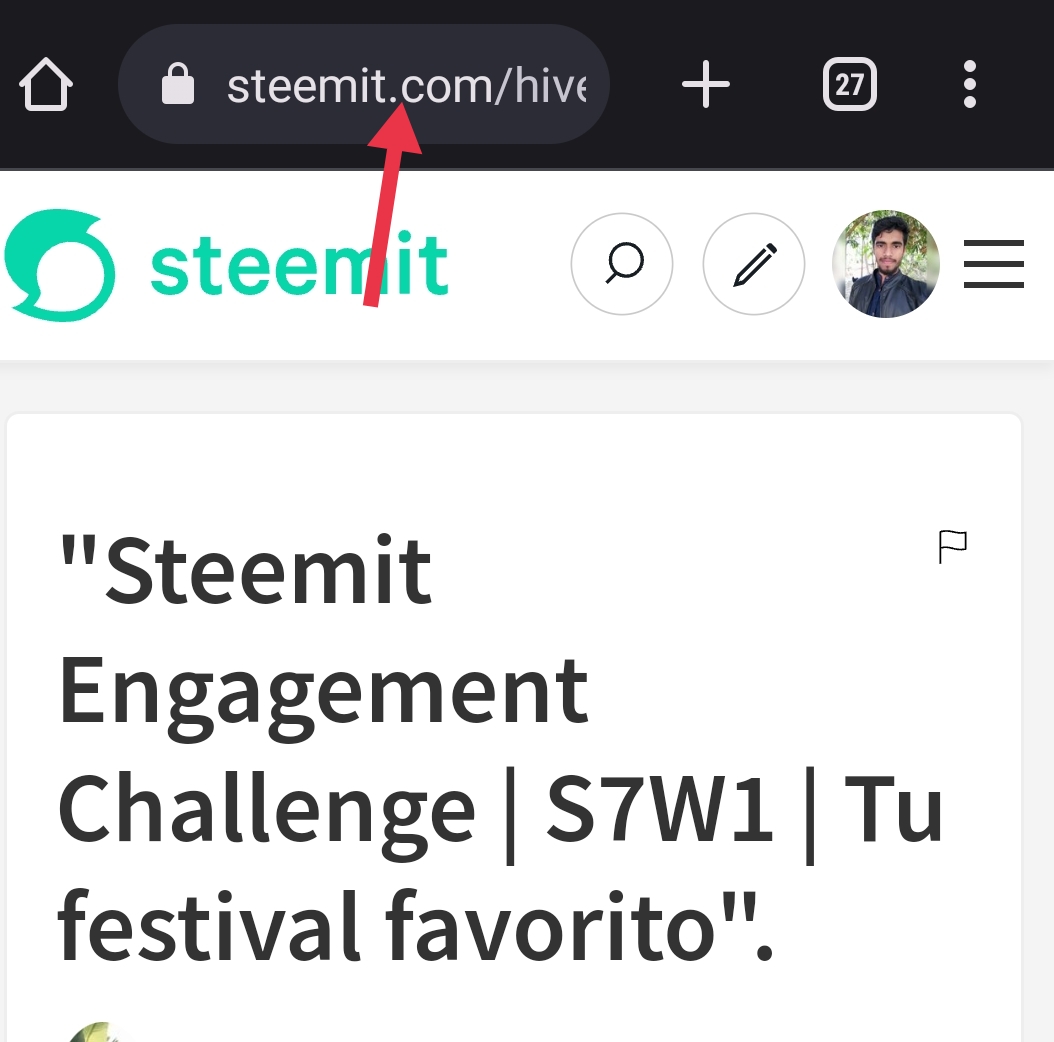
- Then we need to go to the post we want to vote on, so first click on the post, and then in the top part of the search bar we see a link there that we need to click.
Screenshot taken from my steemit account.
Step 05,
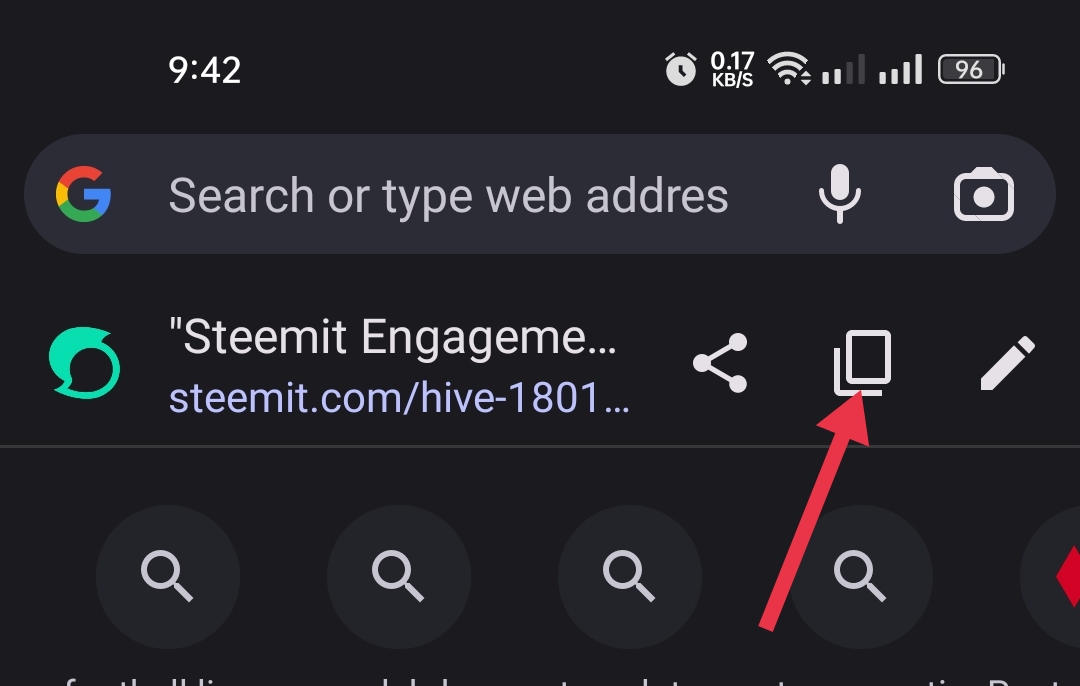
- Then this type of page will come before us. Then we will click on the "copy" option.
Screenshot taken from my steemit account.
Step 06,
- Then we go to the manual vote page, and there we have to paste this link in the "Post Link" option. After pasting the link then we can also see the author name there.
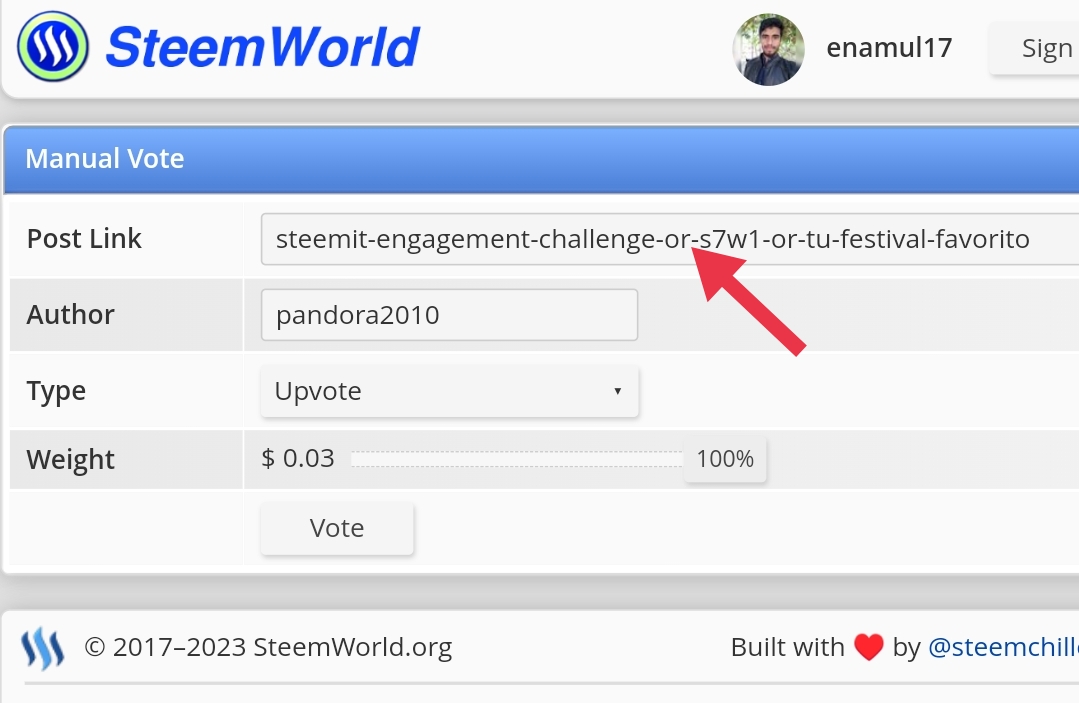
Screenshot taken from steemworld.org.
Step 07,
- Then we need to click on the "vote" option. Here you can select the percentage you want to vote. I select 100% power for my vote.
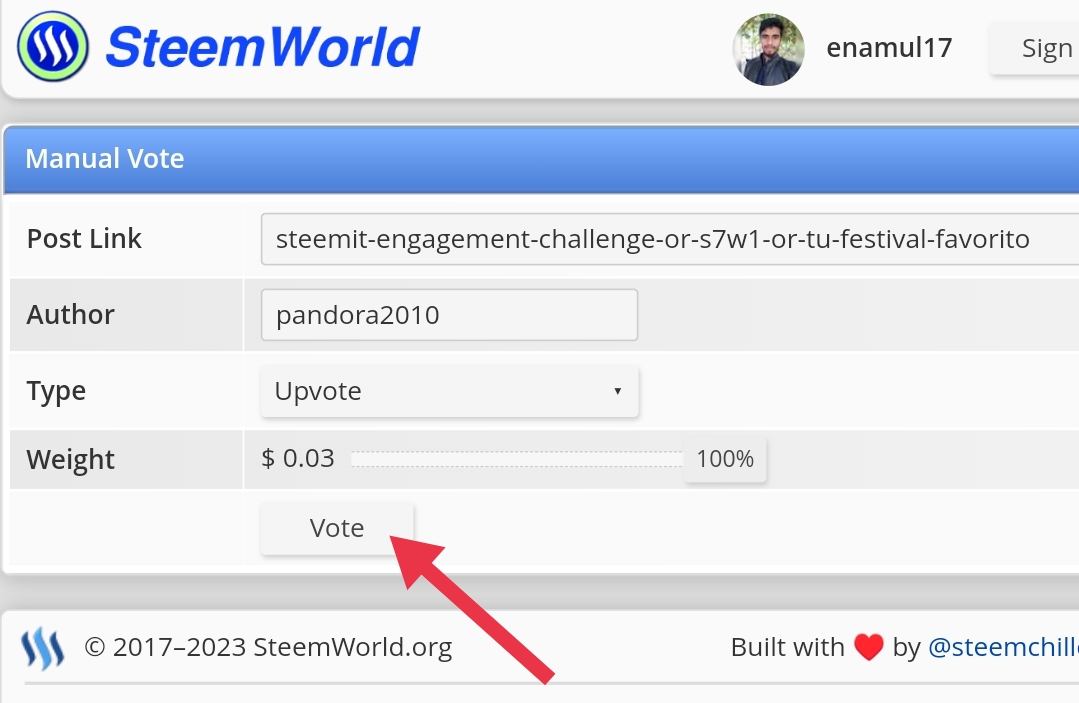
Screenshot taken from steemworld.org.
Step 08,
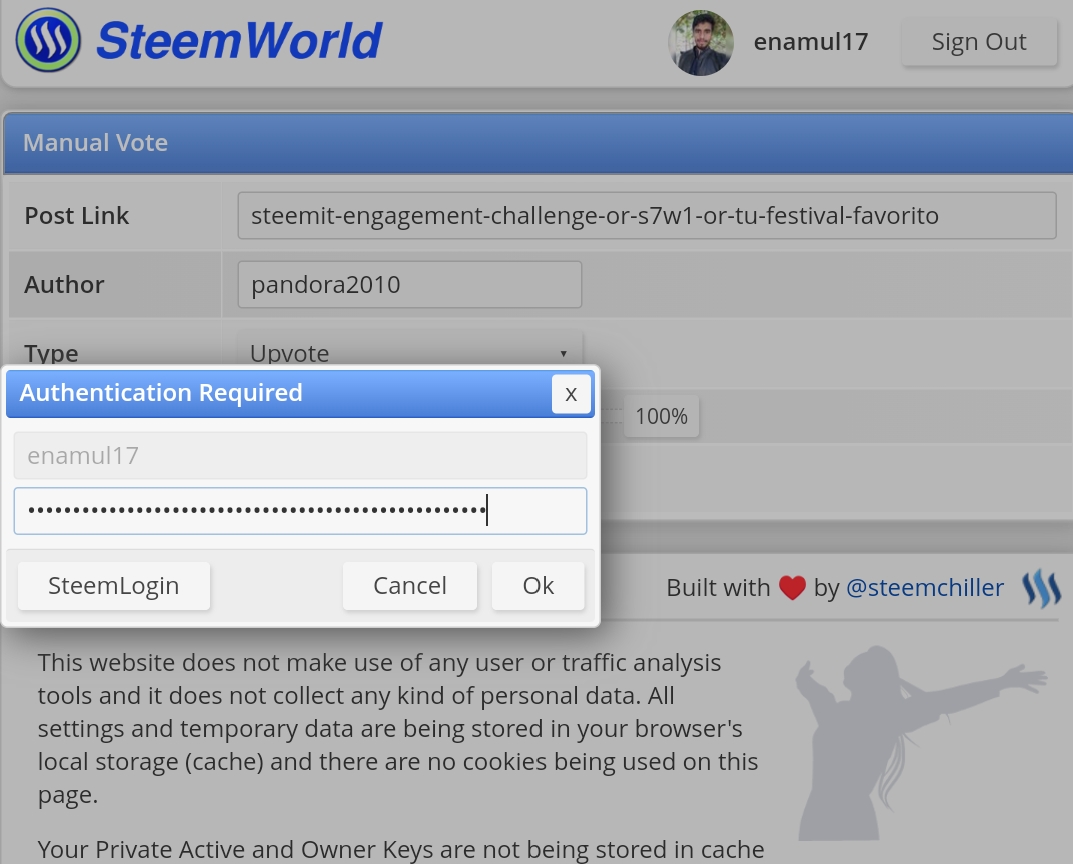
- Then we need to use our private posting key for voting permission, so I enter my posting key and click the "OK" option. Then my manual voting process was complete.
 |  |
|---|
Screenshot taken from steemworld.org and steemit account.
Many thanks to my friends for spending a few minutes on my post. I hope everyone understood my manual voting process. That's it for today. Have a good day, everyone.
CC-
Special Thanks

Upvoted! Thank you for supporting witness @jswit.