SLC28 Week2 SteemitTTD - 🚦 Train Signals🚥 🚨Terminal and RoRo stations 🚧
Hello to all OpenTTD fans — don’t forget to tell your friends about this wonderful game. Let them join the learning too.
I’m glad to welcome you to the second week of SLC28.
Until now, you’ve been using the railway in a nominal way: one track — one train. And the only way to increase cargo throughput was to lay another parallel track or to build a longer station with a longer train.
Just like one participant did last week.
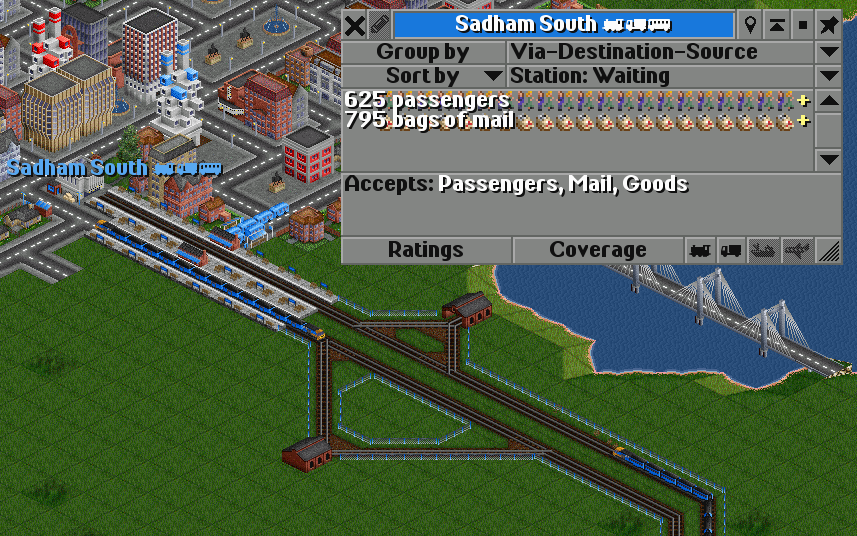
In this lesson, I will talk about two types of stations, but they can’t be built without signals. So this lesson will be sort of intertwined with the next one.
In general, for those who are joining for the first time — that is, who didn’t actively participate in the previous season — I recommend reading the sixth lesson about trains trains
Trains reveal a completely different side of this game, and signals provide the opportunity for LIMITLESS creativity — you can't even imagine how much yet.
Placing, changing, and removing signals
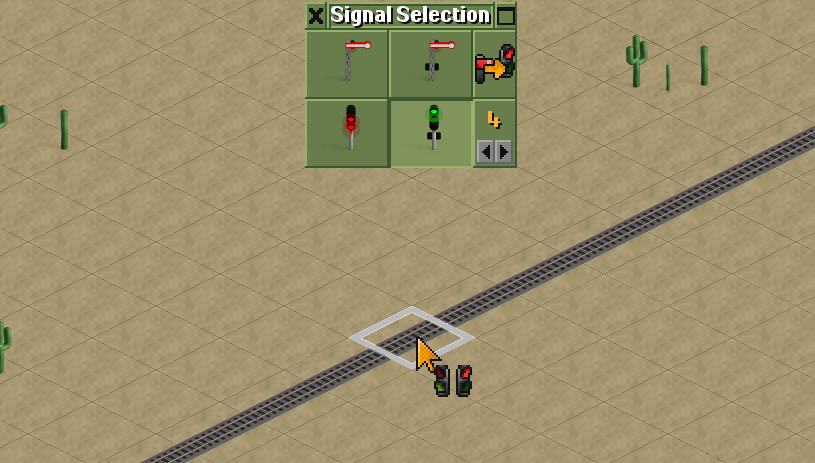 |
| If I want to place a single signal, I just click on the tile. If I need to rotate it, I just click again. Each subsequent mouse click will simply cycle through the signal’s direction. |
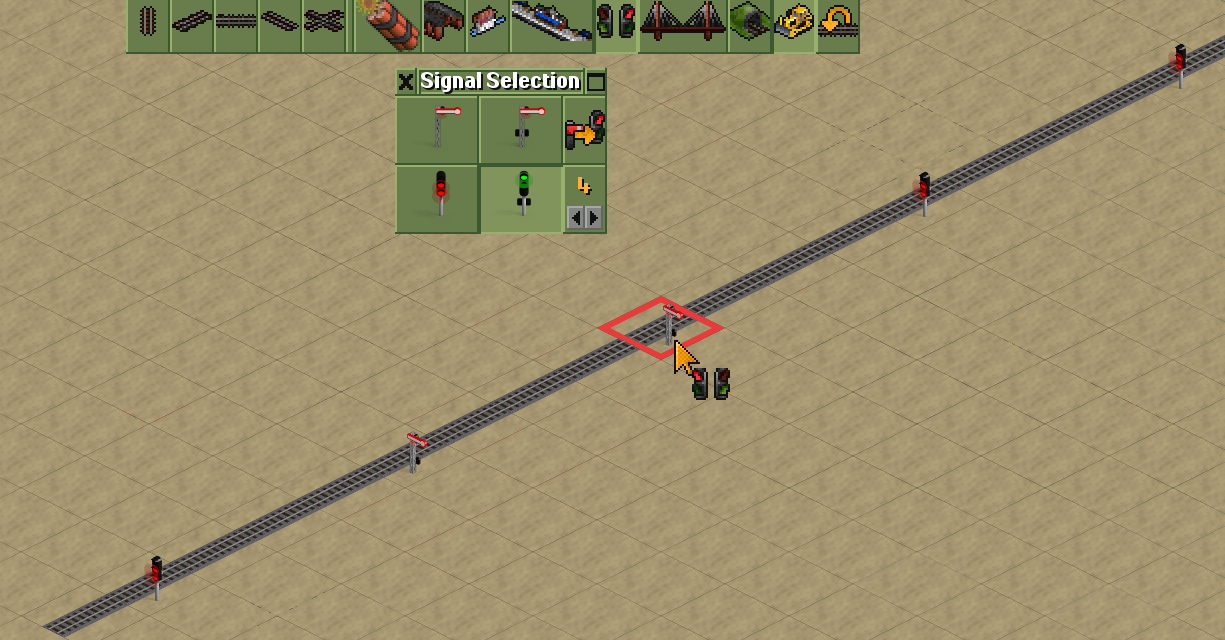 |
| To remove a signal, you need to additionally enable the bulldozer tool. The cursor square turns red — a reminder that you are in bulldozer mode. |
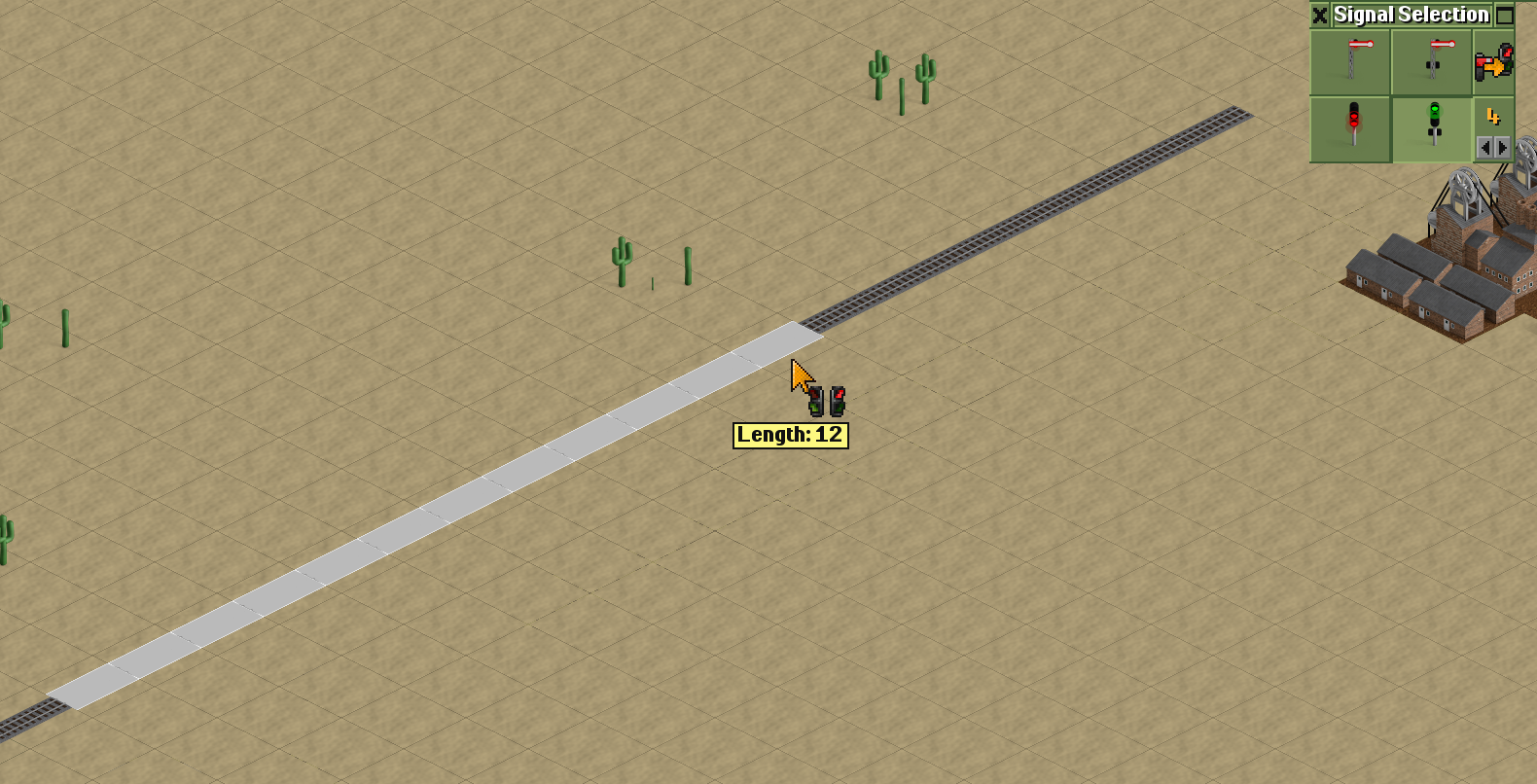 |
| If I want to place several signals along a certain section of track from point to point, I press the mouse button at the start of the section and release it at the end — in the illustration, this is the white line on the tracks, 12 tiles long. |
The signals will be placed every 4 tiles (the next signal will appear on the 4th tile). Why every 4? Because that’s what the value 4 in the Signal selection panel indicates. You can change it — though I almost never do.
If you need to place many signals along an entire stretch of track, you should specify the placement direction: hold CTRL + left mouse button, drag along the track for several tiles, and release. Basically the same as in the previous case. But here, signals will be placed not just from click to click, but up to the nearest junction or existing signal.
If I want to replace one type of signal with another, in the top-right corner there is a button to replace one signal type with another.
For example: replace a signal with a semaphore, or change a one-way signal into a two-way one.
Stations with a shared entrance and exit — terminal stations
 |  |
From the very beginning of the game, it had primitive signals. Then came pre-signals, and later in OpenTTD, path signals were introduced.
Path signals are probably the best ones. You may have noticed how the tracks ahead of a train are highlighted in a darker shade — that’s path reservation. The path is reserved from the train to the next signal or junction. Since you played without signals, the entire route was highlighted, so you might not have noticed this. If you bought another train, it simply wouldn’t leave the depot because the route was reserved by the first train.
 | 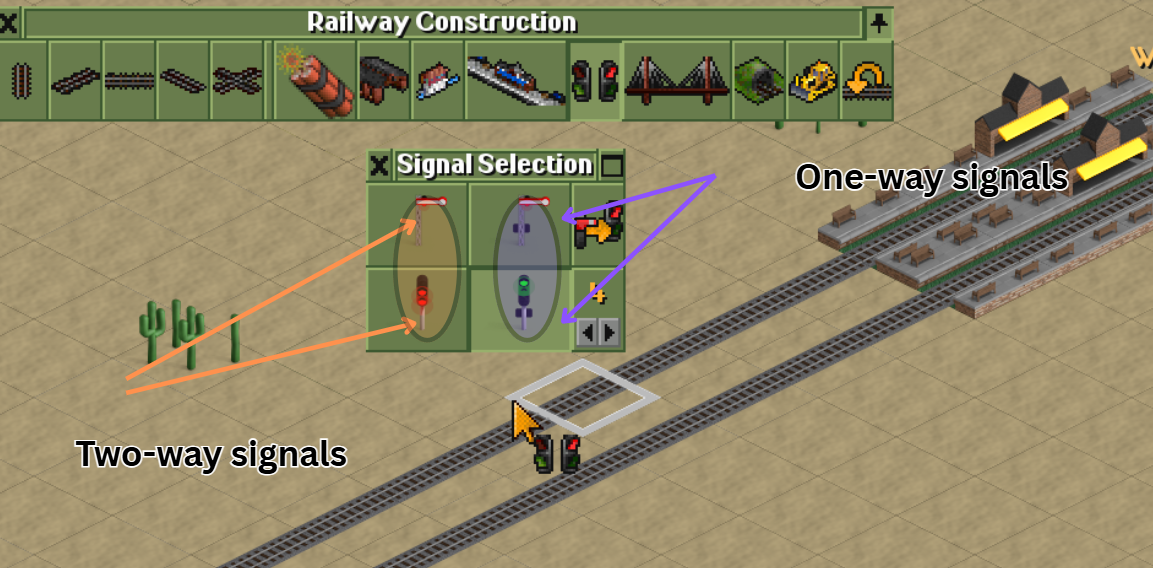 |
| There is no functional difference — they work the same. Choose whichever style you like best. | Two-way signals: train movement is controlled in both directions. One-way signals: the signal controls the train only in one direction — from the opposite direction passing is ALWAYS FORBIDDEN. |
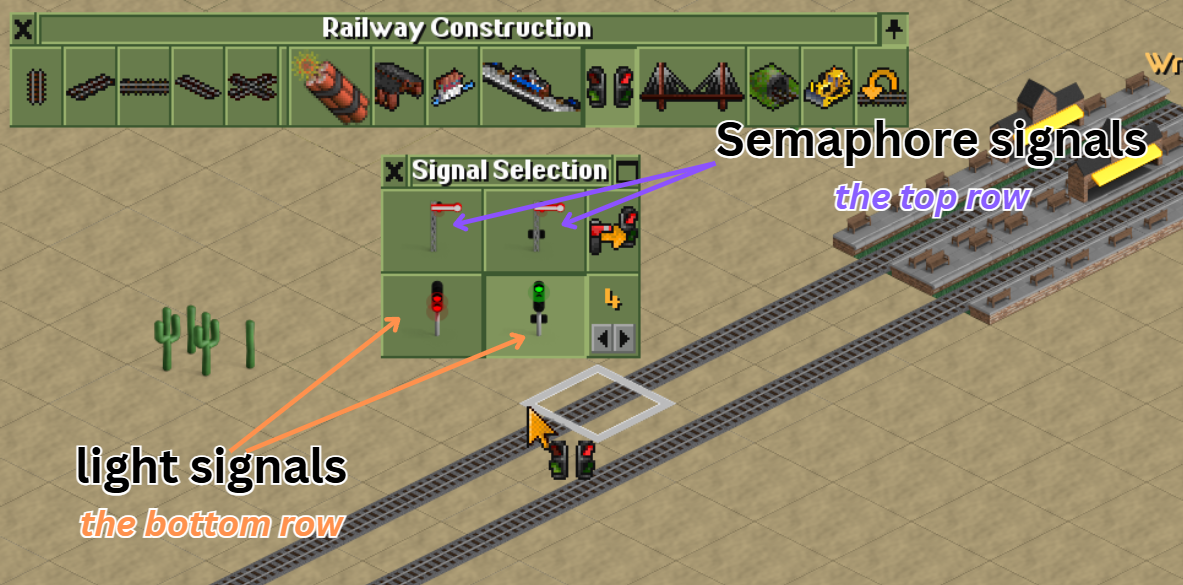
There are two types that work the same but look different:
The upper toolbar row are semaphores (on top of the post there’s a lever: raised — you may proceed; horizontal — blocks the track, passage forbidden).
The lower toolbar row contains their equivalents in the form of light signals — green means “go,” red means “stop.”
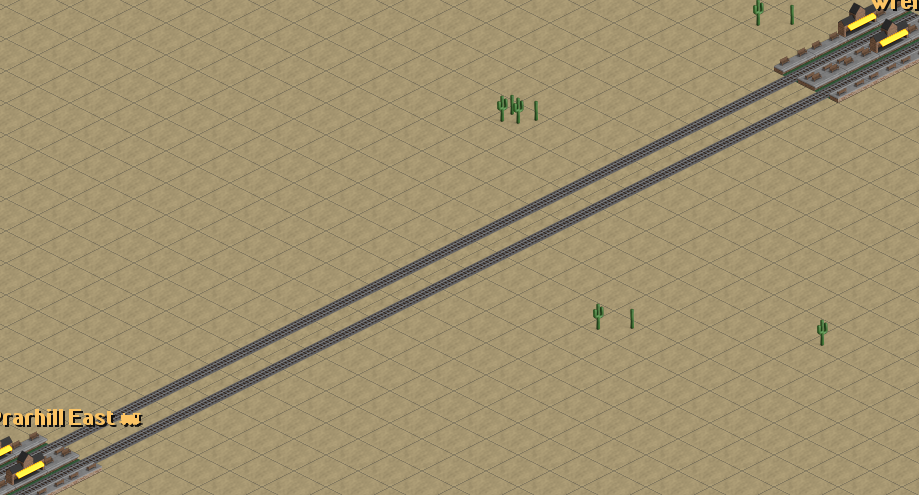 |
| I took two nearby towns and will now send several trains — the main thing is to have more than two. |
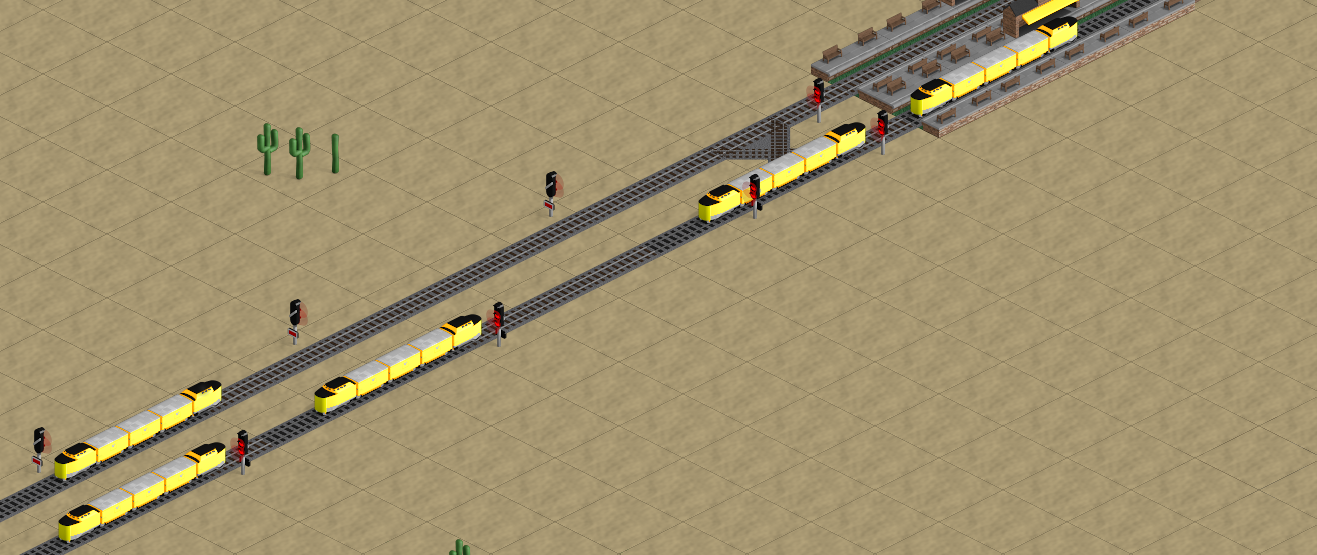
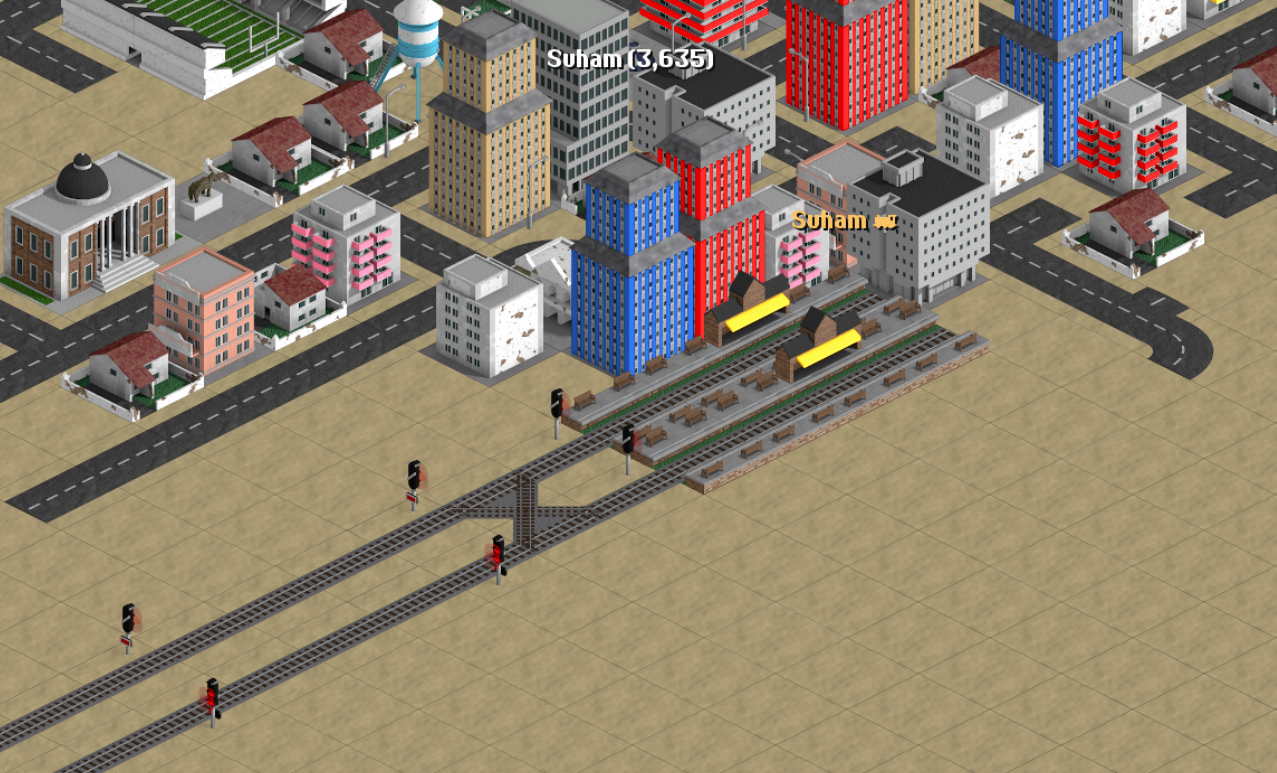
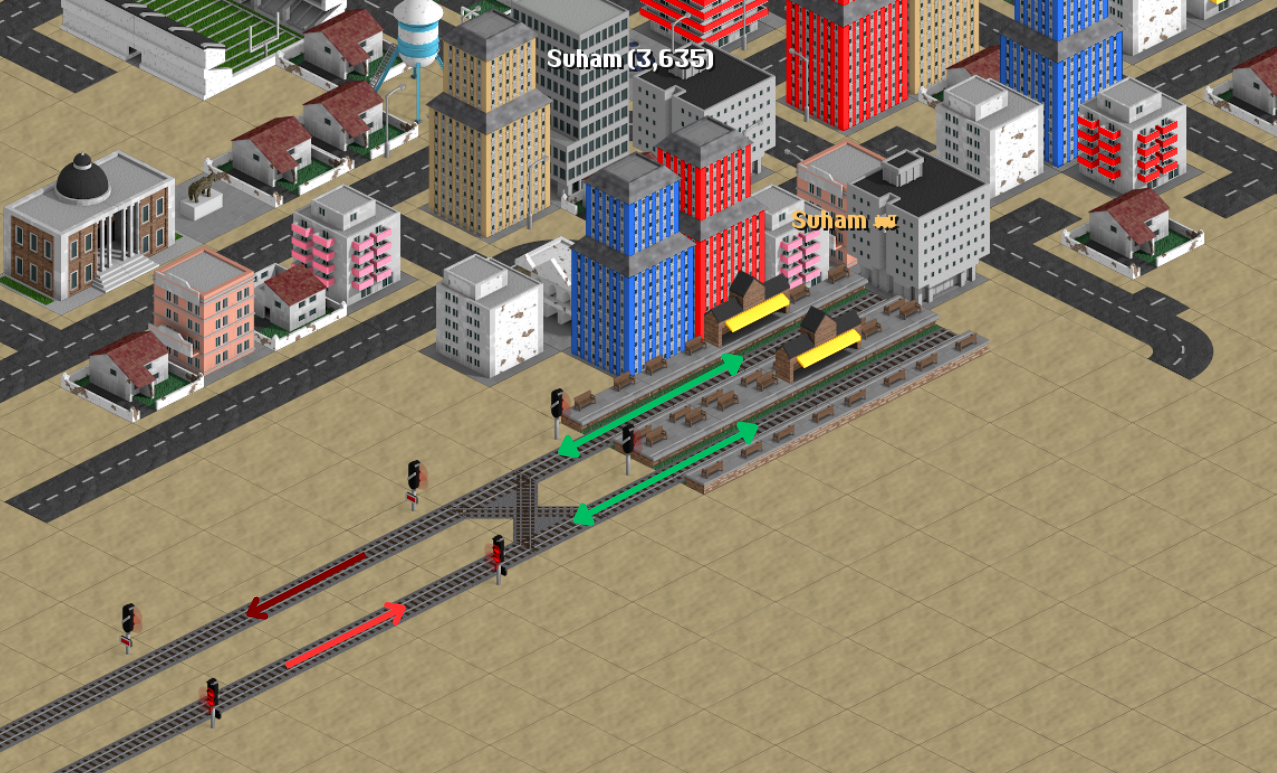
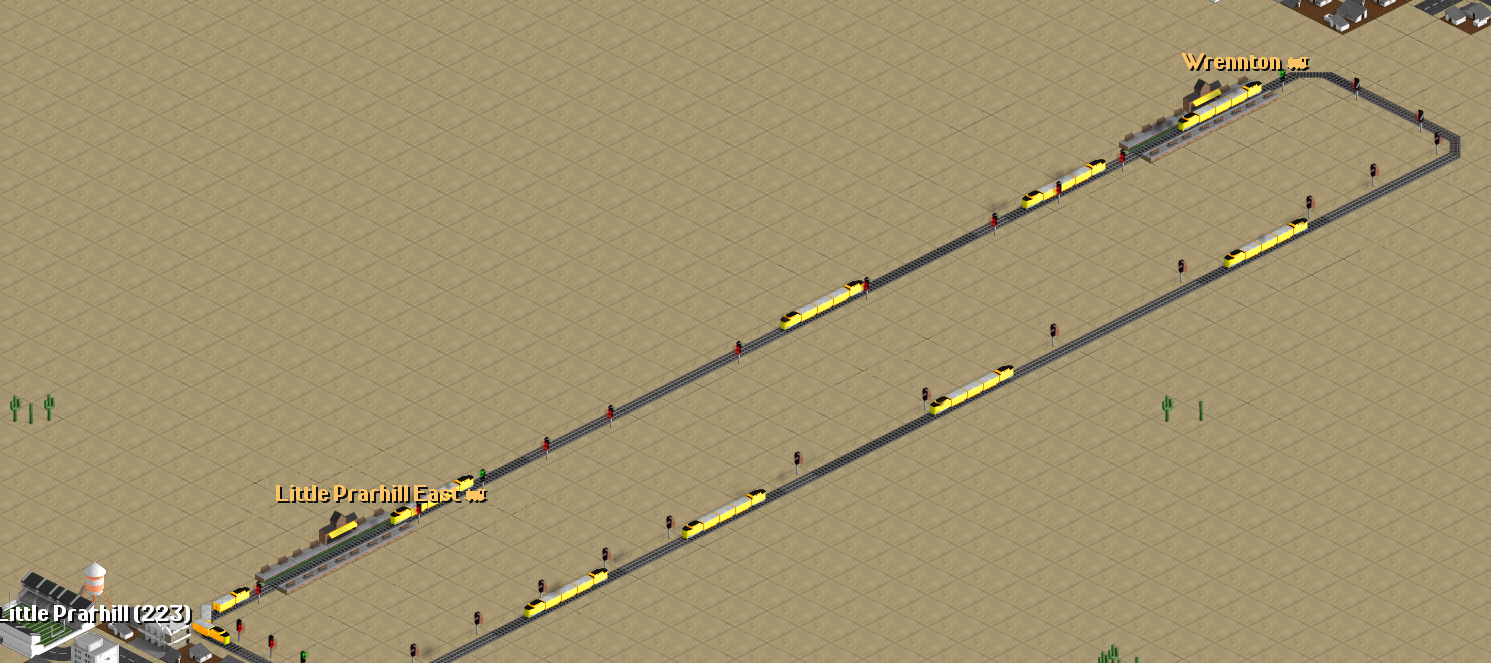
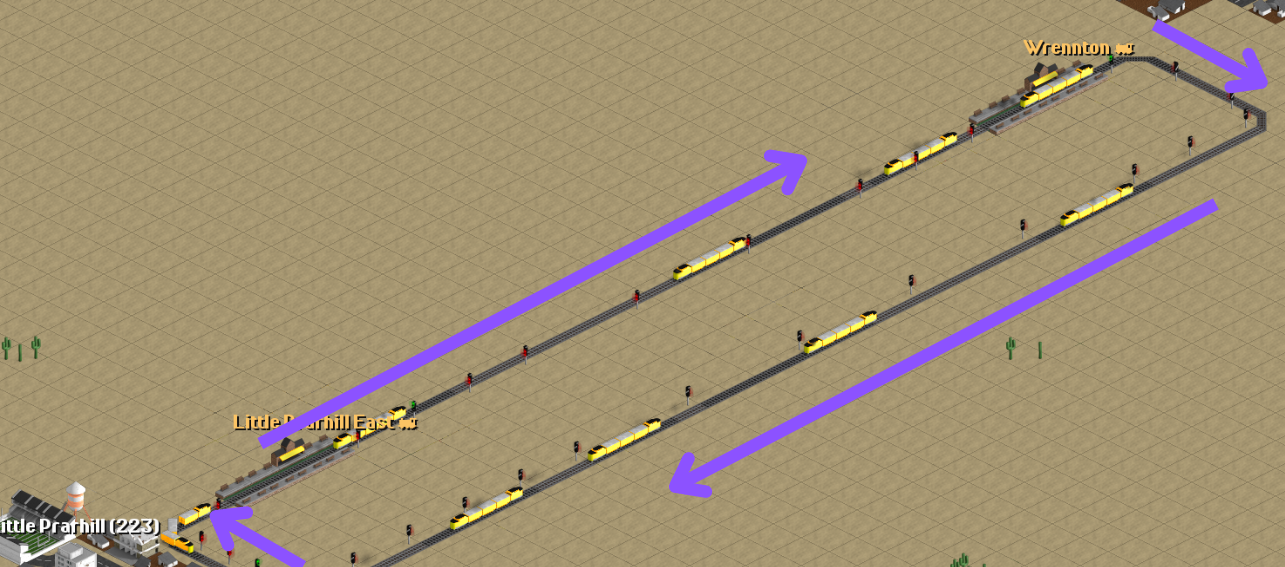
I placed one-way signals on the tracks (I’m used to right-hand traffic, so on the lower/right track my trains go upward, and on the left track they go downward). One-way means the trains are allowed to move only in one direction.
But at the station entrance I placed a TWO-WAY signal — which is correct. However, I rotated it INCORRECTLY. As a result, one train is standing at the station, while another entered the junction and blocked it. Now neither train can move: the first can’t leave the station and the second can’t enter an available platform.
So I rotated the entrance signals like this.
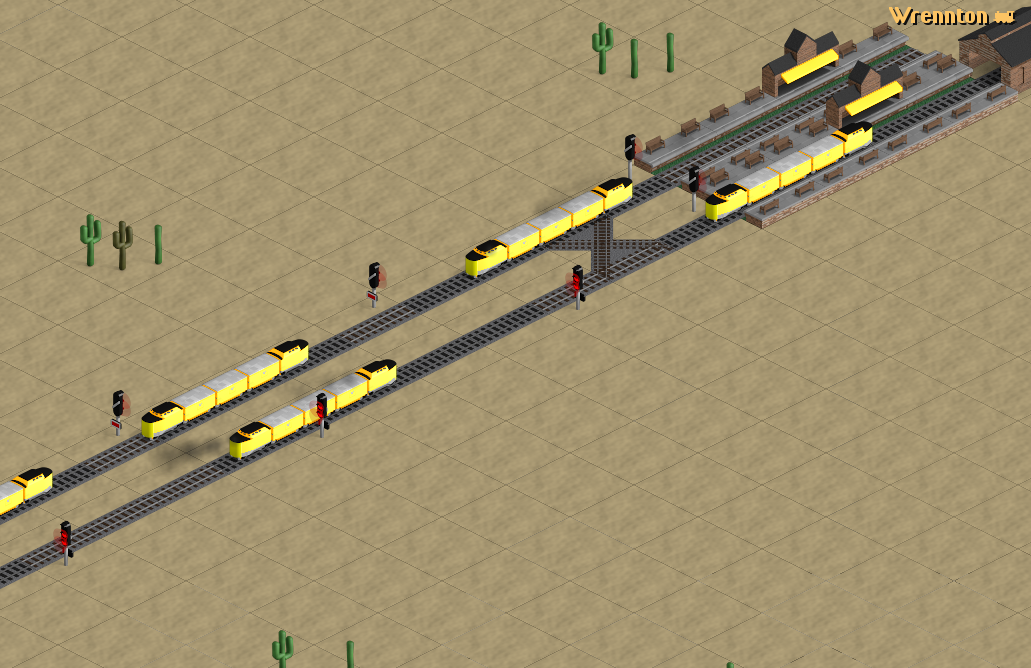
Such an organization of station entry allows you to add platforms for only two tracks.
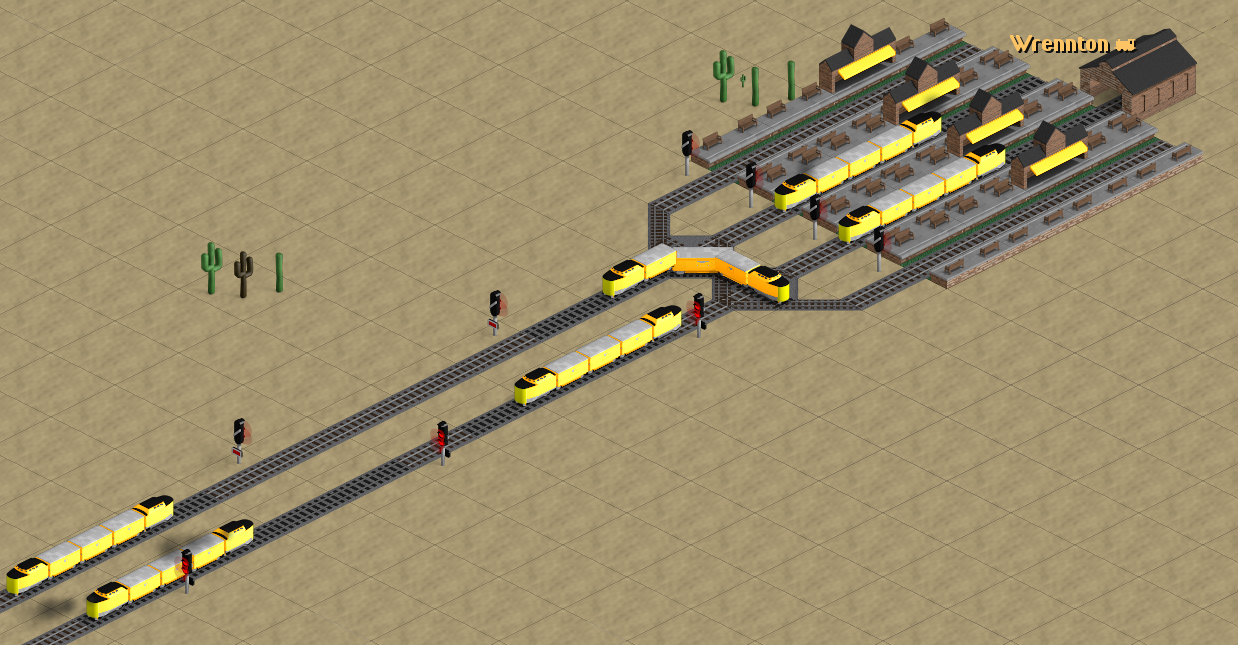
Here is a station with four platforms.
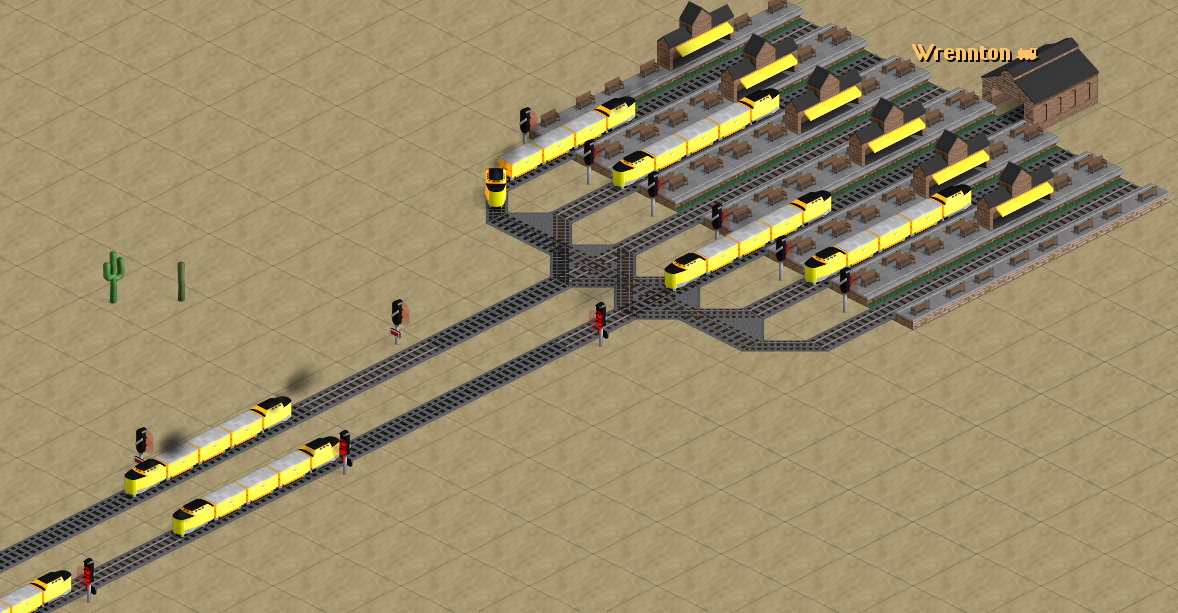
And here I added two more platforms — six in total.
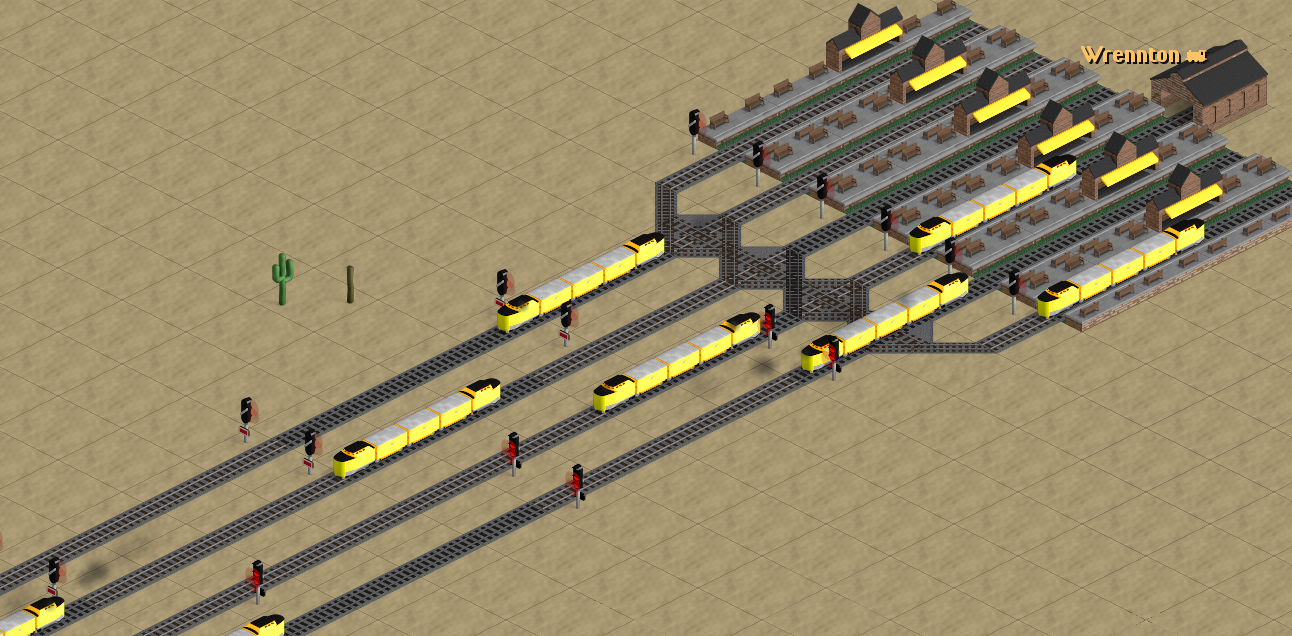
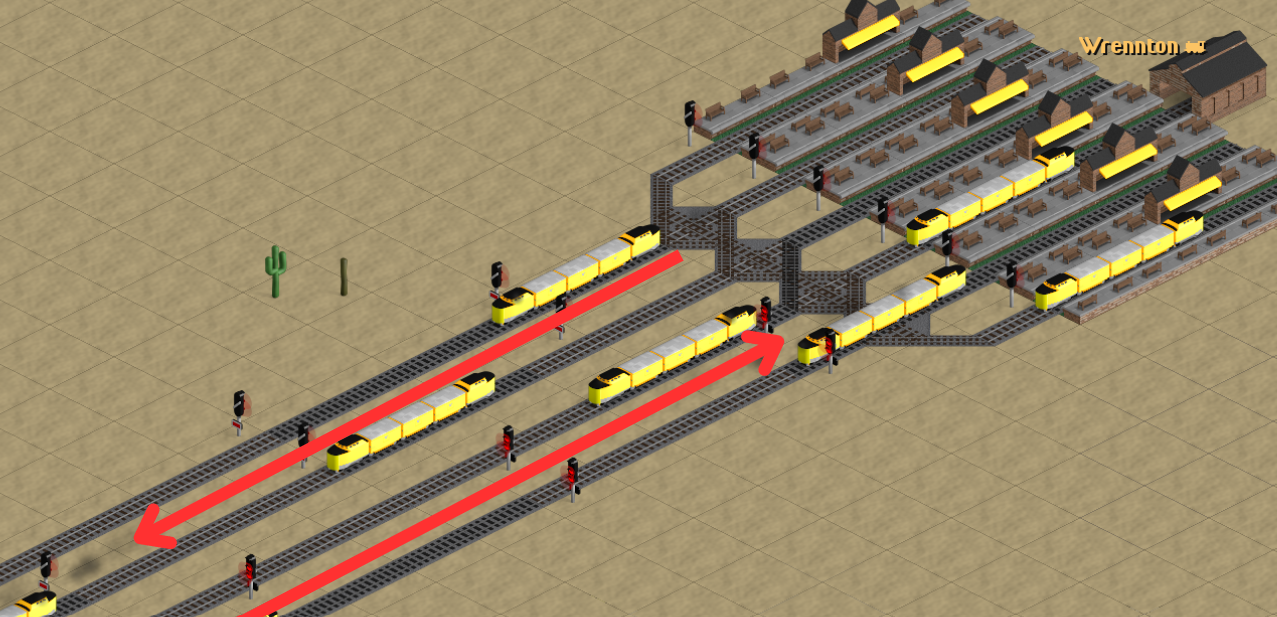
You can also add two parallel tracks.
 |  |
Separate-entry and separate-exit stations — RoRo stations
In this type of station, arriving and departing trains never cross paths, because they enter from one side and leave from the other. A RoRo station can have a single platform or many.
The advantage is that trains arrive and depart faster, with fewer traffic jams. The drawback is that it takes up more space and therefore costs more to build.
I will now build a RoRo station in the same location to show you how it works.
 |  |
Station Rating and Company Owner Statue
Here’s another small topic.
The station rating is influenced by many factors, so I’ll briefly describe them without going into too much detail:
- Resources should be selected regularly — the more often, the better, which allows for faster trains.
- Resources should not accumulate at the station. It is unacceptable for resources to pile up. They should be continuously removed. Ideally, a train should always be at the station for loading, or other trains or technical means should constantly transport goods away.
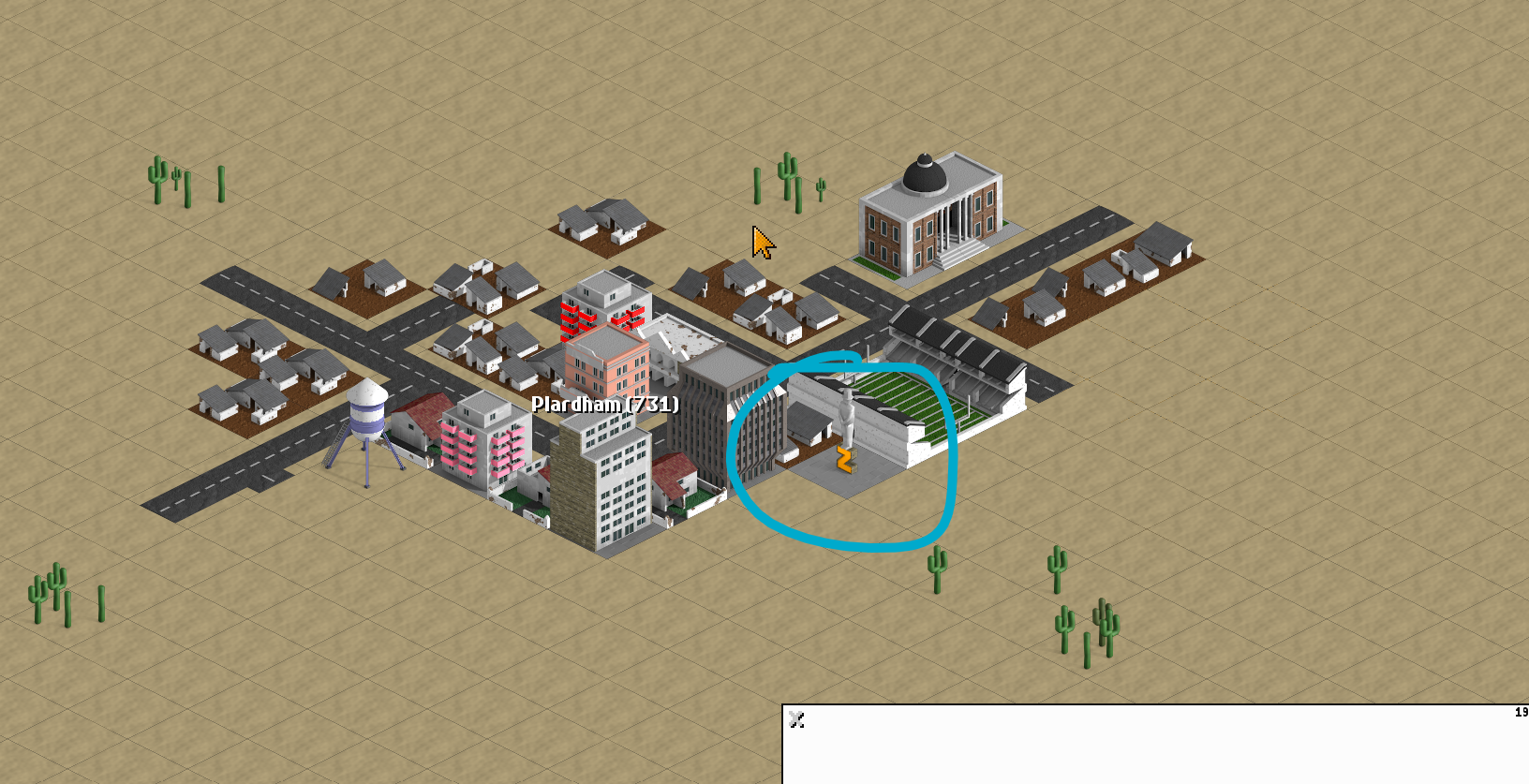
- You can additionally increase the rating by 105 points by building a company owner statue.
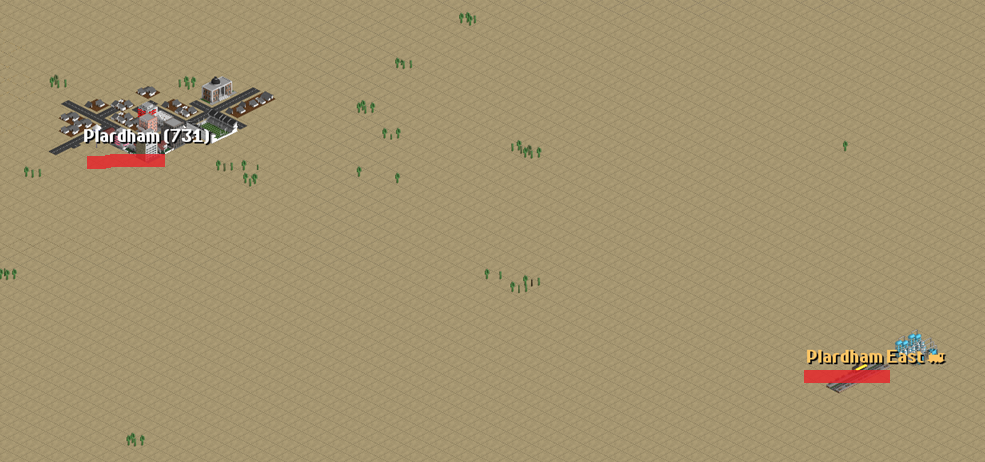
When you build a station, the prefix will always be the city to which this station belongs.
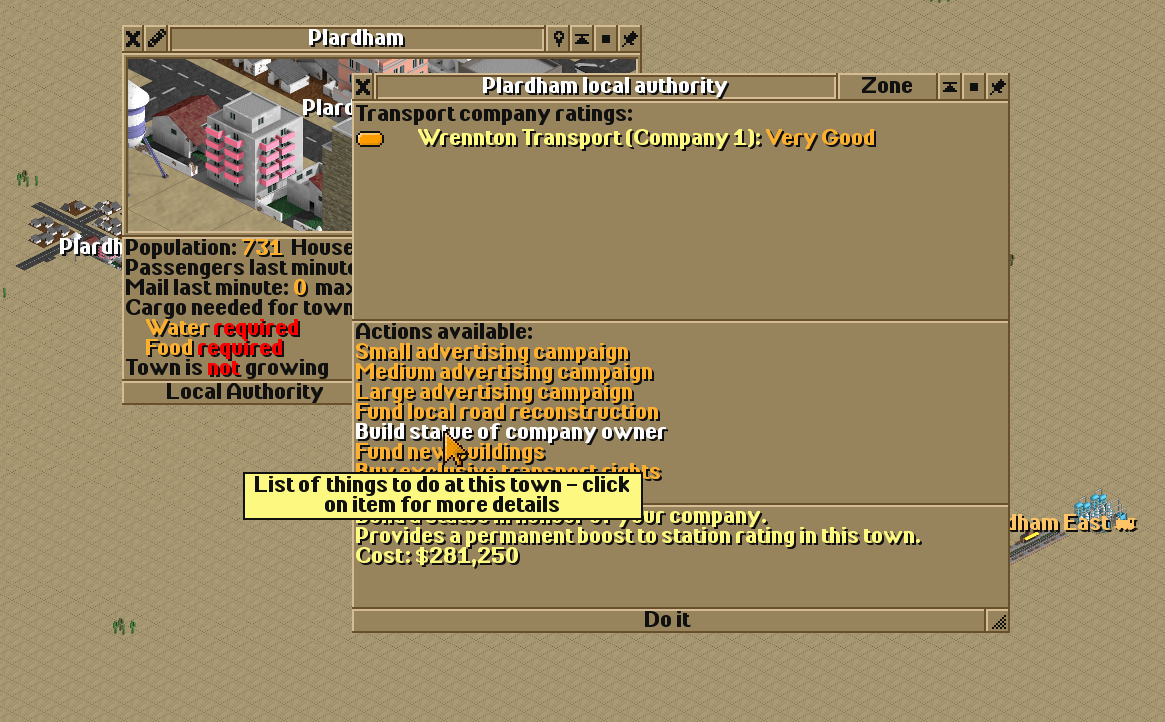
To build the statue, go to the city information window and select Build Company Owner Statue — the city will automatically place the statue somewhere within the city.
Production Output Growth
There is also a connection between station rating and the risk of a mine or factory closing.
If production starts low, the chance of closure is higher, and increasing output to high levels is much harder.
However, if you select higher initial production and regularly remove resources, productivity will increase. Productivity can grow many times over, but you must correspondingly increase the amount of transport removing the resources.
The game randomly decides whether productivity increases or decreases, and you cannot directly influence this.
However, with a higher rating, the chances of productivity growing are greater than the chances of it decreasing.
Homework

HW1 (for eginners — for those joining for the first time or who participated only 1–2 times last season)
🚂 Task 0: Review Trains & Railways
as that lesson is more important than this one.
🚂 Task 1: Join a server and create a company. Place your headquarters.
🚂 Task 2: Choose a city and build at least one platform. Select another city nearby or farther away and build a platform there as well. Connect them with a single track. Place a depot somewhere along the line. Buy a train with cargo and passenger wagons (if the station accepts mail). Assign the train to transport goods and passengers from city to city.
🚂 Task 3: I wrote about transfers in almost every lesson. Connect a bus stop to your railway platform. Place a depot. Buy a bus. Place several bus stops around the city among buildings that are not covered by the railway platform. Set up a transfer from these bus stops to the railway platform.
🚂 Task 4: Do the same with mail.
🚂 Task 5: Choose a factory or mine and deliver the necessary resources there by rail.
Each task is worth 2 points.
In these tasks, one track = one train. If you want to experiment with multiple tracks and signals, feel free — it will be a plus, but not completing it will not affect your grade.
✈️ Task 0: Soft recommendation: Try to earn roughly 500K using whatever you like — planes, trains, or ships. This way you’ll have money for future experiments, in case there are collisions or unexpected losses.
✈️ Task 1 (4 points): Build terminal stations. At least one line with two terminal stations at the ends. One track in one direction, the other track back. Each station should have more than 2 platforms. Run more than three trains on this line.
✈️ Task 2 (4 points): Build RoRo stations. Create another line with two RoRo stations at the ends. One track in one direction, the other track back. Each station should have more than one platform. Run more than four trains on this line. Try to have as many trains as possible on these two lines — I’ve only listed the absolute minimum.
✈️ Task 3 (2 points): Increase station rating and production output. Record the production of a mine/factory at the stage when you start building the station. Reach the maximum station rating and record it. Build a company owner statue — did the rating increase? How much did the mine/factory production grow?
Don’t worry too much about this task 3 — it’s a test. Just practice. Later lessons may have an assignment to build a mega station with mega productivity.
✨Rules for Participation
🚌 Title of your work: SLC S28 Week2 - SteemitTTD - Train Signals - Terminal and RoRo stations
🚌 You can publish your work in any language, in any community, or simply in your own blog. Add the link to your work below as a comment.
🚌 To help me quickly find, review, and evaluate your work, leave the link in the comment under this text, and in your work, use the tag #steemit-ttdw2 , your country tag, and your club status tag
🚌 Plagiarism and the use of AI are prohibited.
🚌 Participants must be verified and active users of the platform.
🚌All images used must belong to the author or be free of copyright. (Don’t forget to credit the source.)
🚌 Participants must not use any bot services for voting or engage in vote buying.
🚌 Recommend your 4 friends to participate.
🚌 Submission Period: From Monday (24 Nov 2025), to Sunday (30 Nov 2025).
🚌 Promote on social networks like X.
Rewards:
✈️ SC01/SC02 will evaluate posts across all participating teaching teams. Upvotes are not guaranteed for all articles.
✈️ Your work will be reviewed, commented on, and evaluated by me. Six best works will be selected. Participants who won last week will have a lower chance of being selected again, while those who did not win previously will have a higher chance if their work is well executed.
Good luck 🍀 on your task!
@sergeyk
Check the format of your tags...
steemit-ttd-w1 v steemit-ttdw2
I had to remove one dash
-because some users were unable to enter a tag with two characters-.My entry link
https://steemit.com/nature-agriculture/@mostofajaman/slc-s28-week2-steemitttd-train-signals-terminal-and-roro-stations-txwrwu
I noticed you were playing the game with signals with the longest routes in the game. These tracks were looking very complex. I hope these will be interesting to play.
it's just experience, there are even more complicated ones
I'm also learning, not counting years of familiarity with the game - I'm constantly learning new things in the game
I just have one long route that doesn't intersect with others.
It's much more complicated when it's part of a more complex network
Hi, everyone. My entry for SLC28 w2
https://steemit.com/steemitttdw2/@joslud/slc-s28-week2-steemitttd-train-signals-terminal-and-roro-stations
Here is my entry: https://steemit.com/ccs/@mohammadfaisal/slc-s28-week2-steemitttd-train-signals-terminal-and-roro-stations-3bp1kx
Thanks beloved for voting.
🎉 Congratulations!
Your post has been upvoted by the SteemX Team! 🚀
SteemX is a modern, user-friendly and powerful platform built for the Steem community.
🔗 Visit us: www.steemx.org
✅ Support our work — Vote for our witness: bountyking5
https://steemit.com/ccs/@akmalshakir/slc-s28-week2-steemitttd-train-signals-terminal-and-roro-stations-waxz5k
Since I participated in all of them last season, should I do HW 1 or the next tasks? That means I will do the double track . I am confused about this.
No, HW1 is only for beginners — new participants.
You only need to demonstrate a Terminal station(task1), a RoRo station(task2), and try to increase the productivity of the mine(task3).
(The more you extract from it, the higher the productivity.)
Thank you 😊
Very helpful for me. Thank you.
My entry
https://steemit.com/hive115654/@isratmim/slc-s28-week2-steemitttd-train-signals-terminal-and-roro-stations