Using Battery Simulators for Battery Management System (BMS) Development and Validation
In the modern era of electrification, Battery Management Systems (BMS) have become indispensable. Whether it’s electric vehicles (EVs), grid storage, consumer electronics, or renewable energy systems, a BMS ensures the safe, reliable, and efficient operation of battery packs. However, developing and validating a BMS involves significant complexity. One powerful tool engineers increasingly rely on is the battery simulator. In this blog post, we’ll explore what battery simulators are, why they are essential in BMS development and validation, how they work, best practices for using them, and what to consider when selecting the right simulator for your project.
What is a Battery Simulator?
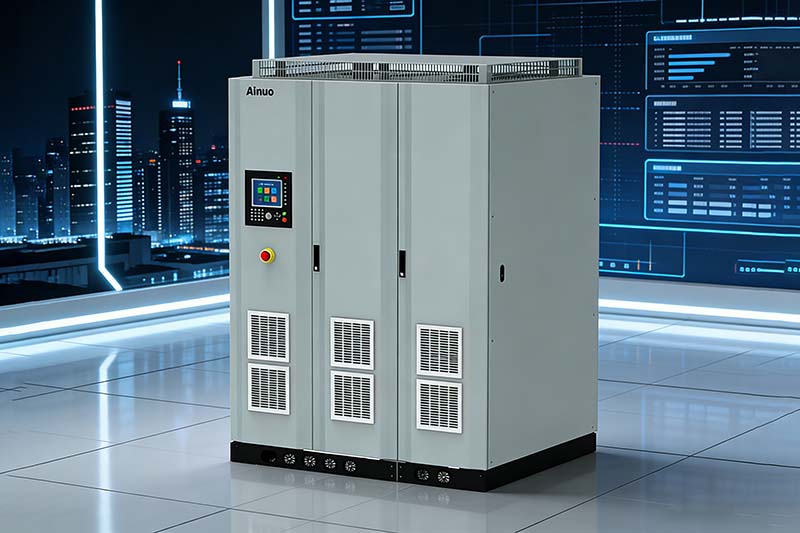
A battery simulator is an electronic device that emulates the electrical characteristics of a real battery. Instead of connecting a physical battery to the BMS during development and testing, engineers can use a simulator to mimic battery voltage, internal resistance, state-of-charge (SOC), temperature effects, and dynamic behaviors.
Unlike emulators that attempt to replicate every physical and chemical aspect of a battery, simulators focus on electrical behavior. This allows developers to stress-test and validate BMS functionality without the risks associated with handling real batteries—especially large, high-capacity cells.
Why Use Battery Simulators for BMS Development?
Developing a robust BMS requires exhaustive testing across a wide range of conditions. Real batteries, while necessary in final testing phases, present limitations:
1. Safety
Testing edge-case conditions—such as extreme states of charge, rapid discharge or charge, or fault conditions—can be dangerous with real batteries. High-power cells can overheat, catch fire, or cause damage if mishandled. A simulator safely reproduces these conditions without physical hazards.
2. Repeatability and Control
A simulator allows engineers to precisely define input conditions and behaviors, ensuring tests can be replicated consistently. When you’re debugging software or tuning control algorithms, this repeatability is invaluable.
3. Faster Development Cycles
A battery simulator eliminates the time-consuming steps associated with charging/discharging batteries between tests. Engineers can rapidly switch scenarios, accelerating software and hardware development.
4. Cost Reduction
Real battery packs, especially those used in EVs or grid storage, are expensive. Frequent physical testing can wear out cells and lead to replacement costs. By contrast, simulators provide the same electrical behavior without consumable degradation.
5. Early Stage Testing
Simulators enable BMS development before the final battery pack design is ready. This parallel development shortens product timelines and improves cross-disciplinary collaboration between battery design and control systems teams.
How Battery Simulators Work
At a high level, a battery simulator replaces the battery in the BMS test setup. It interfaces with the BMS like a typical battery—providing voltage, responding to current draw, and simulating dynamic electrical properties.
Here are key capabilities you’ll find in advanced simulators:
1. Voltage and Current Emulation
The simulator outputs voltage and responds to current draw just like a battery would. It can simulate different nominal voltages (e.g., 48 V, 400 V, or 800 V systems) and respond dynamically as current flows in and out.
2. State-of-Charge (SOC) Models
Simulators can emulate SOC by adjusting output characteristics based on a predefined model. For instance, as SOC decreases, voltage response changes—just like a real battery.
3. Internal Resistance Simulation
Battery internal resistance affects performance, especially under load. Simulators can replicate this characteristic to ensure the BMS interprets voltage sag and rise correctly.
4. Fault Injection
Advanced simulators allow engineers to inject faults and abnormal conditions, including:
- Short circuits
- Open circuits
- Cell imbalance
- Sensor failures
- Sudden voltage drops or spikes
Being able to reproduce these conditions is crucial for validating fault detection and mitigation logic in the BMS.
5. Temperature Effects
Some simulators incorporate thermal models or integrate with environmental chambers to reflect how temperature affects battery behavior. Since battery performance is highly temperature-dependent, this adds fidelity to the testing process.
Use Cases: Where Battery Simulators Shine
Battery simulators are useful across the BMS development lifecycle—from initial design and integration to final validation and certification.
1. Algorithm Development
BMS algorithms control charge/discharge limits, balance cells, estimate SOC and State of Health (SOH), and protect against unsafe conditions. Simulators enable developers to fine-tune these algorithms without risking hardware damage.
2. Hardware-in-the-Loop (HIL) Testing
Battery simulators are frequently used in Hardware-in-the-Loop setups. Here, the BMS hardware interacts with the simulator in real time, allowing comprehensive system validation before integration into a full battery pack.
3. Regression Testing
Whenever firmware updates are made, regression tests help ensure that new changes don’t break existing functionality. Simulators automate these tests with consistent, repeatable inputs.
4. Certification and Compliance
Regulatory bodies and industrial standards often require extensive testing under well-defined conditions. Simulators help provide the controlled environments necessary for consistent, traceable results.
5. Training and Demonstration
Simulators offer a safe and cost-effective way to train technicians and demonstrate BMS behavior to stakeholders without needing a physical battery pack.
Best Practices for Using Battery Simulators
To maximize the benefits of battery simulators in your BMS development, consider the following best practices:
1. Validate Models Against Real Batteries
While simulators provide excellent control, it's essential to calibrate their models against real battery data. This ensures your simulator reflects actual behavior, particularly under dynamic conditions.
2. Use a Range of Test Scenarios
Don’t limit testing to nominal conditions. Include edge cases such as extreme SOC values, temperature extremes, fast charging, and rapid load changes.
3. Integrate with Automated Test Frameworks
Automation speeds up repeatable tests and enables continuous integration (CI) practices. Integrating the simulator with automated test suites ensures robust regression testing.
4. Combine with Environmental Testing
Electrical simulation alone isn't enough for full validation. Combine simulator testing with thermal chambers and vibration rigs for full system robustness.
5. Involve Cross-Disciplinary Teams
Battery engineers, software developers, and system testers should collaborate closely. Simulators serve as a common ground to align requirements and expectations across teams.
Choosing the Right Battery Simulator
Selecting the right simulator depends on your goals, system voltage, and required fidelity.
Here are factors to consider:
1. Voltage and Current Range
Ensure the simulator supports the voltage and current levels of your BMS—whether it’s low-voltage systems for consumer electronics or high-voltage EV applications.
2. Dynamic Response
High-fidelity models with configurable internal resistance and transient responses help replicate real battery behavior more accurately.
3. Fault Injection Capabilities
The ability to simulate a wide range of faults increases test coverage and confidence in your BMS.
4. Software and Integration Support
Look for simulators with robust APIs and integration with HIL platforms and automated test frameworks.
5. Scalability
If your product roadmap includes multiple battery configurations (e.g., different cell chemistries or pack sizes), choose a simulator that can scale accordingly.
Conclusion
Battery simulators are transforming the way engineers develop and validate Battery Management Systems. By providing a safe, controllable, and repeatable testing environment, simulators accelerate development cycles, reduce costs, and improve product reliability. Whether you’re tuning SOC algorithms, conducting HIL testing, or validating compliance with safety standards, battery simulators are an essential tool in the BMS engineer’s toolkit.
Investing the time to select the right simulator and integrate it effectively into your workflow pays dividends throughout the product lifecycle—ensuring your BMS meets performance goals and stands up to real-world demands.
If you’ve got questions on how to implement battery simulation in your project or need help selecting the right tools, feel free to reach out!