9 Local AI Workloads Every Creative Should Run on an AI PC
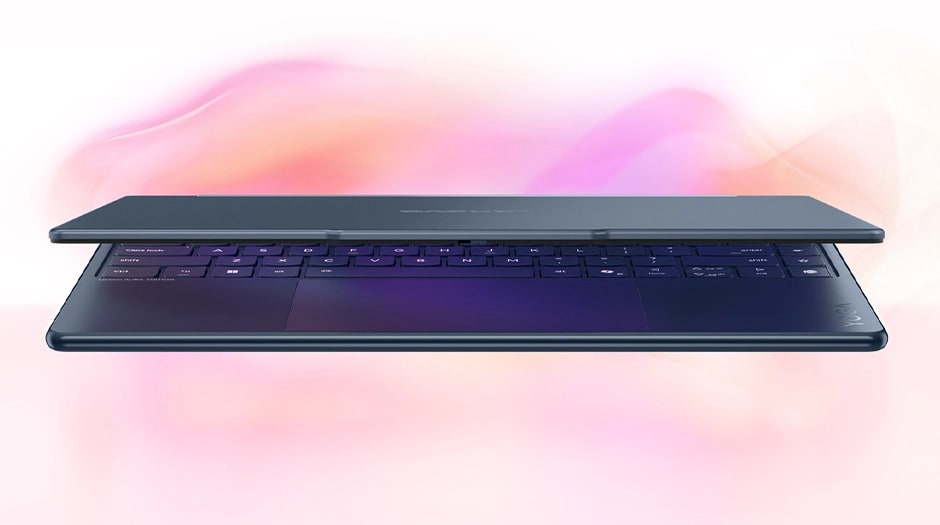
The era of the AI PC is finally here. This new hardware changes how you work forever. It moves the power from the cloud to your desk. You no longer need to pay for monthly subscriptions for every tool. Your computer now thinks with you. Everything happens instantly. You gain back hours of your day. Privacy becomes your new best friend. Your data stays on your machine. No one else sees your rough drafts or early designs. This shift empowers creators to take risks without extra costs. You can experiment with complex tasks on your own terms. It is time to see what your machine can really do. Let us explore the best ways to use this power right now.
1. Smart Image Upscaling for High Resolution
Your old photos deserve a second life. Local AI can blow up small images without losing detail. It fills in the gaps between pixels. This process used to take hours on a server. Now your local GPU handles it in seconds. You can turn a social media post into a print-ready poster. This tool helps you save projects with low-quality assets. An AI PC for creatives runs these upscaling models locally, giving you sharper images in seconds without sending your files anywhere else.
Infinite Zoom Capabilities
You can crop into a photo deeply. The image remains sharp and clear. This gives you more flexibility during the editing phase.
High-resolution images are just the start of your journey. Once your photos look crisp, you will want to fix the lighting.
2. Lightning Fast Background Removal
Removing backgrounds used to be a chore. You had to click around every strand of hair. Local AI does this with one click. It identifies the subject perfectly. This works for photos and even high-definition video. You save a massive amount of time on every project. It allows you to swap environments instantly. Your workflow becomes much smoother.
Perfect Edge Detection
The AI PC distinguishes between the subject and the clutter, and it handles complex backgrounds with ease. You get a clean cutout every single time.
Real Time Video Masks
You can remove backgrounds from moving footage. This replaces the need for expensive green screens. It opens up movie magic for everyone.
With more than 86% of the digital creators using AI in their work, AI PC are becoming an integral part of modern content production workflows.
3. Instant Noise Removal for Audio
Clean audio is hard to capture in the real world. Traffic and fans ruin great recordings. Local AI filters out everything but the voice. It makes a bedroom recording sound like a studio. You do not need to buy expensive soundproofing anymore. This tool is perfect for podcasters and video editors. It works while you record or during the edit.
Crystal Clear Dialogue
The system identifies human speech patterns. It ignores the hum of an air conditioner. Your listeners will appreciate the professional quality.
Isolating Music Tracks
You can separate vocals from background music. This helps creators make remixes or karaoke versions. It provides total control over your sound.
4. Local Language Models for Brainstorming
Privacy is vital when you brainstorm new ideas. Local language models let you chat without an internet connection. You can feed it your private notes. It helps you find themes in your work. You get a writing partner that never sleeps. It helps you overcome writer's block in seconds. This is the ultimate tool for secret projects.
Summarizing Long Documents
Throw a long script into the model. It gives you the main points instantly. This speeds up your research process significantly.
Writing leads to visual storytelling. Your machine can turn those words into stunning art.
5. Local Image Generation for Concept Art
Generating art locally is a game-changer. You can create thousands of images for free. There are no filters or wait times. You control the entire creative process. It helps you visualize scenes before you shoot them. This tool builds storyboards faster than any human. It is the best way to test different styles.
Rapid Prototyping
Turn a simple prompt into a visual guide. This helps you explain your vision to clients. You can iterate on designs until they are perfect.
Custom Style Training
You can teach the AI your own art style. It then generates new work based on your past art. This keeps your brand consistent.
6. Intelligent Media Tagging and Search
Finding one file in a sea of folders is hard. Local AI scans your entire library. It knows if a photo contains a dog or a sunset. You can search for files using natural language. No more manual tagging is required. This keeps your creative flow moving fast. You spend less time searching and more time making.
Visual Content Recognition
The AI sees what is inside your videos. It labels every clip automatically. This creates a searchable database of your work.
Smart Folder Organization
The system suggests where to put new files. It keeps your workspace tidy and efficient. You will never lose a creative asset again.
7. Automated Motion Tracking for Video
Tracking objects in video is usually very difficult. An AI PC for creatives makes it look easy. It follows a person or an object through a scene. You can then attach text or effects to that object. This creates professional-grade visual effects. It works even if the camera moves around. Your videos will look like high-budget productions.
Precise Path Following
The AI predicts where an object will move. It stays locked on even behind obstacles. This saves hours of manual keyframing.
Dynamic Text Overlays
Attach titles to moving cars or people. The text moves perfectly with the action. It adds a layer of polish to your edits.
8. AI-Powered Color Grading
Color sets the mood of your entire film. An AI PC analyzes the light in your shots. It can match the colors of two different cameras. This ensures your project looks consistent. You can apply the look of a famous movie in one click. It handles the technical math while you focus on the vibe.
Shot Matching Efficiency
The AI looks at the skin tones in every clip. It balances them so they look identical. This is essential for professional interviews.
Mood Enhancement
Change a sunny day into a moody evening. The AI adjusts every color to fit the theme. It creates a cinematic feel instantly.
9. Neural Filter Effects for Design
Designing digital art requires many fine adjustments. Neural filters use local AI to change faces or weather in a snap. You can make a subject smile or change their age. This gives you god-like control over your photos. It used to take experts weeks to do this. Now you can do it with a simple slider. Your imagination is the only limit here.
Facial Expression Control
Shift the gaze of a person toward the camera. Adjust their mood to match the message of your ad. This tool makes every portrait perfect.
Conclusion
The future of creativity lives on your desk. These nine workloads turn your computer into a powerhouse. You save money and protect your privacy. You gain the freedom to explore wild ideas. The speed of local AI keeps you in the creative zone. Every tool mentioned here makes you a better creator. Your AI PC is not just a gadget. It is a portal to a more efficient life. Start running these tasks today and see the difference. You will never want to go back to the old ways. Your best work is yet to come.