Step-by-Step Guide: Setting Up an AI/ML Environment (PyTorch & TensorFlow) on a GPU Server
The demand for Artificial Intelligence (AI) and Machine Learning (ML) is skyrocketing. Whether you are training Large Language Models (LLMs), running deep learning algorithms, or rendering complex data, relying on a standard CPU will cause massive bottlenecks.
To train models efficiently, you need the massive parallel processing power of a dedicated NVIDIA GPU.
We have put together a complete technical tutorial on how to set up a professional AI/ML development environment using PyTorch and TensorFlow on an Ubuntu-based bare-metal server.
What You Will Learn in This Guide:
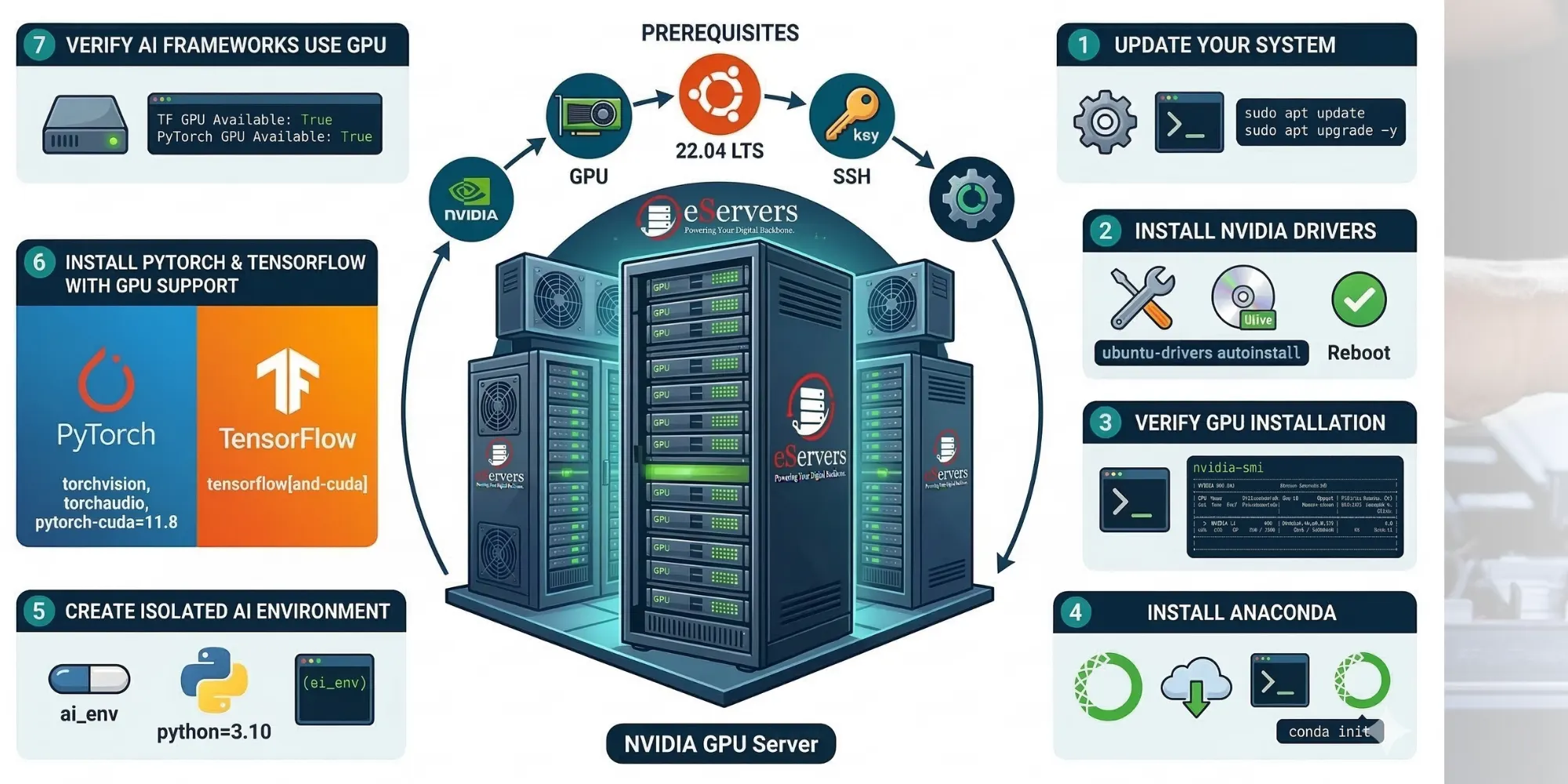
How to securely update your Ubuntu system.
Installing proprietary NVIDIA Drivers for your GPU (A10, L4, RTX series).
Verifying the GPU installation using nvidia-smi.
Installing Anaconda (Miniconda) for environment management.
Creating an isolated Python environment.
Installing PyTorch and TensorFlow with full CUDA (GPU) support.
Running a Python script to verify your frameworks are using the GPU.
If you are a Data Scientist, ML Engineer, or just getting started with AI infrastructure, this guide has all the exact bash commands you need.
Read the full step-by-step tutorial with code snippets here!