5 Best Email Migration Tools (Complete Review & Comparison)
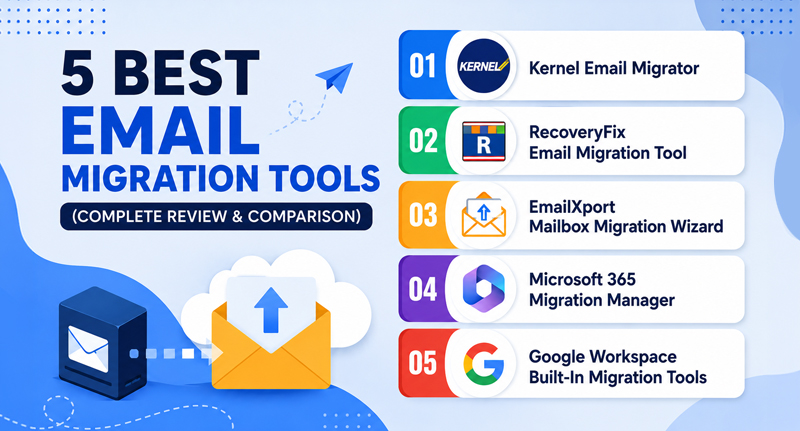
At some point, every organization needs to perform email migration, and moving mailboxes between platforms can be painful. In case you are going from Gmail to Office 365 or PST to Gmail, a wrong tool means lost emails. This guide covers the 5 best email migration tools in 2026. We will cover what each does best and other necessary details.
How to Choose the Right Email Migration Solution for Your Business?
When looking to opt for the best email migrator tool for your business, there are many factors to keep in check and you must also take account of the data volume, source and target platforms, and system requirements for migration.
Take a look at other major factors that you must check out in an email migration tool:
- Platform compatibility: Make sure the software connects your source account with the destination account easily.
- Ease of use: The software offers an easy-to-use interface and does not require much technical expertise.
- Scalability and speed: Verify the tool’s ability to migrate large datasets.
- Migration methods: Analyze the software’s support for your migration strategy: migrate a small dataset, a massive mailbox, and selective data migration.
- Pricing models: Compare all the mailbox licensing versions and select the one that fits your budget and migration requirements.
- Test version: The best tools offer a free email migration tool version so you can test the tool before bulk migration.
- Support and reporting: Make sure the email migration services offer 24/7 technical support to address all your issues in a matter of time.
Best Email Migration Tools Compared [Top 5]
After analyzing a lot of email migration tools, we have found out the best 5 tools to make your email migration journey smooth.
Kernel Email Migrator Tool
The Best Email Migration Tool to move massive cloud, IMAP, or Outlook files into Microsoft 365 or Google Workspace is Kernel Email Migrator Tool. You can use this tool to migrate offline PST, MSG, EML, and OST files to online cloud platforms.
It minimizes human workload and errors by migrating bulk data while keeping files and folder hierarchy intact throughout the process. It puts forward multiple filters for selective data migration, such as Incremental Migration, Date Filter, Item Type Filter, Exclude Deleted Folders, Exclude Empty Folders, and more, making it popular amongst businesses and individuals.
We prefer this Email Migration solution because you can run multiple migration projects simultaneously for a large mailbox, and it does not degrade the structure. Moreover, it allows saving the migration report in a CSV file on the local system to validate the process after migration is done.
RecoveryFix Email Migration Tool
This email migration tool is designed to help businesses migrate their emails from one IMAP account to another. Migrate entire mailbox data in bulk, including emails, contacts, calendars, tasks, etc. into desired destination account with this best email migrator tool.
It lets you set an operation timeout for a large mailbox to prevent encountering errors. Avoid migrating duplicate data with incremental migration features to keep your mailbox organized and clutter-free.
EmailXport Mailbox Migration Wizard
Migrate data between IMAP email accounts and cloud platforms with EmailXport. The software allows users either to immediately migrate data or schedule migration for later.
Migrate from Godaddy, Gmail, offline files (PST, OST, EML, MSG), etc. into Office 365 without losing data integrity. It comes with a simple GUI for easy navigation throughout the tool that makes it easy for all users to run the tool. Moreover, it offers a free Email Migration tool version to test software before purchasing it.
Microsoft 365 Migration Manager
If any business wants to migrate a small dataset, then they can rely on Microsoft’s built-in migration tool. Microsoft offers its own migration tool, but it lacks some advanced features like other paid tool offers. But they are cheap and cost-effective solutions to migrate your data securely.
Google Workspace Built-In Migration Tools
Google also offers its own Google Workspace Migration tool for businesses who are moving to Google or Google calendars from other platforms to copy all existing emails, calendars, and contacts. Google Workspace makes sure all the data is easily available for your team without spending anything on third-party tools.
Final Thoughts
What if you are migrating your data in the middle of the night and have some issues? Finding the best migration tool isn’t a big deal, but finding a tool that provides accurate results with 24/7 technical support is important to make your migration seamless. We have listed the tools that provide both features and assistance for successful migration. Try out the tool from our given list and you won't be disappointed.