How to Register Bybit Exchange - Create & KYC Bybit Account
Bybit has grown into one of the most feature-rich crypto trading platforms available today — but for first-time users, the signup process can feel a little overwhelming. Between KYC verification, claiming bonuses, and making your first deposit, there's a lot happening at once. This guide breaks everything down clearly so you don't miss a step (or a reward).
How to Create a Bybit Account(6 quick steps)
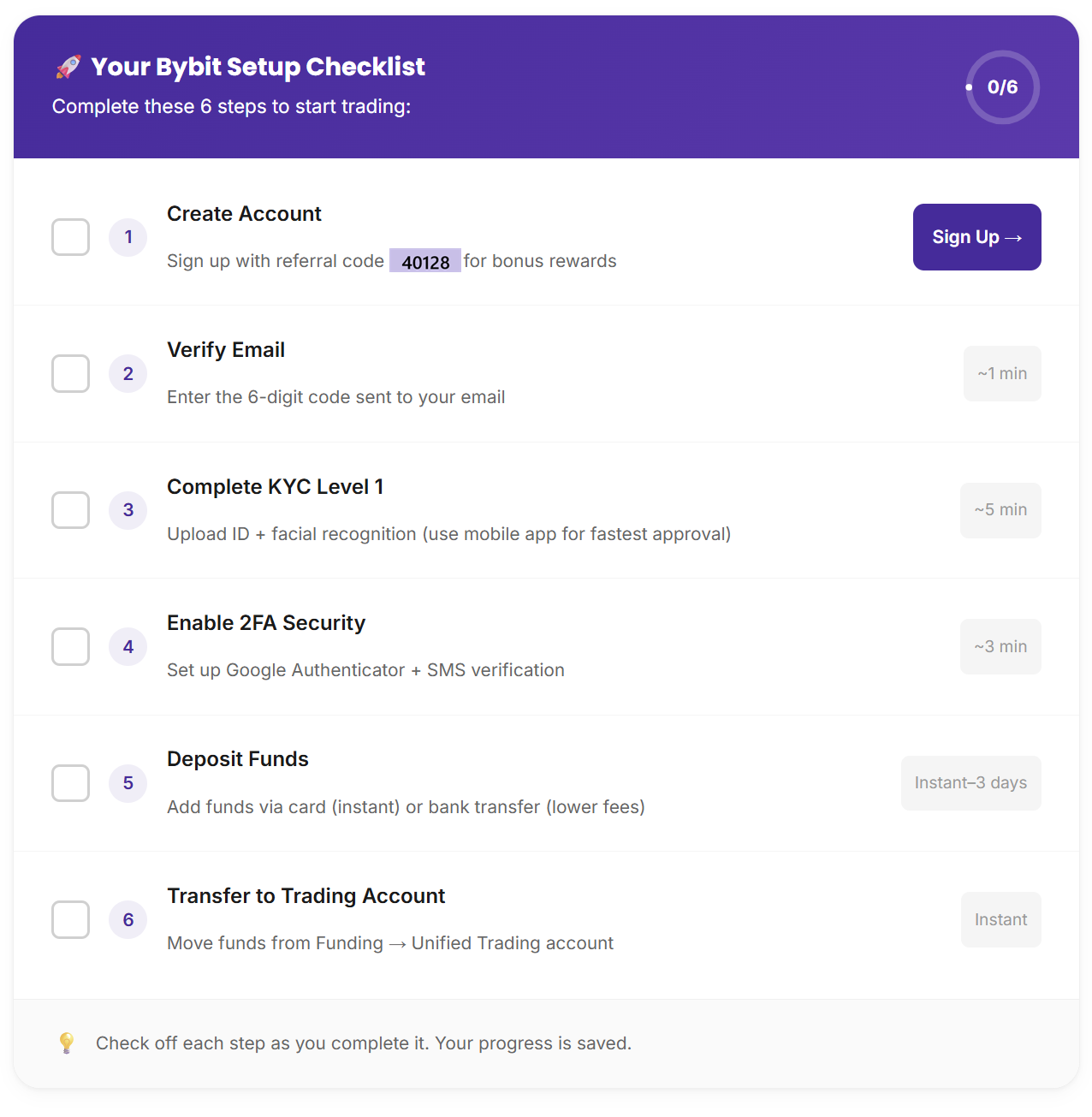
Register Your Bybit Account(Step - by -Step)
Step 1 — Visit the Official Bybit Website :
Go to the exchange’s website using the link: https://partner.bybit.com
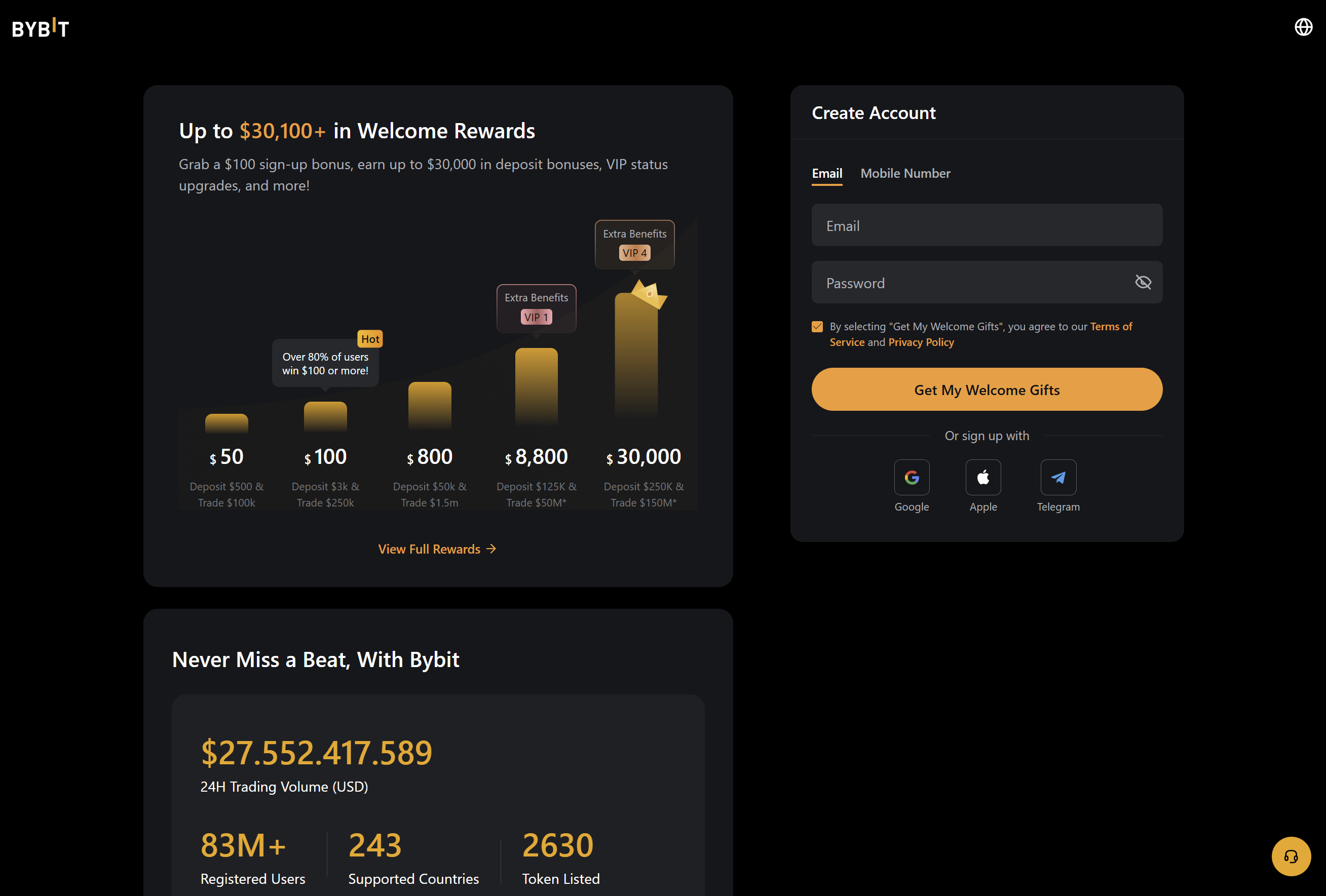
Before anything else, make sure you're on the real Bybit site. Phishing pages that mimic crypto exchanges are more common than you'd think, so always double-check the URL in your browser before entering any personal information.
Step 2 — Fill In Your Registration Details
Bybit gives you two options for creating an account — you can register with either an email address or a mobile phone number. Pick whichever feels more convenient for you.
Email: Enter a valid address you actively use. Bybit will send account notifications, security alerts, and your verification code here, so make sure it's accessible.
Phone number: Type in your full number, including the country code. Confirm the number is active before proceeding — you'll need it to receive the SMS verification code in the next step.
Step 3 — Create a Strong Password
This step matters more than most people give it credit for. Your password is the first line of defense protecting your funds, so don't cut corners here.
Choose something complex — a mix of uppercase and lowercase letters, numbers, and special characters like !, @, or #. Avoid anything obvious (birthdays, names, sequential numbers) and never reuse a password from another platform. If you struggle to remember complex passwords, a reputable password manager is worth the investment.
Step 4 — Accept the Terms and Conditions
Before your account goes live, you'll need to read and accept Bybit's Terms of Service and Privacy Policy. It's worth at least skimming these documents — they outline your rights as a user, how your data is handled, and the platform's operating rules.
Once you're done, check the agreement box and click Sign Up or Create Account to submit the form.
Step 5 — Verify Your Email or Phone Number
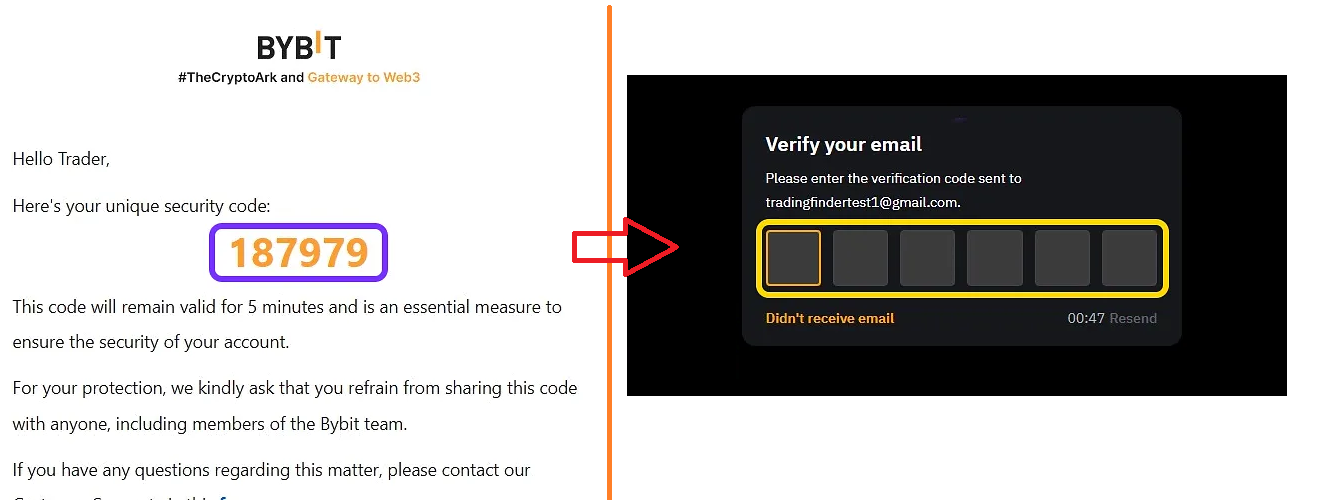
Almost there. After submitting your details, Bybit will send a one-time verification code to whichever contact method you chose.
Email users: Check your inbox for a message from Bybit. If it doesn't show up within a minute or two, check your spam or junk folder — it sometimes lands there.
Phone users: You'll receive the code via SMS. It usually arrives within seconds.
Enter the code in the field provided to confirm your identity. Some users may also be prompted to complete a quick captcha at this stage — just a routine check to keep bots out.
Step 6 — Log In and Explore Your New Account
With verification complete, your Bybit account is officially active. Go ahead and log in.
At this point, you'll have access to the basic version of the platform. To unlock everything — fiat deposits, higher withdrawal limits, trading bonuses, and the full product suite — you'll need to complete KYC (Know Your Customer) verification. We walk through that process in the next section of this guide.

How to Complete KYC Verification
Once your email is confirmed, you'll likely see a prompt to claim a $20 bonus. Skip that window for now and instead click Get Verified Now. You can also find this option later by hovering over your profile avatar and navigating to Account & Security → Account Verification.
From there, the process goes like this:
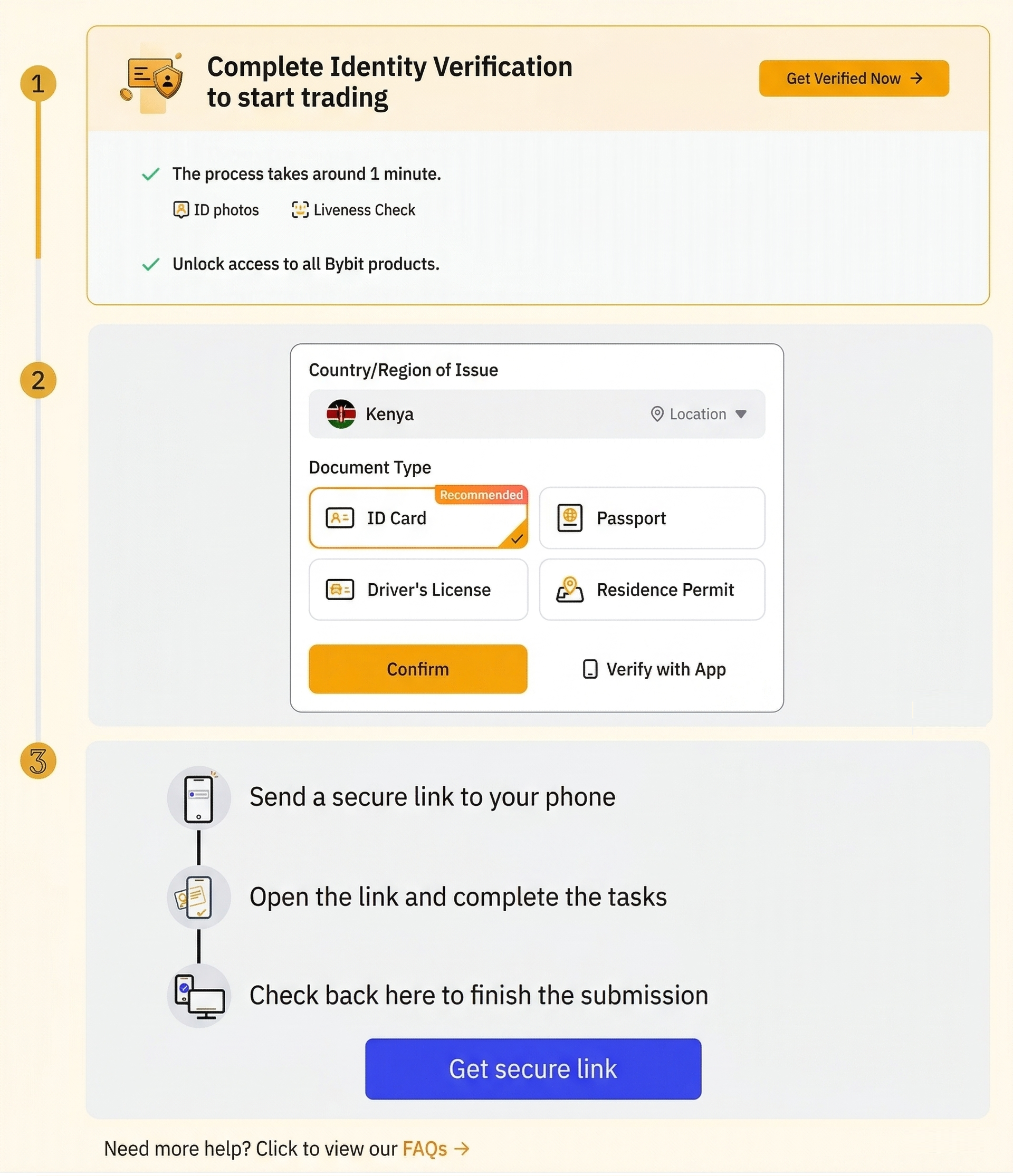
- Click Verify Now
- Select your country from the dropdown list
- Choose the type of government-issued document you'll use (passport or driver's license)
- Click Confirm, then Start Verification
Bybit will send a secure link to your email. Using your smartphone, you'll take a photo of your document and a quick selfie. The review typically takes anywhere from a few minutes to a few hours depending on traffic.
One important note: KYC is only available to residents of countries where Bybit operates. Users in the United States and United Kingdom are currently restricted. French users, as of 2026, are also temporarily unable to register — though this may change in the near future.
If you're in a restricted region and still want a similar trading experience, Apex Pro (a decentralized exchange built by Bybit) is worth checking out as an alternative.
Signing Up Through the Bybit Mobile App
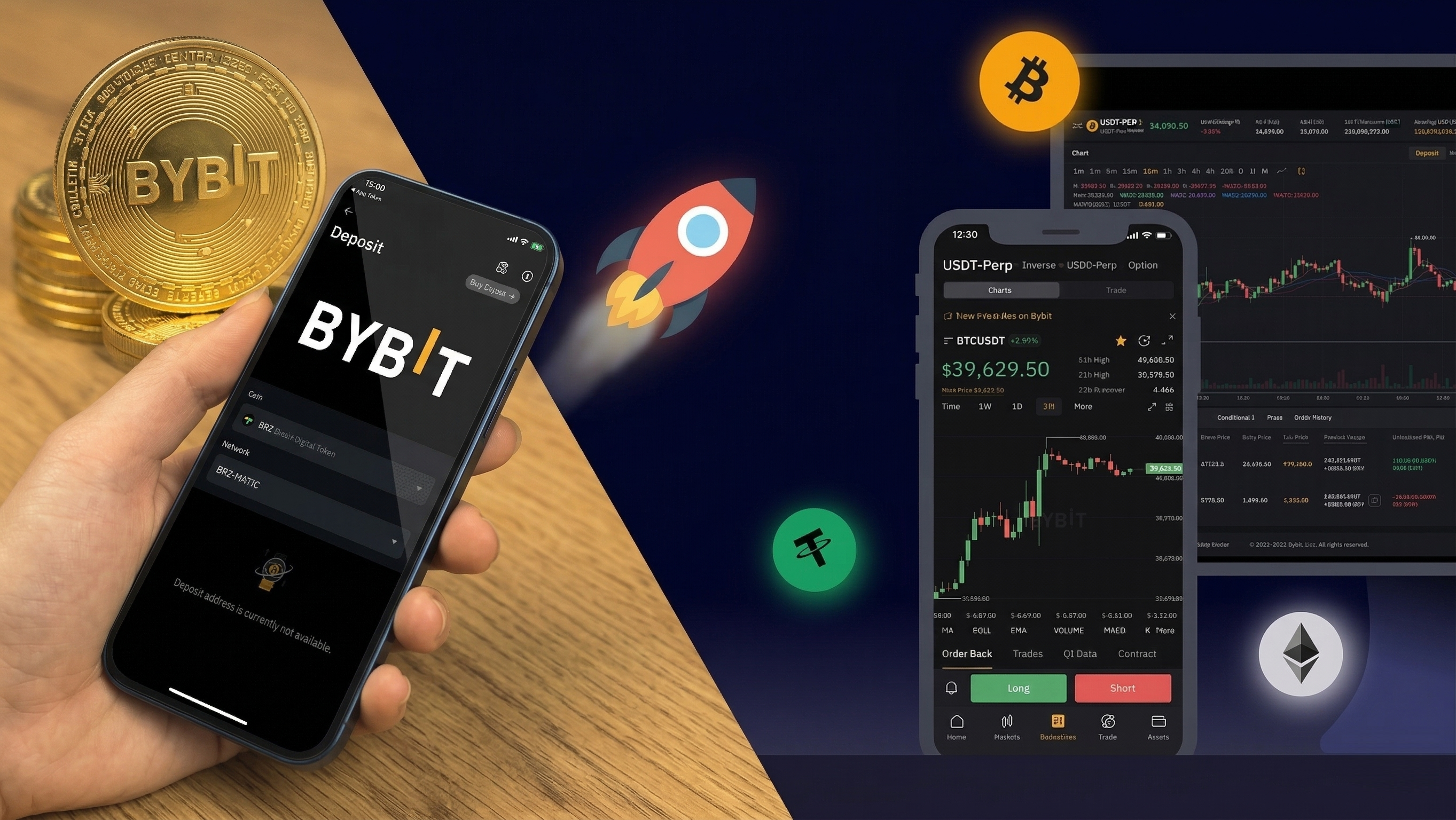
Prefer trading on your phone? The Bybit app offers the exact same registration experience as the desktop version — clean, quick, and beginner-friendly.

Step 1 — Download the App
Search for "Bybit" in either the Google Play Store (Android) or the App Store (iOS). Make sure the developer listed is Bybit Fintech Limited to avoid fake versions.
Step 2 — Open and Start Registration
Launch the app and tap Sign Up or Create an Account on the home screen.
Step 3 — Choose Your Registration Method
You can sign up using either your email address or your phone number. Whichever you choose, make sure the contact information is accurate — you'll need it for verification.
Step 4 — Set a Strong Password
Mix uppercase and lowercase letters, numbers, and at least one special character. Don't reuse passwords from other platforms.
Step 5 — Accept Terms and Verify
After agreeing to Bybit's Terms and Conditions and solving a quick captcha, a verification code will be sent to your email or phone. Enter it in the app to complete registration.
Step 6 — Secure Your Account
Before you dive into trading, take a moment to enable two-factor authentication (2FA) — either through Google Authenticator or a hardware security key. It only takes two minutes and adds a meaningful layer of protection to your funds.
How to Claim Your Signup Bonus
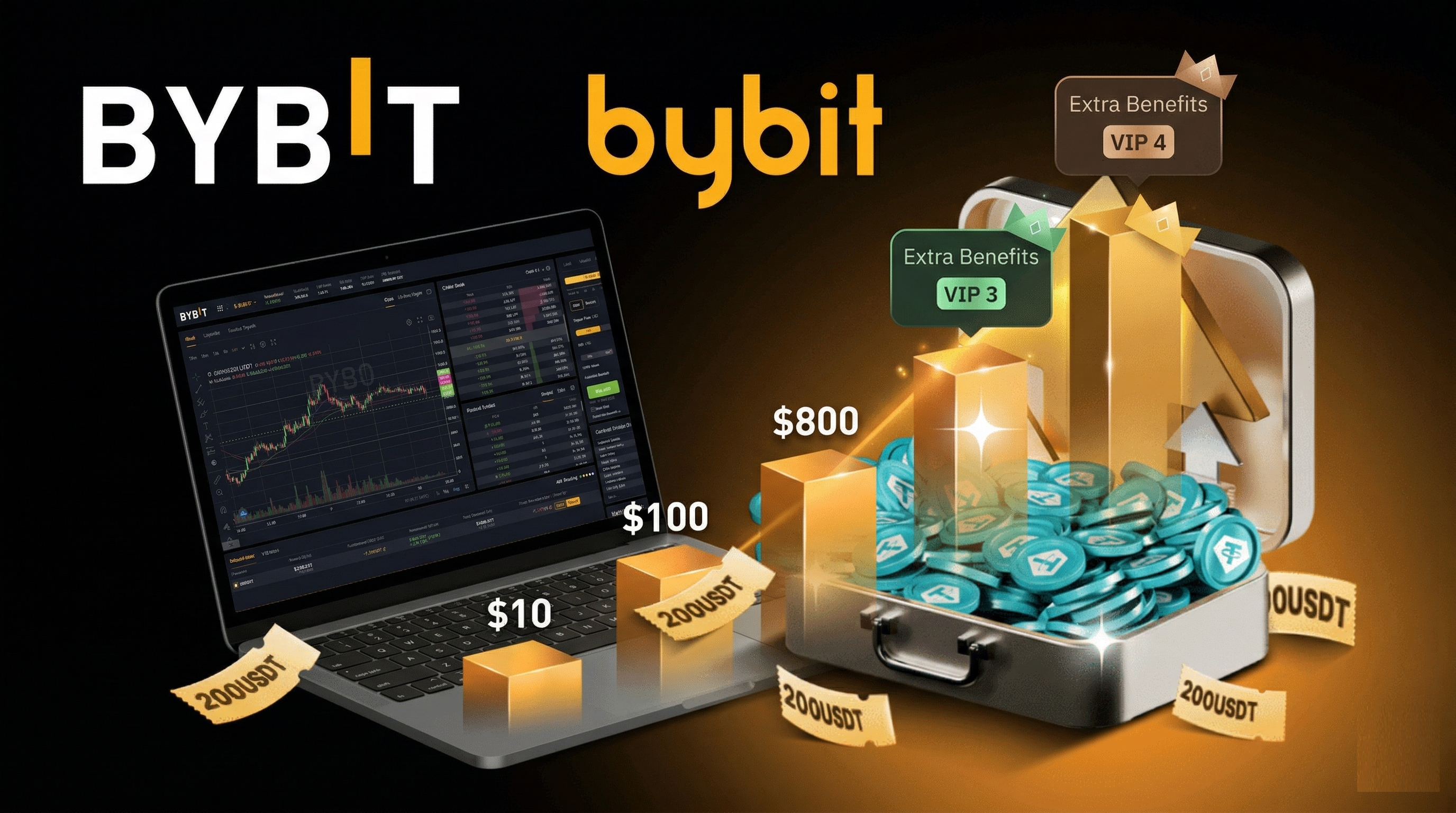
Here's where things get interesting. Bybit offers several rewards for new users — and most people leave them unclaimed simply because they didn't know where to look.
Go to your profile avatar and click My Rewards. This page shows every bonus you've earned, as well as tasks you can complete to unlock more. The standard signup bonus is 20 USDT, awarded after completing specific onboarding tasks listed on that page. Once you've completed each one, hit Claim to add it to your rewards balance.
Beyond the signup bonus, Bybit currently runs a deposit bonus campaign where new users can earn up to $30,000 USDT based on their deposit amount and trading volume. This particular offer is tied to affiliate links — so if you signed up through a partner website, make sure you're claiming through the correct referral to unlock the full benefit.
Depositing Funds Into Your Bybit Account
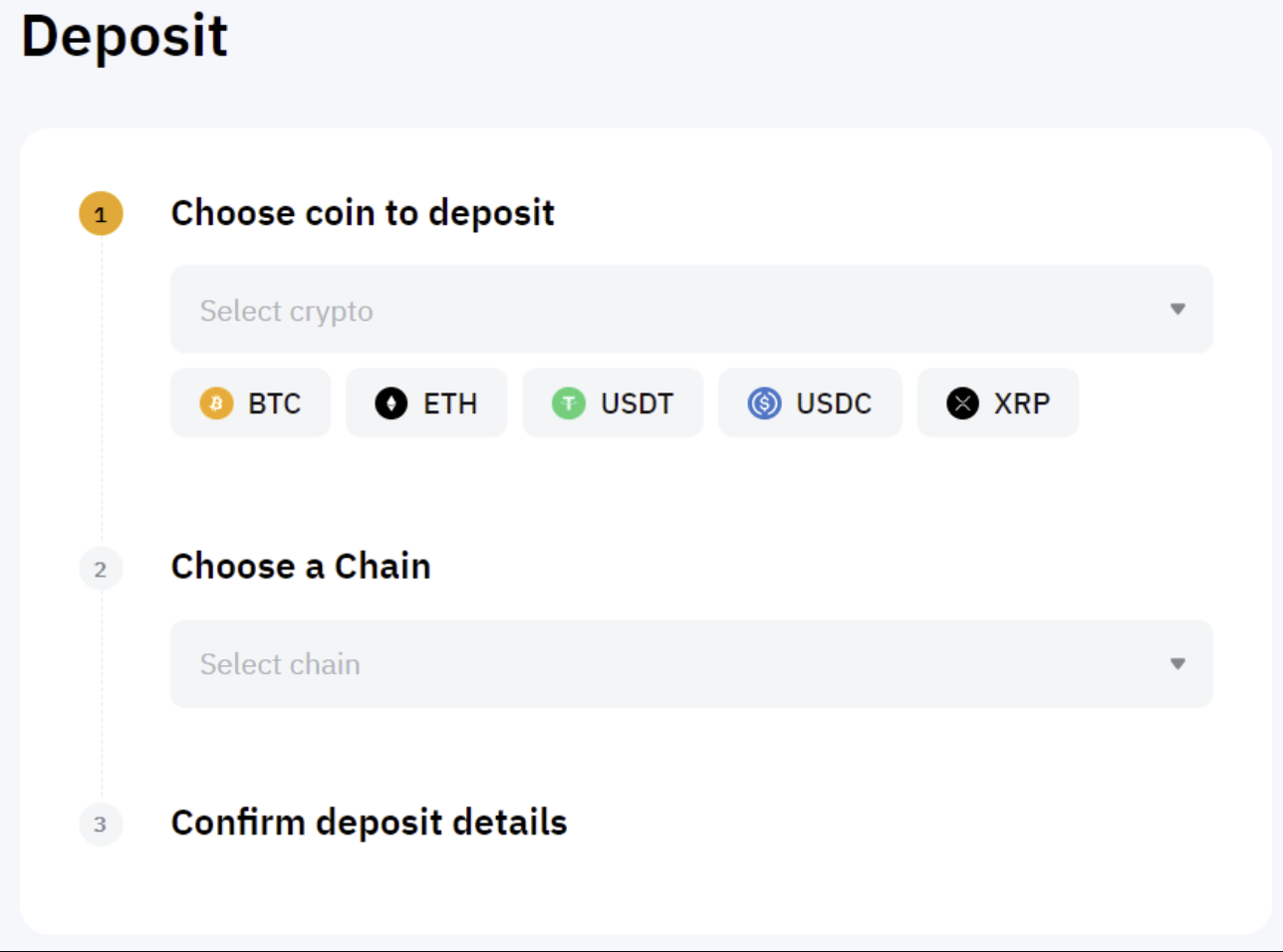
Ready to fund your account? Click Assets in the upper right corner of the screen and select Deposit.
Choose the cryptocurrency you want to deposit and the blockchain network you'll use to send it. Bybit will generate a unique wallet address — copy that address carefully and paste it into the wallet or exchange you're sending funds from.
Depending on network congestion, your funds should appear in your Bybit account within seconds to a few minutes. Always double-check the network selection before sending — depositing to the wrong chain can result in delays or lost funds.
Final Thoughts
Setting up a Bybit account in 2026 is a genuinely smooth experience once you know the flow. The platform rewards you for completing it properly — from signup bonuses to tiered withdrawal limits that increase as your verification level goes up.
Whether you trade derivatives, explore copy trading, or just want a reliable platform for spot trading, verifying your identity is the single most important step to unlocking everything Bybit has to offer. Do it early, secure your account with 2FA, and you'll be in a strong position from day one.
Frequently Asked Questions
Is creating a Bybit account free?
Yes, completely. Bybit only charges fees when you trade, withdraw assets, or buy crypto through certain fiat payment methods.
Do I need to complete KYC to use Bybit?
You can register without it, but your account will be limited. To deposit fiat, increase withdrawal limits, and access the full platform, KYC is required.
Can I sign up on Bybit from my phone?
Absolutely. The mobile app supports full registration and KYC verification — the experience mirrors the desktop version almost exactly.
What makes Bybit worth using in 2026?
Competitive fees on derivatives, a clean and intuitive interface, copy trading features, and a growing suite of financial products make it one of the more well-rounded exchanges currently available.