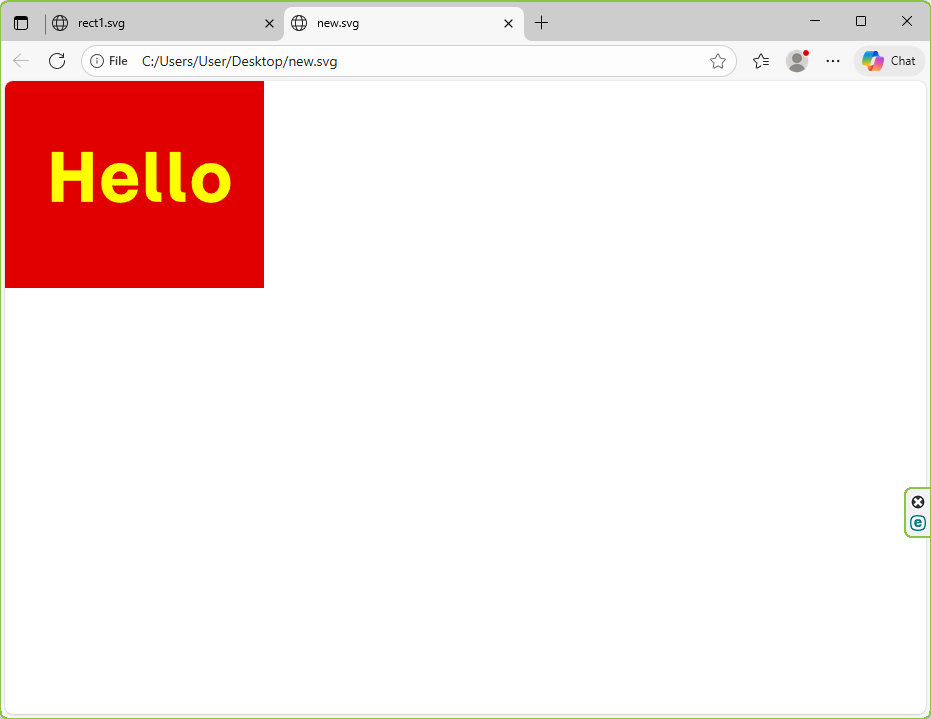
About SVG files and optimization
SVG is basically a plain text file that describes vector graphics. Most people have heard of it, but very few have actually dug inside to see what’s going on or how to control it without a graphic editor. In reality, everything there is pretty logical, especially if you’re used to working directly with code. And the best part is that SVG is read and edited just like regular HTML or XML. Once you start digging deeper, you realize it’s way more powerful than just a format for icons. You can build interface elements, logos, complex diagrams, animations, masks, filters — all of it. But the most useful thing in everyday work is minimal, clean, optimized icons, because those are the things that actually live on websites and load first for the user. In this article, I’m putting together the essentials: how a path is built, how it works, what commands exist, what actually matters for SVG optimization, the most common mistakes, and how to save yourself dozens of unnecessary kilobytes.
1. What is a path
The <path> element in SVG is a universal way to describe any shape. Pretty much everything you see in an SVG could be made from simple primitives <rect>, <circle>, <line> or <polygon>, but when it comes to real icons it all comes down to using paths.A path is just a string of commands. Basically a set of instructions telling the line where to go.
For example:
M10 10 L100 10 L100 100 L10 100 Z
This is a square. If you break it down:
M10 10 — move the cursor to the point (10, 10)
L100 10 — draw a line to (100, 10)
L100 100 — go down
L10 100 — go further down
Z — close the shape
Each command is either moving the pen or drawing with it. That’s it. No hidden layers, no masks, no filters — unless you decide to put them there yourself.
2. Absolute vs. relative commands
SVG treats uppercase and lowercase letters differently, and that matters more than it seems.
Uppercase means absolute coordinates: L100 50
Lowercase means relative to the current point: l100 50
Relative coordinates can seriously shrink your file size. Editors like Inkscape often dump everything in absolute form, which turns the code into unnecessary noise.
Example:
M10 10 l50 0 l0 50 l-50 0 Z
If it’s just a square, this is the cleaner, more compact version.
3. Basic path commands
M — Move To. Moves the pen without drawing: M20 20
L — Line To. Draws a straight line: L100 20
H / V — horizontal and vertical lines. Great for optimization.
H100 — horizontal.
V50 — vertical.
C — Cubic Bézier. The powerhouse. Used in maybe 80% of icons.
C x1 y1, x2 y2, x y
S — Smooth cubic Bézier. Continues the curve smoothly by automatically mirroring the first control point. Super handy for waves, rounded shapes, anything that needs a clean flow.
S 80 40, 100 50
Q — Quadratic curve. Rarely used because cubic curves give more control.
T — Smooth continuation of Q.
Basically the same idea as S, just for quadratic curves.
A — Arc.
The most confusing command for beginners. It has six parameters:
A rx ry angle large-flag sweep-flag x y
Typical example:
A 50 50 0 0 1 100 100
Meaning:
Draw an ellipse arc with radii 50×50, no rotation, choose the “small” arc, go clockwise, and end at (100, 100).
In real work, arcs are often replaced with Bézier curves — it’s just simpler.
Z — Close path.
Draws a line back to the starting point.
4. How to shrink a path in real life
There are a few tricks that actually work:
- Drop leading zeros: 0.5 → .5
- Remove unnecessary spaces: L 10 10 → L10 10
- Use relative commands
- Remove commas — SVG doesn’t need them
- Replace arcs with curves if possible. Sometimes an arc creates a huge chunk of code, while a Bézier curve is much shorter.
- Simplify curves with SVGO or by hand. These tools can remove extra control points you don’t really need.
5. What graphic editors generate and why you should clean it
SVG exported from Inkscape, Illustrator, or Figma usually turns into a landfill. It’s full of useless metadata, random IDs, hidden layers, pointless transforms, and bloated inline styles like:
style="fill:#000000;stroke:none;fill-opacity:1;stroke-opacity:1;..."
All of this can (and should) be removed.
For example, you can safely get rid of things like:
sodipodi:namedview
inkscape:version
inkscape:cx
inkscape:cy
inkscape:grid
metadata
defs with unused stuff
After cleaning, an SVG file can shrink by 10–40 times — no exaggeration.
6. Minimizing SVG structure
There are a few solid rules:
A) Keep nesting to a minimum
This is bad:
<g>
  <g>
    <g>
      <path ... />
    </g>
  </g>
</g>
This is better:
<path ... />
B) Avoid unnecessary transforms
Editors love to produce things like:
<g transform="translate(123.12421412, -87.213412)">
    <path ... />
</g>
In most cases, you can just recalculate the path coordinates and ditch the transform entirely.
C) Merge paths
If the shapes touch or form one object, it’s better to combine them:
<path d="M...Z M...Z M...Z"/>
7. Working with color
A bloated style looks like this:
style="fill:#000000;fill-opacity:1;stroke:none"
A cleaner version:
fill="#000"
And if the SVG is inline in HTML, even better:
fill="currentColor"
That way you can control the color with a regular CSS rule like color: red;.
8. How to insert SVG correctly
A) Inline (best option): <svg ...>...</svg>
Gives you full control over styling, colors, animations — everything.
B) Through < img >
Good only for static images.
C) As a background image. Useful for decorative stuff.
9. Example of optimization
Let’s say we have an SVG that was exported from a graphic editor:
<?xml version="1.0" encoding="UTF-8" standalone="no"?>
(html comment removed:  Created with Inkscape (http://www.inkscape.org/) )

<svg
   width="68.453529mm"
   height="54.83643mm"
   viewBox="0 0 68.453529 54.83643"
   version="1.1"
   id="svg1"
   xmlns="http://www.w3.org/2000/svg"
   xmlns:svg="http://www.w3.org/2000/svg">
  <defs
     id="defs1" />
  <g
     id="layer1"
     transform="translate(-21.345726,-34.226765)">
    <rect
       style="fill:#e00000;stroke-width:0.264583"
       id="rect1"
       width="68.453529"
       height="54.83643"
       x="21.345726"
       y="34.226765" />
    <path
       d="M 33.691894,66.245346 V 53.016171 h 3.104447 v 4.885975 h 4.674309 v -4.885975 h 3.104446 V 66.245346 H 41.47065 v -5.591531 h -4.674309 v 5.591531 z M 51.82468,66.50993 q -1.534585,0 -2.663474,-0.635001 -1.12889,-0.652639 -1.76389,-1.834446 -0.617362,-1.199445 -0.617362,-2.822224 0,-1.622779 0.617362,-2.804585 0.617361,-1.181806 1.728612,-1.834446 1.12889,-0.652639 2.645835,-0.652639 1.569862,0 2.663474,0.705556 1.111251,0.705556 1.658057,2.046113 0.564445,1.340556 0.47625,3.227918 h -6.914449 q 0.141111,1.12889 0.740834,1.763891 0.599723,0.635 1.552223,0.635 0.776112,0 1.270001,-0.370417 0.493889,-0.388056 0.617362,-0.934862 h 2.663474 Q 56.3226,64.0934 55.66996,64.887151 q -0.635,0.776111 -1.622779,1.199445 -0.987778,0.423334 -2.222501,0.423334 z M 51.7894,58.113813 q -0.864306,0 -1.428751,0.564445 -0.564445,0.546806 -0.705556,1.481667 h 4.092225 q -0.07056,-1.11125 -0.652639,-1.569862 -0.582084,-0.47625 -1.305279,-0.47625 z m 9.489724,8.131533 q -1.234723,0 -1.993195,-0.740834 -0.740834,-0.758472 -0.740834,-1.993196 V 53.016171 h 2.857502 v 10.001256 q 0,0.335139 0.211667,0.546806 0.211666,0.211667 0.529167,0.211667 h 0.546805 v 2.469446 z m 6.350005,0 q -1.234723,0 -1.993196,-0.740834 -0.740834,-0.758472 -0.740834,-1.993196 V 53.016171 h 2.857502 v 10.001256 q 0,0.335139 0.211667,0.546806 0.211667,0.211667 0.529167,0.211667 h 0.546806 v 2.469446 z m 8.184452,0.264584 q -1.499306,0 -2.663474,-0.670279 -1.164167,-0.670278 -1.834445,-1.852084 -0.65264,-1.199445 -0.65264,-2.73403 0,-1.569862 0.65264,-2.769307 0.670278,-1.199446 1.834445,-1.869724 1.164168,-0.687917 2.663474,-0.687917 1.516946,0 2.663474,0.687917 1.164168,0.670278 1.816807,1.869724 0.670278,1.199445 0.670278,2.769307 0,1.534585 -0.670278,2.73403 -0.652639,1.181806 -1.816807,1.852084 -1.146528,0.670279 -2.663474,0.670279 z m 0,-2.469447 q 0.987779,0 1.60514,-0.776111 0.635001,-0.776112 0.635001,-2.010835 0,-1.270001 -0.635001,-2.063751 -0.617361,-0.793751 -1.60514,-0.793751 -0.987778,0 -1.622779,0.793751 -0.617361,0.79375 -0.617361,2.063751 0,1.234723 0.617361,2.010835 0.635001,0.776111 1.622779,0.776111 z"
       id="text2"
       style="font-size:17.6389px;font-family:'Momo Trust Display';-inkscape-font-specification:'Momo Trust Display';letter-spacing:0.529167px;fill:#ffff00;stroke-width:0.264583"
       aria-label="Hello" />
  </g>
</svg>
What you can do by hand:
- Remove all the Inkscape tags
- Delete the id if you don’t need it
- Get rid of the transform
- Replace the long inline style with a short attribute
- Remove extra spaces
- Switch absolute coordinates to relative ones (if it makes sense)
- Set a proper viewBox
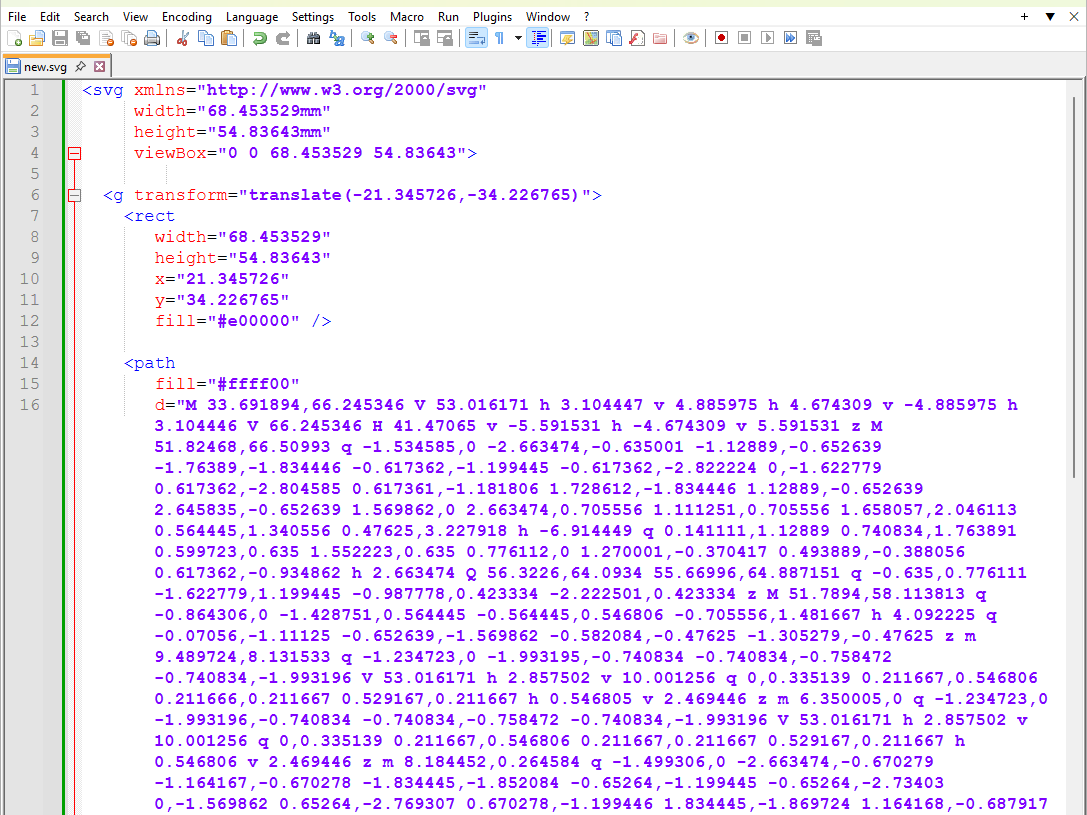
The result:
<svg xmlns="http://www.w3.org/2000/svg"
     width="68.453529mm"
     height="54.83643mm"
     viewBox="0 0 68.453529 54.83643">

  <g transform="translate(-21.345726,-34.226765)">
    <rect
       width="68.453529"
       height="54.83643"
       x="21.345726"
       y="34.226765"
       fill="#e00000" />

    <path
       fill="#ffff00"
       d="M 33.691894,66.245346 V 53.016171 h 3.104447 v 4.885975 h 4.674309 v -4.885975 h 3.104446 V 66.245346 H 41.47065 v -5.591531 h -4.674309 v 5.591531 z M 51.82468,66.50993 q -1.534585,0 -2.663474,-0.635001 -1.12889,-0.652639 -1.76389,-1.834446 -0.617362,-1.199445 -0.617362,-2.822224 0,-1.622779 0.617362,-2.804585 0.617361,-1.181806 1.728612,-1.834446 1.12889,-0.652639 2.645835,-0.652639 1.569862,0 2.663474,0.705556 1.111251,0.705556 1.658057,2.046113 0.564445,1.340556 0.47625,3.227918 h -6.914449 q 0.141111,1.12889 0.740834,1.763891 0.599723,0.635 1.552223,0.635 0.776112,0 1.270001,-0.370417 0.493889,-0.388056 0.617362,-0.934862 h 2.663474 Q 56.3226,64.0934 55.66996,64.887151 q -0.635,0.776111 -1.622779,1.199445 -0.987778,0.423334 -2.222501,0.423334 z M 51.7894,58.113813 q -0.864306,0 -1.428751,0.564445 -0.564445,0.546806 -0.705556,1.481667 h 4.092225 q -0.07056,-1.11125 -0.652639,-1.569862 -0.582084,-0.47625 -1.305279,-0.47625 z m 9.489724,8.131533 q -1.234723,0 -1.993195,-0.740834 -0.740834,-0.758472 -0.740834,-1.993196 V 53.016171 h 2.857502 v 10.001256 q 0,0.335139 0.211667,0.546806 0.211666,0.211667 0.529167,0.211667 h 0.546805 v 2.469446 z m 6.350005,0 q -1.234723,0 -1.993196,-0.740834 -0.740834,-0.758472 -0.740834,-1.993196 V 53.016171 h 2.857502 v 10.001256 q 0,0.335139 0.211667,0.546806 0.211667,0.211667 0.529167,0.211667 h 0.546806 v 2.469446 z m 8.184452,0.264584 q -1.499306,0 -2.663474,-0.670279 -1.164167,-0.670278 -1.834445,-1.852084 -0.65264,-1.199445 -0.65264,-2.73403 0,-1.569862 0.65264,-2.769307 0.670278,-1.199446 1.834445,-1.869724 1.164168,-0.687917 2.663474,-0.687917 1.516946,0 2.663474,0.687917 1.164168,0.670278 1.816807,1.869724 0.670278,1.199445 0.670278,2.769307 0,1.534585 -0.670278,2.73403 -0.652639,1.181806 -1.816807,1.852084 -1.146528,0.670279 -2.663474,0.670279 z m 0,-2.469447 q 0.987779,0 1.60514,-0.776111 0.635001,-0.776112 0.635001,-2.010835 0,-1.270001 -0.635001,-2.063751 -0.617361,-0.793751 -1.60514,-0.793751 -0.987778,0 -1.622779,0.793751 -0.617361,0.79375 -0.617361,2.063751 0,1.234723 0.617361,2.010835 0.635001,0.776111 1.622779,0.776111 z" />
  </g>
</svg>
Much smaller, cleaner, and faster.