Text-to-Image Generation in PHP
In this case, the most reliable solution is generating a JPG image from text using PHP. The image is created with the GD library. It is enabled on almost any hosting. With the GD library you can perform various graphic operations: create images, draw text, overlay one image onto another (for example, to add watermarks), as well as resize pictures.
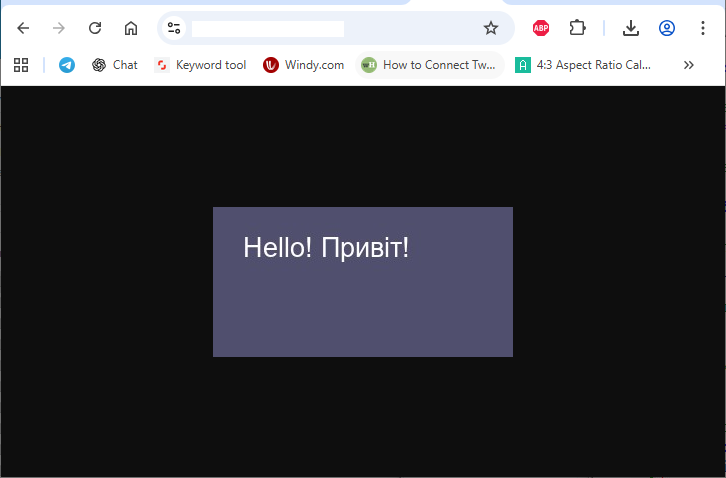
I’ve prepared the simplest working example for generating an image from a given text. To implement the example in practice, create an image.php file on your hosting and insert the following code into it:
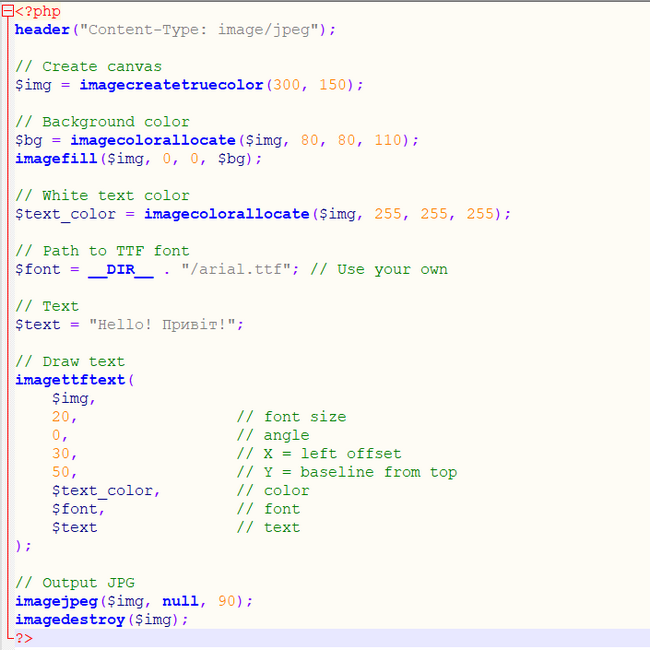
<?php
header("Content-Type: image/jpeg");

// Create canvas
$img = imagecreatetruecolor(300, 150);

// Background color
$bg = imagecolorallocate($img, 80, 80, 110);
imagefill($img, 0, 0, $bg);

// White text color
$text_color = imagecolorallocate($img, 255, 255, 255);

// Path to TTF font
$font = __DIR__ . "/arial.ttf"; // Use your own

// Text
$text = "Hello! Привіт!";

// Draw text
imagettftext(
    $img,
    20,                 // font size
    0,                  // angle
    30,                 // X = left offset
    50,                 // Y = baseline from top
    $text_color,        // color
    $font,              // font
    $text               // text
);

// Output JPG
imagejpeg($img, null, 90);
imagedestroy($img);
?>
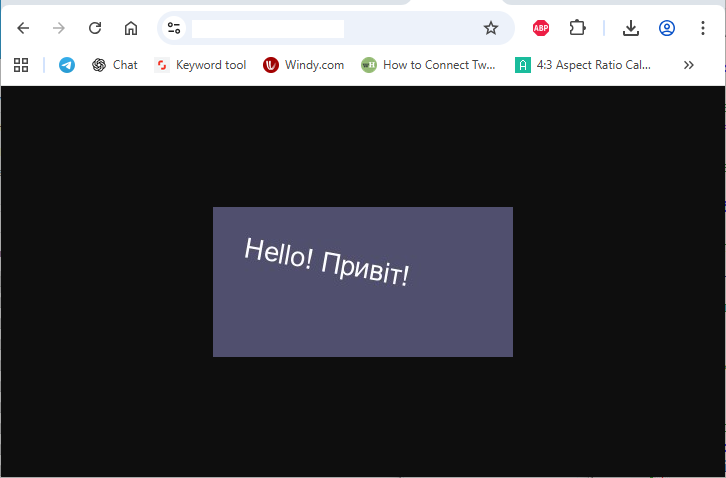
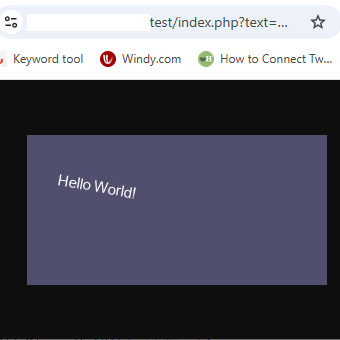
For more flexible configuration, you can move the text generation parameters into the URL of the image.php file and then process the GET requests in the script:
URL: /image.php?text=Hello World!&angle=-10&font_size=11
$text = $_GET['text'];
$angle = $_GET['angle'];
$font_size = $_GET['font_size'];

// Draw text
imagettftext(
    $img,
    $font_size,         // font size
    $angle,             // angle
    30,                 // X = left offset
    50,                 // Y = baseline from top
    $text_color,        // color
    $font,              // font
    $text               // text
);
And as a final tip, I really recommend using your own TTF font.