Running Grass DePIN Nodes Across Multiple Identities Safely
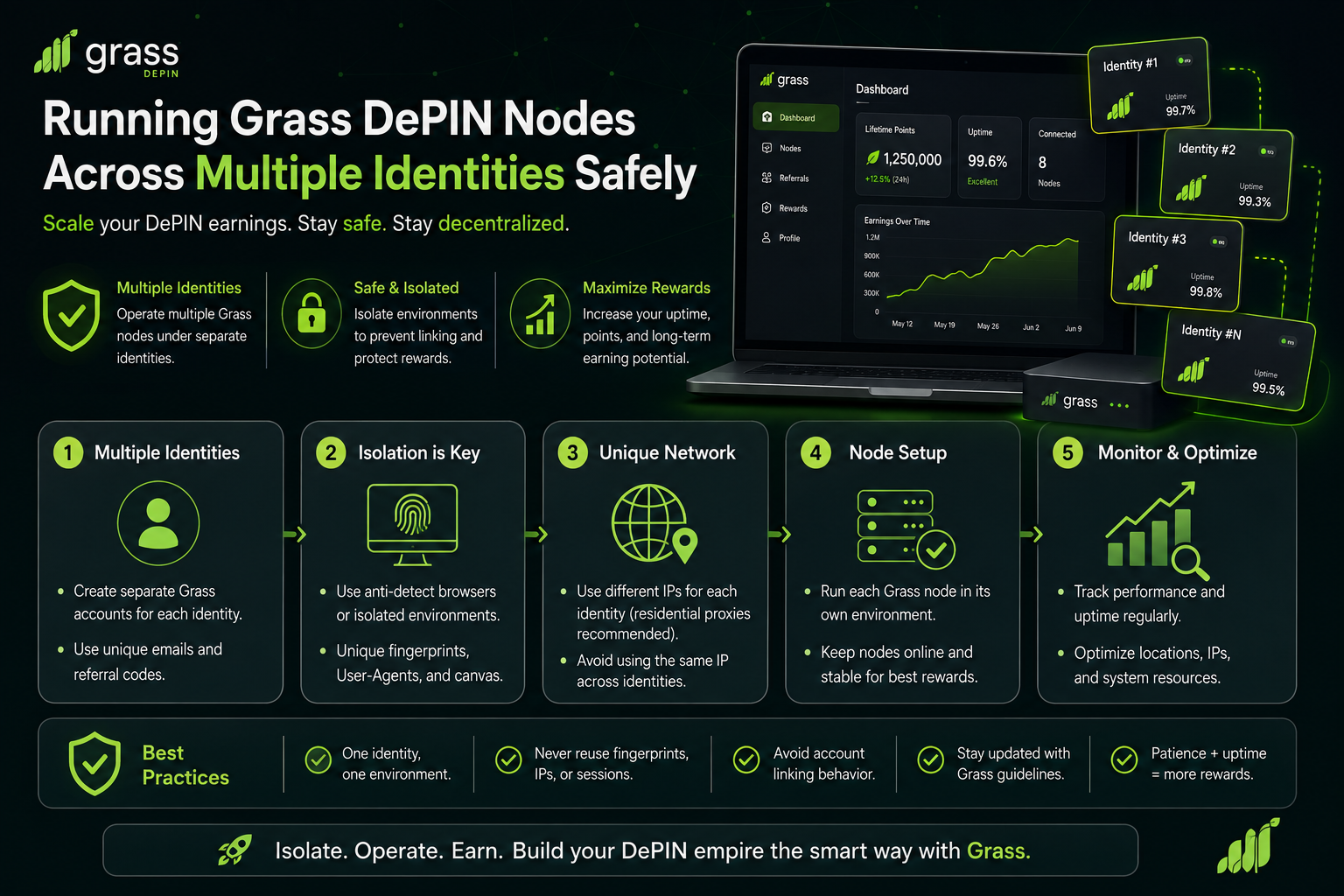
Grass paid out roughly 10% of its GRASS supply to early participants in 2024, and Season 2 has quietly reshaped how serious operators think about DePIN farming. The catch is that Grass, like every mature DePIN project in 2026, no longer rewards raw node count. It rewards distinct, believable identities. A hundred nodes running from the same hardware fingerprint and one residential subnet get collapsed into a single reward slot at best, flagged as sybil activity at worst.
I have been running Grass across multiple identities for over a year. This post covers exactly how I keep those identities operationally separate at the browser, network, and mobile layer.
Why Grass Nodes Get Merged Under One Identity
Grass sells unused residential bandwidth to enterprise clients doing web scraping, AI training data collection, and market research. To sell that bandwidth at a premium, Grass has to prove that each node represents a real, geographically distinct residential user. The moment their scoring system suspects two nodes are the same operator running through different browsers, both lose value and both get their rewards reduced.
The scoring signals go well beyond IP address. Grass looks at browser fingerprint entropy, timezone consistency with the IP geolocation, WebRTC leaks that expose the real IP behind a proxy, canvas and WebGL rendering signatures tied to the GPU, and audio context fingerprints. Two nodes sharing any three of those signals get treated as one identity regardless of wallet address.
This is the same detection stack Hyperliquid, Backpack, and every other post-2024 airdrop uses to filter sybil farmers. What is different with Grass is that the detection runs continuously. It is not a one-time snapshot at claim time. Every hour your node reports back, another data point gets added to the identity graph.
What Grass Actually Sees From Your Browser
Before choosing any tool, it helps to understand what a Grass node client and its dashboard extension actually collect. From my own testing across multiple setups, the extension pulls at minimum:
- User agent, platform, and full navigator object
- Screen resolution, color depth, pixel ratio
- Timezone and system language
- Canvas 2D and WebGL renderer signatures
- Audio context sample rate and fingerprint
- WebRTC candidate IPs (both public and local)
- Installed fonts list
- Battery status when available
If you run two nodes from the same physical machine using regular Chrome profiles, every value matches across the two. The IP might differ if you route each through a different proxy, but the browser layer betrays you instantly. Standard browser profiles, incognito windows, and even separate Chrome installations are not enough.
An antidetect browser solves this at the source by generating a fully independent fingerprint per profile, persisted across sessions so the same node always looks the same to Grass, but different from every other node you run.
My Three-Layer Isolation Stack for Grass Nodes
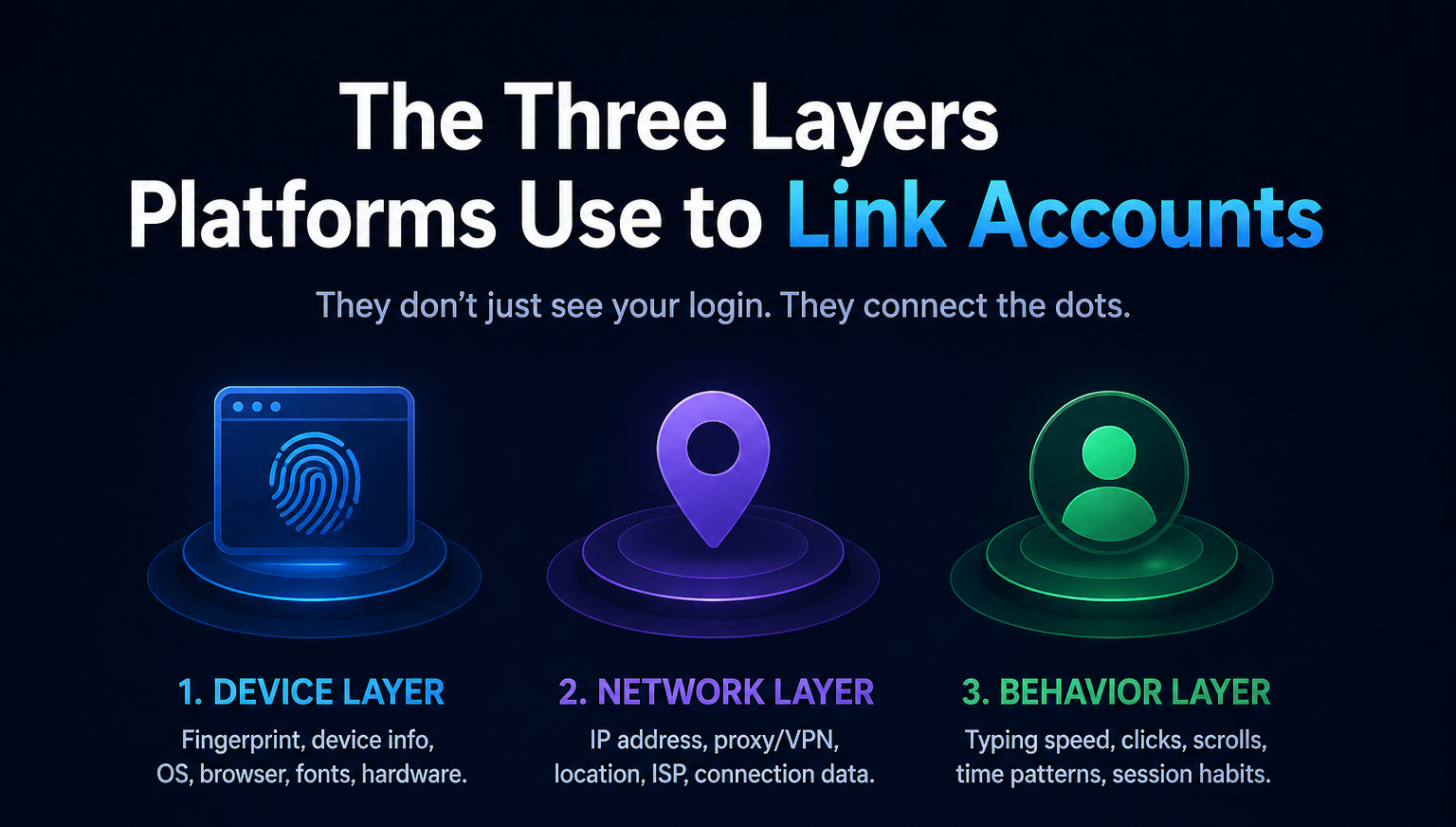
The stack I have converged on after 14 months of testing has three layers. Each one addresses a specific detection vector, and none of them can be skipped without weakening the whole setup.
Layer 1: Antidetect Browser for Fingerprint Separation
I use BitBrowser as the foundation. Every Grass node lives in its own BitBrowser profile with a unique canvas signature, WebGL renderer, audio fingerprint, font list, hardware concurrency value, and navigator object. The fingerprints are persistent across sessions, which is critical for Grass because a node that looks different every time it wakes up is more suspicious to the scoring engine than a stable one.
BitBrowser is the right pick for this workload for three reasons. Its kernel updates track the latest Chromium releases within days, so fingerprints stay believable as detection signatures evolve. Its per-profile proxy binding is clean, meaning the IP you assign to a profile stays glued to that profile across restarts. And its local API lets me spin up new profiles from a script, which matters at any real scale.
For Grass specifically, I disable WebRTC entirely per profile rather than relying on the "route through proxy" setting. Any leak here is fatal.
Layer 2: Residential and Mobile IP Assignment
Every profile gets a dedicated residential IP from a real household ISP. I never use datacenter IPs for Grass, since the whole point of the network is residential bandwidth verification. I also never reuse the same subnet for more than one node.
My split is roughly 70% residential, 30% mobile 4G/5G. Mobile carrier IPs score higher on trust for most detection systems, but rotate more aggressively and can hurt node uptime if the sticky session drops. For steady-state Grass, residential wins on uptime. For higher-value airdrops running alongside Grass, mobile is worth the tradeoff.
Layer 3: Mobile Isolation for App-Based DePIN Companions
Grass has a mobile app companion, and several adjacent DePIN networks (Nodepay, GAINS, Blockmesh) run mobile-first. Trying to run these from Android emulators on my desktop got my accounts flagged within two weeks. Emulator signatures are trivial to detect in 2026.
The fix was moving all mobile identity work to real cloud phone environments. For Android, I use BitCloudPhone, which gives each identity its own ARM-based Android instance with distinct IMEI, GPS, device model, carrier, SIM data, and sensor profile. Each cloud phone gets its own residential mobile proxy bound at the device level.
For iOS (newer DePIN projects often run iOS-first betas, and some points campaigns require App Store installs), I use BitCloudPhone iOS. As of mid-2026 this is the only real cloud iPhone product on the market. Every competitor is Android-only. If your stack needs iOS coverage for even one identity, this is the current single option.
The Actual Workflow
Here is the sequence I run when adding a new Grass identity to my stack.
- Create a fresh browser profile in BitBrowser with a randomized fingerprint.
- Assign a dedicated residential IP from a subnet I have not used before, matching the timezone and language to the IP's geolocation.
- Open the profile, run a leak check on browserleaks.com and creepjs.com to verify canvas, WebGL, WebRTC, and audio fingerprints are unique and consistent with the IP.
- Install the Grass extension inside that profile, register the node with a fresh email and wallet address.
- Let the node run for 72 hours without touching it, so the initial uptime baseline is clean.
- Only after the baseline is set do I connect it to my broader tracking dashboard.
For mobile identities, I mirror the workflow inside a fresh BitCloudPhone instance or a BitCloudPhone iOS instance, install the app, and pair it with its own dedicated device fingerprint.
Common Mistakes That Get Nodes Merged

Three mistakes account for most of the sybil flags I have seen in operator communities this year.
First is reusing wallet funding sources across nodes. If two Grass nodes withdraw to addresses sharing a common funding source on-chain, that link is permanent and public. Fund each wallet from a fresh source or route through mixing.
Second is timezone and language mismatch. If your profile IP is a Warsaw residential connection but your browser is set to PST with English (US), the node gets flagged inside a week. Always match timezone to IP geolocation.
Third is running too many nodes from one operator IP range even with different proxies. If your billing IP for the proxy provider correlates to a subnet also holding your BitBrowser control connection, sophisticated scoring chains the association. Route your proxy dashboard traffic through a separate residential connection from your farming traffic.
FAQ
How many Grass nodes can one person realistically run?
With full isolation across browser, IP, and (where applicable) mobile device, I have seen operators run 30 to 50 nodes without triggering merges. Above that, the operational overhead usually costs more than the marginal rewards.
Do I need mobile phones if I only care about the desktop Grass extension?
No. Desktop nodes only need Layer 1 and Layer 2. Mobile becomes relevant when you add companion DePIN apps or points campaigns that require app installs.
Is a VPN enough instead of an antidetect browser?
No. A VPN only changes your IP. It does nothing about the fingerprint layer, which is where Grass and every modern DePIN scoring system does most of the identity resolution.
Related Reading From My Steemit
If you want the full crypto operational context around this stack, I have covered adjacent pieces of the puzzle in these earlier posts:
- How I Farm Crypto Airdrops Across 30 Wallets Without Getting Flagged as a Sybil covers the general airdrop farming workflow this Grass approach fits inside.
- My Anti-Sybil Browser Stack: BitBrowser, Residential Proxies, Hardware Wallets breaks down the browser and hardware wallet layer in more depth than I can here.
- Browser Setup for Safe DeFi Yield Farming Across Multiple Wallets applies the same isolation model to DeFi protocols rather than DePIN.
Grass is not the last DePIN network paying for verified residential identity. It is the template. Every project launching in 2026 with a "bandwidth mining" or "distributed compute" pitch will score participants the same way, and the operators who built clean isolation stacks early are the ones capturing rewards at scale while everyone else watches their nodes get merged.
The stack is not exotic. An antidetect browser like BitBrowser for fingerprint separation, quality residential proxies for network identity, and a real cloud phone like BitCloudPhone or BitCloudPhone iOS for mobile components. Build it once, build it right, and it scales cleanly for every DePIN project that comes after.
Stay clean on-chain and off-chain.
El Fear & Greed sigue en extremo miedo pero los acumuladores siguen comprando. Divergencia interesante.