How to Get a BeeXpay Crypto Card in 4 Steps via Telegram — A Practical Onboarding Walkthrough
Opening: most card apps take days — this one session is enough
A common pattern with new fintech cards: see the ad, download the app, register, verify email, upload documents, wait for review, get a confirmation email, log back in, complete identity verification, top up, finally activate. The process spans hours to days. BeeXpay's Telegram Mini App compresses the entire flow into one Telegram session — typically a few minutes for users with crypto ready to send. The compression is not marketing; it follows from the Light KYC model and the Mini App architecture. The four steps below cover the full activation flow from start to spending-ready card.
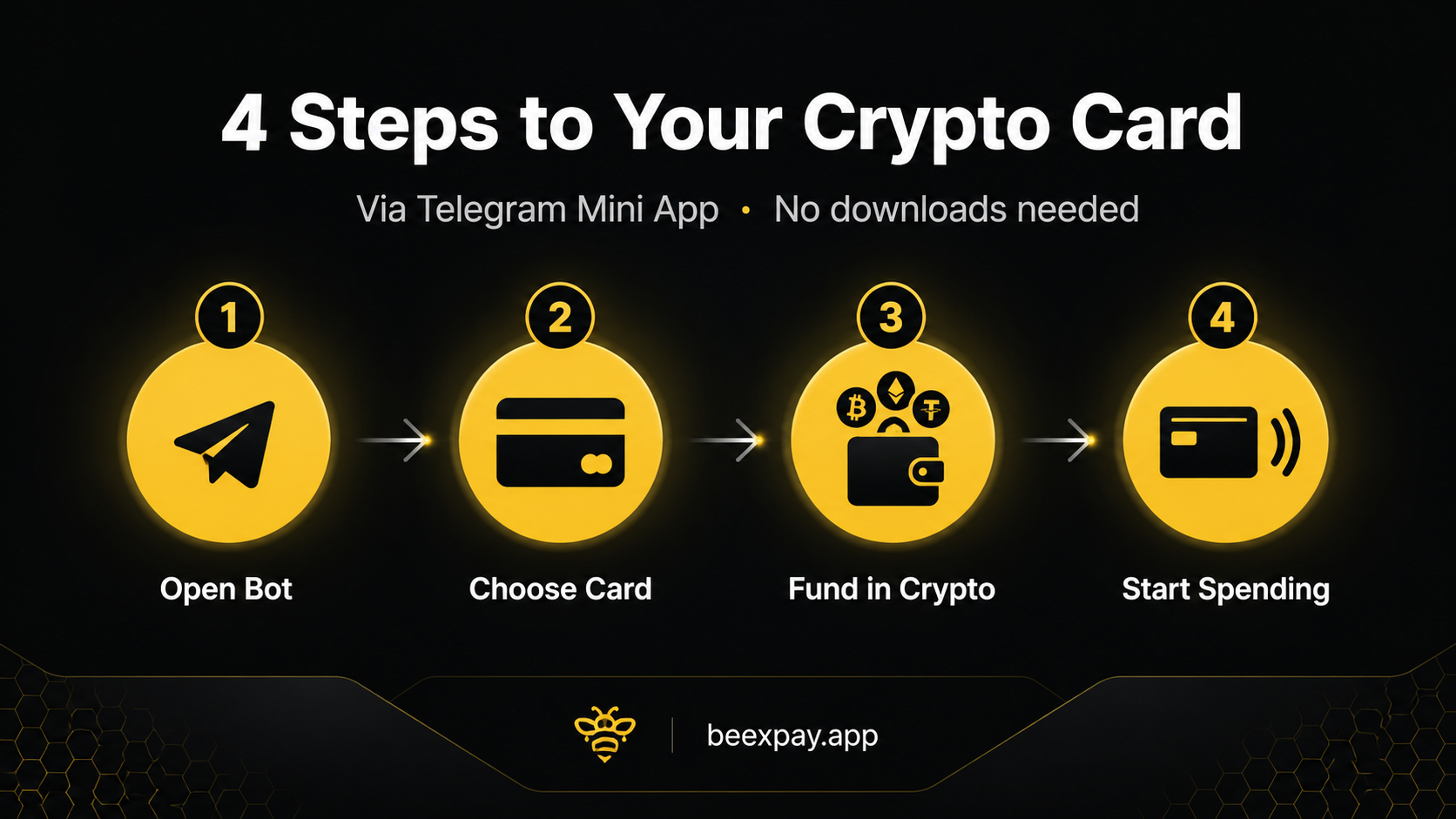
Step 1: Opening the Telegram Mini App
The entry point is https://t.me/Beexpay_bot inside Telegram. Users who already have Telegram installed (the substantial majority of crypto-aware users) open the link and the bot appears in the chat list. The bot's welcome message presents the Mini App launch button. Tapping the launch button opens the BeeXpay interface inside Telegram — no separate download, no app store visit, no new credentials beyond what Telegram already manages. For users who do not have Telegram, the install of Telegram itself is the only download step required. From that point forward, all interactions happen inside Telegram.
Step 2: Choosing your card type
Once the Mini App loads, the user selects between the virtual card option (available immediately through Light KYC) or learns about the physical card option (available through the Beexpay mobile app with Full KYC, costs $100, ships in approximately two weeks). For most first-time users — particularly those evaluating the service — the virtual card at $10 is the appropriate choice. It provides full online payment functionality and can be added to mobile wallets (Apple Pay, Google Pay) on supported devices, which extends usage to many point-of-sale terminals through tap-to-pay. The choice is reversible; users can upgrade to a physical card later by going through Full KYC.
Step 3: Funding with crypto — what to have ready
Funding the card requires crypto in a wallet that can send to the address BeeXpay provides. BeeXpay accepts BTC, ETH, USDT, and other supported cryptocurrencies. Users should have the destination address (provided by the Mini App after card selection), the network selection (matching the wallet's network — Ethereum, Tron, Bitcoin, etc.), and the amount to send. Beyond the $10 issuance, users typically fund with additional crypto for spending — exact amounts depend on intended use. The reload fee (4% under Light KYC) applies at funding. Blockchain confirmation time varies by network: a few minutes for fast networks like Tron, longer for Bitcoin's mainnet.
Step 4: Activation and first use
Once the blockchain confirmation clears, the card balance updates automatically in the Mini App. The card is then ready for use. The user retrieves the card number, CVV, and expiry from the Mini App interface and enters them at any online merchant accepting standard card payments. Alternatively, users on supported devices can add the card to Apple Pay or Google Pay, which enables tap-to-pay at participating merchants. The first transaction works exactly like any other card payment — the merchant sees a standard card transaction, the user's crypto balance is converted to USD at the moment of payment, and the order processes normally.
What to expect after activation — managing the card
After activation, all card management happens through the Telegram Mini App: balance checks, reloads, transaction history, card controls. Reloads add more crypto to the card balance with the 4% Light KYC reload fee applied. Transaction history shows each USD or non-USD charge with the applicable transaction fee ($0.25–$0.50 USD flat, 1.5–2% non-USD). Card controls allow users to freeze or unfreeze the card for security purposes. The user can later upgrade to Full KYC through the Beexpay mobile app for lower 2.5% reload fees, physical card access, and broader features. The upgrade does not invalidate the existing virtual card.
Closing CTA
Start using BeeXpay → https://t.me/Beexpay_bot
telegrambot cryptocard cardactivation beexpay lightkYC virtualcard cryptopayments howto fintech