Browser Setup for Safe DeFi Yield Farming Across Multiple Wallets
Browser Setup for Safe DeFi Yield Farming Across Multiple Wallets

I have been farming DeFi protocols across multiple wallets for a while now, and the single biggest lesson I have learned is not about gas optimization or choosing the right liquidity pools. It is about browser hygiene. Most yield farmers I talk to are meticulous about their on-chain activity — they track impermanent loss, they monitor APY fluctuations, they rotate between protocols at the right time. But the moment you ask them about their browser setup, the answer is usually something like "I just use different Chrome profiles" or "I have a couple MetaMask extensions and I keep them separate."
That approach breaks down faster than most people realize. And when it breaks down, the consequences are not small. You lose access to protocols, your wallets get flagged, and in some cases you get disqualified from retroactive airdrops because the platform determined your wallets were operated by the same person. This post is my honest walkthrough of how I restructured my browser environment from the ground up, and what that process actually looks like in practice.
Why Chrome Profiles Are Not Enough
The most common multi-wallet setup I see is a few Google Chrome profiles, each one with its own MetaMask instance, maybe a different proxy if the person is more technical. This setup feels logical on the surface. Chrome profiles have separate cookies, separate local storage, and separate extensions. But there is a layer of identity that Chrome profiles do not touch at all: browser fingerprinting.
Every browser sends a passive data packet to every website it connects to that includes information about your hardware, your fonts, your screen resolution, your WebGL renderer, your audio processing behavior, your timezone, your canvas signature, and dozens of other signals. All of your Chrome profiles share the same physical machine. So even if your wallet addresses are completely different and your IP addresses are different, your underlying fingerprint is identical across all of them.
DeFi platforms, airdrop tracking systems, and sybil detection algorithms do not just look at your wallet. They look at the environment that wallet was connected from. If multiple wallets consistently connect from the same browser fingerprint — even with different IPs — that is a strong signal that they belong to the same operator. It is one of the core detection methods used today, and Chrome profiles do nothing to address it.
What a Proper Isolated Browser Environment Looks Like
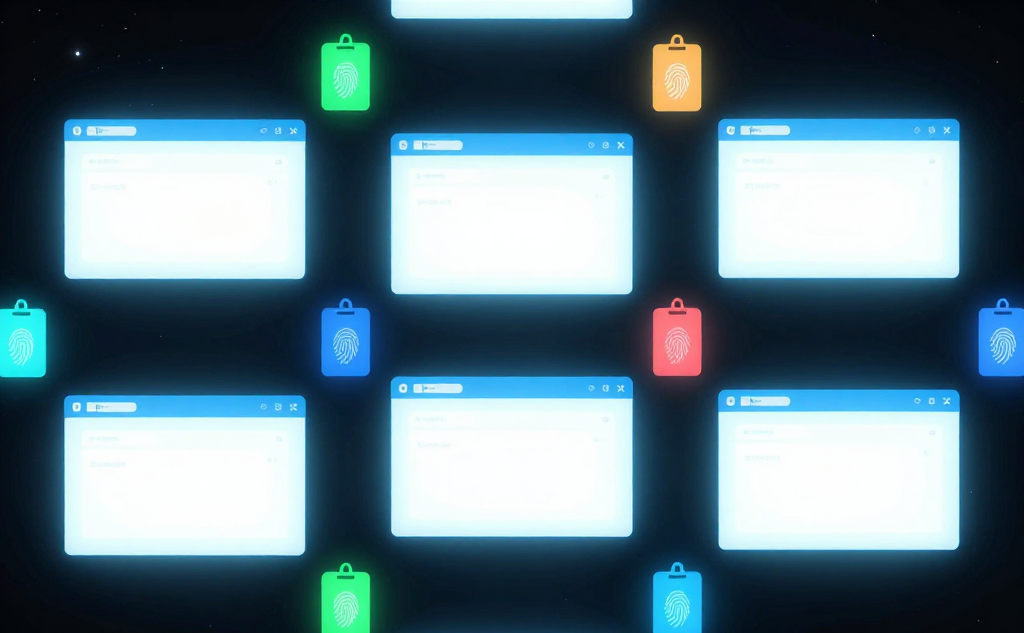
A proper setup creates complete separation at every level: IP address, browser fingerprint, cookies, local storage, timezone, language settings, WebRTC behavior, and WebGL signature. Each wallet you operate should connect to the web from an environment that looks completely distinct from every other wallet you manage.
The tool that made this practical for me is BitBrowser. It is an antidetect browser designed specifically for this kind of multi-profile work. Instead of sharing fingerprint data across profiles the way Chrome does, BitBrowser generates a completely unique browser fingerprint for each profile — different canvas signatures, different WebGL parameters, different font rendering behavior, different screen metrics. From the perspective of any website or tracking system, each profile appears to be a physically different device running a different browser installation.
Setting it up is straightforward. You create a profile for each wallet, assign a dedicated proxy to that profile, and every time you open that profile it presents an entirely consistent and unique identity to whatever protocol or platform you are connecting to. The profile stores its own cookies, its own MetaMask state, and its own session history. Nothing leaks between profiles, and nothing ties them back to each other at the fingerprint level.
For anyone farming across five, ten, or twenty wallets, this is not optional infrastructure — it is the baseline.
The Proxy Layer: Matching the Right Proxy to the Right Wallet
Browser fingerprint isolation handles the device identity problem. But you also need to address the network identity problem, which means assigning each wallet profile a dedicated IP address that is consistent across sessions.
A lot of people rotate proxies randomly, assigning a different IP each time they connect. This is actually worse than using no proxy for DeFi purposes. DeFi platforms and airdrop platforms track behavioral patterns across time. If your wallet connects from a different country every session, or if your IP address has been associated with datacenter traffic, these are risk signals that get weighted in sybil scoring systems.
What works better is sticky residential proxies — one IP address per wallet that you use consistently across all sessions for that wallet. Residential IPs look like genuine consumer connections. Sticky rotation means your wallet always comes from the same apparent location. BitBrowser supports direct proxy assignment per profile, so once you configure this, the pairing between wallet, fingerprint, and IP is completely automatic every time you open that profile.
For anyone operating mobile-first DeFi strategies — TikTok referral farming, Telegram-based protocol interactions, or mobile wallet applications that do not have desktop equivalents — BitCloudPhone extends this same isolation principle to Android cloud environments. Instead of running physical devices or local emulators, you get a cloud-based Android instance with its own device fingerprint, IMEI, and network identity. This becomes relevant as more DeFi protocols shift toward mobile-native user verification.
Wallet Warm-Up and Behavioral Consistency
Isolation infrastructure solves the technical fingerprinting problem. But there is a behavioral dimension to sybil detection that your browser setup can support or undermine depending on how you use it.
Fresh wallets that immediately start interacting with high-value protocols look suspicious. Real users spend time browsing, connecting to smaller applications, building on-chain history across different contract types before they engage with major yield farming positions. This behavioral pattern is something you can replicate deliberately if your browser profiles support realistic session behavior — and isolated BitBrowser profiles make this practical because you can warm up each profile independently without any risk that the warm-up activity will be associated with your other wallets.
The warm-up process I use for each new profile looks roughly like this: start with some standard web browsing within that profile, connect the wallet to two or three smaller DeFi applications before touching the main protocol you are targeting, allow some time to pass between sessions rather than hammering transactions in rapid sequence, and make sure the on-chain history reflects a variety of interaction types rather than a single repeated action. This is the kind of behavioral diversity that looks like a genuine user rather than an automated farming operation.
Organizing Your Setup at Scale
When you are managing more than a handful of wallets, organization becomes as important as technical configuration. A few practical habits that have made a significant difference for me:
Keep a simple spreadsheet that maps each wallet address to its corresponding BitBrowser profile ID, its assigned proxy, and the protocols that wallet is currently active on. This sounds obvious but it is easy to lose track when you are operating quickly across many positions.
Never copy-paste wallet seed phrases or private keys between browser profiles. Each wallet's sensitive credentials should only ever be accessed within its dedicated isolated profile. Crossing credential access between profiles is one of the fastest ways to accidentally create an association signal.
Treat each profile as a separate operational identity with its own history, its own timing patterns, and its own interaction footprint. The more consistently you maintain this discipline, the more resilient your setup becomes against retroactive sybil analysis, which is increasingly common as protocols move toward token distribution events.
The Infrastructure Gap Most Farmers Have

I want to close with something that I think is underappreciated in most DeFi farming discussions. The on-chain strategy — which protocols to farm, how to manage liquidity positions, when to compound versus exit — gets most of the attention. But the off-chain infrastructure that supports your on-chain activity determines whether that strategy can scale safely.
A farming operation built on Chrome profiles and random proxies is fragile. It will work until one detection event exposes the connection between your wallets, at which point the work you put into building positions across those wallets can be undone very quickly. A farming operation built on properly isolated browser environments with dedicated fingerprints and sticky residential proxies is genuinely independent across wallets. Detection of one wallet does not cascade.
Getting this infrastructure right is a one-time investment in setup time that protects every farming activity you do going forward. For anyone who is serious about operating at scale in DeFi, setting up BitBrowser properly is the first infrastructure decision that actually matters — before the protocol selection, before the capital allocation, before anything else.
The browser is where your identity begins. Start there.
This is part of my ongoing series on practical infrastructure for multi-wallet crypto operations. Feel free to share your own setup in the comments — always interested in how other farmers are approaching this.