Dota 2 Scripts in 2026: Features, Categories, and a Practical Evaluation Checklist
Dota 2 Scripts in 2026: Features, Categories, and a Practical Evaluation Checklist
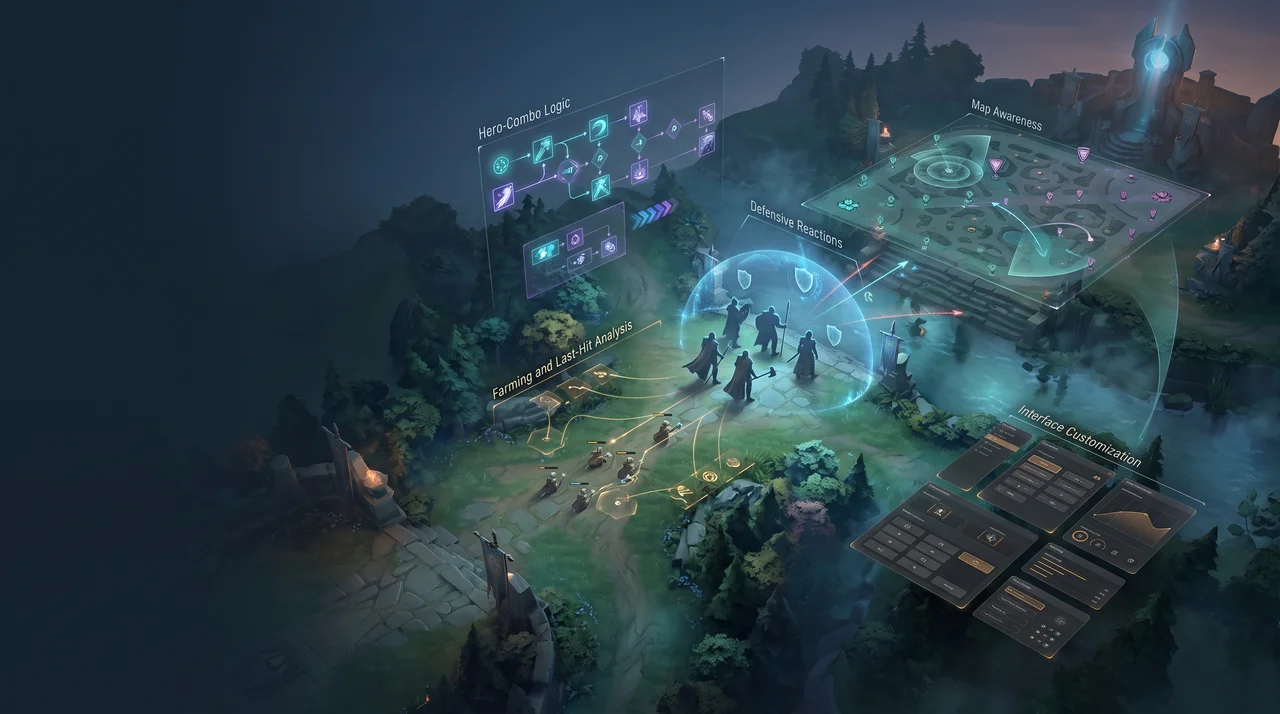
The phrase Dota 2 scripts can describe very different types of third-party software. One website may use it for hero combo automation, another for farming assistance, and a third for an entire platform containing map information, visual indicators, interface tools, and configurable actions.
That broad terminology makes comparison difficult. Two products can both advertise “scripts” while offering completely different levels of coverage, documentation, maintenance, and user control.
A useful evaluation therefore starts by separating the main feature categories. It should also distinguish product claims from facts that a user can verify independently. This guide explains the most common categories, the questions worth asking, and the warning signs that a polished landing page can hide.
What does “Dota 2 script” actually mean?
In general usage, a script is a set of rules that performs or assists with a sequence of actions. The trigger may be a key press, an in-game condition, a target selection, or a combination of several events.
The important point is that “script” is a marketing label, not a precise technical standard. A platform may use the term for one or more of the following:
- a predefined hero combo;
- automatic item and ability usage;
- timing assistance;
- last-hit or farming logic;
- defensive reactions;
- information shown through an overlay;
- map-awareness indicators;
- configurable action chains;
- cosmetic or interface changes.
Because the label covers so much, a feature list should explain what each module does rather than relying on the word “script” alone.
Scripts, macros, overlays, and full platforms are not the same thing
These categories often overlap, but they are still useful when comparing products.
Macros
A macro usually repeats a predetermined input sequence. It may press several keys in a fixed order or reproduce the same timing each time it is activated.
Macros are relatively simple, but their usefulness can be limited when a situation changes. A fixed sequence does not necessarily account for target position, available mana, item cooldowns, immunity, range, or interruptions.
Hero scripts
A hero script is normally more context-aware. It may select abilities or items according to the current target, distance, resources, or configured priorities.
The strongest hero pages explain:
- which abilities are supported;
- which items can be included;
- whether the sequence is editable;
- how target selection works;
- which conditions stop the action;
- when the module was last updated.
A generic statement such as “supports every hero” is less informative than a dated list of specific hero modules.
Overlays and information tools
An overlay displays information without necessarily performing an action. Depending on the product, it may show timers, status indicators, ranges, cooldowns, or map-related data.
The distinction matters because a user searching for a visual tool may not want full automation, while someone looking for hero scripts may consider an information-only overlay too limited.
Multi-feature platforms
Larger products combine several categories in one interface. A platform may include hero scripts, farming tools, map-awareness functions, visual options, configuration sharing, and support services.
These products are better compared as ecosystems rather than as individual scripts. Their value depends not only on the feature count, but also on update quality, documentation, stability, and how consistently the modules work together.
The main categories of Dota 2 script features
A clear product page should group features by purpose. The following structure makes meaningful comparison easier.
1. Hero-specific automation
Hero scripts are usually the most visible part of a platform. They may assist with combo order, item use, target selection, positioning conditions, or ability timing.
When examining a hero module, look for details rather than superlatives. Useful documentation answers questions such as:
- Is the combo fixed or configurable?
- Can individual abilities and items be enabled or disabled?
- Does the logic account for range and immunity?
- Are there separate offensive and defensive modes?
- Is there a visible update history for the hero?
- Does the page show the current supported game version?
A platform that documents ten heroes in depth may be easier to evaluate than one that claims universal support without showing how each script works.
2. Farming and last-hit assistance
Farming tools can include last-hit indicators, automated attack logic, lane or jungle routines, and item-purchase assistance.
This category should be described carefully because different products may count every small option as a separate feature. One “auto last hit” module can contain many toggles, but that does not necessarily make each toggle an independent system.
Useful documentation should explain:
- whether the tool only displays information or performs actions;
- which unit types it supports;
- whether it accounts for attack animation and projectile travel;
- how it behaves under tower pressure;
- what configuration options are available;
- whether the logic changes by hero.
3. Defensive and reactive tools
Reactive modules may respond to incoming abilities, dangerous targets, low health, or other configured conditions.
Their quality depends heavily on control. A user should be able to understand what triggers a reaction and what resources the script is allowed to use. Without those controls, automation can waste an item, interrupt a channel, or produce an unwanted action.
A good description should list the supported triggers, priorities, exclusions, and manual overrides.
4. Map-awareness features
Map-related modules are often grouped under broad labels such as “map hack,” but the actual functions can differ significantly.
Examples may include:
- teleport indicators;
- ward-related information;
- Roshan or objective tracking;
- last-seen markers;
- range visualization;
- event notifications;
- minimap-based commands.
A responsible product page should describe each function separately. It should not imply that all information is equally reliable in every situation.
5. Interface and visual customization
Some tools focus on convenience rather than action sequences. They may change camera behavior, display additional panels, show ranges, alter visual effects, or organize settings.
These features can be valuable for usability, but they should not be mixed into a feature count in a way that makes a cosmetic option appear equivalent to a complete hero module.
6. Configuration and community features
Cloud configurations, shared presets, profile synchronization, and community-made settings can reduce setup time. They also create new evaluation questions:
- Are configurations reviewed?
- Can users see when a preset was last updated?
- Are settings tied to a specific patch?
- Is there a rollback option?
- Can imported settings be inspected before use?
A large configuration library is useful only when its contents remain current and understandable.
Why “500+ features” is not enough information
Large feature counts are common in this market because they create an immediate impression of scale. The problem is that there is no standard way to count.
One company may count a complete hero script as one feature. Another may count every toggle inside that script separately. A third may include menu themes, notifications, and minor interface settings in the same total.
A more useful comparison looks at four dimensions:
- Coverage: How many heroes, systems, and use cases are supported?
- Depth: How configurable and context-aware is each module?
- Maintenance: How recently was each feature verified?
- Documentation: Can a user understand the feature before installing anything?
A smaller, clearly documented feature set can be more valuable than a larger but opaque catalogue.
What a trustworthy product page should show
Before registering or downloading software, a user should be able to find the essential commercial and technical information.
At minimum, look for:
- supported operating systems;
- trial terms;
- subscription periods;
- current pricing;
- update or changelog access;
- support channels and hours;
- installation requirements;
- refund or cancellation terms;
- a clear risk statement;
- a description of what data the software collects.
As one concrete example, Melonity’s Dota 2 Cheat & Hack organizes hero scripts, map-awareness functions, automation tools, a seven-day trial, subscription options, and Windows compatibility in a single product overview. The page is useful as a starting point, but its vendor-provided security statements should still be treated as claims rather than as a guarantee of zero account risk.
That distinction applies to every platform in the category.
Patch compatibility should be visible, not assumed
Dota 2 changes frequently. A gameplay update can alter hero abilities, item behavior, map elements, interface components, or event logic. A feature that worked on one version may need adjustment after the next patch.
A useful changelog should include:
- a publication date;
- the affected product version;
- the relevant game version;
- specific fixes or additions;
- known issues;
- modules still being tested;
- the date of the latest verification.
The word “updated” is not enough. A detailed entry such as “reworked target selection for a named hero module” provides far more evidence than a generic green status badge.
Support quality is part of the product
Third-party gaming software can fail for reasons unrelated to the feature itself: an operating-system update, a driver conflict, an incorrect installation path, or a newly released game build.
Before choosing a platform, examine its support process:
- Is support available through an official channel?
- Are working hours stated?
- Is there a knowledge base?
- Can users report a bug with logs or screenshots?
- Does the team publish service-status notices?
- Are common problems documented publicly?
Fast marketing responses are not the same as technical support. A good support system explains what information is required and how an issue will be investigated.
A credible article or review should separate:
- what the vendor claims;
- what can be observed from public documentation;
- what was independently tested;
- what remains unknown.
A practical evaluation checklist
Before comparing prices or feature totals, answer these questions:
- What exactly does the platform mean by “scripts”?
- Which modules perform actions and which only display information?
- Are hero scripts documented individually?
- Is there a dated changelog?
- Does the changelog name specific fixes?
- Is the current game version clearly supported?
- Are Windows requirements visible?
- Are trial terms and subscription periods clear?
- Can imported configurations be inspected?
- Are support channels official and easy to verify?
- Does the website acknowledge platform and account risk?
- Are security statements presented as claims rather than guarantees?
- Is the privacy policy accessible?
- Are prices shown before registration?
- Does the product explain known limitations?
A strong platform should make most of these answers available without forcing the visitor to join a private chat or complete a purchase.
Final thoughts
The Dota 2 scripts market is easier to understand when broad labels are replaced with specific categories. Hero automation, macros, map-awareness tools, overlays, farming assistance, and visual customization solve different problems and should not be evaluated as if they were identical.
The best comparison is not based on the loudest promise or the highest feature count. It is based on documentation, patch history, transparent terms, support quality, and a realistic explanation of risk.
For readers, that approach leads to a better-informed decision. For publishers, it produces a more credible article than a simple list of “best” tools with no methodology behind it.