The Fediverse — A Simple Guide for Everyone
By Ruben Storm
The Fediverse is a growing network of independent social platforms that can talk to each other. Instead of one big company owning everything, it works more like email: you can join one server and still follow, comment, and interact with people on many others.
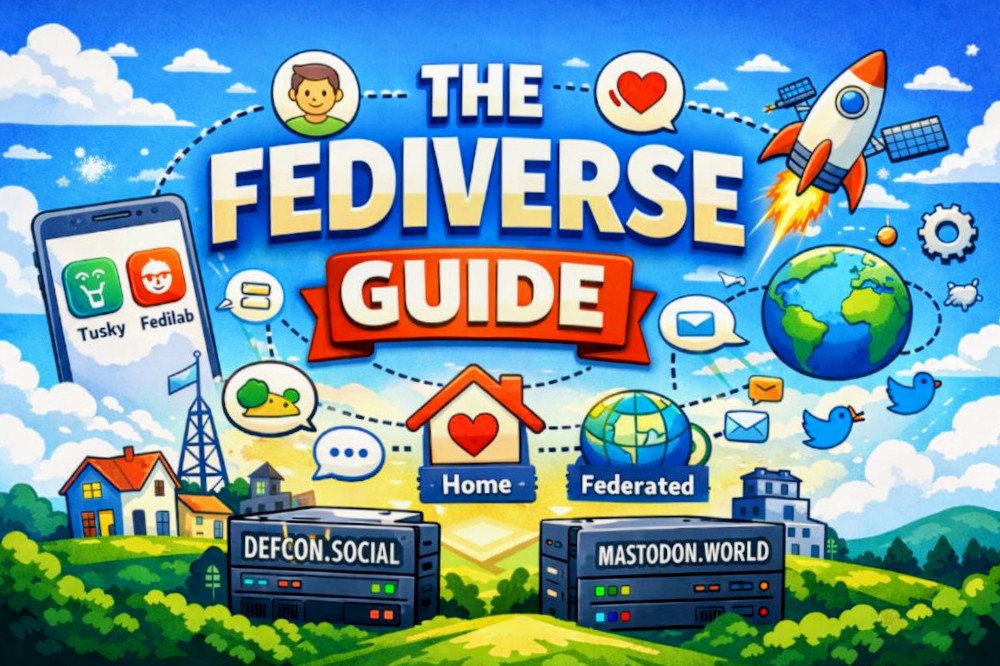
This guide explains what the Fediverse is, how the main timelines work, and how to get started on Android using Tusky and Fedilab.
What Is the Fediverse?
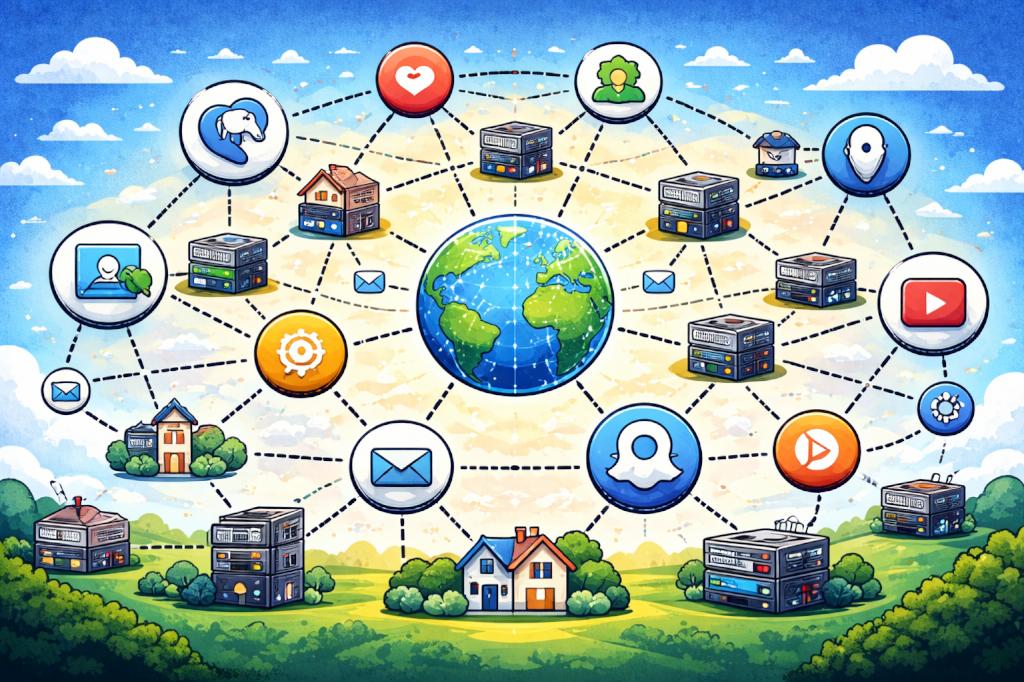
The Fediverse is a collection of many independent servers (called instances) running different social platforms. Even though these platforms look different, they can still communicate using a shared protocol.
That means:
- You choose a server that fits you
- You keep your account there
- You can still follow and interact with people on other servers
Instead of being locked into one company’s ecosystem, you’re part of a global, community-owned network.
Popular Fediverse Platforms
Here are some of the most common ones you’ll see:
- Mastodon – Microblogging, similar to Twitter/X
- Pleroma / Akkoma – Lightweight Mastodon-style platforms
- Friendica – Facebook-style social network with long posts and comments
- Pixelfed – Photo sharing, similar to Instagram
- PeerTube – Video hosting, similar to YouTube
- Misskey / Firefish – Social platforms with reactions, polls, and playful interfaces
All of these can connect to each other, so you’re never stuck inside just one app or community.
What Is an Instance?
An instance is simply a server that runs one of these platforms.
Your full Fediverse address looks like this:
@[email protected]
For example:
@[email protected]
Each instance:
- Has its own rules and moderation
- Has its own community culture
- Still connects to the wider Fediverse
Choosing an instance is more like choosing a neighborhood than choosing a platform.
Understanding the Timeline Tabs
Most Fediverse apps show similar timeline tabs. These control what you see and help you explore the network.
Home
This is your personal feed.
You see:
- Posts from people you follow
- Boosts (reposts) from people you follow
Think of it as your private newspaper
Local
This shows all public posts from people on your server.
You’ll see:
- Users you don’t follow
- Local discussions
- Topics popular on your instance
Think of it as your town square
Federated
This is the global feed.
You see public posts from:
- Your server
- Other servers that your server connects to
Think of it as the whole world talking at once
Notifications
This shows:
- Replies to your posts
- Mentions of your name
- New followers
- Boosts of your posts
Search / Explore
This is where you:
- Find people
- Discover hashtags
- Explore trending topics
Post Visibility Explained
When you write a post, you can control who sees it:
- Public – Visible everywhere (Home, Local, Federated)
- Unlisted – Visible to followers, but not shown in Local or Federated
- Followers-only – Only your followers can see it
- Direct – Private message
Tip: Use Unlisted for personal thoughts that you don’t want to push into public feeds.
Following People Across Servers
You can follow anyone in the Fediverse using their full address:
@[email protected]
Even if you’re on Mastodon, you can follow someone on Friendica, Pixelfed, or Pleroma.
This cross-platform following is what makes the Fediverse feel like one big network instead of many small ones.
Getting Started on IPhone
I currently use Android and do not have access to an iPhone, so I can’t personally test or cover the iOS side of the Fediverse experience. I’m sorry about that — I’d love to give a complete picture, but I prefer to write only about tools and workflows I actually use myself.
That said, there are many great guides and communities online that cover iPhone and iOS Fediverse clients, including apps like Mammoth, Ivory, and Ice Cubes. A quick search or a look through Fediverse hashtags will usually point you to up-to-date tutorials and recommendations from iOS users.
Below, I’ll focus on the Android tools I know well and can confidently recommend.
Getting Started on Android
Two of the best Android apps for the Fediverse are Tusky and Fedilab. Each has a different style and strength.
Setting Up Tusky
Best for: Mastodon, Pleroma, Akkoma, GoToSocial
Steps
- Install Tusky from F-Droid or the Play Store
- Open the app and tap Sign in
- Enter your server domain (for example:
mastodon.socialortroet.cafe) - Your browser opens
- Log in on your server
- Tap Authorize
- Return to Tusky and start posting
Why People Like Tusky
- Clean and fast interface
- Reliable notifications
- Easy multi-account support
- Focused on microblogging
Setting Up Fedilab
Best for: Mastodon, Friendica, Pixelfed, Misskey, PeerTube
Steps
- Install Fedilab from F-Droid or the Play Store
- Open the app and tap Add account
- Choose your platform type
- Mastodon / Pleroma → Choose “Mastodon-compatible”
- Friendica → Choose “Friendica”
- Pixelfed → Choose “Pixelfed”
- Enter your server domain
- Log in in the browser
- Tap Authorize
- Return to Fedilab
Why Fedilab Is Powerful
- One app for many platforms
- Advanced filters and timeline control
- Media tools
- Easy switching between accounts
Hashtags and Discovery
Hashtags help your posts travel beyond your followers.
Examples:
#fediverse #travel #photography
They make your posts show up in:
- Search
- Local timelines
- Federated feeds
Why You Might Not See Certain Posts
If something seems to be missing, it’s often because:
- You’re looking at Home instead of Local or Federated
- The post is set to Followers-only
- One server has blocked another
- Your app hasn’t refreshed yet
A Simple Mental Model
- Home = Me and my people
- Local = My server
- Federated = Everyone everywhere
My Instance Recommendation
Why I Recommend defcon.social
If you’re looking for a solid Mastodon instance with strong media support, I personally recommend defcon.social.
What stands out:
- All photos display properly in timelines
- You can post up to 8 photos per post
- Stable performance
- Friendly, tech-oriented community
It’s a great choice if you enjoy sharing travel photos, photo stories, or visual content and want your posts to look good across the network.
Instance Comparison: defcon.social vs mastodon.world
| Feature | defcon.social | mastodon.world |
|---|---|---|
| Focus | Tech, security, open internet culture | General, global audience |
| Community Size | Medium-sized, more personal | Very large, very diverse |
| Media Support | Excellent photo display, up to 8 images per post | Standard Mastodon limits |
| Discovery | Easier to be noticed locally | High traffic, fast-moving timelines |
| Moderation Style | Community-focused | Large-scale moderation |
| Best For | Tech users, photographers, travelers, bloggers | Broad reach, general social posting |
One-Sentence Summary
The Fediverse is a global social network made of independent servers where you control your feed, your community, and your connections — not a corporation.
If you found this helpful, feel free to follow me on the Fediverse and Hive for more guides, travel stories, and decentralized tech adventures.
Connect With Me on the Fediverse & Nostr
If you enjoyed this guide and want to follow my journey, you can find me across the Fediverse and on Nostr, where I share travel stories, decentralized tech, and thoughts from the road.
I also accept zaps (Lightning sats) as a small way to say thanks and support my work. Every zap helps keep these guides and adventures going.
For more background, projects, and long-form posts, visit my homepage:
- 🌐 Homepage: https://rubenstorm.github.io/
- ⚡ Zap me (Lightning): [email protected]
Find Me in the Fediverse
🛡️ Mastodon (defcon.social)
@[email protected]
Tech, travel, and photo-heavy posts — my main visual and storytelling channel.👥 Friendica
@[email protected]
Long-form posts, blog-style updates, and community-style discussions.📸 Pixelfed
@[email protected]
Photo stream for travel, landscapes, and life on the road.🌍 Mastodon (mastodon.world)
@[email protected]
General contact and broad public posts for reaching a wide global audience.
Feel free to follow, reply, or just say hello — decentralized networks are better when we actually connect.
Useful Web Resources
Here are some important links to help you explore the Fediverse and get started quickly:
Join the Fediverse
- 🌍 Find an instance: https://joinmastodon.org
- 📋 Instance directory: https://instances.social
Android Apps
- 📱 Tusky (Google Play): https://play.google.com/store/apps/details?id=com.keylesspalace.tusky
- 📱 Tusky (F-Droid): https://f-droid.org/packages/com.keylesspalace.tusky/
- 📱 Fedilab (Google Play): Search in your Playstore
- 📱 Fedilab (F-Droid): https://f-droid.org/packages/fr.gouv.etalab.mastodon/
Learn More
- 📖 Mastodon Help & Docs: https://docs.joinmastodon.org
- 🧭 Fediverse Info Hub: https://fediverse.party
- 📰 Friendica Project: https://friendi.ca
These resources should give you everything you need to join, explore, and thrive in the decentralized social web.
Images made by AI