How to Host Your Website for Free in 2026: Complete Guide
Do you want to know how to host your website?

If yes, then you’re already on the right path toward building your online presence. Whether it’s a blog, a business site, or a personal portfolio, every website you see on the internet exists because it is hosted somewhere.
At its core, hosting is what makes your website accessible to others. Without it, your beautifully designed site would simply sit on your computer, invisible to the world.
This guide walks you through everything you need to know, from basics to more advanced concepts like how to host your own website, while also exploring options like free website hosting.
By the end, you won’t just understand hosting—you’ll feel confident enough to launch your own website.
What Does It Mean to Host a Website?
Hosting a website means storing its files on a server and making them accessible over the internet. When someone enters your domain name into a browser, their request is sent to a server, which then delivers your website’s content.

Think of it like renting space on the internet. Your website files, such as images, text, and code, are stored on a powerful computer (a server), and that server works around the clock to deliver your content to visitors.
It’s also important to understand the difference between a domain and hosting. A domain is simply your website’s address, while hosting is where your website actually lives. Both are essential, and they work together to make your site accessible.
Understanding Different Types of Hosting
Not all hosting are same, and choosing the right type can make a big difference in performance, cost, and ease of use.
Shared hosting is often where most beginners start. In this setup, multiple websites share the same server resources. It’s affordable and easy to use, which makes it ideal for small websites or those just getting started.
As your website grows, you might find shared hosting limiting. That’s where VPS hosting comes in. It provides more dedicated resources and better performance while still being relatively affordable.
For larger or high-traffic websites, dedicated hosting offers complete control over an entire server. While powerful, it requires more technical knowledge and comes at a higher cost.
Cloud hosting has become increasingly popular because of its flexibility. Instead of relying on a single server, your website uses a network of servers, making it more reliable and scalable.
Managed hosting is another option, especially appealing to those who don’t want to deal with technical details. The hosting provider takes care of maintenance, updates, and security, allowing you to focus on your content.
What You Need Before Hosting Your Website
Before you begin the process of hosting, there are a few essentials you need to have in place.
First, you need a domain name. This is the identity of your website, so choosing something simple, memorable, and relevant to your brand is important.
Next, you need your website files. These could be custom-built using HTML, CSS, and JavaScript, or created through a content management system like WordPress.
You’ll also need a hosting provider. This is the company that provides the server space and technology required to keep your website online. The quality of your hosting provider directly affects your website’s speed, uptime, and overall performance.
Finally, having access to basic tools such as a control panel or an FTP client can make managing your website much easier.
How to Host Your Website Step by Step
The process of hosting a website might seem complicated at first, but once broken down, it becomes quite straightforward.
The process of hosting a website might seem complicated at first, but once broken down, it becomes quite straightforward.
Here I’m using GoogieHost free hosting to explain the process because it's free and provides all similar benefits like a paid provider.
Their key features include cPanel, no forced ads, a subdomain, and no credit card required for hosting from GoogieHost. And the most exciting part is that you get a hosting that feels premium.
So let’s learn how to host your site step-by-step.
Step 1:
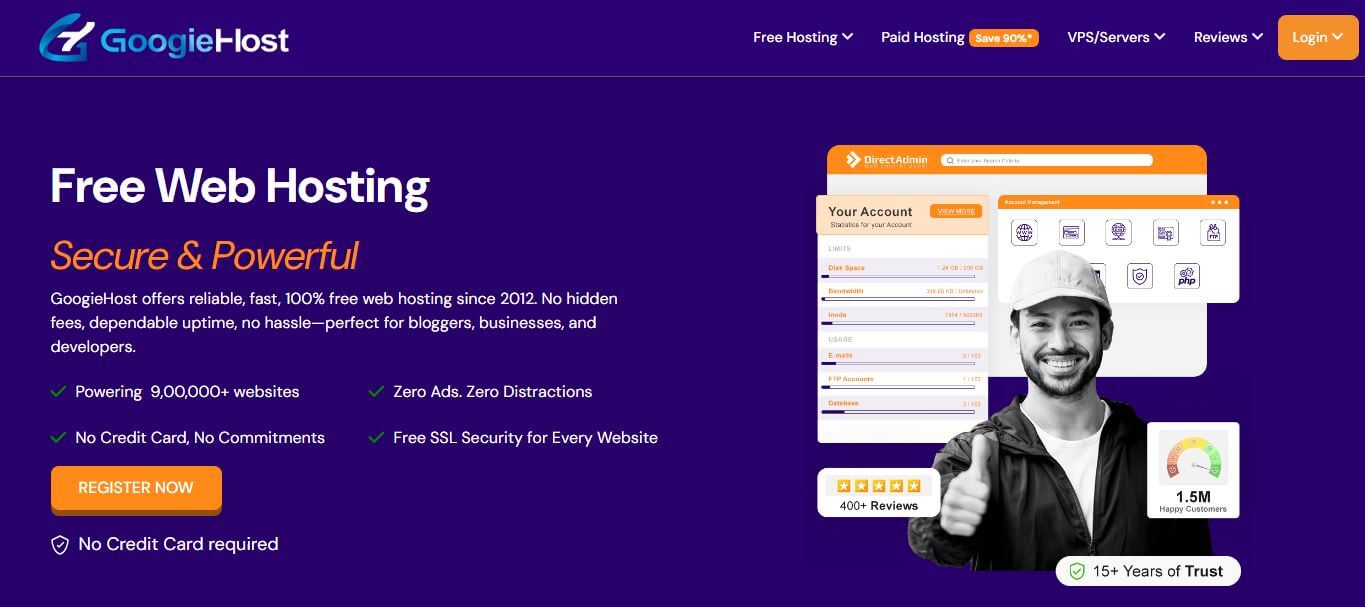
Choose a hosting provider that fits your needs. Beginners should start with shared hosting or free Hosting as it’s simple and affordable. "Here we're using a free hosting provider, i.e. googiehost."
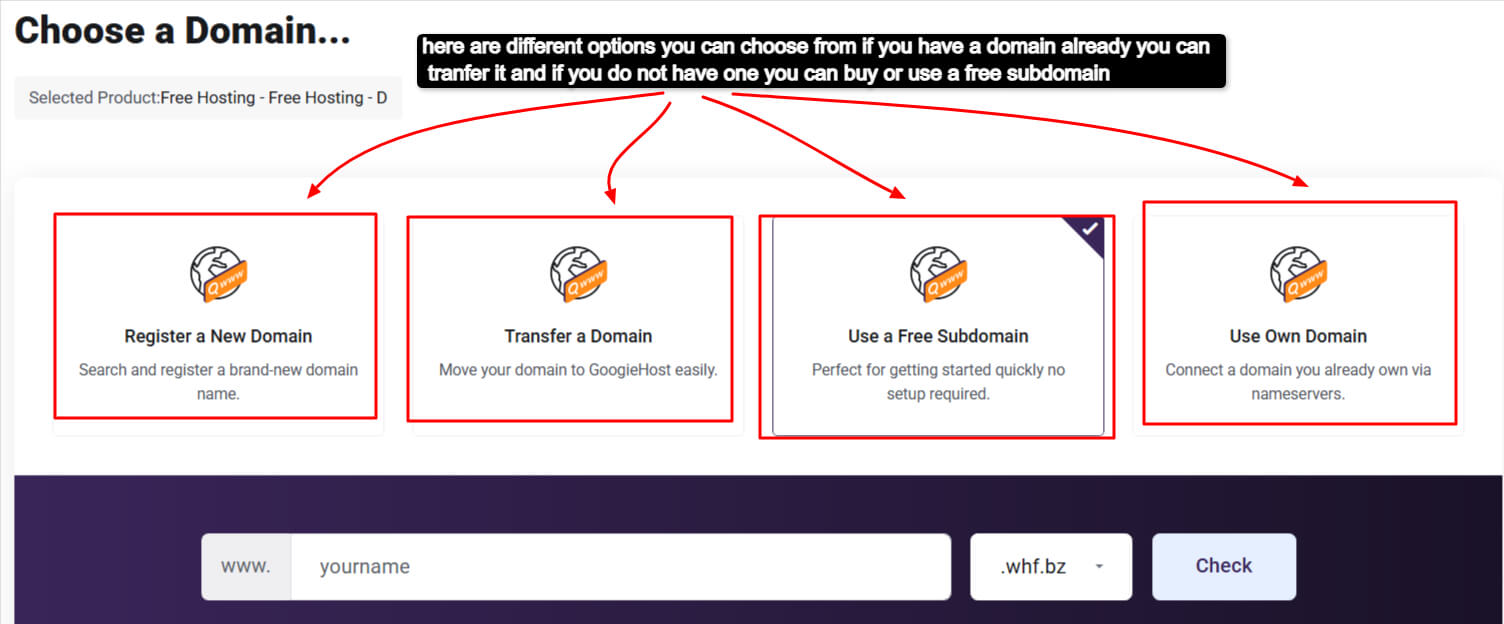
Step 2: Register a domain name if you don’t already have one, or you can use a free subdomain
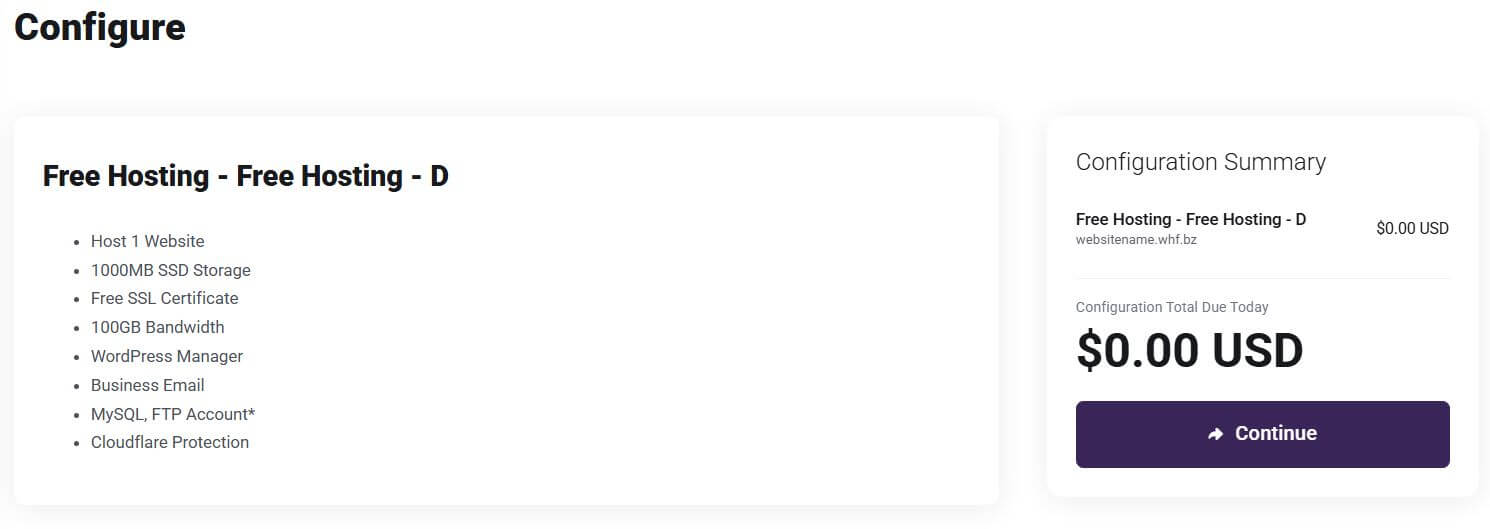
Step 3: Select a hosting plan based on your website’s needs. You can always upgrade later as your site grows. Now configure your choice>>
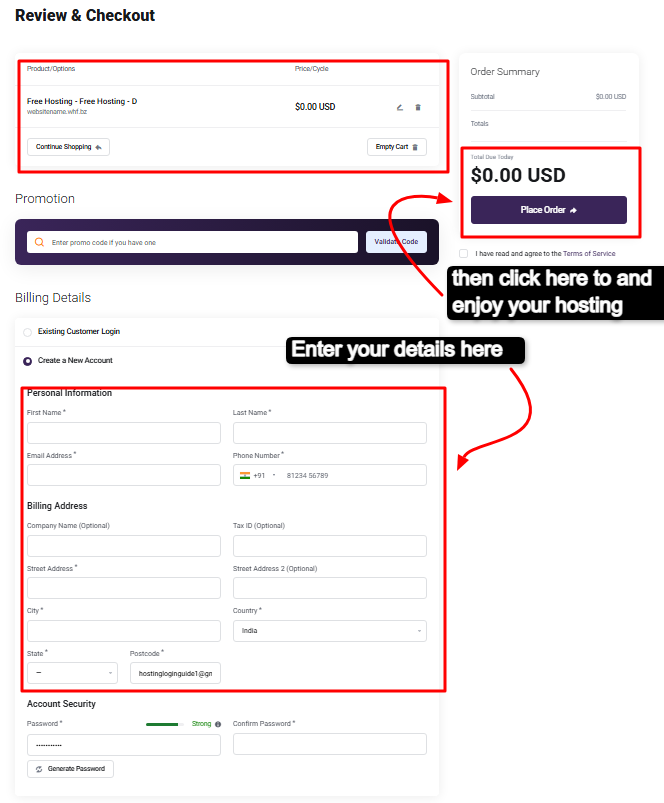
Step 4: Click continue and here you will get a interface asking for basic informations fill and press checkout .
Step 5: Upload your website files using a file manager or an FTP client. If you're using WordPress, you can install it with one click.
Step 6: Test your website to ensure all pages, links, and layouts are working properly on all devices.
Step 7: Launch your website once everything is working smoothly.
Congrats, your website is live. Don't just read, build alongside.
How to Host Your Own Website
For those who want complete control, learning how to host your own website is an option worth exploring. Instead of relying on a hosting provider, you set up and manage your own server.
This involves using your own computer or a dedicated machine as a server. You’ll need to install server software such as Apache or Nginx, configure your network settings, and ensure your system is secure and always online.
While this approach offers maximum flexibility, it also comes with significant responsibilities. You are in charge of maintenance, security, and uptime. Any downtime or issue directly affects your website’s availability.
Because of these challenges, self-hosting is generally recommended for developers or those with technical expertise. For most users, using a professional hosting provider is far more practical.
Free Website Hosting: A Good Starting Point?
If you’re just starting, free website hosting can seem like an attractive option. It allows you to get your website online without any upfront cost.
Several platforms offer free hosting, including GitHub Pages and Netlify. These services are particularly useful for static websites or personal projects.
However, free hosting comes with limitations. Performance is often lower, resources are restricted, and you may not get a custom domain. Some platforms also display ads on your website, which can affect its professionalism.
While free website hosting is great for learning and experimentation, it may not be suitable for business or long-term projects. Investing in a paid hosting plan usually provides better performance, reliability, and support.
Understanding the Cost of Hosting
One of the most common questions beginners ask is how much it costs to host a website. The answer depends on the type of hosting you choose.
Shared hosting is the most budget-friendly option, making it ideal for beginners. As your website grows, you might move to VPS or cloud hosting, which offer better performance but at a higher cost.
There are also additional expenses to consider. Domain registration, SSL certificates, and backup services can all contribute to the overall cost. Fortunately, many hosting providers include some of these features in their plans.
Common Mistakes to Avoid
When learning how to host your own website, it’s easy to make a few mistakes that can impact your site’s performance.
One of the most common errors is choosing the cheapest hosting option without considering quality. While saving money is important, poor hosting can lead to slow loading speeds and frequent downtime.
Another mistake is ignoring security. Without proper measures like SSL certificates and backups, your website can be vulnerable to attacks or data loss.
It’s also important not to overlook customer support. Reliable support can be invaluable, especially when you encounter technical issues.
Improving Your Website’s Performance
Once your website is live, hosting is just the beginning. Optimizing performance ensures that visitors have a smooth and fast experience.
Using a content delivery network can help distribute your website across multiple servers, reducing load times. Optimizing images and enabling caching can also significantly improve speed.
Choosing a reliable hosting provider plays a major role here as well. Faster servers and better infrastructure directly impact your website’s performance.
Conclusion
Understanding how to host your website is a crucial step in building your digital presence. Whether you choose a simple shared hosting plan, explore free website hosting, or dive into how to host your own website, the key is to start with what fits your needs.
As your website grows, you can always scale your hosting, improve performance, and expand your capabilities. What matters most is taking that first step and getting your website online.
The internet is full of opportunities—your website is your gateway to them.