GitHub basic operation guide / Sharing GitHub using experience GitHub使用体会(GitHub基础操作指南)
I had some time this afternoon to get into details and understand how to work in GitHub.
下午有点时间,便去研究了下GitHub的使用操作。
As I’ve been planning to launch a new project that involves multiple editing by different people and potentially requests few rounds of changes. As you know, the way steemit community works is only owner is allowed to edit their post. And there is limitation of no editing after 7days. I was eager to look for an app that allows for collaboration and no change limitation. A while ago, some friends recommended me GitHub as solution. Even though I heard about it long time ago, I didn’t spend time to really look into it and understand how it works until today. After trying, I have to agree that it’s a pretty cool tool. Therefore, I recorded the process step by step along with some comments for your reference. This may help if you are interested to participate in my project, and for those whom had never used GitHub before, it could be beneficial too, you will never know how it can come handy one day when you need to use it.
最近打算开启新的项目活动,需要涉及到多人编辑,尤其可能会涉及到多次修改,而我们都知道,在社区上只能自己修改自己的文章,无法修改别人的文章;再者,因为有7日后文章不可修改的限制,所以迫切地需要一个可以多人协作、不受时间限制修改的软件功能,有几位同学先前都给我推荐了GitHub,我虽然很早之前就听说了其大名,但却一直未能深入了解和使用,直到今天才尝试开始使用了下,感觉还不错,就将使用体会和操作整理下来,供大家使用,尤其是接下来要参与到项目活动的同学,如果先前没接触过github的话,不妨看下本文,估计会对你接下来的工作有些帮助。
Let’s focus on two operations in GitHub, one is start a project and the other one is participation in the project.
GitHub上我们主要介绍两种,分别为项目的创建和项目的参与。
Creation of repositories
创建知识库(repositories)
When I first heard about this word in Chinese(ie. knowledge base), I didn’t fully agree to the Chinese translation, personally I think it’s more accurate to refer it as position building.
其实这个名字我觉得中文挺奇怪的,但大家都这么称呼,也就不好再说什么。但我个人觉得翻译为:建仓 可能更准确些。
What does repository mean? It refer to when you start a new project, you would need to set up your own knowledge base first like a central place where you locate aggregation of data in it.
建仓是什么意思呢?就是你要开始一个新的项目时,你要建立自己的知识仓库,然后在里边再生成各种各样的内容。
Let’s see how we set up a new repository
我们来看下如何建仓?
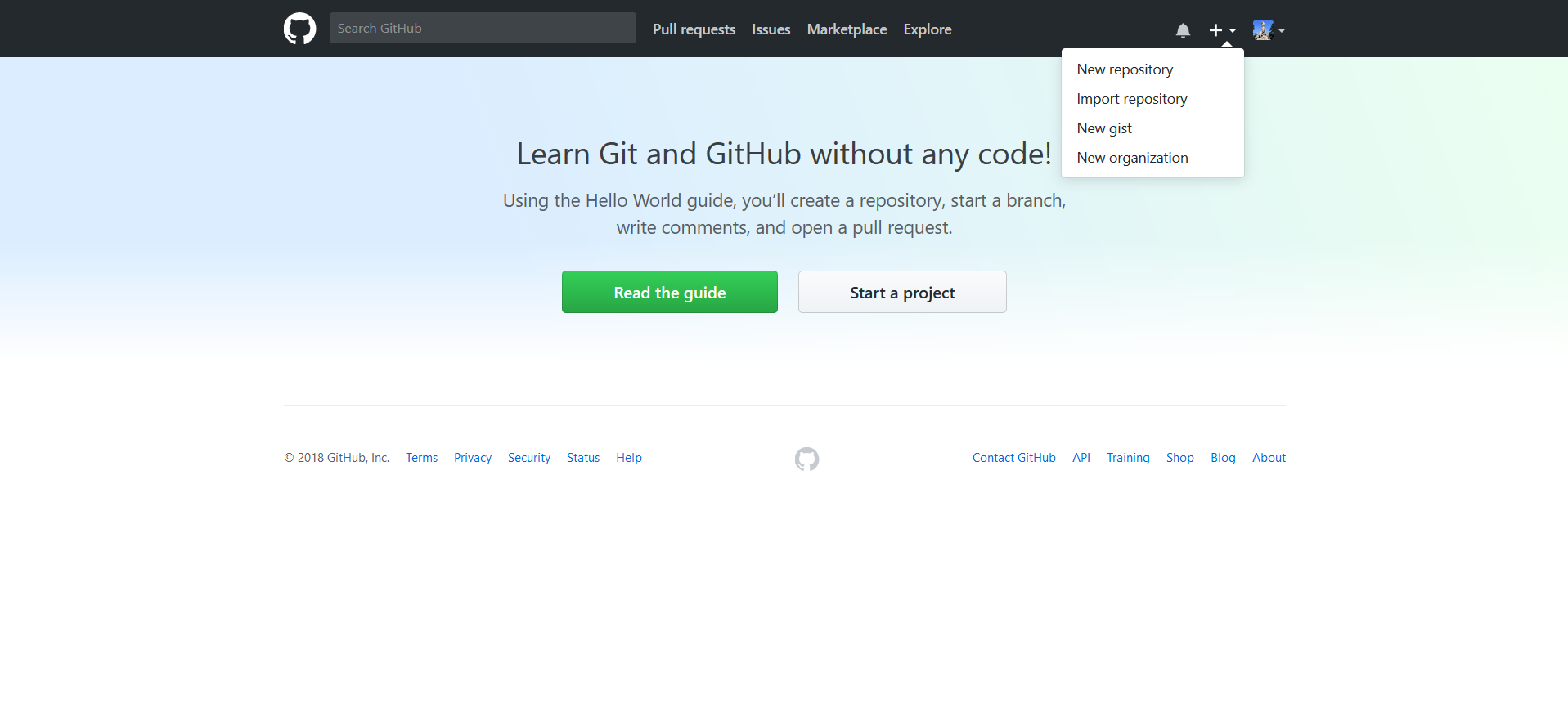

Type in project name and description into the two fields, select public by default so anyone can see it, of source you can also choose private to choose who can see it, and then check the box of initiating, then click on the green button on the bottom to start creation process.
输入项目的名称,填写描述信息等,默认选择公开public ,当然你也可以选择私密private ,选中下边的初始化,然后点击最下边绿色按钮,开始创建。
After you created your repository, there are two ways to set up. One is to set up with the app provided by GitHub in desktop, the other one is with the website provided by GitHub. Choose whichever works for you the best.
创建好知识库后,有两种方式可以编辑,一种是通过下载github提供的软件进行编辑更新,另一种就是通过GitHub提供的网页在线进行编辑,两种方法你可以自行选择。
I personally prefer to download the app by GitHub and set up in desktop. It’s more convenient to operate. But the downside is that you will have to manually upload it after you finish updates. It doesn’t work as other app that can automatically update with one click function. Online web version has its advantage too, it’s more convenient when you are not in the office.
我个人喜欢下载使用github提供的软件进行编辑更新,毕竟在桌面版操作很方便的,而网页版每次编辑好后要手工上传,不像软件一键就自动更新好。当然,网页版也有它的好处,就是你临时在外边办公时使用它挺方便的。
Edit and Update
编辑和更新
Let’s look at the use of the app first.
我们先看下软件的使用。
Start with downloading the app
首先是下载软件。

After installation, turn on the app.
安装后,打开软件。
Edit and update
编辑和更新

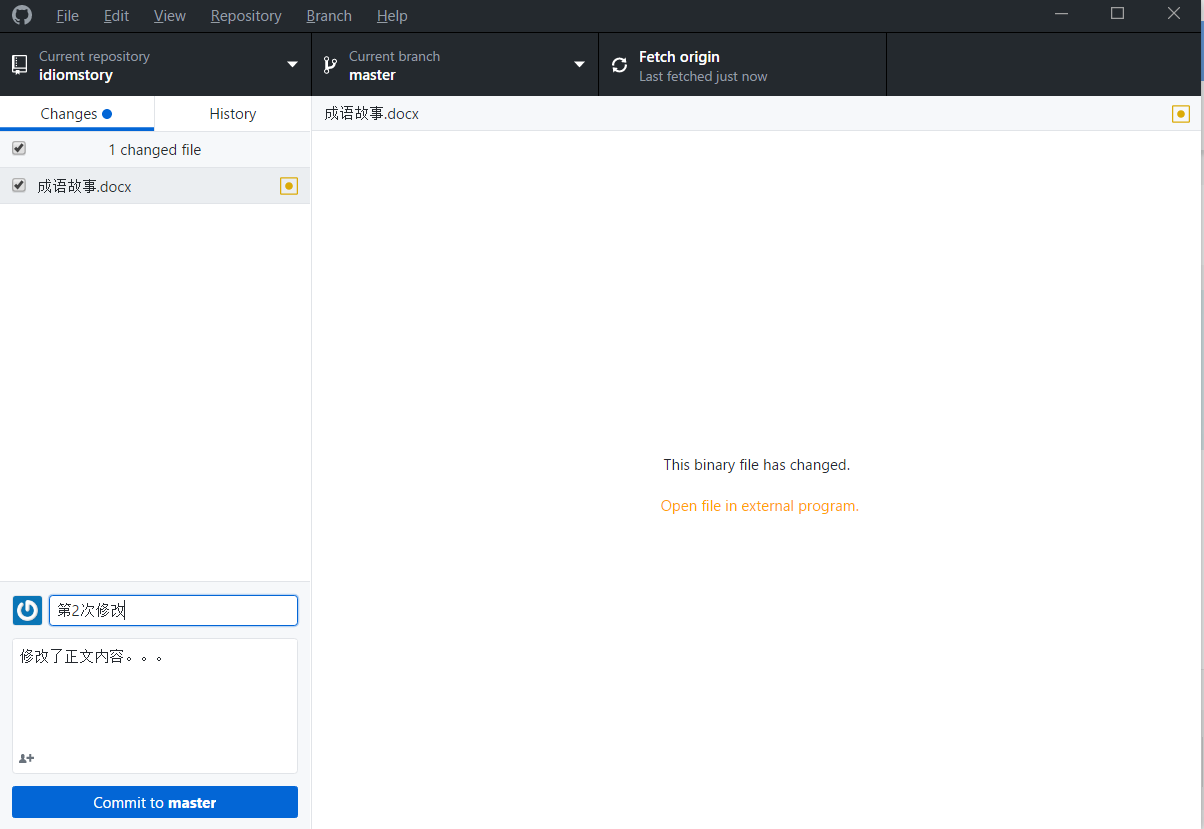

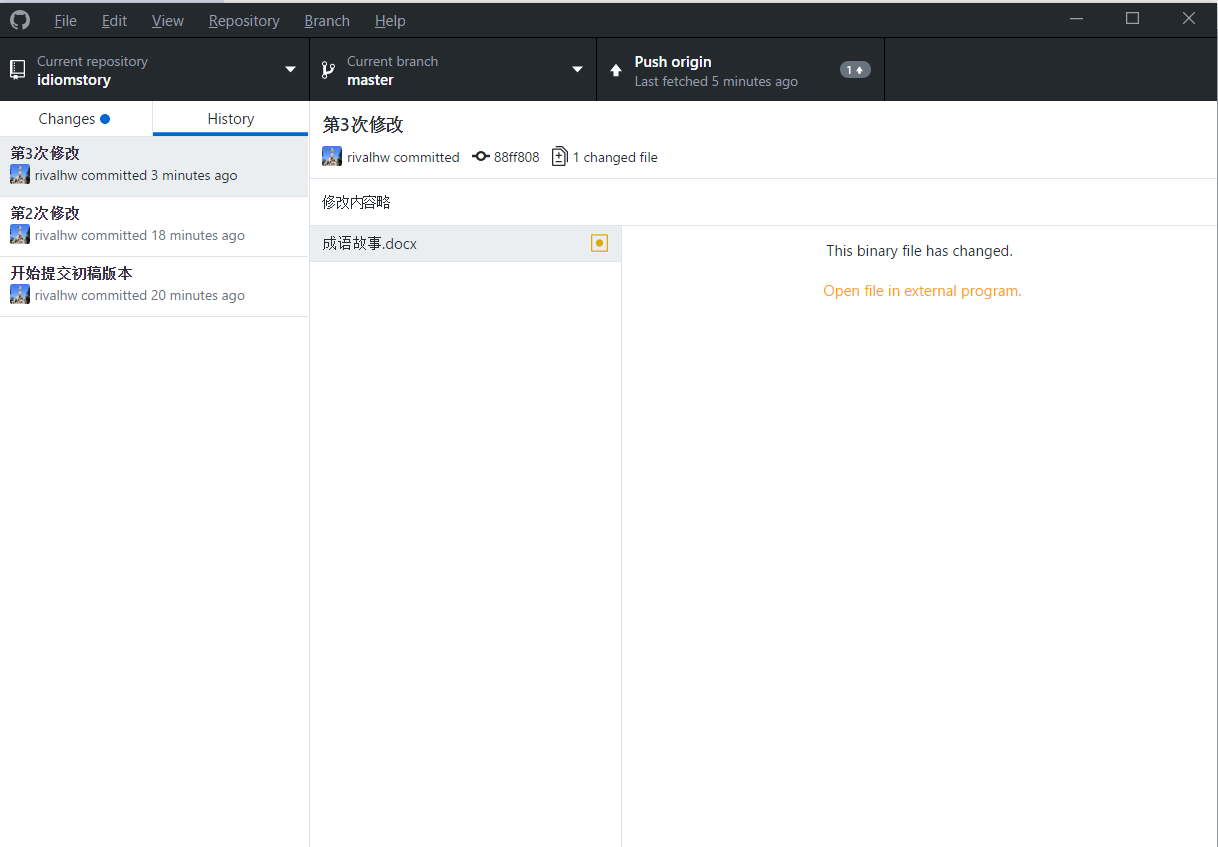
I tried to set up some new files and modify them for several times, commit different versions as the image in the above. >我尝试着新建文件,并修改了几次,然后提交了几次版本,如上图。
I also simulated multiple user accounts and switch operations among accounts.
模拟多个用户切换操作。

Online version editing
网页版在线编辑
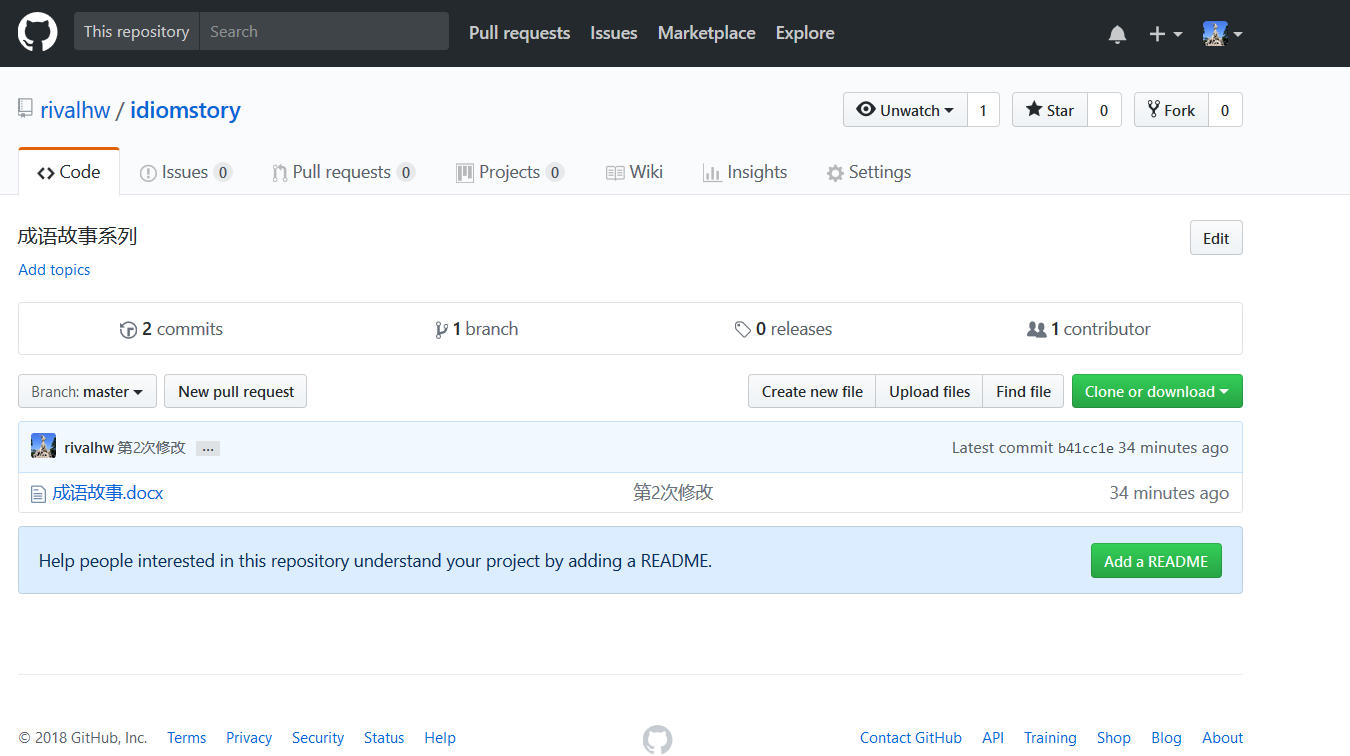
It’s simpler to operate, the images are very self-explanatory.
网页版的操作就简单多了,基本看图就明白如何操作了,见下图。

Updating files online
在线上传更新的文件
Downloading the most updated files
下载最新的文件
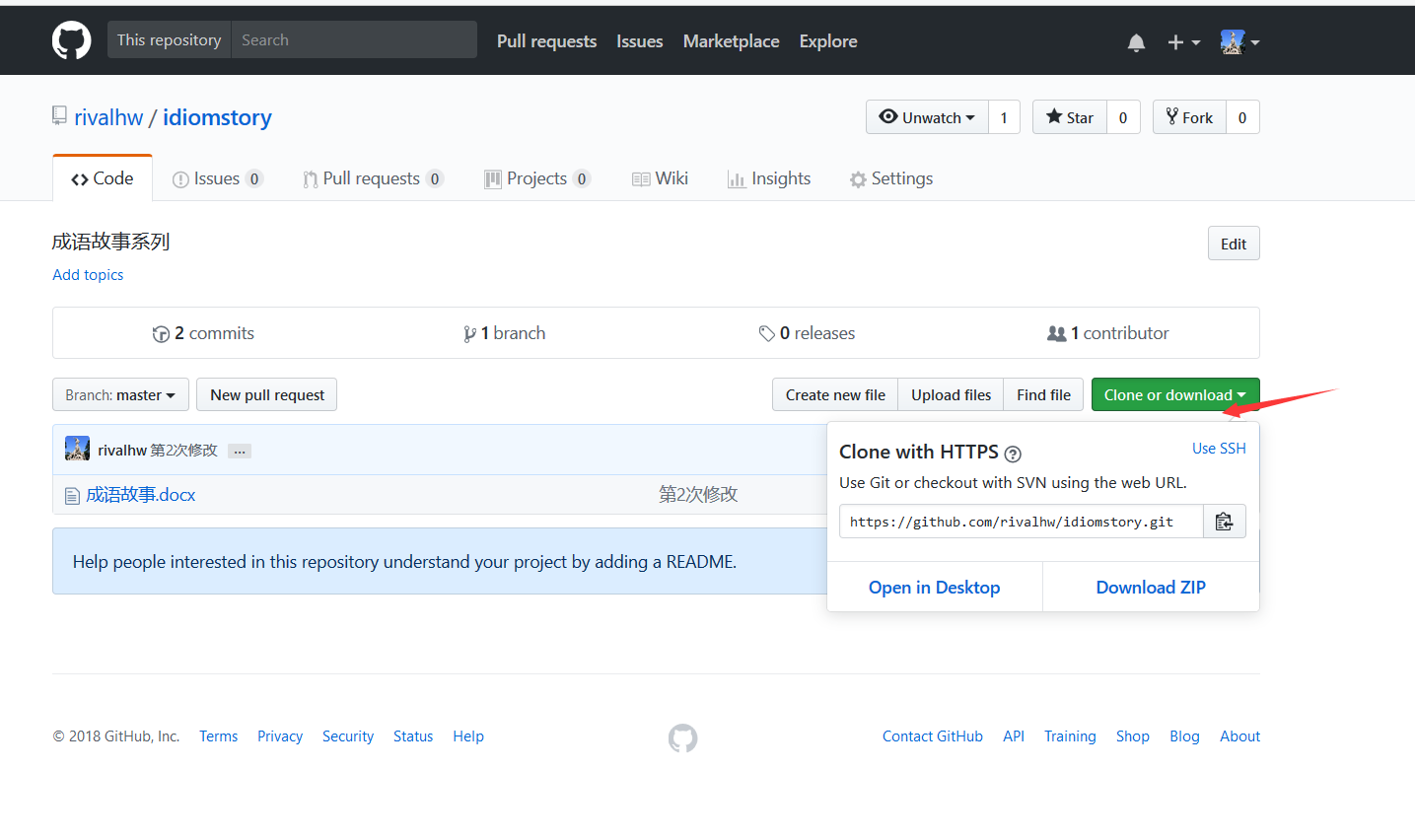
After you master the basic operation above, you can coordinate with others to work on the project anytime and anywhere without any limitations.
掌握了以上基本的操作,我们就可以不受地点、时间的限制,尤其是多人都可以一起协同操作了。
These are examples of some basic operation in GitHub, there are a lot more advanced operation that I will try to learn and share later on.
当然,以上只是gihub的一些基础功呢个,要知道github可不止以上功能,至于其它的高级操作,就等使用后再慢慢体会和琢磨了。
译者:@susanli3769
原作者: @rivalhw
I have upvoted for you. If you also like my article, please upvote for me. Thank you!
@mfxqaq
赞一个 upvote
lol