You are viewing a single comment's thread from:
RE: How to draw a human right eye ( step by step guide)
I watched the video. I noticed that from the moment on you worked on the eyelid the pupil looks more flat as if a button is glued on that spot. The same I see on the photo. Is it the camera fooling us? How to change or avoid that?
You are very observant, it’s one of the least things I thought anyone would figure out, in my honest opinion this work isn’t perfect or a finished work there are still work to be done and the pupil is one of those and I wish I spent time on.
I have a little sketch here
If you observe the human pupil, you will notice it has a little protrusion, especially when you are looking sideways, but in my drawing mine looked like a sphere or like it facing the viewer directly, that’s why it looked flat in the eyes, and I didn’t pay much attention to lighting and tonal values like the dark areas and my highlights, so it’s not the camera it my hand and I wasn’t focus at that stage, but I decided to share anyways.
Here is another sample
But be very careful when, trying to make a curve around that area so it doesn’t look too curvy.
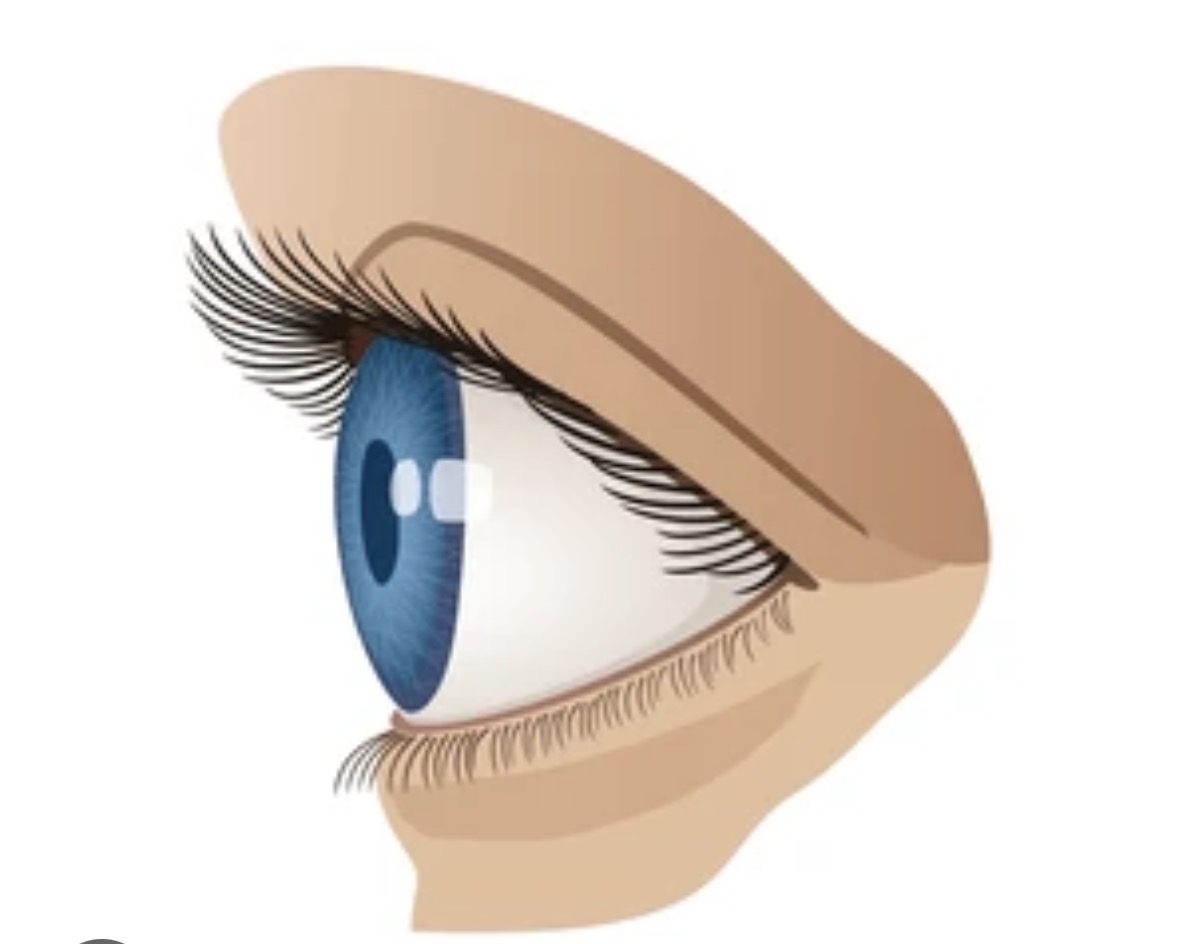
https://www.shutterstock.com/search/eye-side-view
Sorry, for noticing it. Next time I keep my mouth 🤐
Although...now you explained a bit more which for sure is helpful.
Thanks a lot.
It’s fine I understand, I am not upset lol 😂