Introducing SteemDEX Batch Transfer. Send STEEM & SBD to Multiple Users Effortlessly
We’re excited to introduce a useful new feature inside SteemDEX Batch Transfer for STEEM and SBD. Until now, sending STEEM or SBD often meant transferring funds manually, one by one, which can be time consuming and inconvenient especially when dealing with multiple recipients. With the new Batch Transfer feature, you can now send STEEM or SBD to multiple users at the same time, in just a few simple steps.
This feature is designed to make easier steeming for everyone, particularly for those who regularly distribute contest prizes, rewards, payments, or community funds. Communities, project teams, and contest organizers will find this tool extremely helpful, saving both time and effort while ensuring smooth and accurate transfers. In today’s tutorial, we will show you how to use this feature step by step:
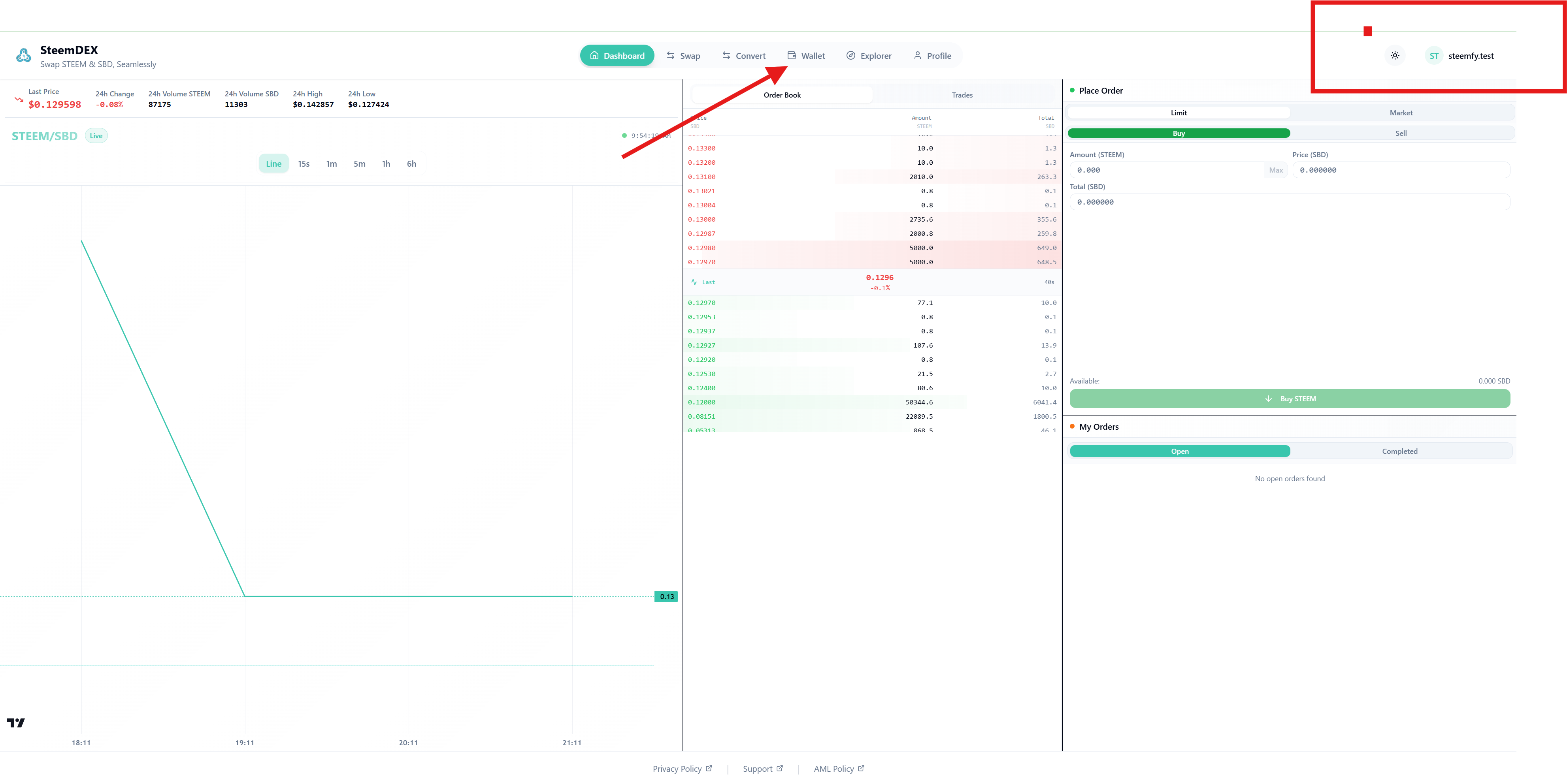
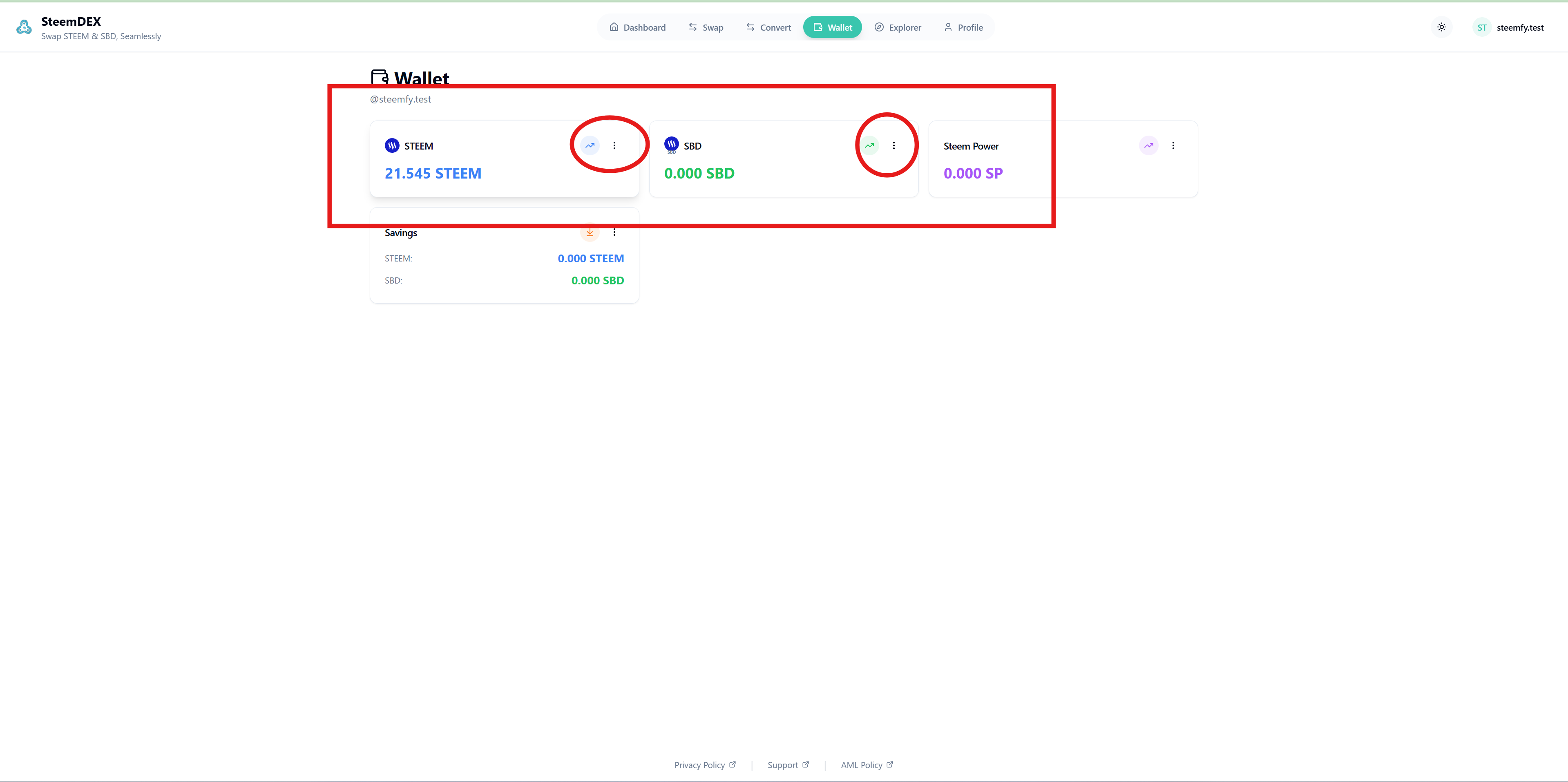
First, visit https://steemdex.com/ .Then, log in using Steem Keychain. After logging in, you will see the main menu with options such as Dashboard, Swap, and Convert. Right after these options, you’ll find Wallet. click on it.
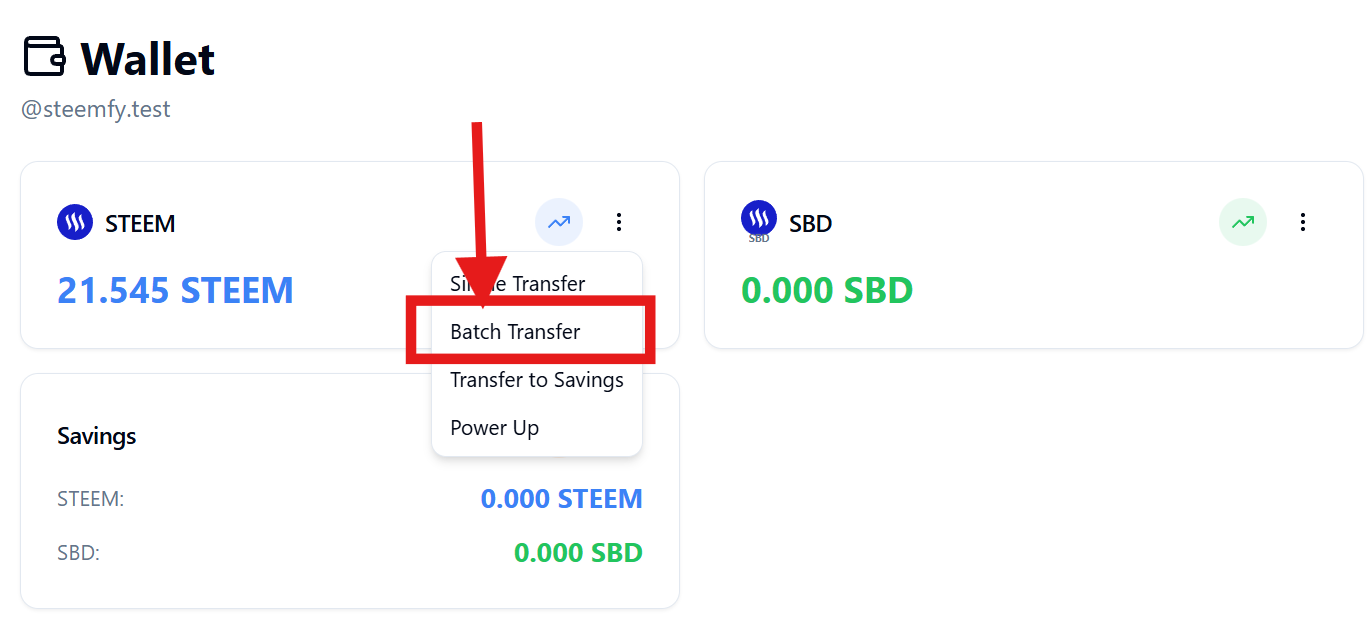
By accessing the Wallet section, you’ll be able to view and manage the wallet of the account you logged in with. In the new interface, your wallet balance will be clearly displayed. You’ll see details for STEEM, SBD, along with other available wallet information. Next, click on the circled icon highlighted above. Once you click it, a popup window will appear on your screen. There, you’ll see an option labeled Batch Transfer. Click on it to proceed.
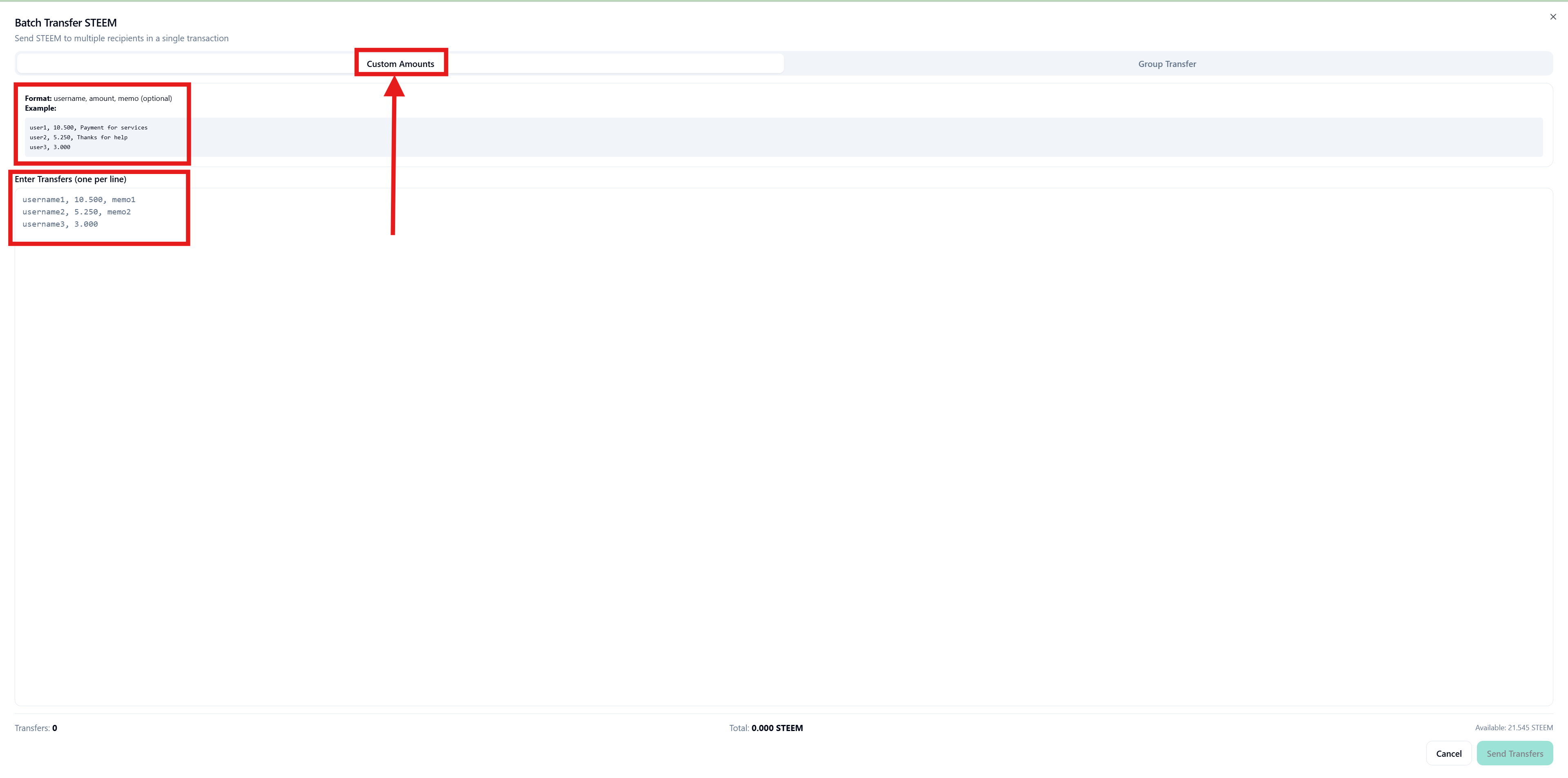
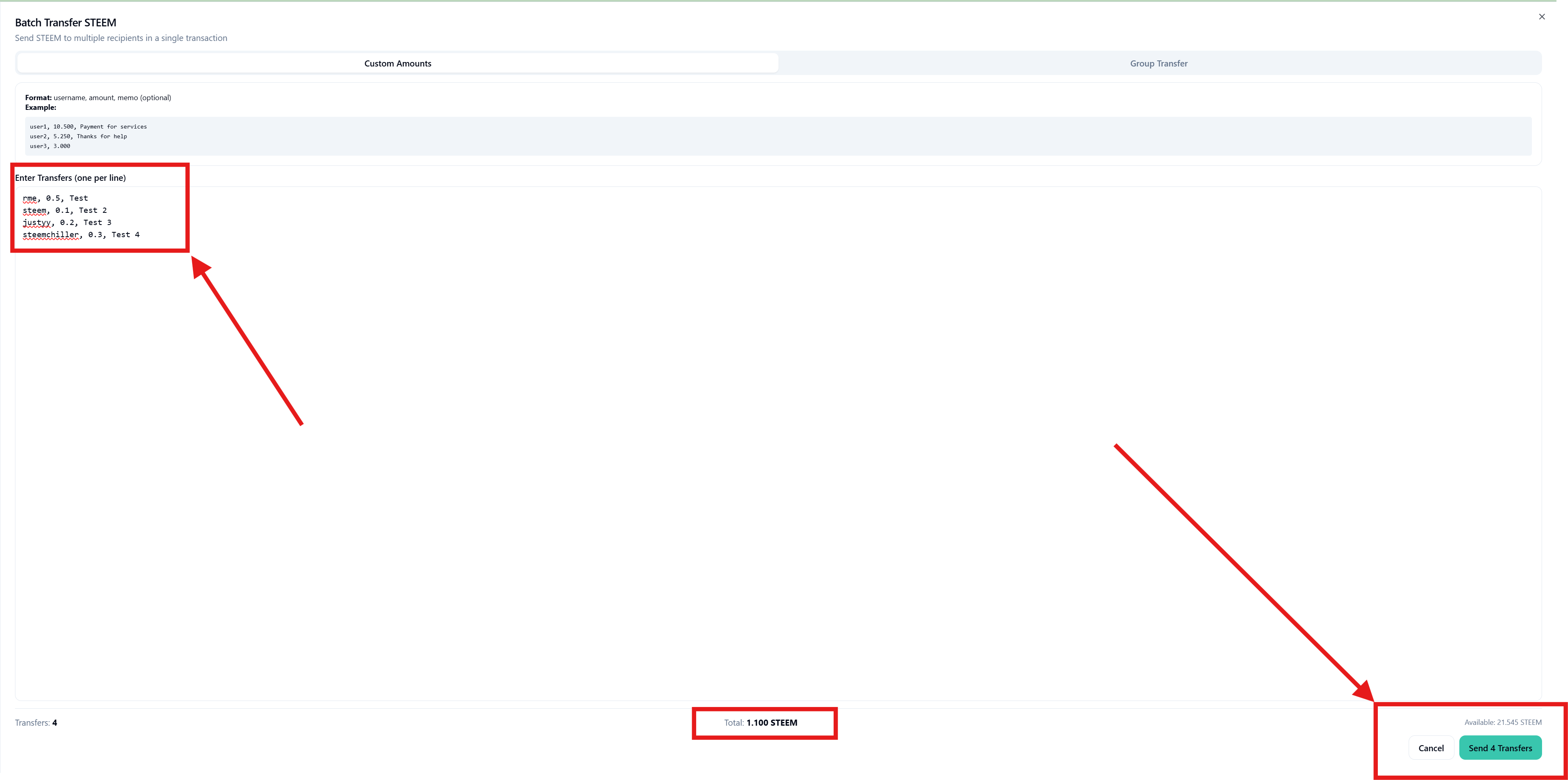
Here, you’ll find two features: Custom Amounts and Group Transfer. First, we’ll take a look at how Custom Amounts works. With Custom Amounts, you can send STEEM or SBD to multiple users at the same time, assigning different amounts and different memos for each recipient. This gives you full flexibility when sending funds.
As shown in the image, I’ve entered several user IDs and set individual amounts and unique memos for each of them. You need to configure the details in the same way, based on your requirements. Once all the necessary information is filled in, simply click the Send Transfers button to complete the process.
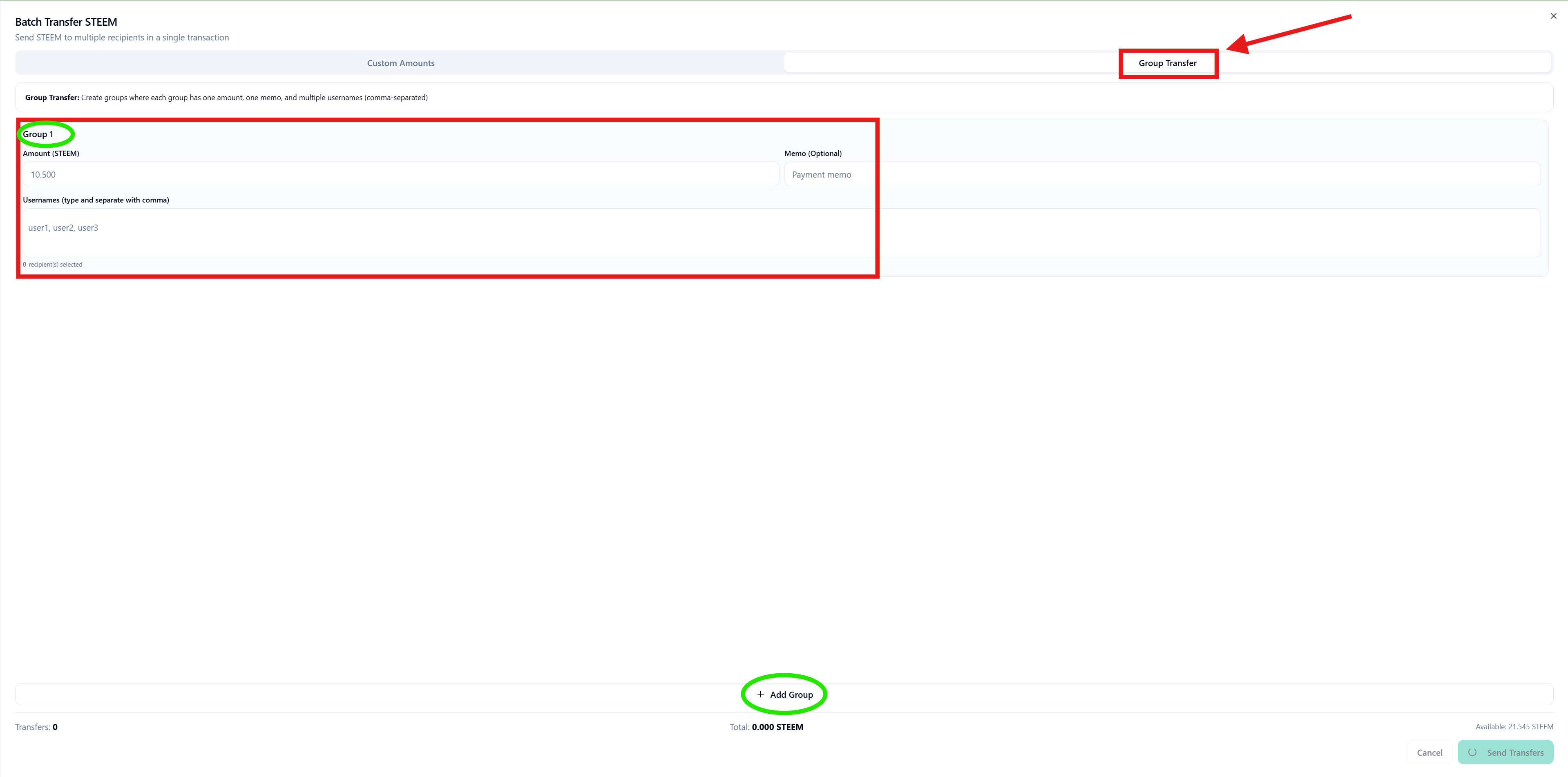
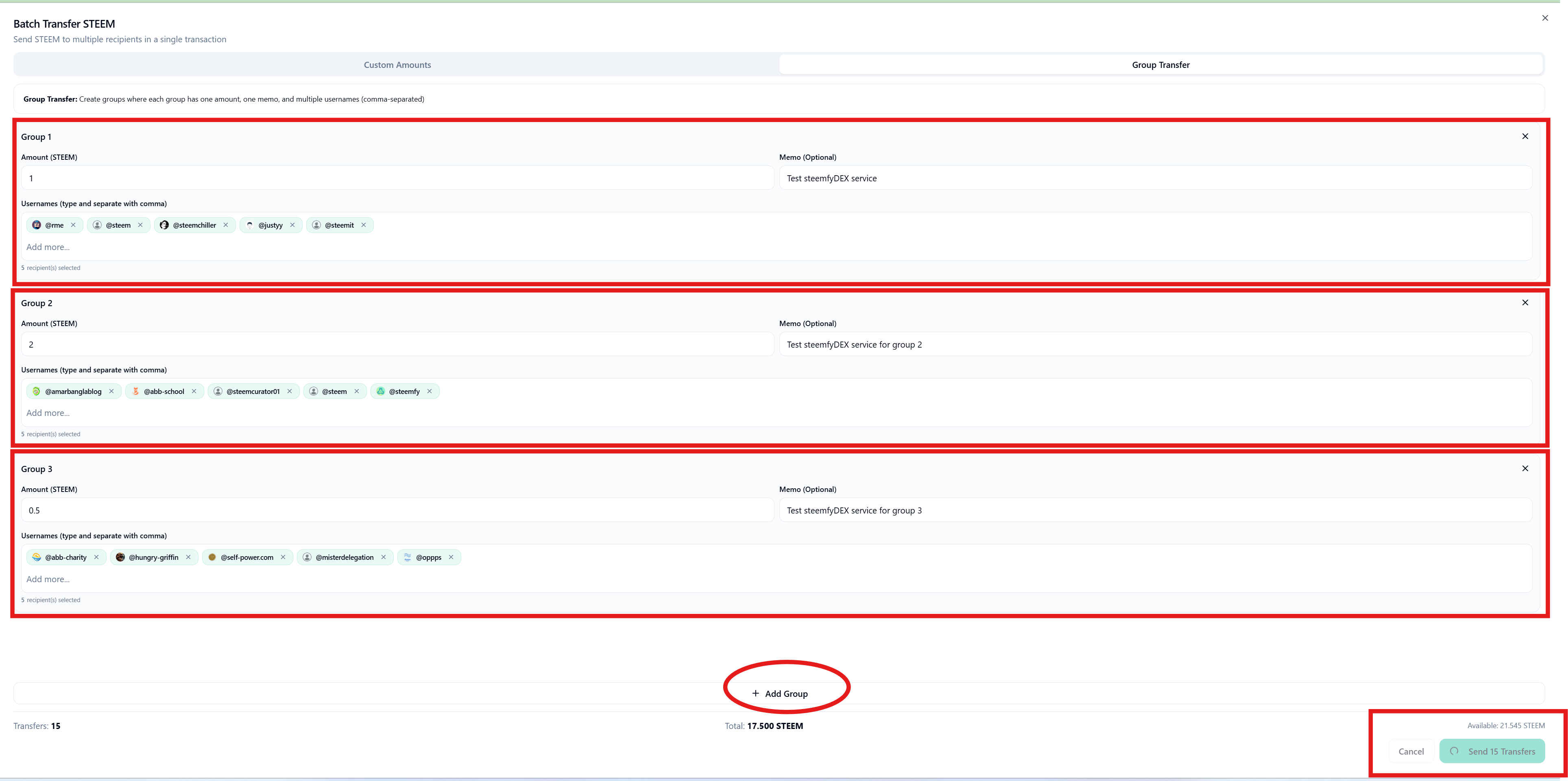
Now, let’s see how Group Transfer works. With Group Transfer, you can send the same amount of STEEM or SBD to multiple users at once. But that’s not all there’s more flexibility built in. You can click on Add Group to create multiple groups at the same time. Each group works independently, so you can manage different sets of users and memos easily.
For example:
You might have a group of 10 users, and you want to send 1 STEEM each with the same memo. That’s one group.
Then, you might have another 10 users where you want to send 15 STEEM each with different memos. That’s a separate group.
You can create as many groups as you need, each with its own users, amounts, and memos. This makes distributing rewards, contest prizes, or payments much faster and more organized. Once all groups are set up, simply click Send Transfers to complete the process. These features work the same way for both STEEM and SBD, so you can batch transfer either type of token using Custom Amounts or Group Transfer with ease.
That’s it! You’ve now learned how to use both Custom Amounts and Group Transfer features in SteemDEX. Save time and effort, especially when distributing contest prizes, rewards, or community funds. These features make SteemDEX powerful, flexible, and easy to use for all your community and personal transactions.
If you find our new batch transfer features useful, don’t forget to support us with a Witness Vote. Your support helps us keep improving SteemDEX and bringing more handy tools for the community!