Multi-Chain Token Swap Feature on SteemDEX
We are pleased to announce that after a series of successful technical optimizations, the Token Swap feature on SteemDEX is now fully functional and optimized for daily operations. While SteemDEX has consistently provided dedicated STEEM/SBD trading and conversion services, we realized the community needed a Swap feature. To fulfill that need, we introduced the Token Swap system. Following recent technical optimizations and bug fixes, this infrastructure is now fully stabilized and reliable for multi-chain assets.
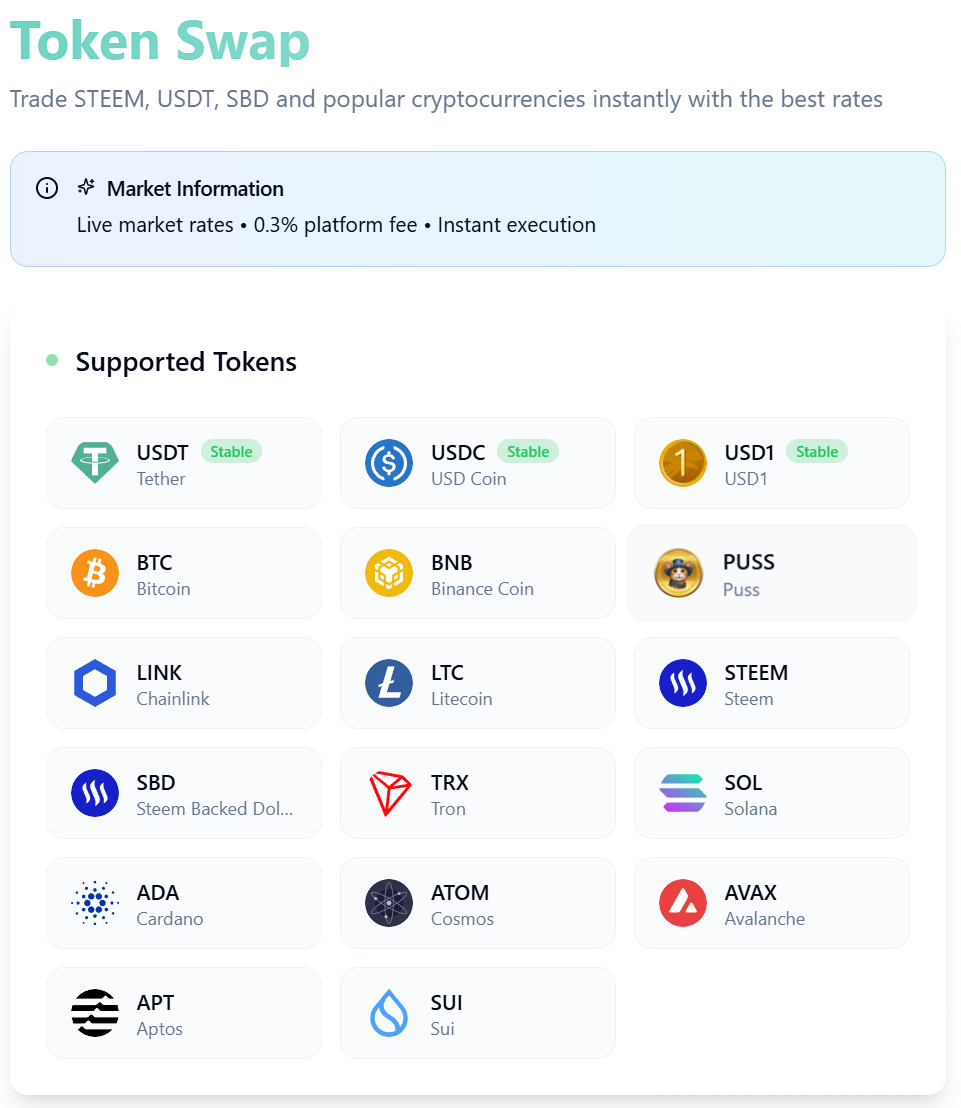
Core Specifications of SteemDEX Swap:
Broad Asset Compatibility: Seamless swap functionality is active across multiple major assets, including STEEM, SBD, PUSS, USDT, USDC, BTC, BNB, TRX, SOL, LTC, ADA, ATOM, AVAX, APT, and SUI .
Transparent Pricing Structure: Transactions are executed via non-custodial protocols with a standard 0.3% platform fee.
Real-Time Market Synchronicity: Exchange rates are updated automatically every 60 seconds, ensuring precise transaction execution with zero hidden costs.
Step-by-Step Tutorial: How to Use SteemDEX Token Swap
Swapping your assets on SteemDEX is incredibly simple. Below is a comprehensive visual guide to execute your first transaction.
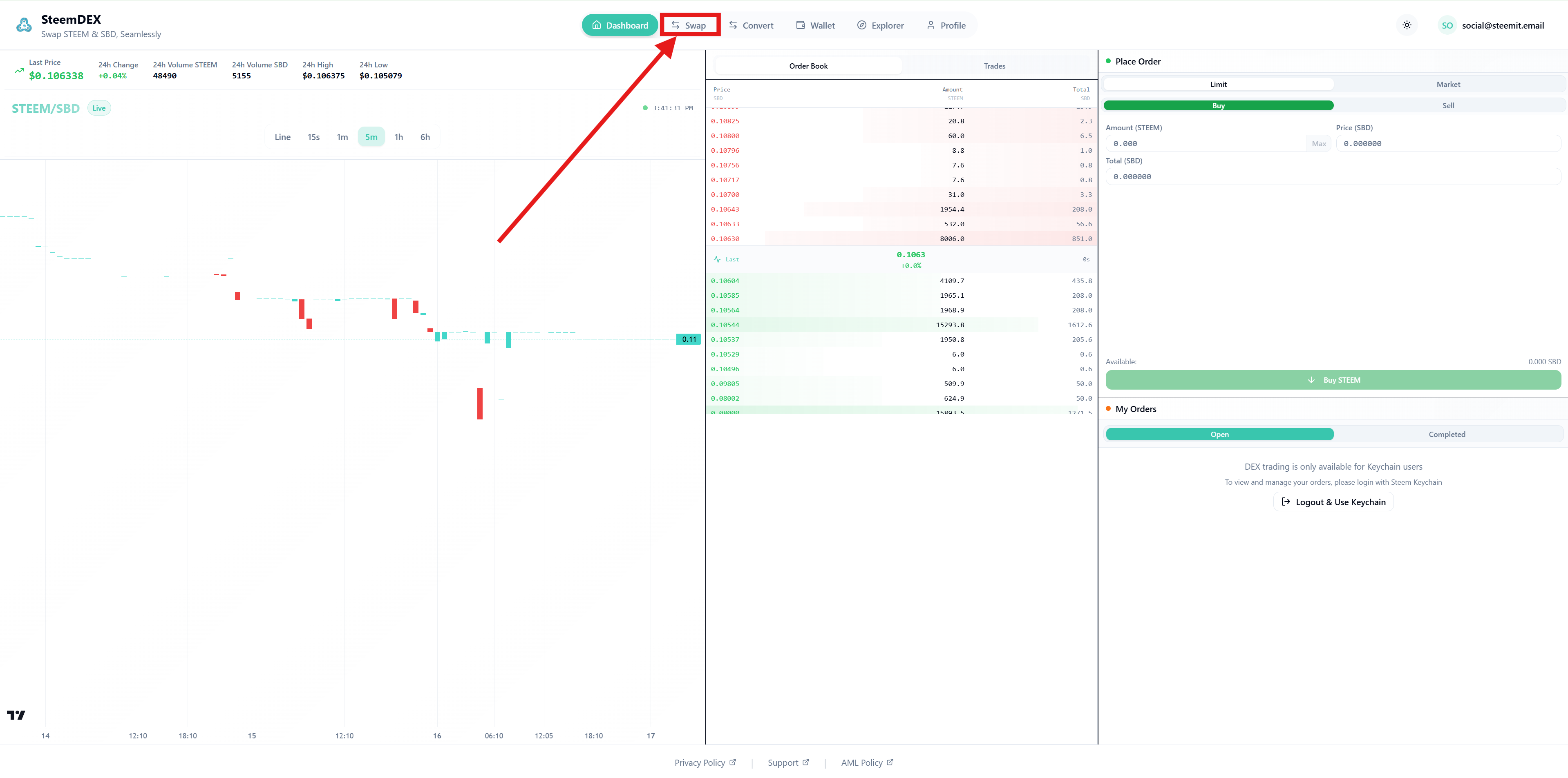
Step 1: Access the Swap Interface
Navigate to the main trading interface on SteemDEX. Look at the top navigation menu and click on the "Swap" tab highlighted by the red box and arrow in the SS.
 |  |
|---|
Step 2: Configuring Your Trading Pair
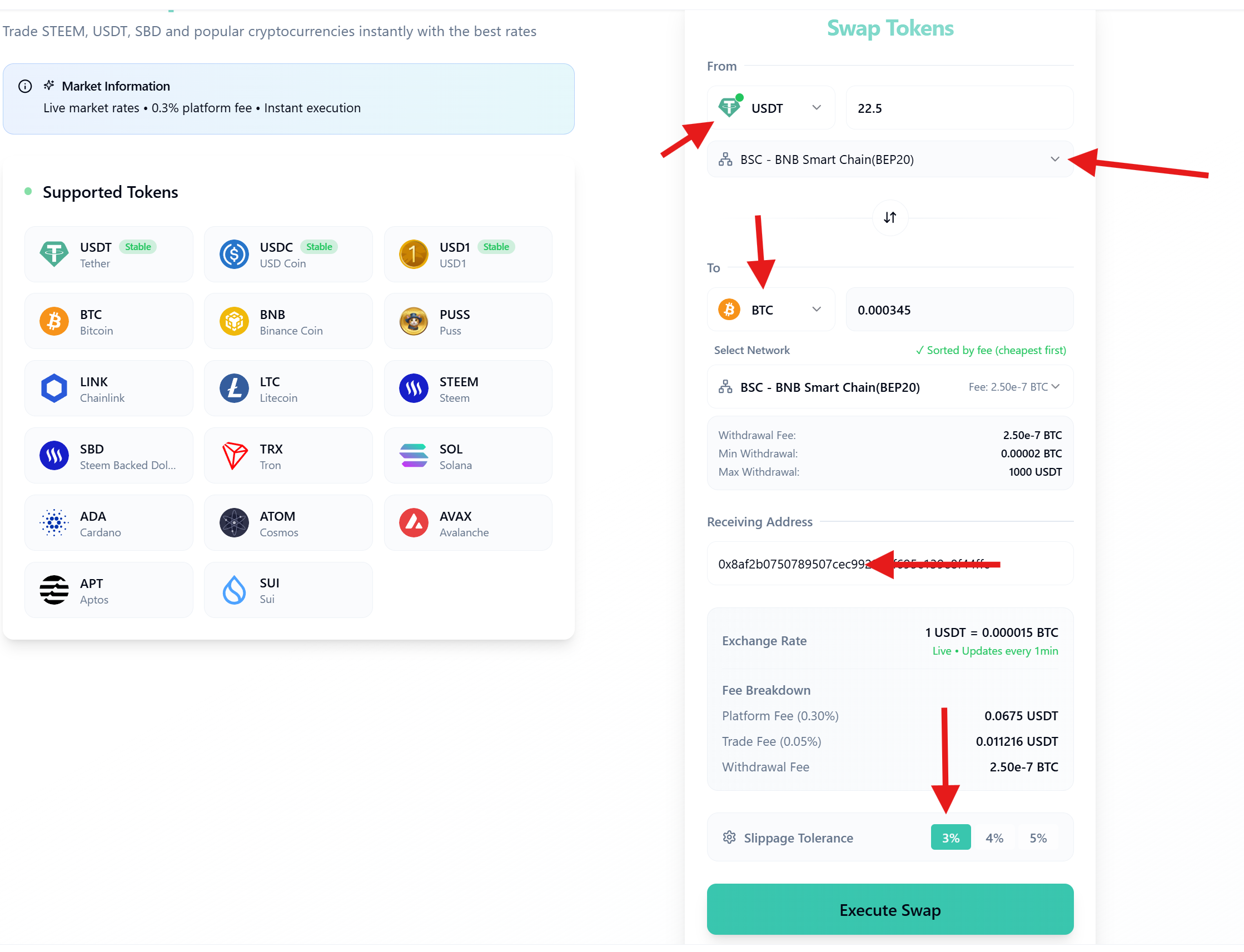
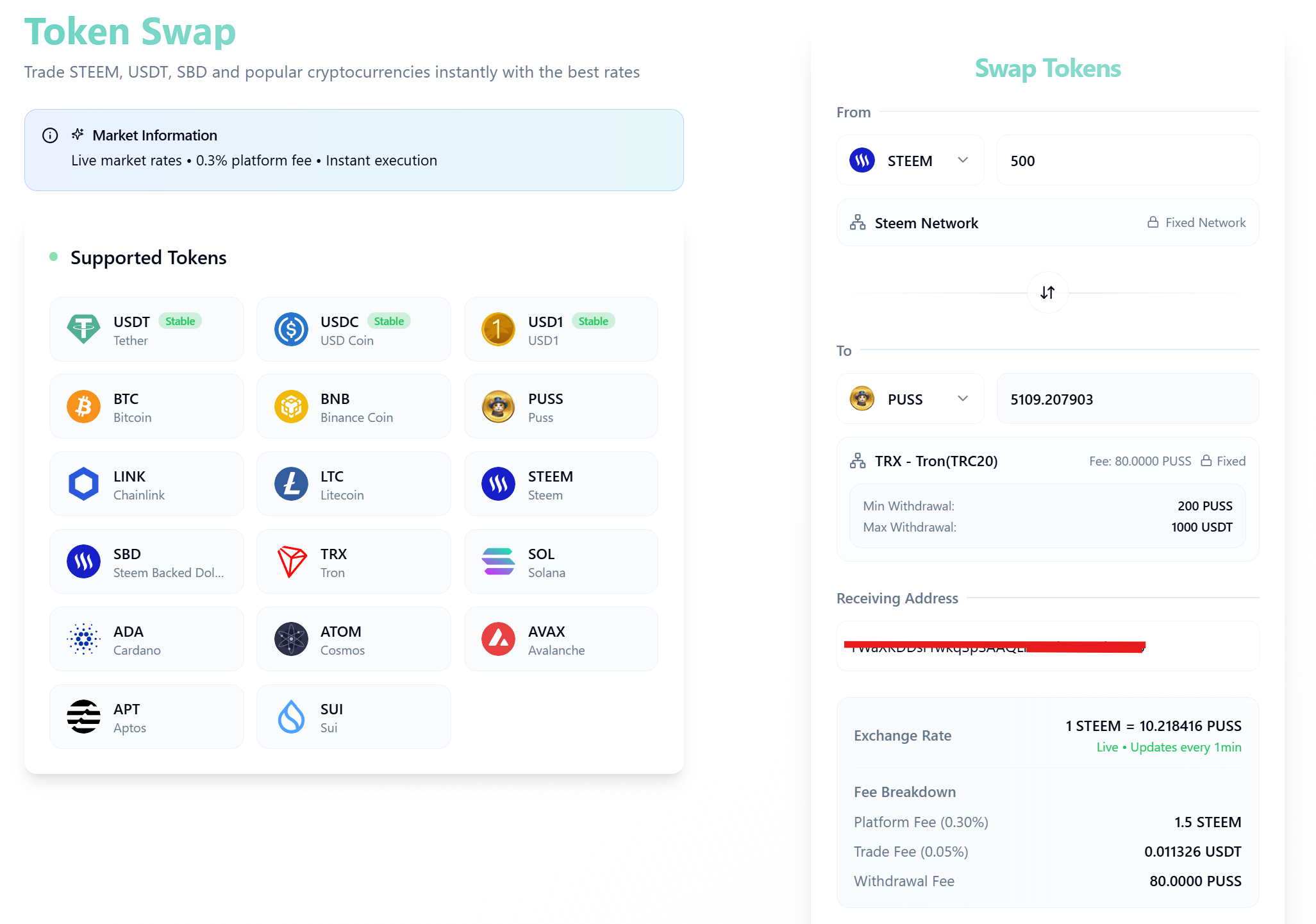
Once inside the interface, proceed to the swap widget on the right-hand side, as shown in the above images:
In the "From" dropdown field, select your source asset (e.g., STEEM or USDT) and specify the exact quantity.
Select the designated network if your asset requires a specific chain (e.g., selecting BSC - BNB Smart Chain for USDT transfers).
In the "To" dropdown field, select your desired target asset (e.g., PUSS or BTC).
Input your verified Receiving Address in the text box. Note: Double-check this address, as cross-chain transactions cannot be reversed.
Before finalizing, analyze the dynamic financial breakdown provided at the bottom of the widget, as displayed in the above images:
Exchange Rate: Review the live conversion rate (updates every 1 minute).
Fee Breakdown: Confirm the precise platform fee, trade fee, and the specific network's withdrawal fee.
Slippage Tolerance: Select an appropriate slippage ceiling (3%, 4%, or 5%) to protect your transaction against market volatility during processing, as marked in the above image.
Once the parameters are verified, click the green "Execute Swap" button (indicated by the red arrow in the above image).
 |  |
|---|
Step 3: Reviewing Deposit Instructions
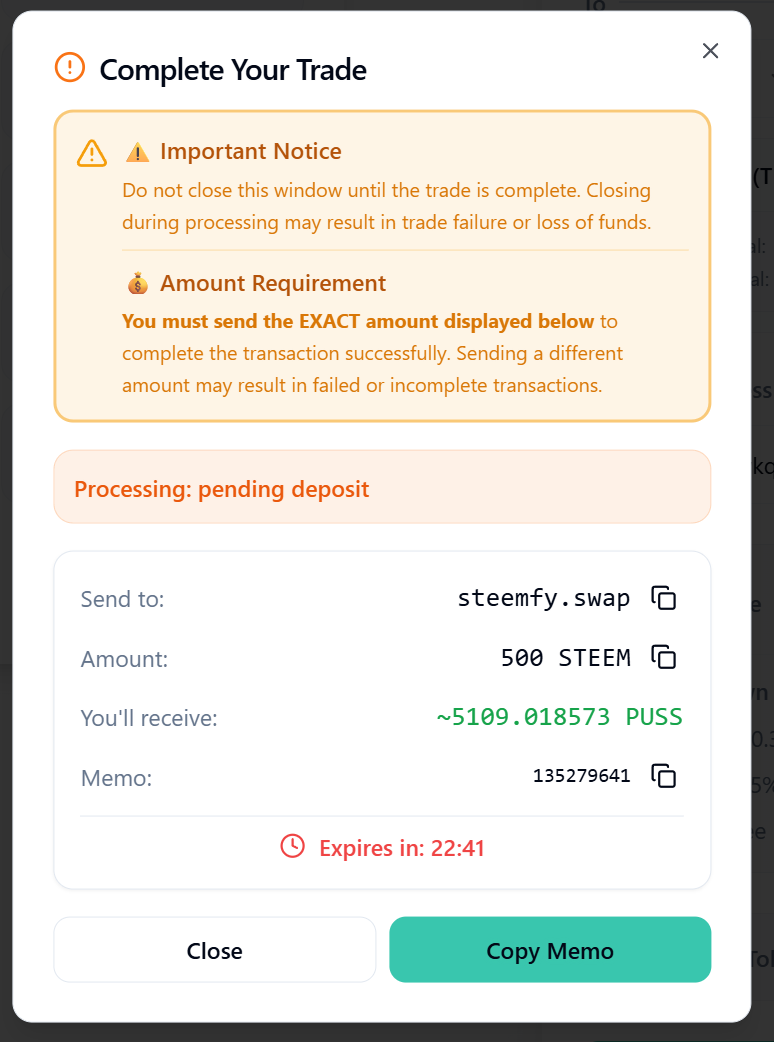
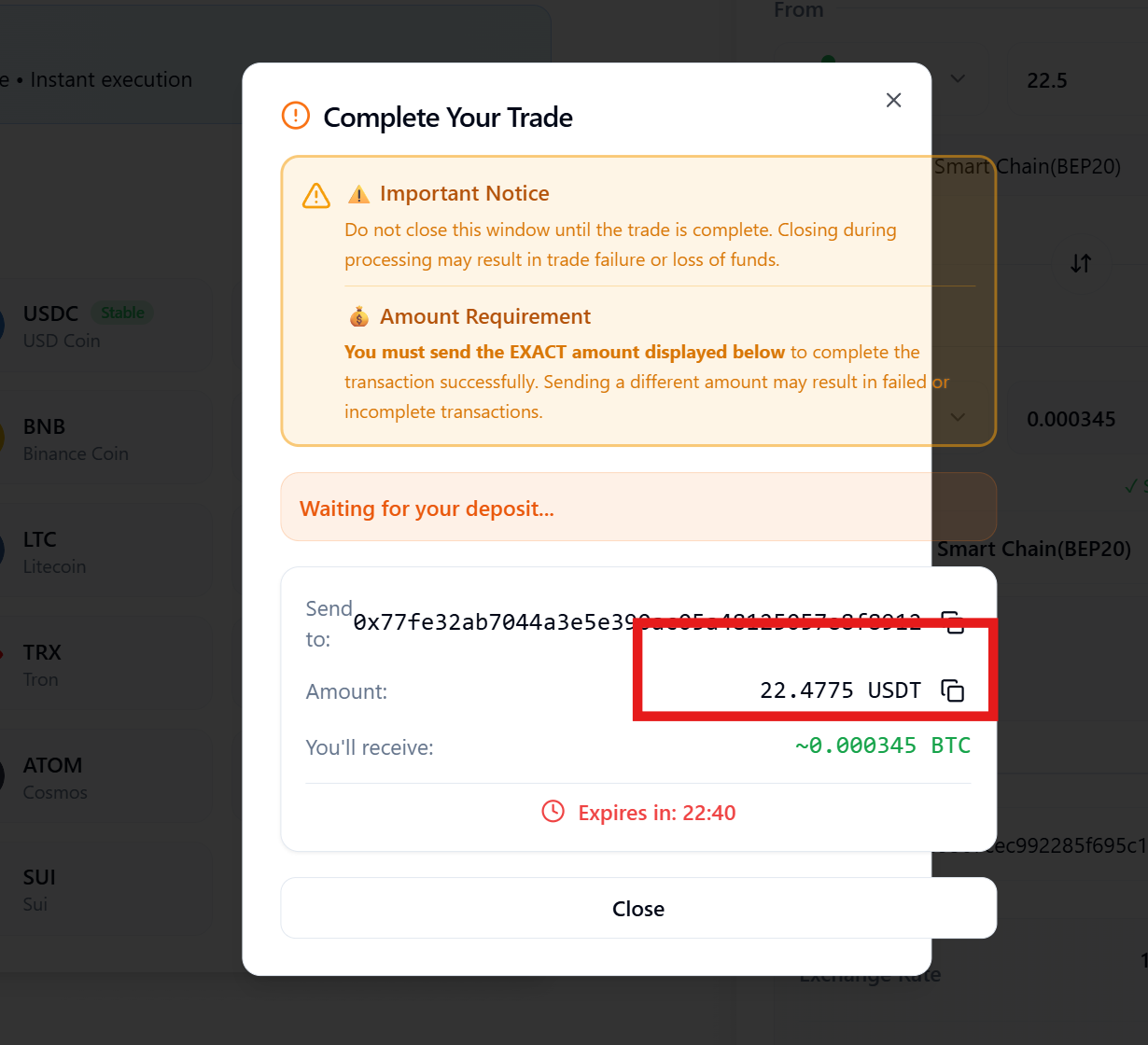
An essential system window titled "Complete Your Trade" will open, as shown in the above images:
Crucial: Keep this modal window open throughout the process. Closing it prematurely may cause processing delays.
The system will display a countdown timer (23 minutes) within which the deposit must be completed.
Use the copy icons next to the fields to get the exact Deposit Address, Amount, and Memo (if applicable).
Step 4: Sending the Funds
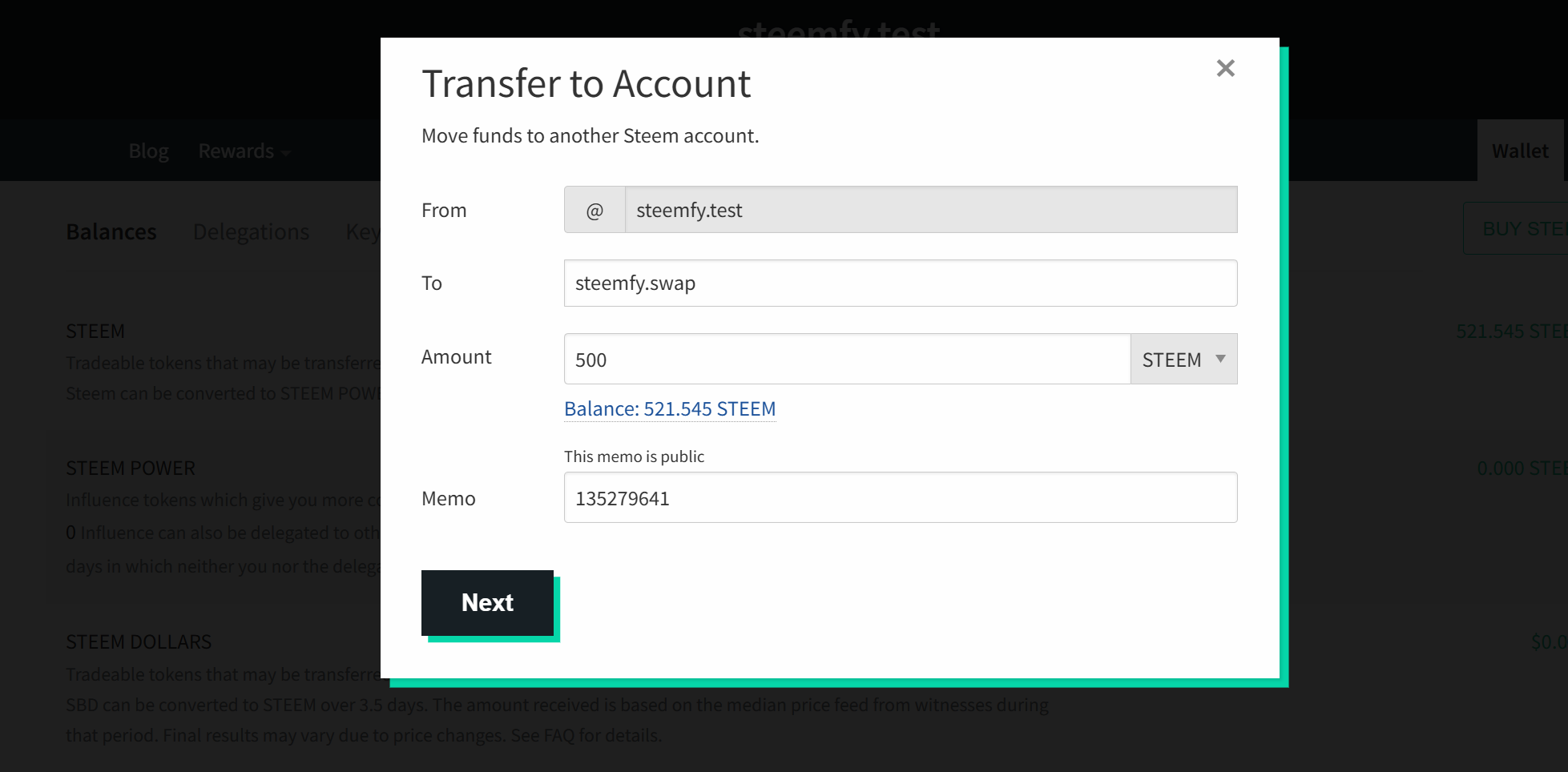
For Internal STEEM Deposits: If sending STEEM from a native wallet, as shown in the above image, initiate a transfer to the official account steemfy.swap. Enter the exact asset amount and ensure you copy and paste the precise numerical Memo generated by the system.
For Cross-Chain Deposits: If you are swapping an external token such as USDT via BEP20, open your decentralized web3 wallet or exchange account, and transfer the exact required balance to the generated contract deposit address.
 |  |
|---|
Step 5: Automated Processing and Completion
Once your network transfer achieves sufficient blockchain confirmations, the SteemDEX automated backend will process the payout:
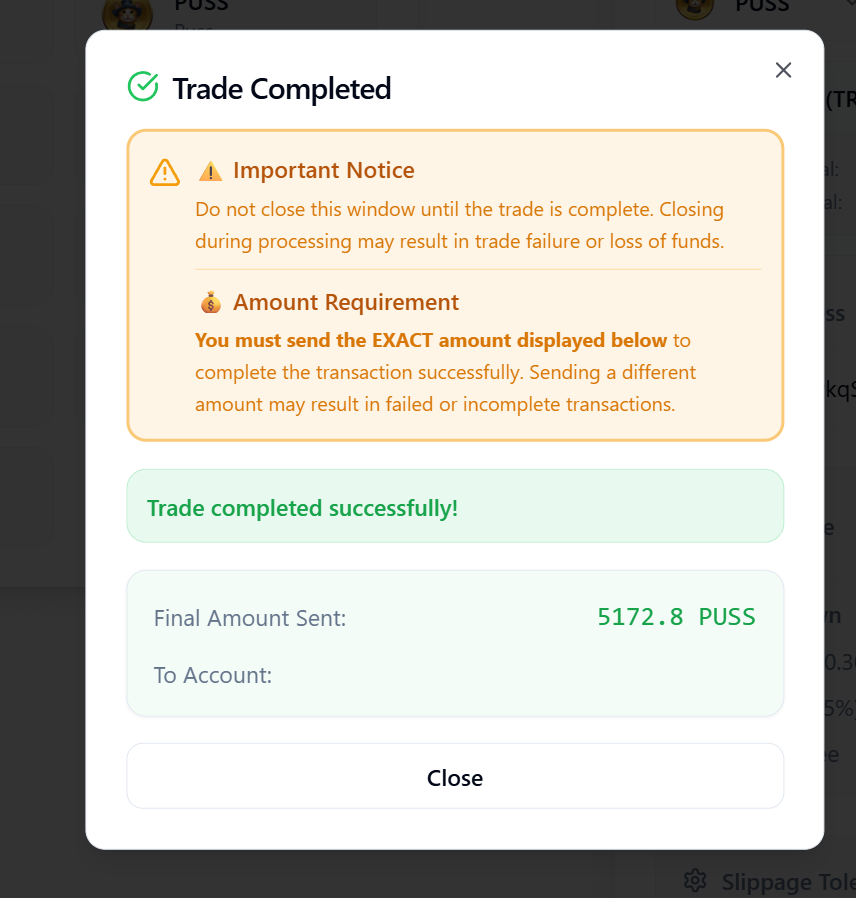
The system prompt will update to a green notification stating "Trade completed successfully!", as seen in the above image.
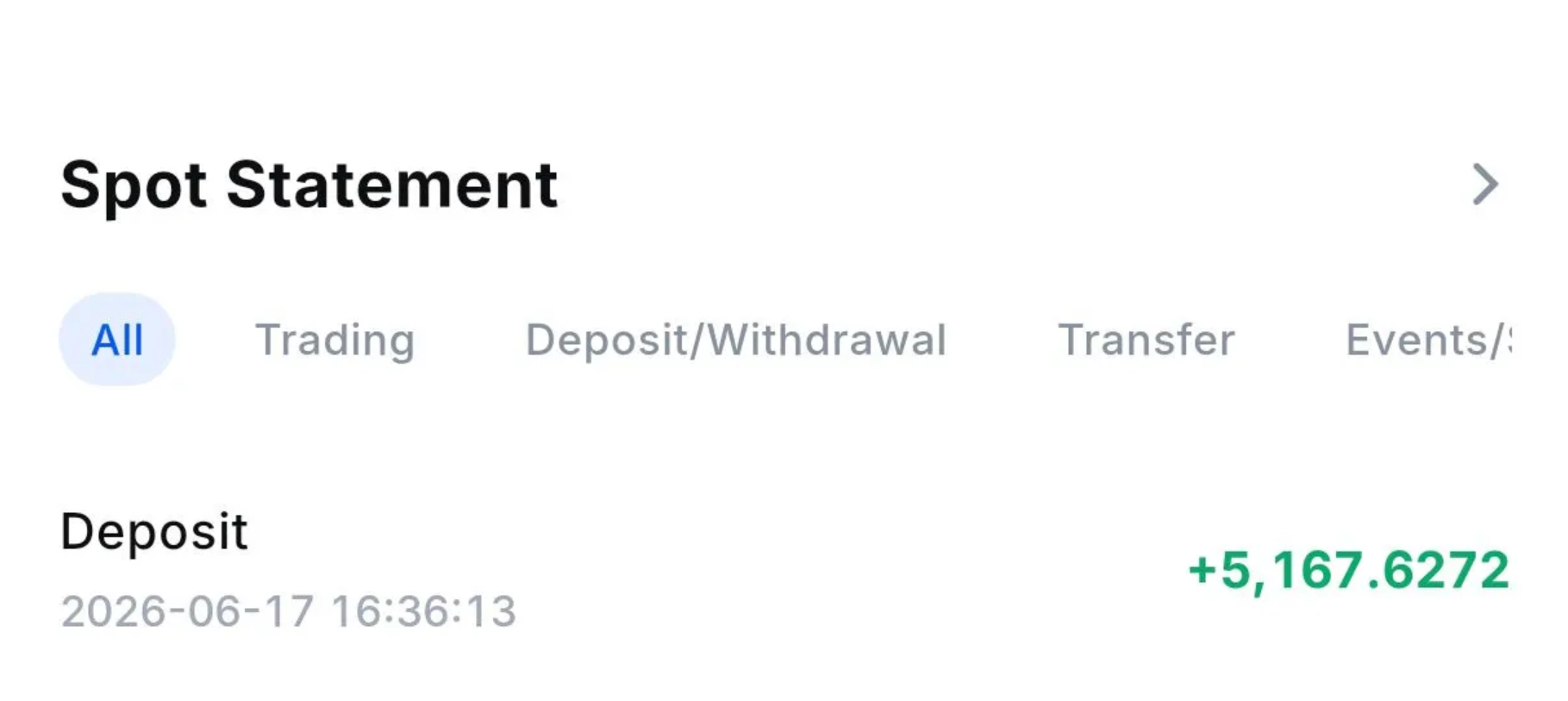
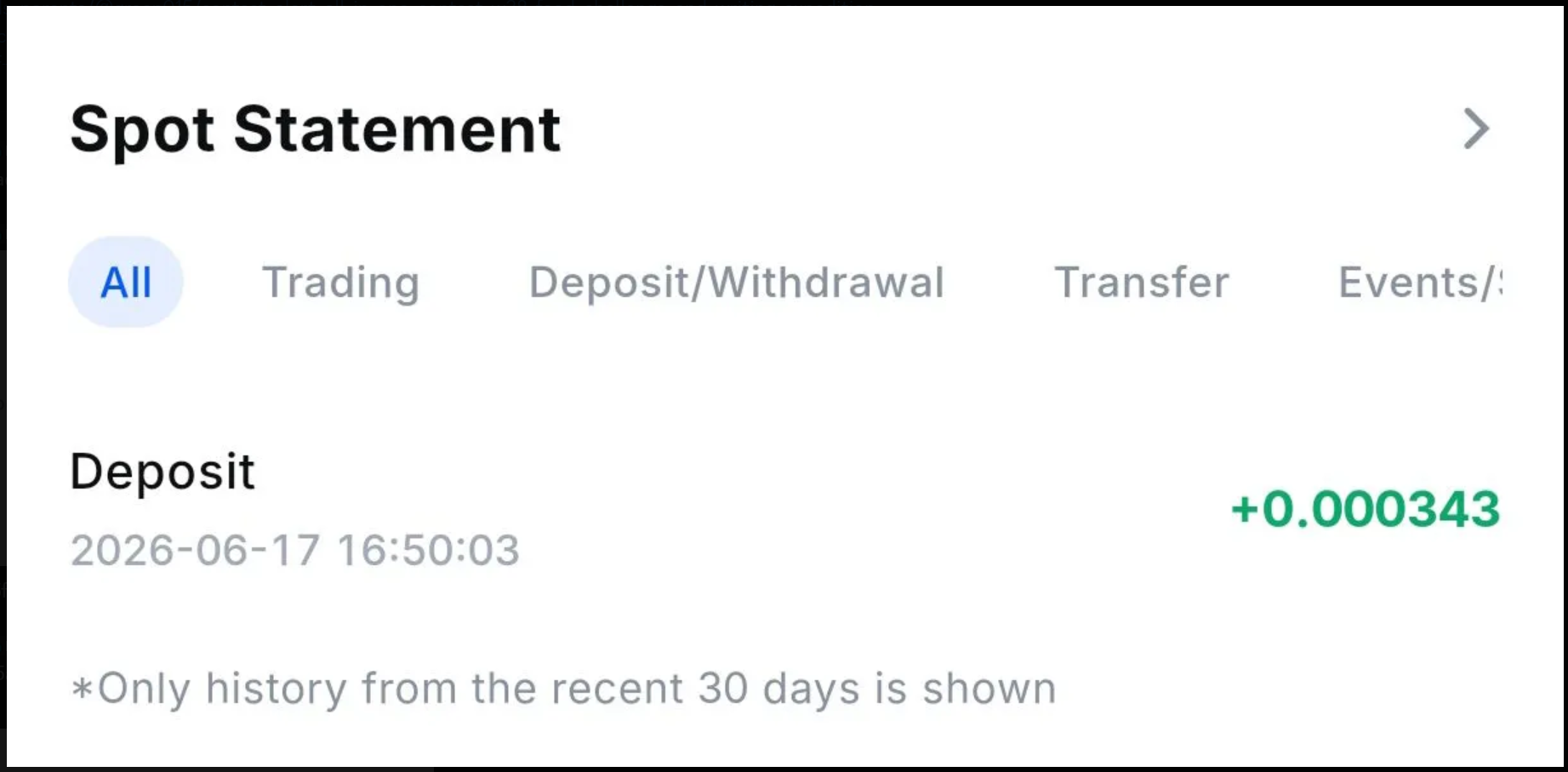
The converted tokens will be sent directly to your specified receiving wallet address. You can verify the incoming balance by checking your wallet's standard deposit history or spot statement, as illustrated in the above image.
Important Notice on Final Payouts:
You may notice a slight variation in the final $PUSS amount received compared to the initial estimate. This occurs due to Slippage Tolerance, especially when there is insufficient order book depth (buy liquidity) at that exact millisecond. The automated system executes the trade at the best available market depth to ensure completion.
System Reliability & Support
The development team remains committed to maintaining a secure, efficient, and non-custodial trading environment. Continuous monitoring is active to ensure absolute system stability. Please verify your destination addresses and network configurations carefully before executing any transaction.
For technical assistance or to report anomalies, please join our official Discord Support Channel.
Thank you for your continued support as we optimize the SteemDEX ecosystem.
Support SteemFy
Go to Official Steemit Wallet (https://steemitwallet.com)

Click This Link, Scroll to the bottom, and fill steemfy in the form to approve us as witness
You can also approve our witness via Steem Login (https://steemlogin.com/)
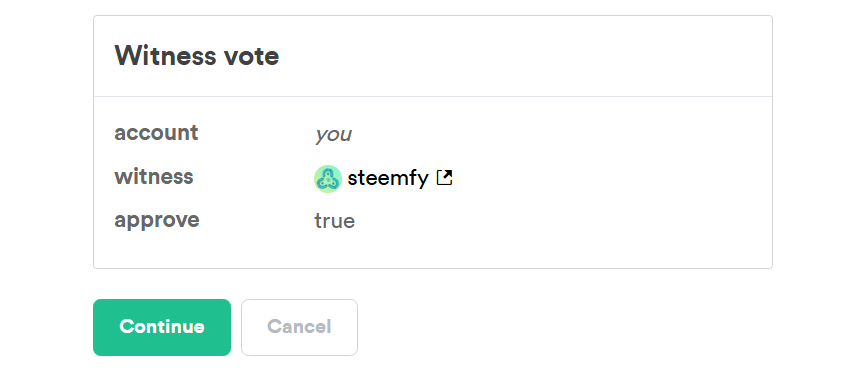
Click This Link , Then proceed with your steem username and key.
Thanks for your time and support. Let’s make Steem great, again.
Learn More About SteemFy:
Official Steem Account: @steemfy
Official Website: https://steemfy.com/
Official Mail; [email protected]
Official Discord Server: https://discord.gg/hVdBQ8dyNP
Official X Account: https://x.com/steemfy
I did a swap today for steem to usdt on BSC chain and I did not receive USDT in my wallet. Please help
here is the txn snapshot-

Thank you for sharing on steem! I'm witness fuli, and I've given you a free upvote. If you'd like to support me, please consider voting at https://steemitwallet.com/~witnesses 🌟
Very nice job, this is a nice feature for Steem users! 🔥