Five Themeable UI Primitives for React Native — Badge, Button, Icons, Input & Skeleton
Previously: Launching the rn-markdown-editor ecosystem — a native
MarkdownEditor,MarkdownRenderer, andMarkdownTablesuite for React Native and Expo.
A short rundown of the core building-block components included in this package, what each one actually does, and how the pieces fit together.
Overview
This package ships a small set of themeable, cross-platform primitives for React Native (iOS, Android, and Web). Every component reads its colors from a shared useColors() theme hook, so swapping a theme updates every component consistently — no per-component color props to chase down unless you want to override them.
The components covered here:
- Badge — small status/label pill
- Button — interactive pressable with variants and hover/press states
- Icons — a set of 41 hand-built SVG icons
- Input — themed single/multiline text field
- Skeleton — animated loading placeholder
- ImageViewer — full-screen pinch-zoom image viewer with download support
Badge
Badge renders a small rounded pill, typically used for statuses, counts, or tags.
- 7 variants:
default,secondary,outline,destructive,success,accent,warning— each maps to a different background/text pair from the active theme. - Manual overrides:
bgColor,textColor, andborderColorprops let you bypass the variant defaults entirely for a one-off badge. - Render-prop children: pass a function as
childrenand receive the resolvedtextColor, useful when you need to color an icon or nested text to match. - Built with
forwardRef, so a parent can hold a ref to the underlyingView.
<Badge variant="success">Active</Badge>
<Badge variant="outline" borderColor="#999">Draft</Badge>
Button
Button wraps Pressable with five visual variants (primary, secondary, outline, ghost, link) and five size presets (default, sm, lg, icon, none).
- Hover and press states are tracked internally (
isHovered,isPressed) and each variant defines its own default background/text/border for the resting, hovered, and pressed states — all independently overridable via props likehoveredBackgroundColororpressedTextColor. outlinevariant inverts to a filled, theme-colored button on hover/press rather than just changing the border.linkvariant underlines its text on hover.- Accepts a render-prop
childrenfunction exposing{ hovered, pressed, textColor, backgroundColor }for fully custom button contents. - Disabled state automatically drops opacity to
0.5.
Icons
A set of 41 SVG icons built directly on react-native-svg — no icon font, no @expo/vector-icons dependency.
- Every icon is generated through a single
makeIcon()factory, so they all share the same prop surface:size,color,fill, andstrokeWidth. - Color defaults to the theme's
foregroundtoken viauseColors()if no explicitcoloris passed. - Covers common needs for a text editor / content UI: formatting (
Bold,Italic,Underline,Strikethrough,Code), headings (Heading1–3), lists, alignment, media (Link,Image,Table,Upload), and general UI icons (ChevronLeft/Right/Up/Down,Cross,Check,Search,Settings,Bell,Heart, and more).
<Icons.Bold size={18} />
<Icons.Heart color={colors.destructive} fill={colors.destructive} />
Input
A themed wrapper around React Native's TextInput.
- Focus-aware border: switches to the theme's
ringcolor while focused,bordercolor otherwise. - Auto-growing multiline: when
multilineis set, the component tracksonContentSizeChangeand adjusts its own height to fit content instead of relying on a fixednumberOfLines. - Web outline removal: strips the default browser focus outline on web so the themed border is the only focus indicator.
- Forwards its ref to the underlying native
TextInput, so.focus()/.blur()work as expected from a parent.
Skeleton
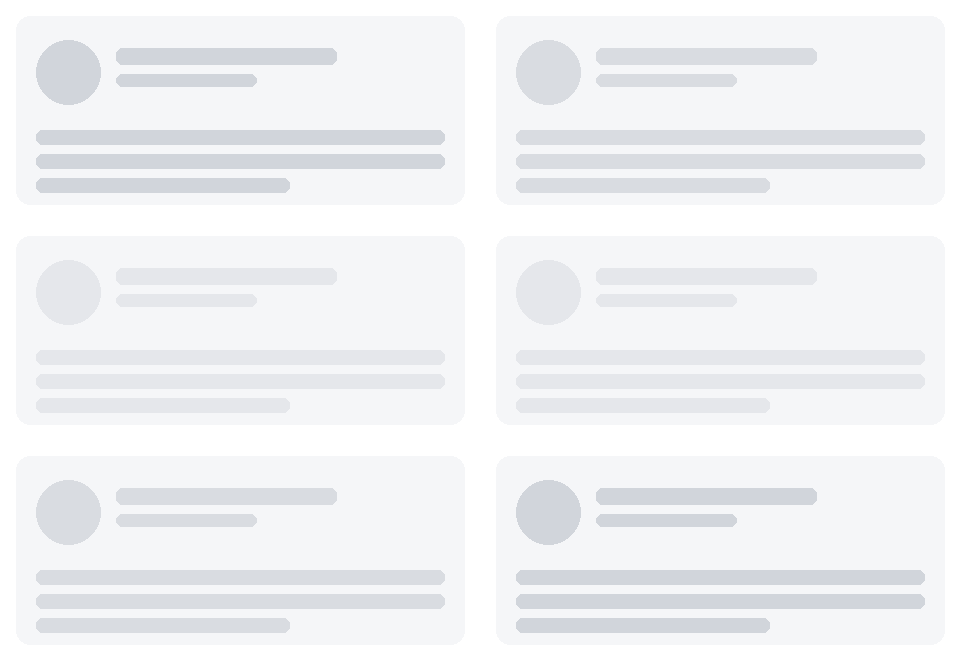
A loading placeholder that pulses opacity between 1 and 0.4 on a 700ms loop, using Animated with useNativeDriver: true.
- Configurable
width,height, andborderRadius. - The animation starts on mount and is cleaned up (
pulse.stop()) on unmount, so it won't keep animating after the component is gone.
Here's what that pulse looks like in practice:
ImageViewer
A full-screen modal image viewer with pinch-to-zoom, pan, and a save-to-device button.
- Pinch-to-zoom & pan: implemented with raw responder events (
onResponderGrant/Move/Release) andAnimated.Valuetracking — clamped between 0.5x and 5x scale. Releasing below 1x springs back to the reset position. - Web support: mouse-wheel zoom is wired up separately for web, since there's no pinch gesture there.
- Download flow: on native, it requests
expo-media-librarypermission, downloads viaexpo-file-system'sDownloadTaskwith live progress, and saves directly to the camera roll. On web, it fetches the image as a blob and triggers a real<a download>save (falling back to a plain anchor click if the fetch fails, e.g. due to CORS). - Imperative API: exposes
open(src, alt?)andclose()viauseImperativeHandle, so you control it from a ref rather than local visibility state. - Skips mounting the heavy modal subtree entirely while closed, and guards against overlapping open/close animations.
const viewerRef = useRef<ImageViewerRef>(null);
viewerRef.current?.open(imageUrl, "A description of the image");

<ImageViewer ref={viewerRef} accentColor="#3B82F6" />
System Reliability & Support
The development team remains committed to maintaining a secure, efficient, and highly optimized open-source toolkit. Continuous updates are actively deployed to ensure total cross-platform stability across iOS, Android, and Web deployments. Please cross-reference your project environments and peer packages carefully during initial setup.
For technical assistance or to report rendering anomalies, please submit an issue on our official NPM Project Page.
Thank you for your continued support as we optimize the mobile markdown environment.
Thanks for your time and support. Let’s make Steem great, again.
Learn More About rn-markdown-editor:
Official NPM Link: https://www.npmjs.com/package/rn-markdown-editor
Primary Architecture: TypeScript / JavaScript
Supported Environments: Expo & Bare React Native CLI
Utility Exports: useDebouncedInput, useDisclosure, useMergeState