Achievement 2: Basic Security on Steem Task by @chiamy
Hello Steemians, I am happy to present my Achievement 2 post focusing on basic security on the Steem blockchain. Understanding how to secure my account and use my keys properly is essential for my journey here.
- Question 1: Have you retrieved all your keys on Steemit?
Yes, I have successfully retrieved all my keys. I downloaded the PDF containing my Master Password and private keys on Day 1 and have safely stored them.
- Question 2: Do you know each of these keys' functions and restrictions?
Yes, I understand the distinct functions of each key:
- Posting Key: This is my daily driver. It is used to log in, publish posts, leave comments, upvote, and resteem content. It cannot be used for financial transactions.
- Active Key: This key handles wallet operations. It is used to transfer tokens, power up STEEM, place market orders, or update profile details.
- Owner Key: The most powerful key. It is only needed if I need to change/recover my other keys if my account security is compromised.
- Memo Key: Used strictly to encrypt or decrypt private memos attached to wallet transfers.
-Master Password: The main key used to generate all the other keys. It should never be used for daily logins.
- Question 3: How do you plan to keep your master password safe?
I have printed out a copy of my Master Password and saved it offline in a physical notebook. I have also saved an encrypted digital copy on an offline flash drive to make sure I never lose access or get hacked.
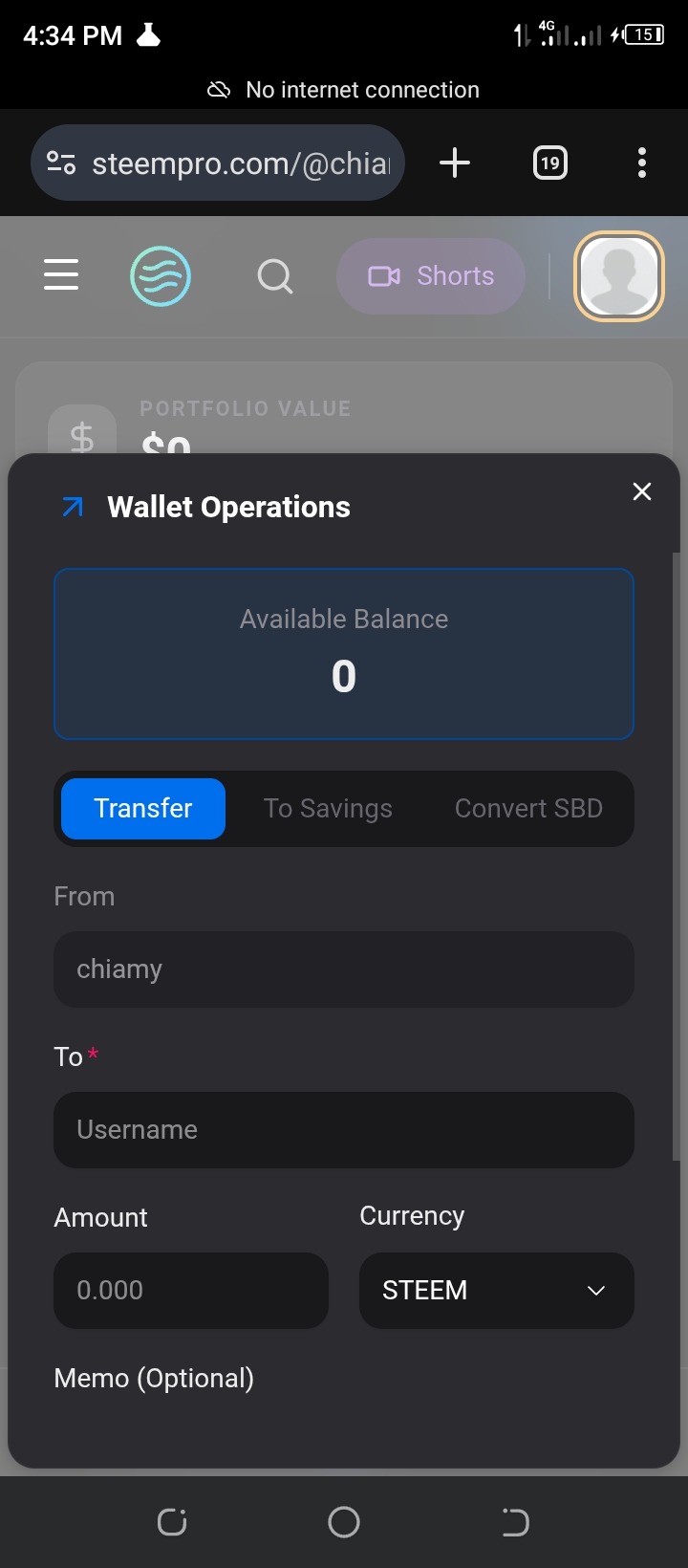
-Question 4: Do you know how to transfer your STEEM tokens to another Steem account?
Yes. To transfer STEEM, I navigate to my Steemit Wallet, click the drop-down arrow next to my STEEM balance, and select "Transfer." I then fill in the recipient's username and the amount before confirming the action using my Active Key.
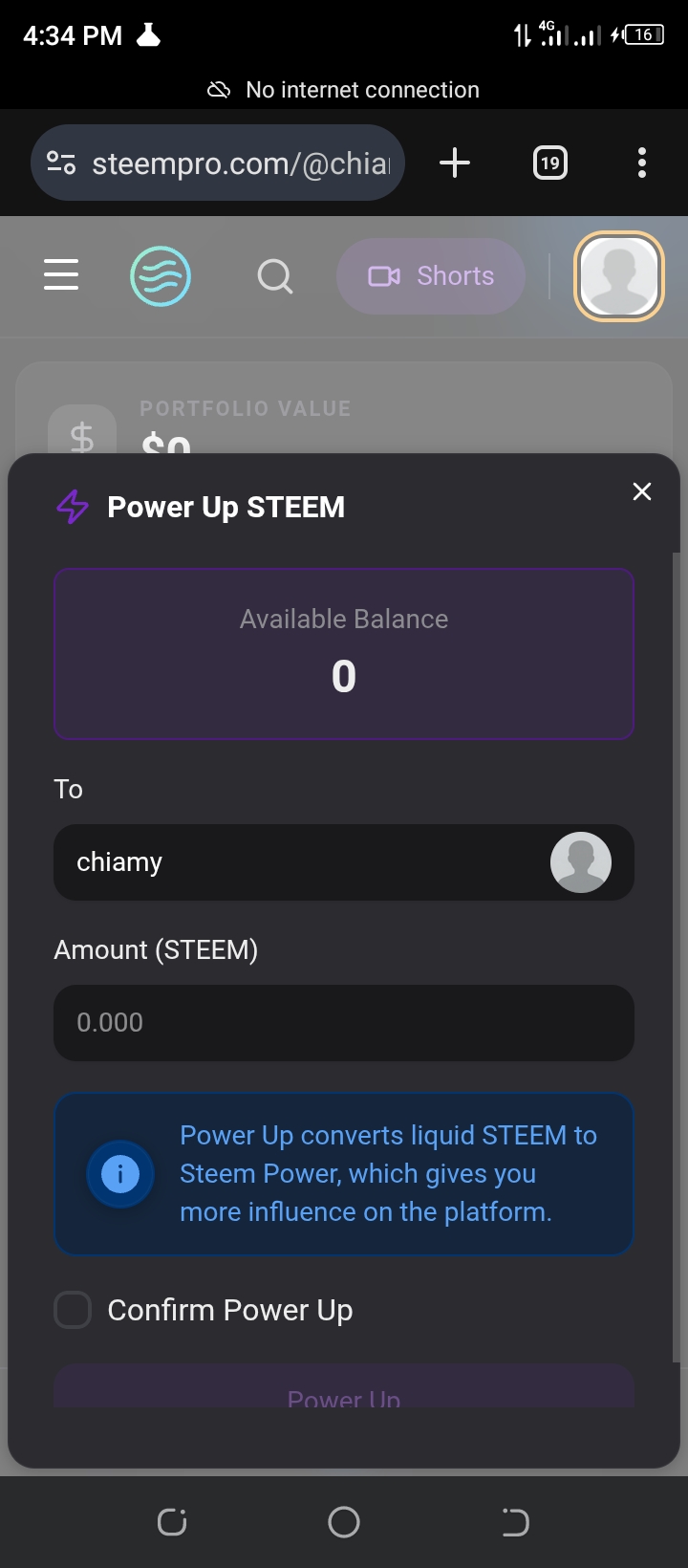
-Question 5: Do you know how to power up your STEEM?
Yes. To Power Up, I click the drop-down arrow next to my STEEM balance in my wallet and select "Power Up." I enter the amount of liquid STEEM I want to lock into STEEM POWER to increase my voting influence, and authorize it using my Active Key.
Thank you to the newcomers team for guiding us through these security protocols!