How I Created my Friend's Medical Induction Compilation Video?

My friend was about to celebrate her 1 month anniversary as a medical doctor as she got inducted into the medical profession on the 7th of April, 2026. I was her videographer and didn't really had to time to compile these videos for her. I just sent the short clips she needed which were the bows, path taking and pledge. So I had to edit it and it was really urgent. I dedicated one full day for this task because in video editing, you must involve your mind to be creative enough.
Creativity development |
|---|
Questions like, what songs will I use for the video that will make sense, how do I connect the videos together and make it cinematic, how do I make the video creative or is it by joining videos only? I thought of all these and then took it personal.
- Choice of songs
- First impression starter
- Ending
- Merging videos and extraction
If you can't keep up with these, you can't edit videos even if you have the best of apps. You must be creative with just as if you're writing a quality post.
Tools Used |
|---|
- Capcut for editing
- Trendybeats for downloading songs etc.
Tutorials on how I did it — Learn with Steem |
|---|
The first step is to attach all the videos together by clicking on the ADD button and then place all your videos on HD to improve the quality. After doing that, I made sure all my videos were in improved HD. I used the Video quality feature on Capture to improve my videos. If yours isn't showing that way, you'll have to use the ADJUST feature and increase the clarity and sharpness points. These improves the video quality
After doing that to all the clips, I cut out the unnecessary parts because some of the videos were too long and I did that using the SPLIT tool
You can access this feature by tapping on the video you want to edit and you'll see it.
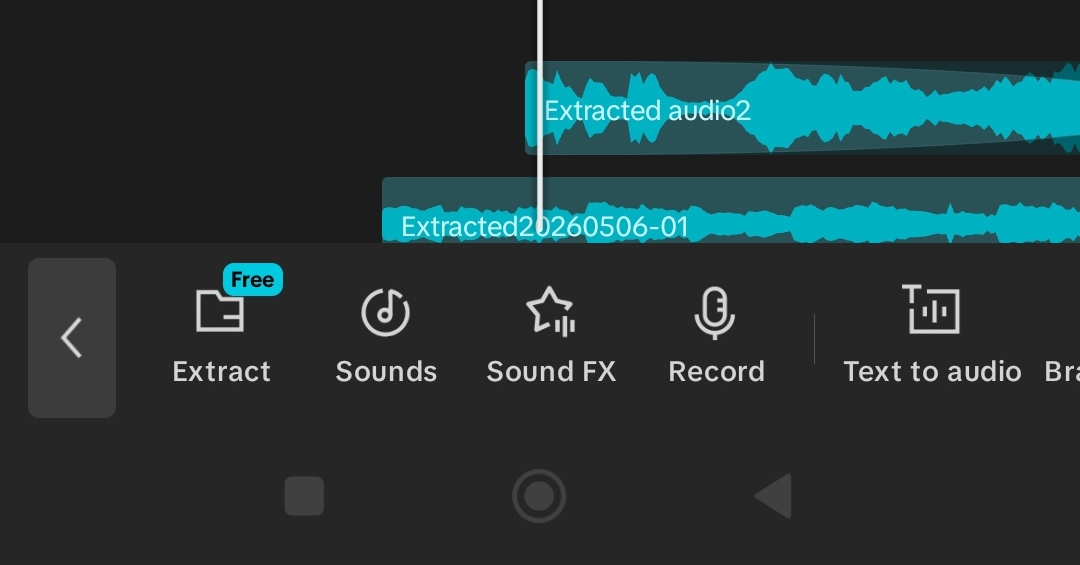
- After this, I started with my first impression. My first impression was with a picture and I added that picture in front of the video and then used the ANIMATIONS feature to make it creative. After the picture was the oath taking video where she announced herself as a doctor. I used the voice extraction feature here and the used text to write her name as she calls it out. I made sure it rhymed.
 |  |  |
|---|
- After that was done, I moved it to the next slide. I tried to blend videos but adding animations so they won't just enter like that. They'll enter with style and I changed song in this slide since I was using Tiktok videos to extract the audio. The song I used rhymed well. After that, I tried using the speed option to increase the pace. I then used Stand up for the Champion song to make these clips befitting because she was taking her vows and doing congratulations things which made her a champion so to speak. She even collected very license.
 |  |  |
|---|---|---|
 |  |  |
- After that induction section, the reception was next since she wanted something that would suggest sequence of the whole event. I used a different song for this part, but before doing so, I had to cut the previous one out and use the FADE option to end the song in a concurrent way. The conclusion was quite tough for me but I overcame it by using text and text animations to make it beautiful. It's shown in the screenshots and video.
 |  |  |
|---|
Review |
|---|
My client told me she loved the video. This was the best part after the editing aspect. It was just so amazing to hear. Why? Because I thought she'll tell me to re-edit after the stress. I was satisfied that she was satisfied.
 |  |
|---|
Posted with Speem
High-Yield Curation by @steem-seven
Your content has been supported!
Maximize your passive income!
Delegate your SP to us and earn high rewards
Click here to see our Tiered Reward System
We are the hope!
Curated by: @wilmer1988
Your post have been rewarded by the Speak on Steem curator team!
Now become a plus member delegating at least 500 SP
Ways to support us:
Curated by @ninapenda
