Crucial Everyday Linux 2026 Commands

We will discuss Linux commands that are used on a daily basis nowadays, and we will make every effort to cover every command that is used on a daily basis.
Our customers must already be familiar with some of the instructions from the post "Basic commands for CentOS 9." Let's begin with the first category of commands for everyday use.
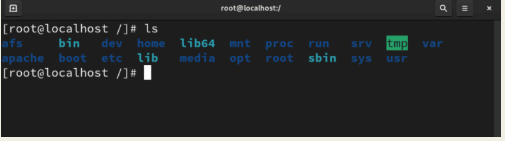
- File and Directory Management ls: The Linux command ls, which stands for "List," is useful for listing a directory's contents. It facilitates navigation by displaying files and folders that are present in the current or designated directory.
Because you frequently need to verify the contents of directories when working in the terminal, it is one of the most frequently used everyday commands. Additionally, you can view hidden files by using options like ls -a or ls -l for comprehensive information.
Format and Example: "ls" is compatible with the ls command.
The command "cd," which stands for "Change Directory," is used to modify the current directory.
Format: cd (name of path)
For instance, cd /var/www/html
The acronym pwd, which stands for "Print Working Directory," is used to determine or print the user's working directory.
Format and Example: "pwd" is used by the pwd command.
cp: The acronym for "Copy" is used to copy files and folders.
File format: cp (original file) (destination file)
For instance, cp my.txt mycopy.txt
mv: The acronym for "move" is used to transfer files and folders. The file can also be renamed using it.
Format: source file (mv) (destination file)
For instance, mv my.txt my1.txt
- File Viewing and Editing cat: cat, which stands for "Concatenate," aids in showing the file's information, which is something that a lot of people take into account while using commands on a regular basis.
Format: cat (filename)
For instance, cat my1.txt
For more information, visit the website: https://rootlearning.in/