Minecraft Servers – Exploring the World of Multiplayer Minecraft
Minecraft servers allow players from around the world to connect and play together in shared virtual worlds. Instead of exploring alone in single-player mode, servers provide communities where players can collaborate, compete, and create large projects together. With thousands of servers available, Minecraft multiplayer offers endless possibilities for different styles of gameplay.
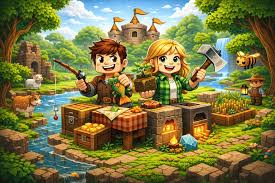
What Are Minecraft Servers?
A Minecraft server is a multiplayer environment hosted online where multiple players can join the same world at the same time. Each server has its own rules, settings, and gameplay features. Some servers focus on survival gameplay, while others introduce custom game modes, mini-games, or roleplaying adventures.
Servers are usually managed by administrators who control the world settings, install plugins, and moderate the community to maintain a fun and fair environment.
Popular Types of Minecraft Servers
Minecraft servers come in many different formats depending on the gameplay style they offer.
Survival Servers provide the traditional Minecraft experience where players gather resources, craft tools, build structures, and survive together in a shared world.
SMP (Survival Multiplayer) servers focus on community interaction. Players often build towns, trade items, and work together on long-term projects.
Skyblock Servers challenge players to start on a small floating island with limited resources. The goal is to expand the island by completing tasks and managing resources carefully.
PvP and Factions Servers are designed for competitive gameplay. Players create teams, build bases, and battle rival groups to control territory and resources.
Mini-Game Servers feature short game modes such as BedWars, parkour challenges, and arena battles. These servers are ideal for quick and exciting gameplay sessions.
Roleplay and RPG Servers introduce storylines, quests, and custom features that create immersive worlds where players can take on different roles.
How to Join a Minecraft Server
Joining a server is simple and only takes a few steps. First, launch Minecraft and go to the multiplayer section of the main menu. Next, choose the option to add a new server and enter the server’s IP address. Once the information is saved, you can connect and start playing in the multiplayer world.
Before joining, it is important to check that the server supports your version of Minecraft to avoid connection problems.
Benefits of Playing on Minecraft Servers
Minecraft servers bring many advantages compared to single-player gameplay. Players can meet new people, work together on creative builds, participate in events, and explore unique maps designed by the server community. Many servers also include custom plugins, economy systems, and special activities that keep the gameplay fresh and engaging.
Choosing the Right Server
With so many servers available, it is helpful to consider a few factors before joining. Look for servers with active players, clear rules, and reliable moderation. A strong community and stable server performance can greatly improve your multiplayer experience.
Conclusion
Minecraft servers open the door to an exciting multiplayer universe where players can collaborate, compete, and explore creative worlds together. Whether you prefer survival gameplay, competitive battles, or unique mini-games, there is a server designed for every type of player. By exploring different servers and communities, you can find a world that makes your Minecraft adventure even more enjoyable.
I’ve been grabbing most of my MCPE add‑ons from ModsCraft Mods because the one‑click installs save me a ton of time, especially when I’m swapping between different version setups. If you’re testing boss fights or furniture builds, it’s handy having everything sorted by update number so you’re not guessing what works with your game.