Secure Your Lecture PDFs: How to Prevent Sharing, Piracy, and DRM Removal
Secure Your Lecture PDFs: How to Prevent Sharing, Piracy, and DRM Removal
Try the free online demo now: https://drm.verypdf.com
As a professor, I've often felt a twinge of anxiety when sharing my lecture PDFs with students. You spend hours preparing slides, homework, and course readings, only to worry that someone might forward them to friends, post them online, or convert them into editable Word documents. It's a real problem in modern classrooms: digital content is easy to distribute—but once it's out there, control is gone. That's why I started using VeryPDF DRM Protector, a tool that gives me confidence my materials stay in the hands of the students I intend.
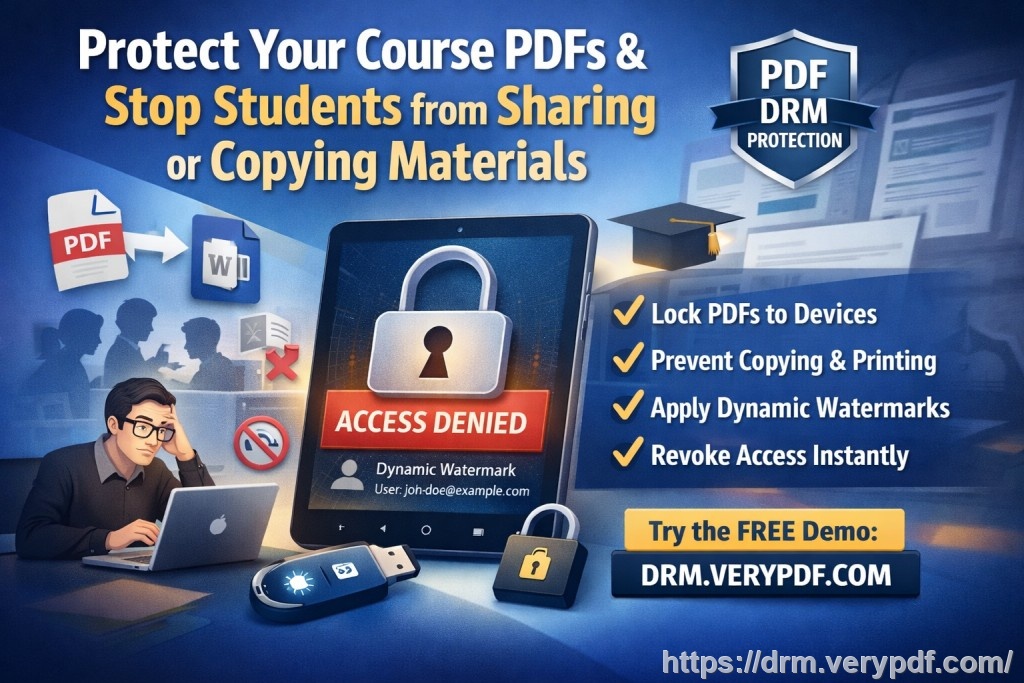
Why Classroom PDFs Are Vulnerable
I've seen it happen more times than I care to admit. A student shares a homework PDF with a friend who isn't even enrolled. Another prints lecture slides without permission and distributes them. And sometimes, clever students manage to convert PDFs into editable formats, making it harder to track misuse. These scenarios don't just affect your control—they impact the value of your paid or exclusive course materials and compromise fairness in grading and academic integrity.
Some common pain points include:
Unauthorized sharing: Students forwarding PDFs to others or posting them online.
Copying and printing: PDFs being printed, copied, or converted to Word, Excel, or image files.
Loss of control over paid or restricted content: Once shared, it's nearly impossible to revoke access or track misuse.
How VeryPDF DRM Protector Solves These Issues
VeryPDF DRM Protector is designed specifically for educators who want to maintain control over their digital course materials. It's not just about locking a PDF—it's about giving you flexible, real-world tools to protect your content.
Here's what it does in practical classroom scenarios:
Restrict access to enrolled students: Only students you authorize can open the PDFs. If someone else tries, the file won't open.
Prevent printing, copying, and forwarding: You can completely stop printing or set limits, ensuring students can read but not redistribute or modify your materials.
Stop DRM removal and conversions: PDFs can't be converted to Word, Excel, images, or any other format, preventing unauthorized edits.
Protect lecture slides, homework, or paid course materials: Whether you're teaching online or in-person, your content stays secure.
I remember one semester when I distributed a set of graded homework PDFs. Previously, some students would share answers with friends, making grading a nightmare. With VeryPDF DRM Protector, I restricted access to just the enrolled students, added dynamic watermarks with their names and email addresses, and limited printing. Not only did this reduce copying, but it also discouraged sharing because the watermarks identified each student personally.
Anti-Piracy Benefits in the Classroom
Digital piracy isn't just a concern for movies or music—it happens in education too. Without proper protections, lecture slides, assignments, and paid course content can be leaked. VeryPDF DRM Protector tackles this in several ways:
Stops screen sharing and screenshots: The tool blocks apps like Zoom or WebEx from capturing your PDFs, and prevents screen grab tools from saving copies.
Dynamic watermarks: Every printout or viewed file displays the user's info, making it traceable if shared.
Expiry and revocation: You can set documents to expire after a certain number of views, prints, or days—or revoke access instantly if needed.
Device and location locks: PDFs can be locked to a student's computer, tablet, or USB, preventing unauthorized distribution.
For example, during an online workshop, one of my students accidentally shared a USB containing lecture slides. Because I had locked the PDFs to their device, nobody else could open the files. I simply revoked access from that student's account and reassigned permissions to prevent further mishaps. It saved me hours of stress and safeguarded the content for all participants.
Practical Steps to Protect Your PDFs
Protecting your teaching materials doesn't need to be complicated. Here's a simple workflow I follow:
Select your PDFs: Lecture slides, homework, exams, or paid content.
Set access permissions: Assign which students or groups can view the files.
Control printing and copying: Decide whether to allow printing, limit prints, or disable copying entirely.
Add dynamic watermarks: Include student name, email, and date/time on visible or invisible layers.
Apply expiry or revocation settings: Determine when PDFs should expire or if access may be revoked mid-term.
Distribute securely: Share via email, web portal, or USB knowing your content is protected.
Following these steps has transformed how I manage course materials. Not only is it easier to distribute PDFs safely, but I also spend less time chasing down unauthorized copies. Students are more accountable, and I retain control over my intellectual property.
Real Classroom Examples
Online courses: When hosting an online seminar, I used DRM Protector to ensure slides could not be downloaded or shared. Students accessed files only through their accounts, and all screenshots were blocked.
Paid workshops: For a paid short course, I restricted PDFs to paying participants and set automatic expiry dates. This prevented reselling or unauthorized distribution.
Graded homework: I watermarked every PDF with student info and limited printing. Sharing answers became practically impossible, and I could focus on grading rather than policing leaks.
Conclusion: Why I Recommend VeryPDF DRM Protector
After using VeryPDF DRM Protector across multiple courses, I can confidently say it's a game-changer for educators. It addresses the pain points of unauthorized sharing, printing, and conversions, while keeping your PDFs secure and easy to distribute. I highly recommend this to anyone distributing PDFs to students, especially for paid content or graded materials.
Try it now and protect your course materials: https://drm.verypdf.com
Start your free trial today and regain control over your PDFs.
Frequently Asked Questions
Q: How can I limit student access to PDFs?
A: With VeryPDF DRM Protector, you can assign access only to specific students or groups, ensuring unauthorized users cannot open the files.
Q: Can students still read PDFs without copying, printing, or converting?
A: Yes. You can allow reading while blocking printing, copying, forwarding, or format conversion, so they can study without redistributing.
Q: How do I track who accessed the files?
A: Dynamic watermarks and access logs allow you to see which student opened or printed the PDF, helping identify potential misuse.
Q: Does it prevent PDF piracy and unauthorized sharing?
A: Absolutely. DRM controls block printing, copying, screen grabs, and conversion, and you can revoke access anytime, making piracy nearly impossible.
Q: How easy is it to distribute protected lecture slides and homework?
A: Very easy. You can share via email, web portals, or USB. Students don't need complex logins, and files remain secure on their devices.
Q: Can PDFs expire or be revoked after distribution?
A: Yes. You can set automatic expiry by views, prints, or date, and revoke access instantly if needed.
Q: Can I lock PDFs to specific devices or locations?
A: Yes. You can lock files to computers, tablets, USB sticks, or web viewers, preventing unauthorized access elsewhere.
Tags/Keywords:
protect course PDFs, prevent PDF piracy, stop students sharing homework, secure lecture materials, prevent DRM removal, anti-conversion PDF DRM, secure online courses, lecture PDF protection, homework PDF security, dynamic watermark PDFs