Google Search Console Features SEOs Should Be Using More Often
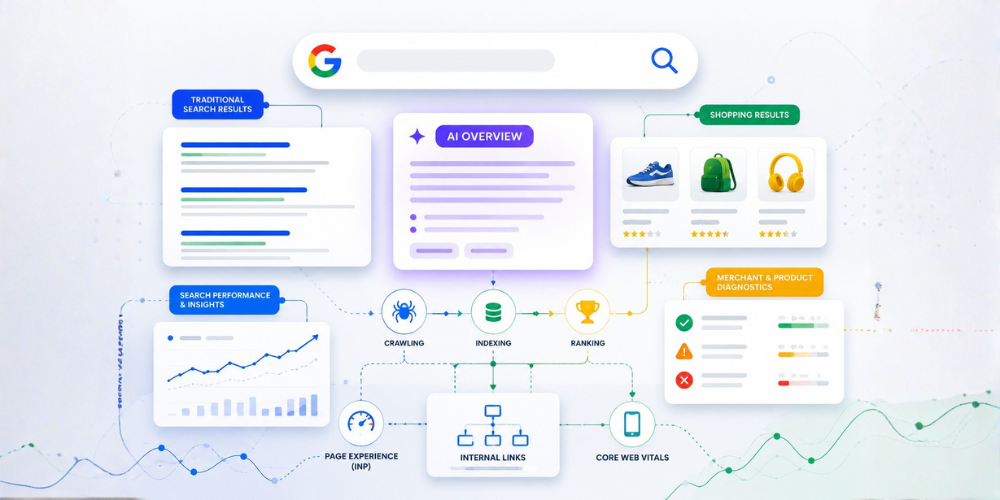
Google Search Console is often treated as a simple keyword and traffic-reporting tool. But there is much more information available if you know where to look.
For SEO professionals, Search Console can help uncover indexing issues, search opportunities, underperforming pages, technical problems, and changes in organic visibility.
Here are some of the features and workflows worth using more regularly.
1. Go Beyond Basic Clicks and Impressions
The Performance report provides more than a simple traffic overview.
You can analyze:
- Clicks
- Impressions
- Click-through rate
- Average position
- Search queries
- Pages
- Countries
- Devices
- Search appearance
Instead of looking only at total clicks, try combining these dimensions.
For example, a page receiving plenty of impressions but a relatively low CTR may be an opportunity to improve its title and description.
Similarly, queries with strong impressions but limited clicks can reveal topics where your page is visible but isn't attracting enough searchers.
2. Use Advanced Filters
Search Console allows you to filter Performance data using different dimensions.
You can filter by specific pages, queries, countries, devices, and other available dimensions. More advanced filtering can also help isolate groups of URLs or queries.
One useful approach is to look specifically for pages containing a particular URL structure, such as:
/blog/
or
/services/
This can help you understand how different sections of a website are performing instead of treating the entire domain as one dataset.
3. Compare Different Segments
Comparison is one of the easiest ways to turn Search Console data into something actionable.
You can compare things such as:
- Mobile vs. desktop
- Different countries
- Different time periods
- Search types
- Different groups of pages
For example, if mobile impressions are increasing while mobile CTR is falling, that may deserve a closer look.
The important thing is to compare data with a specific question in mind rather than creating comparisons simply because the option exists.
4. Find High-Impression, Low-CTR Opportunities
This is one of the most practical SEO workflows in Search Console.
Open the Performance report and examine pages or queries with substantial impressions but comparatively low CTR.
These URLs are already appearing in Google, which means they have visibility.
The next step is to investigate:
- Does the title accurately describe the content?
- Is the meta description useful?
- Does the page satisfy the search intent?
- Are competing results offering something more compelling?
- Could the content better answer the query?
Not every low-CTR page needs an immediate change, but these pages can provide a useful optimization shortlist.
5. Use URL Inspection for Page-Level Diagnosis
The URL Inspection tool is useful when you want to understand how Google sees a specific URL.
It can help you investigate indexing status and inspect information about a page.
This becomes especially useful when a new or updated page isn't appearing in Google as expected.
Instead of guessing whether Google has discovered or indexed a URL, inspect the page directly and use the available information to determine what needs attention.
6. Look at Queries, Not Just Keywords
The Queries report can reveal how people actually discover your website.
Look beyond your primary target keywords.
You may find:
- Unexpected search terms
- Long-tail variations
- Question-based searches
- Branded searches
- Related topics
- Queries where your page has visibility but limited clicks
These findings can influence content updates, internal linking, new content ideas, and title optimization.
7. Separate Branded and Non-Branded Search
Understanding branded versus non-branded visibility can make performance reporting more meaningful.
Branded searches generally represent people already familiar with your company or website.
Non-branded searches can provide a better indication of visibility among people who may not already know the brand.
Looking at both separately can help answer a more useful question:
Are we simply getting more searches from people who already know us, or are we expanding our organic reach?
8. Check Indexing and Technical Issues
Search Console isn't only about rankings.
It can also help identify problems affecting how Google discovers and processes website content.
Regularly review indexing-related reports and investigate unexpected exclusions, errors, or sudden changes.
If an important page disappears from search visibility, checking indexing information should be part of the diagnostic process.
9. Don't Ignore Recommendations
Search Console can also surface recommendations based on your site's data.
These recommendations aren't a replacement for SEO analysis, but they can highlight issues, opportunities, or configuration changes worth reviewing.
Think of them as another source of clues rather than a complete SEO strategy.
10. Turn Search Console Data Into Actions
The biggest mistake is collecting SEO data without doing anything with it.
A better workflow is:
Find → Analyze → Prioritize → Optimize → Measure
For example:
A page has high impressions but low CTR.
↓
Investigate the queries and search intent.
↓
Review the title, description, and content.
↓
Make an appropriate optimization.
↓
Monitor the page's performance over time.
This turns Search Console from a reporting platform into a practical SEO decision-making tool.
Final Thoughts
Google Search Console can provide a surprisingly detailed view of how a website performs in Google Search.
The key isn't to check every report every day.
Instead, build a repeatable process around the information that can actually influence your SEO decisions.
If you're looking for a deeper walkthrough of the advanced features, workflows, and use cases discussed above, AdsLectic has published a detailed guide:
Google Search Console Advanced Features Most SEOs Ignore
Use Search Console to find opportunities, investigate problems, and measure what happens after you make SEO changes. That's where the data becomes genuinely valuable.