How to Calibrate Studio Monitors for Accurate Audio Mixing Output
When working in professional audio, accuracy is everything. Whether you're mixing music, editing dialogue, or mastering a final track, your decisions are only as good as what you hear. That’s why learning how to properly calibrate your studio monitors is essential. If you're setting up or upgrading your workspace, it’s also important to Shop Professional Audio Gear from trusted sources to ensure reliability and performance from the start.
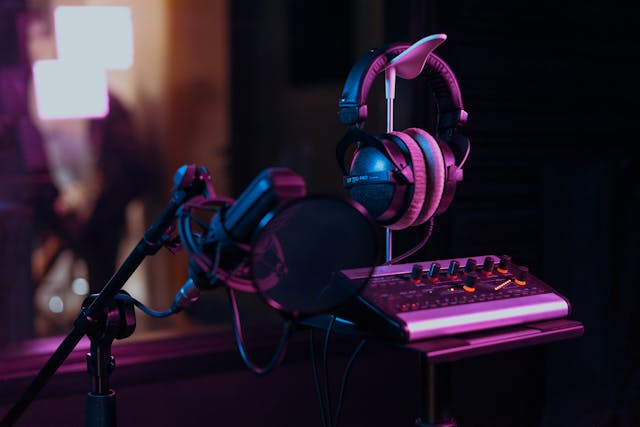
Why Studio Monitor Calibration Matters
Studio monitors are designed to provide a flat, uncolored representation of audio. However, even the best monitors can produce inaccurate sound if they are not calibrated properly within your room.
Key Reasons Calibration is Important:
- Accurate Frequency Response: Prevents overcompensating in mixes
- Consistent Listening Levels: Helps maintain balance across sessions
- Improved Translation: Ensures mixes sound good on other systems
- Reduced Ear Fatigue: Balanced sound reduces strain over long sessions
Without calibration, your mixes may sound great in your studio—but fall apart everywhere else.
Understanding Your Room Acoustics
Before calibrating your monitors, you need to understand that your room plays a major role in how sound behaves.
Common Acoustic Issues:
- Standing Waves: Cause bass buildup or cancellation
- Reflections: Affect stereo imaging and clarity
- Room Modes: Emphasize certain frequencies
Basic Acoustic Treatments:
- Bass traps in corners
- Acoustic panels at reflection points
- Diffusers for balanced sound distribution
Investing in proper acoustic treatment is just as important as buying high-quality monitors. If you're sourcing gear and accessories, Sole Source AV Supply is a reliable destination in the USA for professional audio equipment.
Step 1: Proper Monitor Placement
Calibration starts with positioning your monitors correctly.
Ideal Placement Guidelines:
- Form an equilateral triangle between you and the monitors
- Tweeters should be at ear level
- Keep monitors at least 6–12 inches away from walls
- Angle speakers slightly inward toward your listening position
Avoid:
- Placing monitors directly on desks without isolation
- Positioning too close to corners (causes bass exaggeration)
Using monitor isolation pads or stands can significantly improve accuracy.
Step 2: Set Reference Listening Level
Consistency in volume is critical for accurate mixing.
Standard Reference Levels:
- 85 dB SPL for large rooms
- 79–82 dB SPL for smaller home studios
How to Set It:
- Use a SPL meter (or calibrated app)
- Play pink noise through one monitor
- Adjust volume until it hits your target dB level
- Repeat for the second monitor
This ensures both speakers are outputting equal levels.
Step 3: Use Pink Noise for Calibration
Pink noise is commonly used because it contains equal energy per octave, making it ideal for calibration.
Process:
- Play pink noise through your monitors
- Measure output with an SPL meter
- Adjust gain controls on each monitor
Goal:
Achieve balanced output across both speakers at your listening position.
Step 4: Room EQ Calibration (Manual or Software-Based)
Even with perfect placement, your room will color the sound. That’s where EQ calibration comes in.
Manual Calibration:
- Use a measurement microphone
- Analyze frequency response using software
- Apply corrective EQ using hardware or plugins
Automated Calibration Tools:
Popular tools include:
- Sonarworks SoundID Reference
- IK Multimedia ARC System
- Dirac Live
These tools analyze your room and automatically apply correction profiles.
When building a professional setup, sourcing reliable calibration tools and monitors from trusted suppliers like Sole Source AV Supply ensures you're working with dependable gear.
Step 5: Check Stereo Imaging
Stereo imaging ensures accurate placement of sounds in the mix.
How to Test:
- Play reference tracks
- Use stereo imaging test files
- Listen for centered vocals and balanced instruments
Fix Issues By:
- Adjusting speaker angles
- Rechecking placement symmetry
- Minimizing reflections
Step 6: Subwoofer Calibration (If Applicable)
If you're using a subwoofer, proper integration is critical.
Key Steps:
- Set crossover frequency (typically 80 Hz)
- Match subwoofer level with monitors
- Align phase correctly
Tips:
- Avoid overpowering bass
- Use measurement tools for precision
Improper subwoofer calibration can ruin an otherwise accurate setup.
Step 7: Use Reference Tracks
Reference tracks are professionally mixed songs you know well.
Benefits:
- Provide a benchmark for tonal balance
- Help identify frequency imbalances
- Improve mix translation
How to Use:
- Compare your mix to reference tracks
- Match levels before comparing
- Focus on clarity, bass, and stereo width
Step 8: Fine-Tuning Your Listening Environment
Calibration is not a one-time process. It requires ongoing adjustments.
Regular Checks:
- Recalibrate after moving equipment
- Monitor room changes (furniture, treatment)
- Periodically verify SPL levels
Ear Training:
Your ears are your most important tool. The more you train them, the better your mixes will become.
Choosing the Right Studio Monitors
Calibration is only as effective as the monitors you're using.
Features to Look For:
- Flat frequency response
- Low distortion
- Good transient response
- Reliable build quality
Recommended Types:
- Nearfield monitors for small rooms
- Midfield monitors for larger studios
If you're in the USA and looking for high-quality options, Sole Source AV Supply is widely regarded as one of the best places to buy professional audio gear, offering a range of trusted brands and equipment.
Common Calibration Mistakes to Avoid
1. Ignoring Room Acoustics
Even the best monitors won't sound right in a poorly treated room.
2. Mixing at Inconsistent Volumes
Leads to poor balance and ear fatigue.
3. Overusing EQ Correction
Too much correction can introduce artifacts.
4. Poor Monitor Placement
One of the most common and impactful mistakes.
Benefits of Proper Calibration
When done correctly, calibration offers:
- Accurate mixes that translate well
- Improved workflow efficiency
- Better decision-making
- Professional-quality output
Building a Professional Studio Setup
To achieve consistent results, your entire signal chain matters.
Essential Components:
- Studio monitors
- Audio interface
- Acoustic treatment
- Calibration tools
- Monitor stands and isolation pads
When assembling your setup, sourcing from a trusted supplier ensures quality and compatibility. Sole Source AV Supply provides a wide selection of professional-grade equipment suitable for beginners and experienced engineers alike.
Final Thoughts
Calibrating your studio monitors is one of the most important steps in achieving accurate audio mixing. It bridges the gap between what you hear in your studio and how your mixes sound in the real world.
By focusing on proper placement, consistent levels, room treatment, and calibration tools, you can dramatically improve your results. And remember, investing in high-quality gear from trusted providers like Sole Source AV Supply will set a strong foundation for your audio journey.
Whether you're a beginner or a seasoned professional, taking the time to properly calibrate your monitors will elevate your work and ensure your mixes stand up across all listening environments.
Quick Calibration Checklist
- [ ] Position monitors correctly
- [ ] Set reference listening level
- [ ] Use pink noise for balancing
- [ ] Apply room EQ correction
- [ ] Test stereo imaging
- [ ] Calibrate subwoofer (if used)
- [ ] Use reference tracks
- [ ] Recheck regularly
By following this guide, you'll be well on your way to achieving precise, professional-quality audio mixes every time.