SuperEx Guide: How to Opening Long/Short Positions
Futures trading refers to an agreement between buyers and sellers to trade a specific asset at a predetermined price and quantity at a future date, aiming for profit. Futures trading includes delivery futures and perpetual futures. Investors can go long by buying a futures contract to profit from an asset’s price increase or go short by selling a futures contract to profit from a price decrease.
Opening Long/Short Positions
Choose based on market conditions:
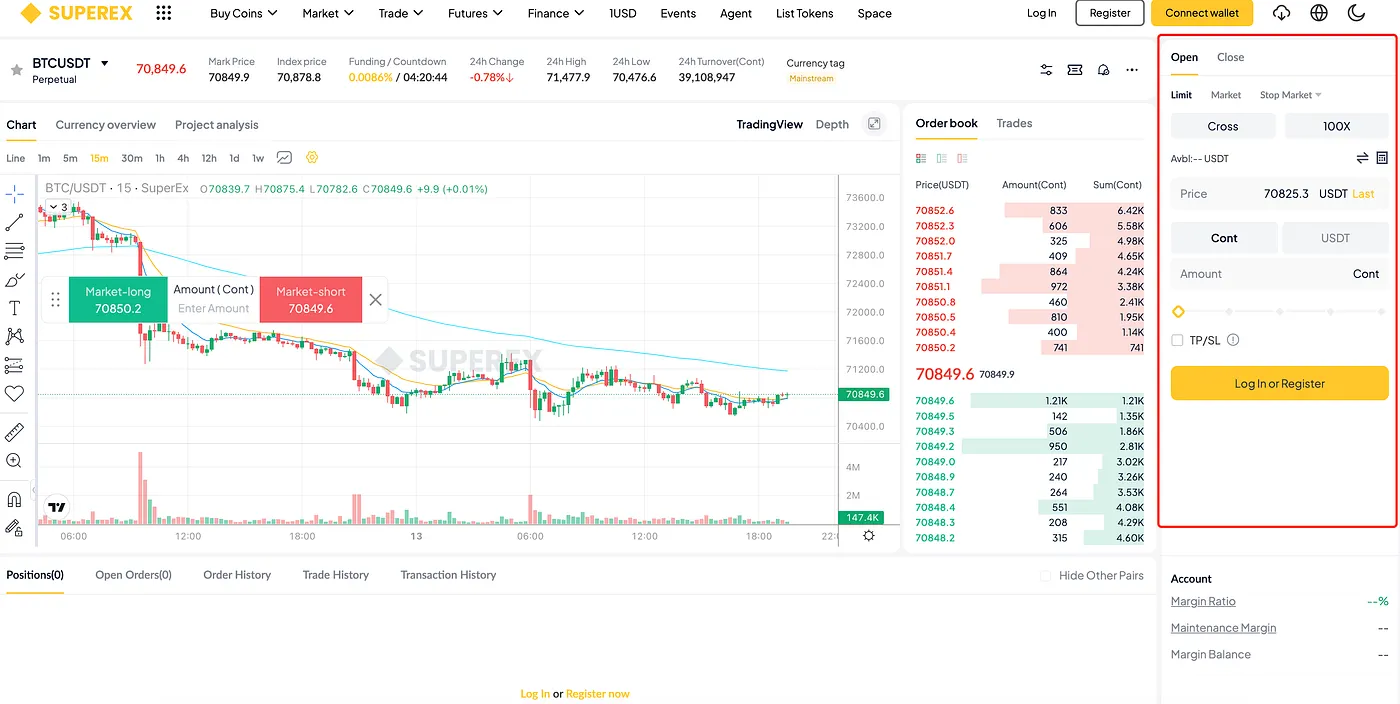
Margin Mode: Cross Margin, Sub-Account Margin, Isolated Margin.
Order Type: Market Order, Limit Order, TP/SL Limit, TP/SL Market.
Leverage: Choose the leverage multiplier.
Quantity: Enter the amount to trade.
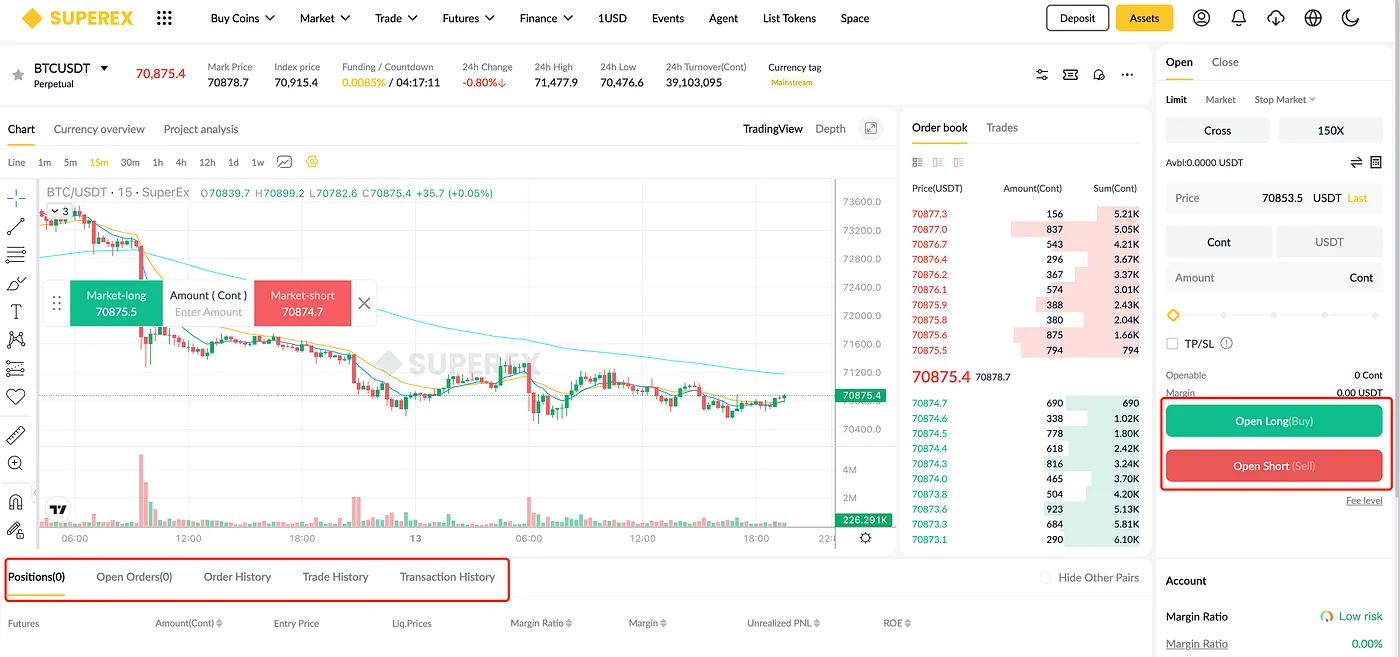
Go long (Buy/Long) if you expect prices to rise.
Go short (Sell/Short) if you expect prices to fall.
Once you fill in the order details, confirm your trade for Buy/Long or Sell/Short.
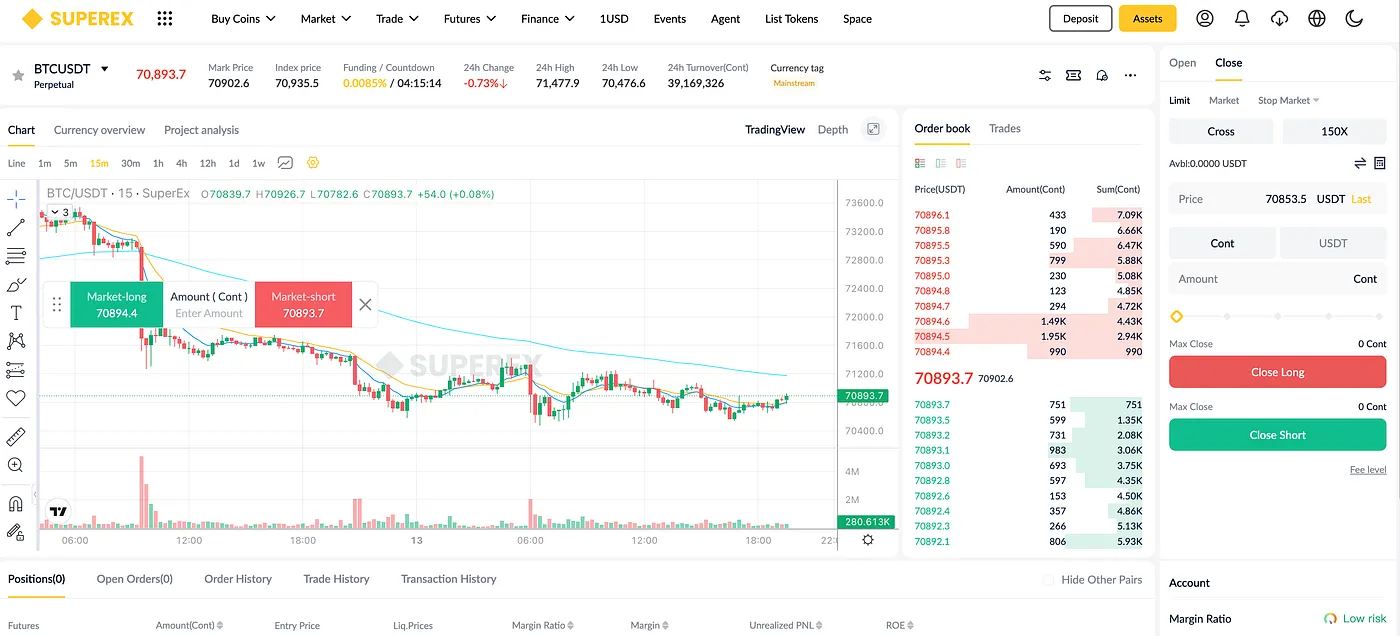
Your active orders can be viewed in the Positions tab. When your profit target is met, you can close the position.
Notes
Margin mode settings apply to all futures contracts.
If the margin ratio ≤ 0%, your position will be liquidated.
Cross Margin: All cross positions with the same asset share the margin. In liquidation, the trader may lose all margin and positions under that asset.
Isolated Margin: A fixed margin amount is allocated to a position. If the margin ratio ≤ 0%, the position is liquidated. You can manually add or reduce margin.
Sub-Account Margin: A fixed amount of margin is allocated to a sub-account. If the margin ratio ≤ 0%, the position will be liquidated, and all assets in that sub-account may be lost.
