Encrypted Image Storage in MySQL
A practical and convenient solution for small and medium projects when access control and protection against unwanted file downloads matter. In the example described below the focus is on jpg and png images.
Image: AI-generated.
Why is this convenient? Because you have a centralized place where files are stored encrypted, and PHP controls access to them. There are no direct URLs to the filesystem, no risk that someone will find the image directory and start downloading everything. You can provide paid access to users, issue links only after permission checks, and revoke issuance easily. If the DB is backed up and you encrypt its export, that's another layer of protection — without the key the data are just meaningless bits. For a stock photo site, an icon shop or a backgrounds store this is fine: you keep working files under control and serve them only on authorized requests.
Priorities: no FTP needed, easier to automate backup/replication, access can be controlled at the application level, encryption as protection against leaks, repacking through GD removes EXIF and possible malicious insertions (scripts in metadata). The code uses mysqli prepared statements, finfo for real MIME detection, random_bytes and hash_equals. In other words, basic security practices are observed.
But there are quite a few downsides and they shouldn’t be forgotten. The main one is size and load. Binary data in the DB increases the size of dumps and copies, worsening backup and replication performance. MySQL with tons of LONGBLOBs starts to slow down on backups and during replication. Second — throughput: serving a file via PHP (encryption/decryption in memory) is noticeably heavier than serving a static file. About key management. In the current implementation the key is stored in the $PASSWORD variable directly in the script — that’s undesirable. Scale: if you have thousands/millions of files, storing them in the DB is a road to problems. Plus PHP limits (upload_max_filesize), memory limits and execution time — all of these need to be configured.

Technically what’s important to remember and set up: this code requires PHP 7+, the openssl, gd and fileinfo extensions, and on MySQL a table with LONGBLOB (InnoDB). The server must use HTTPS, otherwise the whole point of access control is lost — intercepted traffic would allow obtaining files in transit. Preferably do not store the key in code: move it to environment variables (environment variables are variables set by the system or in the server configuration, not in the code).
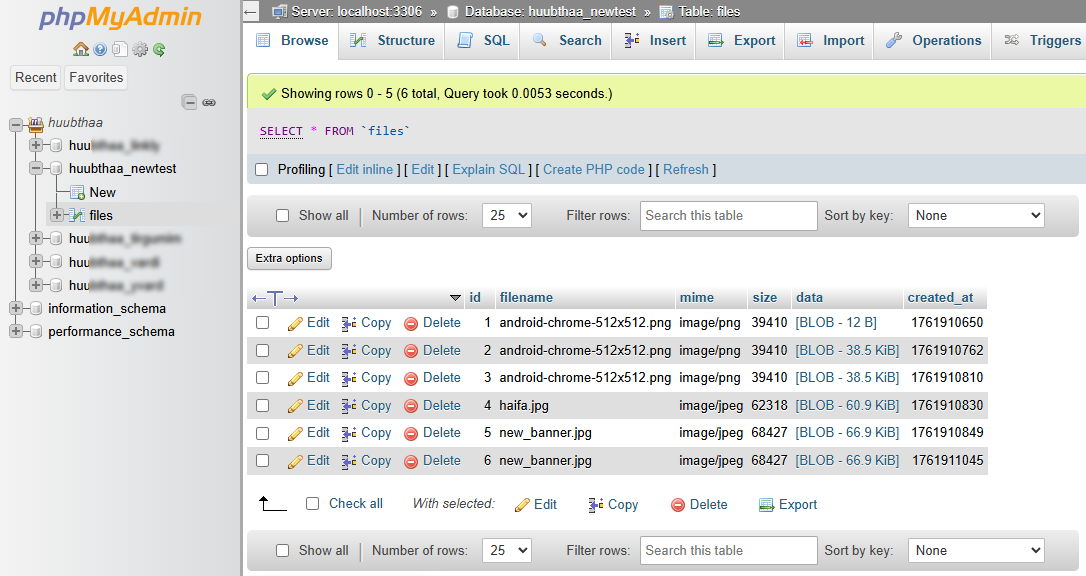
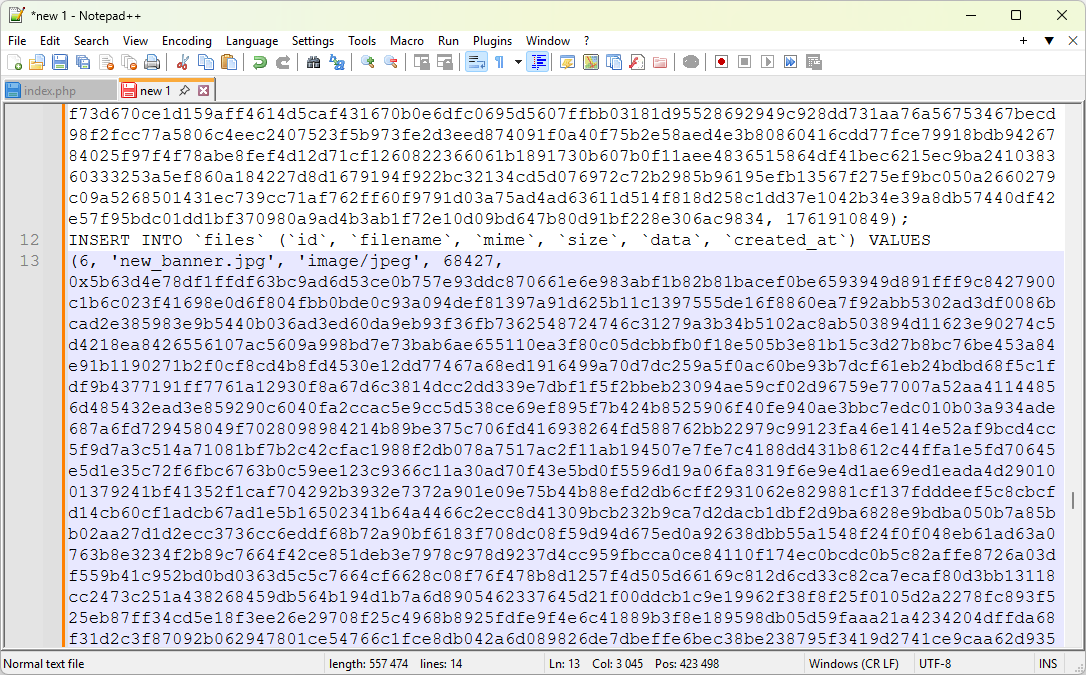
The script repacks the image via GD, so EXIF and potentially harmful content are removed. But keep in mind that if you have PNGs and want to preserve transparency, you need to pay attention to quality and to the fact that JPEG will not preserve transparency — the code saves PNG as PNG and everything else as JPEG, so that’s fine. Details: finfo_buffer is used to determine the real MIME, do not trust $_FILES['type']. The script checks and limits upload size according to php.ini and a local 3MB limit. For stock sites you usually need more — raise upload_max_filesize, post_max_size and memory_limit and consider chunked upload if you want large files.
On a small project (hundreds of files) this approach is convenient and quickly gives you access control. On a serious stock site that needs a CDN, fast delivery and millions of files it’s better to store originals in object storage and keep only metadata in the DB and, if desired, encrypted versions for offline backups. You can combine approaches: keep working previews in a CDN and originals in the DB/protected storage.
Table creation script:
CREATE TABLE IF NOT EXISTS `files` (
  `id` INT NOT NULL AUTO_INCREMENT,
  `filename` VARCHAR(255) NOT NULL,
  `mime` VARCHAR(120) NOT NULL,
  `size` INT NOT NULL,
  `data` LONGBLOB NOT NULL,
  `created_at` INT UNSIGNED NOT NULL,
  PRIMARY KEY (`id`)
) ENGINE=InnoDB DEFAULT CHARSET=utf8mb4 COLLATE=utf8mb4_general_ci;
Full code:
(Edit the DB CONFIG and KEY before executing the script)
<?php
// fixed version for PHP 7.0 (AES-256-CBC + HMAC-SHA256)

// show errors for debugging (remove in production)
ini_set('display_errors', 1);
ini_set('display_startup_errors', 1);
error_reporting(E_ALL);

// ===== DB CONFIG =====
$db_host = 'localhost';
$db_user = '';
$db_pass = '';
$db_name = '';

// ===== KEY (my secret key at least 32 bytes long) =====
$PASSWORD = '1111111111111111111111111111111111111111111';

// ===== DB CONNECT =====
$mysqli = mysqli_connect($db_host, $db_user, $db_pass, $db_name);
if (!$mysqli) {
    http_response_code(500);
    exit("Database connection error: " . mysqli_connect_error());
}
mysqli_set_charset($mysqli, 'utf8mb4');

// ===== Helpers =====
function escFilename($name) {
    $name = basename($name);
    $name = preg_replace('/[^\p{L}\p{N}\.\-\_ ]+/u', '_', $name);
    $name = preg_replace('/\s+/', '_', $name);
    return mb_substr($name, 0, 200);
}

// AES-256-CBC + HMAC-SHA256 (encrypt-then-mac) — compatible with PHP7.0
function encryptData($data, $password) {
    $key = hash('sha256', $password, true); // 32 bytes
    $iv = random_bytes(16); // 16 bytes for CBC
    $cipher = openssl_encrypt($data, 'AES-256-CBC', $key, OPENSSL_RAW_DATA, $iv);
    if ($cipher === false) return false;
    // HMAC over IV + ciphertext (binary)
    $hmac = hash_hmac('sha256', $iv . $cipher, $key, true); // 32 bytes
    // store: IV(16) | HMAC(32) | CIPHERTEXT
    return $iv . $hmac . $cipher;
}

function decryptData($bin, $password) {
    $key = hash('sha256', $password, true);
    if (strlen($bin) < 16 + 32) return false;
    $iv = substr($bin, 0, 16);
    $hmac = substr($bin, 16, 32);
    $cipher = substr($bin, 48);
    // verify HMAC
    $calc = hash_hmac('sha256', $iv . $cipher, $key, true);
    if (!hash_equals($hmac, $calc)) return false;
    $plain = openssl_decrypt($cipher, 'AES-256-CBC', $key, OPENSSL_RAW_DATA, $iv);
    return $plain === false ? false : $plain;
}

// Re-encode image to strip EXIF / dangerous payloads (GD)
function sanitizeImage($raw, $mime) {
    $img = @imagecreatefromstring($raw);
    if ($img === false) return false;
    ob_start();
    if ($mime === 'image/png') {
        imagepng($img);
        $out_mime = 'image/png';
    } else {
        imagejpeg($img, null, 90);
        $out_mime = 'image/jpeg';
    }
    $out = ob_get_clean();
    imagedestroy($img);
    return array($out, $out_mime); // compatible with PHP7.0
}

// ---- 1) DOWNLOAD MODE: must be before any output ----
if (isset($_GET['id'])) {
    $id = (int)$_GET['id'];
    $stmt = mysqli_prepare($mysqli, "SELECT filename, mime, data FROM files WHERE id = ?");
    mysqli_stmt_bind_param($stmt, "i", $id);
    mysqli_stmt_execute($stmt);
    mysqli_stmt_bind_result($stmt, $filename, $mime, $data);
    if (!mysqli_stmt_fetch($stmt)) {
        mysqli_stmt_close($stmt);
        http_response_code(404);
        exit("File not found");
    }
    mysqli_stmt_close($stmt);

    $decoded = decryptData($data, $PASSWORD);
    if ($decoded === false) {
        http_response_code(500);
        exit("Decrypt error or HMAC mismatch");
    }

    // send headers (no output before this)
    header("Content-Type: " . $mime);
    header("Content-Disposition: attachment; filename*=UTF-8''" . rawurlencode($filename));
    header("Content-Length: " . strlen($decoded));
    echo $decoded;
    exit;
}

// ---- 2) UPLOAD MODE ----
if ($_SERVER['REQUEST_METHOD'] === 'POST' && isset($_FILES['file'])) {
    $tmp = isset($_FILES['file']['tmp_name']) ? $_FILES['file']['tmp_name'] : null;
    $origName = isset($_FILES['file']['name']) ? $_FILES['file']['name'] : 'file';
    $size = isset($_FILES['file']['size']) ? (int)$_FILES['file']['size'] : 0;

    if (!is_uploaded_file($tmp)) exit("Error: file not uploaded.");

    // ---- Size check (max 2 MB by php ini, we allow up to 3M but php likely 2M) ----
    $phpMax = ini_get('upload_max_filesize') ?: '2M';
    // parse php size
    $mult = strtolower(substr($phpMax, -1));
    $num = (int)$phpMax;
    $phpMaxBytes = ($mult == 'g') ? $num*1024*1024*1024 : (($mult=='m') ? $num*1024*1024 : (($mult=='k') ? $num*1024 : $num));
    $limit = min($phpMaxBytes, 3 * 1024 * 1024);
    if ($size > $limit) {
        exit("Error: file is too large. Maximum allowed: " . ($limit/1024/1024) . " MB");
    }

    // ---- Read raw ----
    $raw = file_get_contents($tmp);
    if ($raw === false) exit("Error reading file.");

    // ---- Detect real MIME ----
    $finfo = finfo_open(FILEINFO_MIME_TYPE);
    $mime = finfo_buffer($finfo, $raw) ?: '';
    finfo_close($finfo);
    $allowed = array('image/jpeg', 'image/png');
    if (!in_array($mime, $allowed, true)) {
        exit("Error: only JPG and PNG are allowed.");
    }

    // ---- Sanitize / re-encode image ----
    $san = sanitizeImage($raw, $mime);
    if ($san === false) exit("Error: cannot process image.");
    list($cleanData, $cleanMime) = $san;
    $size = strlen($cleanData);

    $safeName = escFilename($origName);

    // ---- Encrypt (binary) ----
    $payload = encryptData($cleanData, $PASSWORD);
    if ($payload === false) exit("Encryption error");

    // ---- Insert into DB (LONGBLOB). We use simple bind (shared-host) ----
    $created = time();
    $stmt = mysqli_prepare($mysqli, "INSERT INTO files (filename, mime, size, data, created_at) VALUES (?, ?, ?, ?, ?)");
    if (!$stmt) { exit("Prepare failed: " . mysqli_error($mysqli)); }

    // bind params: s s i s i
    mysqli_stmt_bind_param($stmt, "ssisi", $safeName, $cleanMime, $size, $payload, $created);

    $res = mysqli_stmt_execute($stmt);
    if (!$res) {
        $err = mysqli_stmt_error($stmt);
        mysqli_stmt_close($stmt);
        exit("DB insert error: $err");
    }
    $id = mysqli_insert_id($mysqli);
    mysqli_stmt_close($stmt);

    // output upload result (this is a separate request, fine here)
    echo "<p>✅ File uploaded. ID: <b>" . intval($id) . "</b></p>";
    echo "<p>➡️ Download: <a href='?id=" . intval($id) . "'>?id=" . intval($id) . "</a></p>";
    exit;
}
?>
<!doctype html>
<html lang="en">
<head>
<meta charset="utf-8">
<title>Secure File Store</title>
<style>body{font-family:sans-serif;padding:20px}input{margin:10px 0}</style>
</head>
<body>
<h2>Upload file</h2>
<form method="post" enctype="multipart/form-data">
    <input type="file" name="file" required accept="image/jpeg,image/png">
    <br><button type="submit">Upload</button>
</form>
<p>After upload you will receive a link like:<br><code>?id=123</code></p>
</body>
</html>