Securing PDFs and Stopping Students from Sharing Homework in Class
Securing PDFs and Stopping Students from Sharing Homework in Class
Try the free online demo now: https://drm.verypdf.com
Keeping lecture materials safe has always been a challenge for me. I remember last semester, I spent hours preparing a set of detailed lecture slides for my advanced biology course, only to find out a student had shared them online before the first tutorial even began. It's frustrating and disheartening because you want your students to benefit from your content—but not at the cost of losing control over it. For professors and educators, the struggle of preventing PDF piracy, controlling who accesses course materials, and stopping students from copying or converting files is very real.
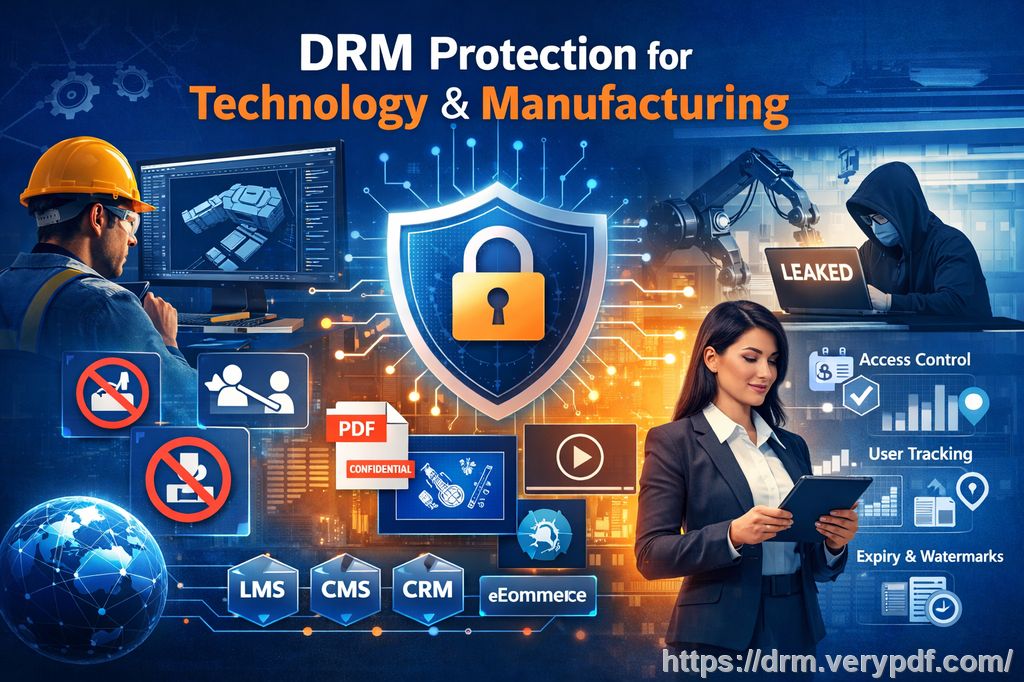
One solution that has truly changed the way I distribute content is VeryPDF DRM Protector. It allows you to protect course PDFs, secure lecture materials, and prevent students from sharing homework—all while keeping annotation and interaction features intact. Let me walk you through why this tool has become essential in my teaching workflow.
I often face a few recurring pain points in the classroom:
Students sharing PDFs or assignments online. No matter how much you stress academic integrity, some students will share notes or homework with others, or even upload them to forums. This spreads your work beyond your control and can affect your course's credibility.
Unauthorized printing, copying, or converting files. I've seen students try to convert PDFs into Word documents or Excel sheets to manipulate or distribute content. Even when PDFs are password-protected, many conversion tools bypass simple restrictions.
Loss of control over paid or restricted course content. For professors teaching online courses or providing paid PDFs, it's a nightmare to have your hard work accessible without consent. The challenge is distributing content efficiently while maintaining strict access control.
This is where VeryPDF DRM Protector becomes a game-changer. It's designed specifically for educators who need to control who sees their PDFs and how they're used. Here's how it helps in real classroom scenarios:
Restrict PDF access to enrolled students or specific users. Each PDF can be locked so only students with a valid account can open it. No more worrying about forwarded emails or unauthorized downloads.
Prevent printing, copying, forwarding, or DRM removal. Students can read, annotate, and engage with the content without being able to steal it. Even if someone tries to bypass the security, DRM protection ensures the file stays secure.
Protect lecture slides, homework, and paid course materials. Whether you're preparing semester-long lecture slides or distributing a paid workbook, the content remains safe from sharing or misuse.
The anti-piracy benefits are substantial:
Stops students or hackers from bypassing PDF security. Unlike basic password protections, DRM enforcement ensures no one can remove restrictions without authorization.
Prevents conversion to Word, Excel, or images. Students cannot copy or extract content to reproduce it elsewhere, preserving your intellectual property.
Maintains full control over content distribution. You can decide who sees the materials, how long they can access them, and even track usage if needed.
In my own experience, using VeryPDF DRM Protector has saved me countless headaches. Last semester, I rolled out a set of annotated homework PDFs using the tool. I was able to:
Restrict access to only my registered students.
Allow students to highlight and annotate the PDFs within their accounts, without risking unauthorized sharing.
Save annotations for each student, so they could resume their work seamlessly.
One student even thanked me because the annotation feature allowed them to review complex diagrams with notes that were preserved across sessions. Meanwhile, I didn't have to worry about the PDFs being leaked online.
Setting it up is straightforward. Here's a simple workflow I follow:
Open the protected PDF list at VeryPDF DRM Protector's web portal.
Select the PDF I want to annotate and click "Edit Settings."
Enable toolbar options like highlight, free text, ink, and stamp.
Save the settings and launch the enhanced web viewer for students.
This setup lets students interact with PDFs safely: they can add highlights, freehand notes, and even signatures, but they cannot copy, print, or export the file. For me, it was a relief to see that even the most tech-savvy students couldn't bypass the system.
The annotation system is powerful yet simple:
Highlight, strikeout, and underline text for focused note-taking.
Ink and freehand drawing for diagrams or math equations.
Stamps and custom images for marking important notes or feedback.
Export or save annotations in students' accounts so work is never lost.
Mobile support is another big plus. Students can annotate lecture PDFs directly on tablets or phones during lectures, which enhances engagement without compromising security.
I also love how DRM Protector handles step-by-step classroom use:
Upload PDFs to the DRM system.
Configure access restrictions and annotation tools.
Share links securely with students.
Monitor usage and engagement without exposing files to piracy.
Overall, the tool has streamlined my workflow. I spend less time worrying about security, and more time focusing on teaching. Students get interactive PDFs they can work with safely, and I maintain full control over my materials. It's a win-win.
I highly recommend this to anyone distributing PDFs to students, whether for classroom lectures, homework, or paid online courses. Protecting course PDFs, securing lecture materials, and stopping students from sharing homework has never been easier.
Try it now and protect your course materials: https://drm.verypdf.com
Start your free trial today and regain control over your PDFs.
FAQs
Q: How can I limit student access to PDFs?
A: VeryPDF DRM Protector allows you to restrict access to specific users or enrolled students. Only authorized accounts can open the protected PDFs.
Q: Can students still read PDFs without copying, printing, or converting them?
A: Yes. Students can view and annotate the PDFs, but all copying, printing, forwarding, or converting actions are blocked by DRM.
Q: How can I track who accessed my files?
A: The platform provides usage monitoring, so you can see which students opened the PDFs and when.
Q: Does it prevent PDF piracy and unauthorized sharing?
A: Absolutely. DRM protection ensures PDFs cannot be shared, converted, or modified outside of the system.
Q: How easy is it to distribute protected lecture slides and homework?
A: Very easy. Upload your PDFs, configure restrictions and annotation settings, and share secure links with students. No complicated setup required.
Q: Can annotations be saved and reused by students?
A: Yes. Students can save their highlights, notes, and drawings in their accounts, and resume work anytime without losing progress.
Q: Is it compatible with mobile devices?
A: Yes. Students can annotate PDFs on tablets or smartphones while maintaining full security.
Tags or Keywords:
protect course PDFs, prevent PDF piracy, stop students sharing homework, secure lecture materials, prevent DRM removal, anti-conversion PDF DRM, protect online course materials, secure homework PDFs, PDF annotation security, DRM protected lecture slides