A Simple Local Web Wallet for TRON
I am one of those people who find the TRON cryptocurrency very convenient. Transaction fees are very low. Payments are very fast, and there is no need to wait long for confirmation — transfers take just a few seconds. TRON has stablecoins. This cryptocurrency is perfect for micropayments: you can send very small amounts, even 0.000001 TRX, and not worry that the fee will "eat up" everything like on Ethereum. There are, of course, some controversial opinions about how decentralized TRON really is because of Justin Sun’s strong internal influence, but that is a separate topic.
Among multi-currency wallets, I have always liked Trust Wallet and Exodus. And for TRX, the TronLink wallet is really very convenient. Each of these wallets, although non-custodial, still warns that it may send telemetry data (analytics, IP, device info) to third parties under certain requests. I do not really want to go into why or which third parties, but the fact is that such a wallet does not feel 100% secure, at least that is the impression I got. This is subjective.
I became interested in how possible it is to create my own wallet for managing TRX tokens. How difficult is it to do?
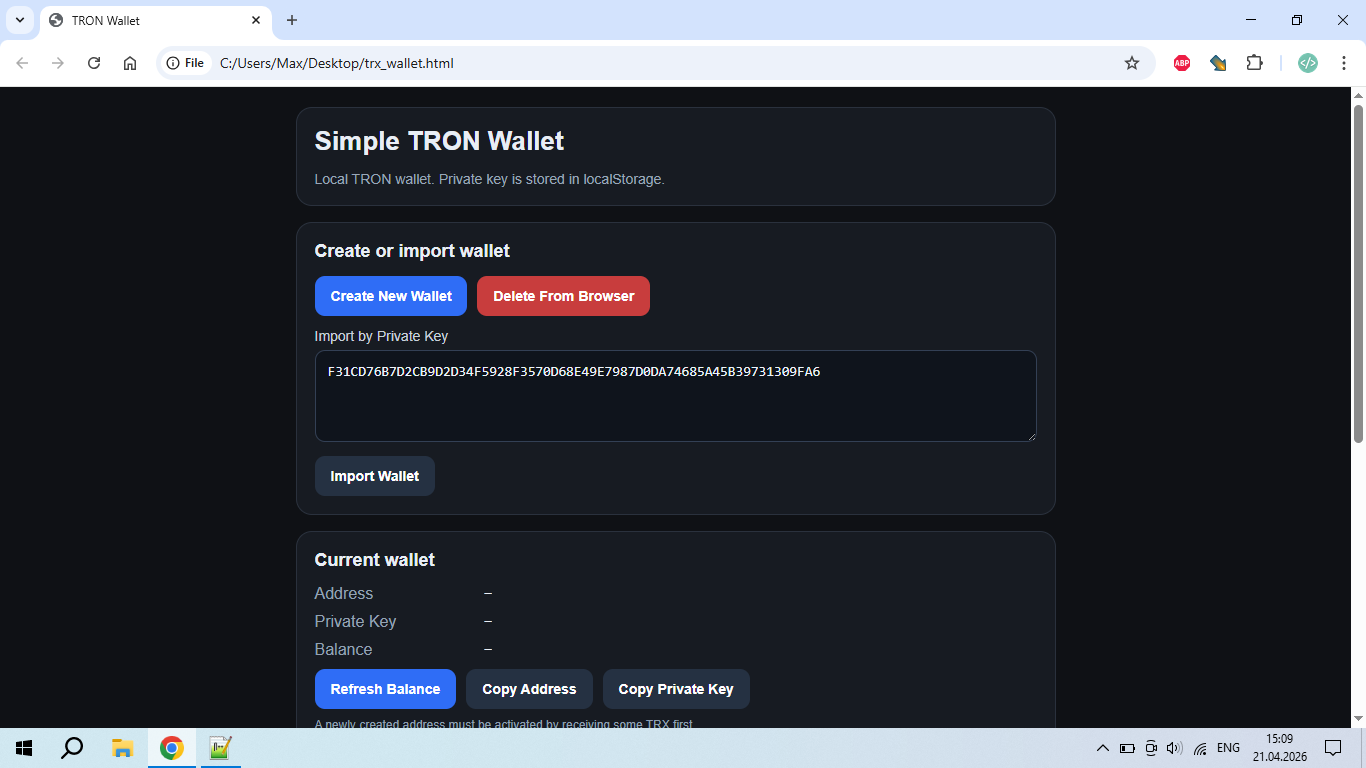
Ah, yes... this private key is from an empty wallet and is only shown as an example :)
I want to present a local web-wallet for Tron that works directly in the browser. I feel like I’ve "reinvented the wheel", but I really liked how this idea turned out. So, what can it do? It can create a new Tron wallet, restore an existing one from a private key, save the private key in the browser’s localStorage, display the wallet address and balance, automatically update the balance, send TRX, add a memo to a transfer, and withdraw all funds using the "Max" button so the remaining balance is zero.
I’ll not hide the fact that ChatGPT helped me a lot to put everything together, because I did not have enough patience to debug the code. AI also helped me a little with optimizing the CSS styles and the code in general. I made this wallet for myself,and I’ve no interest in promoting it for any commercial purpose. So if someone likes the idea — use the script however you want.
The script does not send the private key, the contents of localStorage, or any other user data to any custom server, because it has no server side at all. All main data is stored and used locally in the browser. At the same time, the wallet uses an external TRON API to work, so when requesting a balance, sending transactions, and performing other network operations, the external TRON API/node receives standard request metadata such as the IP address, the browser User-Agent, and the wallet address used in the operation. The private key is not sent to the API, but the very fact of connecting to an external TRON API means that the API provider can see the technical connection data and the wallet address. This means that you can save the script as a file called trx_wallet.html on your desktop and use it without uploading it to any server. I think that is very convenient.
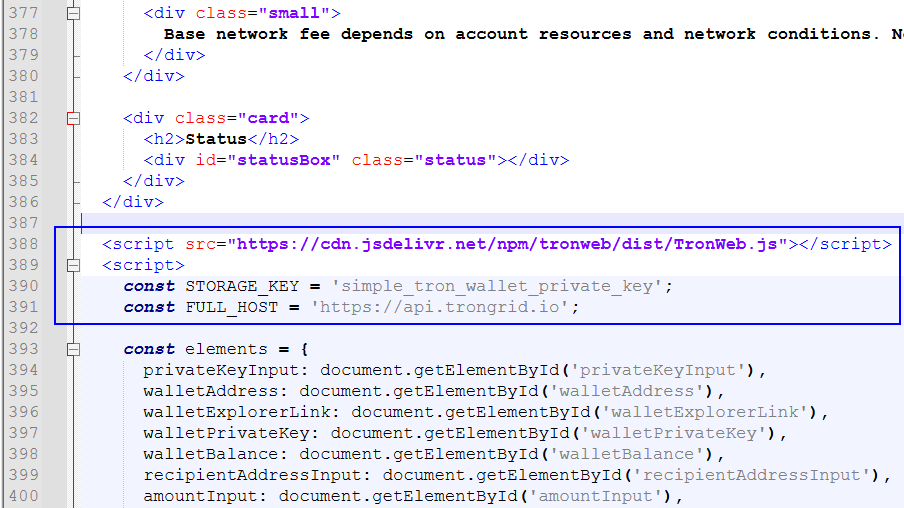
const STORAGE_KEY = 'simple_tron_wallet_private_key'; — this is the name of the storage entry where the private key is saved in the browser. You can change this name however you like.
<script src="https://cdn.jsdelivr.net/npm/tronweb/dist/TronWeb.js"></script> — connection to the external JavaScript library TronWeb. For your own safety you can download the TronWeb.js file and connect it to the wallet locally. But that is optional.
const FULL_HOST = 'https://api.trongrid.io'; — it’s address of the external TRON API node that the wallet uses.
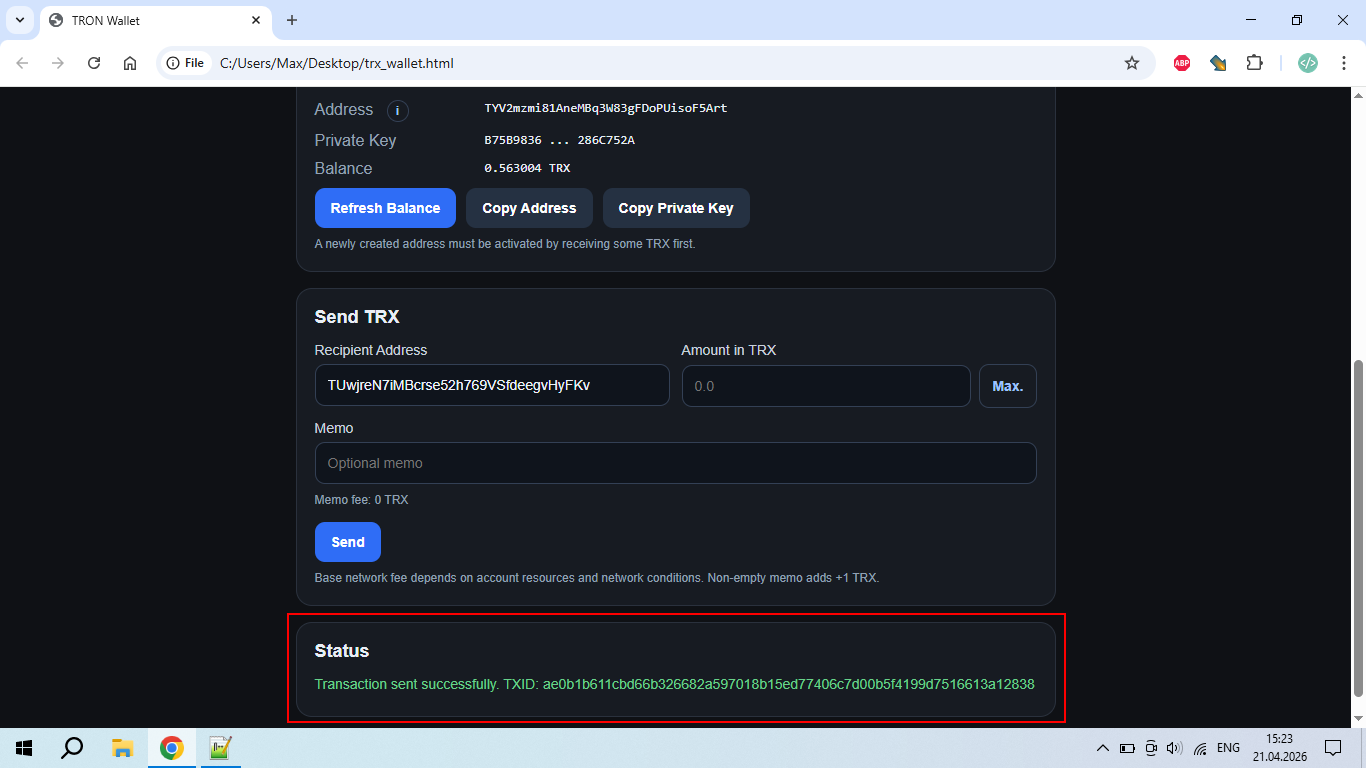
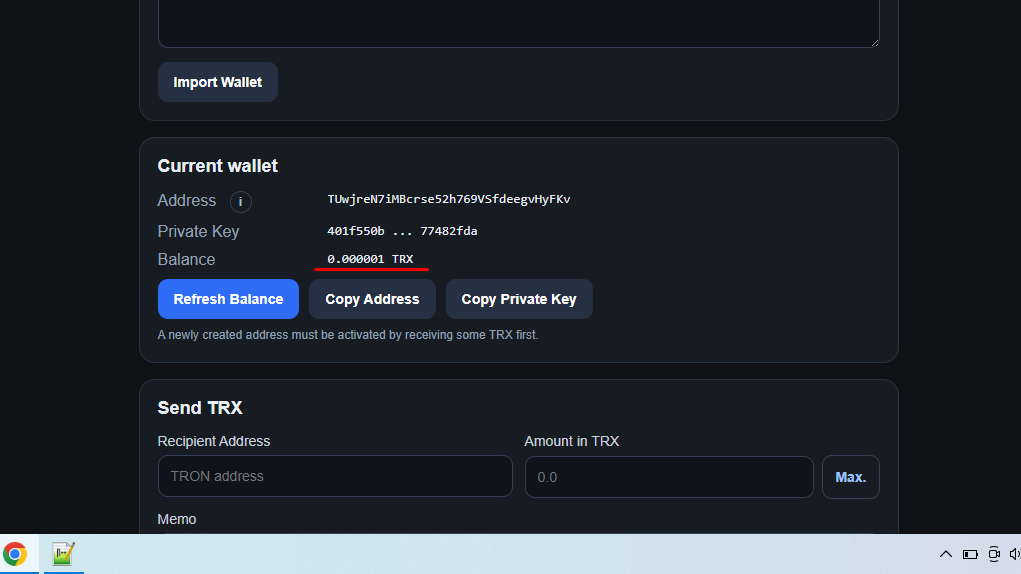
At the very bottom of the page, there is a section for displaying system notifications. Transaction statuses as well as system errors are shown there. Unfortunately, I did not have the opportunity to test sending a transaction with a memo because I do not have enough TRX balance in the wallet. If anyone has the chance to test it, please write a few words about whether it works or not.
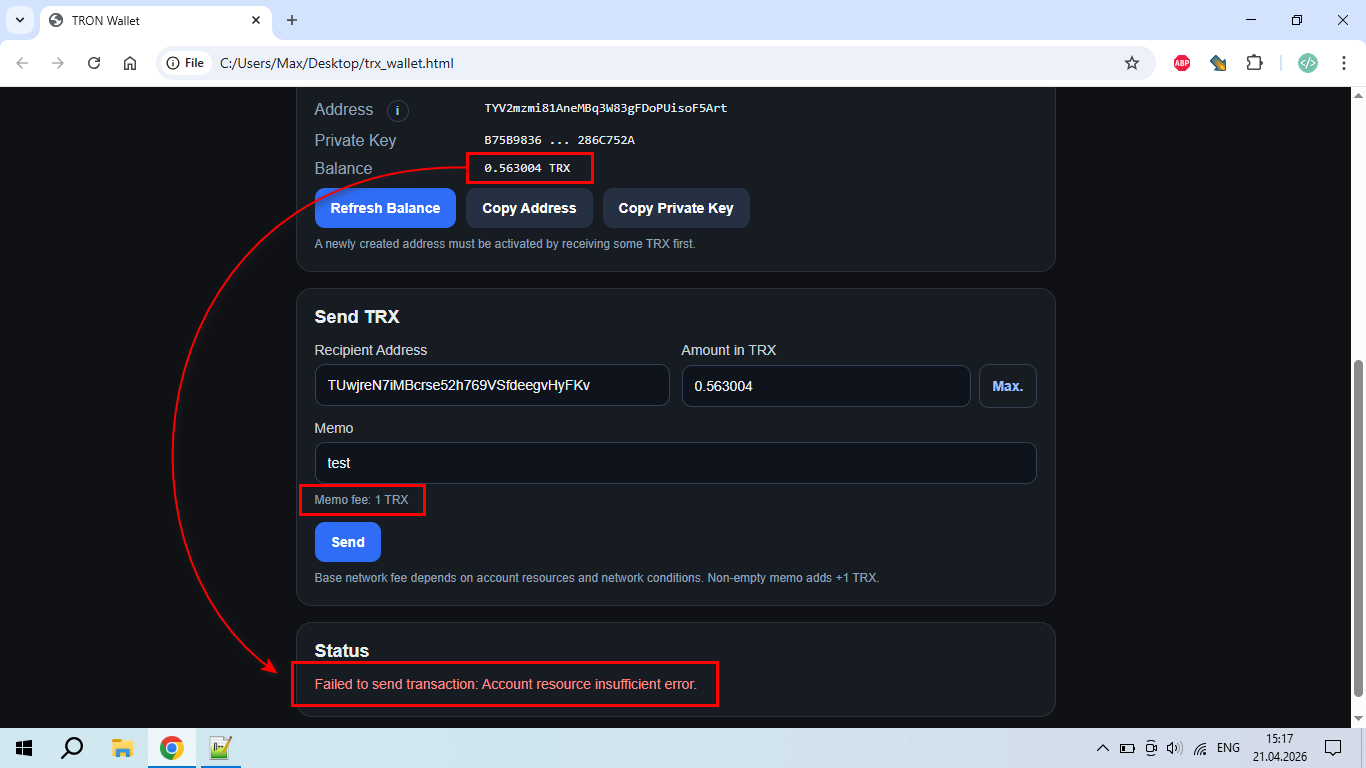
If this script is placed on a server somewhere, it would be a good idea to add password protection for the wallet functions. That would be easy to do with PHP, but when using a local file, setting a password becomes much more difficult. Why? Because the password should not be readable from the code.In this case, a method like AES-256-GCM encryption would be ideal solution. But the encryption would have to be done using an additional script, and the wallet code would then need to include the already encrypted password. Anyway... I did not have enough resources for that :))
I ask that this wallet script be used for experimental purposes only. For transferring large amounts of TRX, it’s always better to use official wallets. The full code is published on GitHub: https://github.com/maxart-stm/Tron-Wallet
Thank you for your attention!